
Christmas light displays have evolved from simple strings of bulbs into immersive audiovisual experiences. With the rise of smart home technology and accessible mobile apps, syncing holiday lights to music is no longer reserved for professionals or those with deep pockets. Whether you're decorating a modest front porch or orchestrating a neighborhood spectacle, today’s tools make it possible to create dazzling, rhythmically precise shows using equipment you may already own.
The magic lies in combining affordable smart lighting systems with intuitive software that translates sound into visual cues. By understanding a few key principles and following a structured setup process, anyone can transform static holiday decor into a dynamic performance that dances to the beat of classic carols or modern holiday hits.
Understanding the Components: Lights, Controllers, and Software
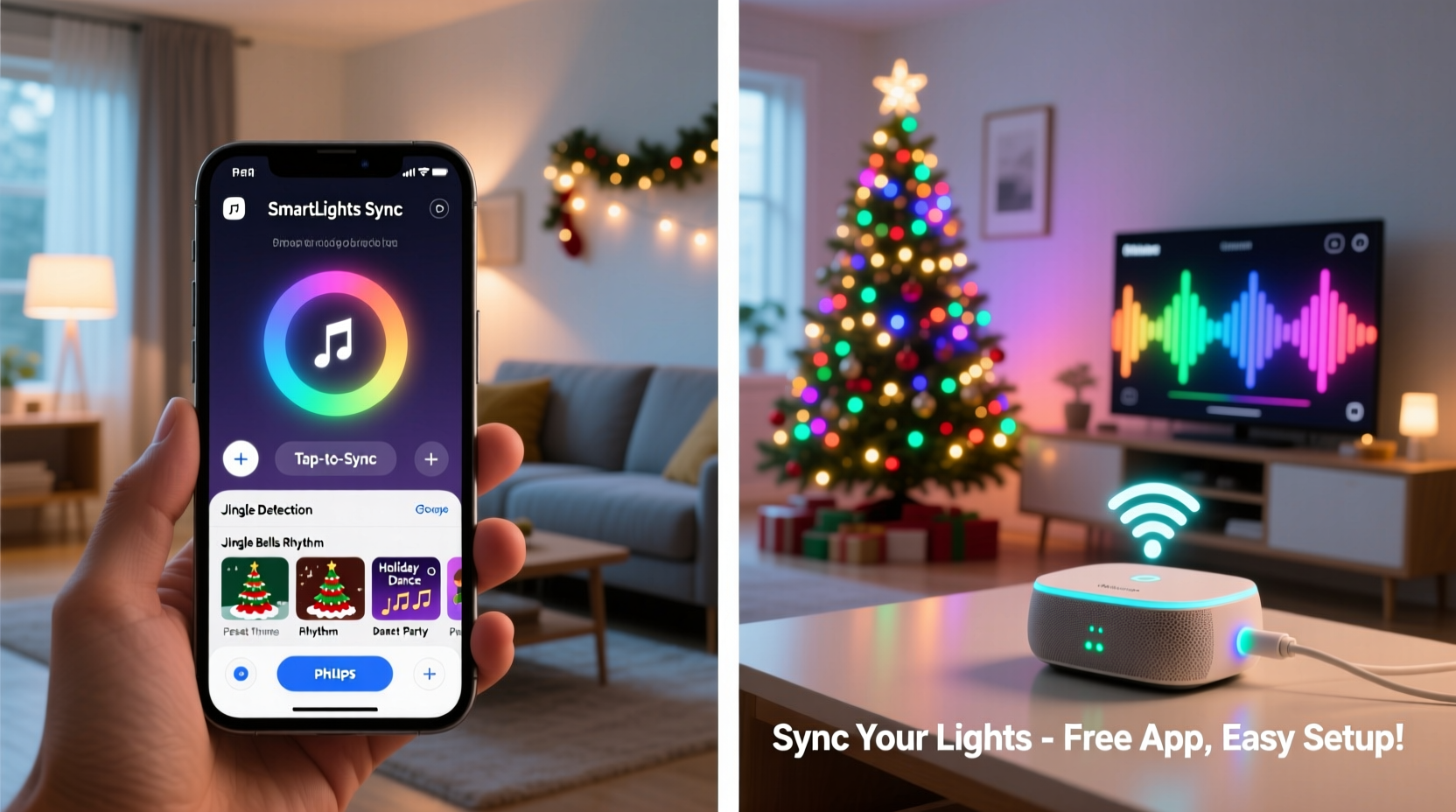
Synchronizing lights with music requires three core elements: controllable lights, a communication method (often via Wi-Fi or Bluetooth), and software that interprets audio and sends timed commands to the lights. The good news? You don’t need industrial-grade controllers or custom circuits to get started.
Modern smart LED strips and bulbs—such as Philips Hue, LIFX, Nanoleaf, or budget-friendly brands like Govee and Twinkly—are designed to respond to real-time signals. These lights connect to your home network and can be programmed through companion apps or third-party platforms that support music synchronization.
At the software level, several free or low-cost applications analyze audio files and convert them into light patterns based on volume, tempo, and frequency. Some apps generate automatic sequences; others allow manual choreography for greater artistic control. When paired with compatible hardware, these tools enable lights to pulse, fade, strobe, or change color in time with music.
Step-by-Step Guide to Syncing Your Lights
- Choose Your Smart Lighting System
Select lights that support music-reactive modes or external control via APIs. Look for models that work with platforms like IFTTT, Home Assistant, or dedicated visualization software such as xLights or Vixen Lights. - Set Up Your Network
Ensure all devices are connected to the same 2.4 GHz Wi-Fi network. Many smart lights don’t support 5 GHz bands, so double-check compatibility. A stable connection prevents lag between audio and light response. - Pick a Music-Sync App
For beginners, use user-friendly apps like Govee Garden, Twinkly Music, or Hue Sync (for Philips Hue). More advanced users can explore desktop programs like xLights for full customization. - Test Audio Input
Plug in your lights and open the app. Play a song with clear beats (e.g., “Jingle Bell Rock”) and observe how the lights react. Adjust sensitivity settings to avoid over-triggering during loud sections. - Map Your Display Layout
If using multiple light strands, assign zones or channels in the app to reflect their physical placement (e.g., roofline, tree, staircase). This allows for spatial choreography. - Create or Use Pre-Made Sequences
Some apps let you auto-generate sequences from MP3s. Others require manual timing. For precision, break songs into segments and assign light actions (fade, flash, color shift) to match musical accents. - Rehearse Outdoors
Run your sequence outside at night to evaluate visibility and timing. Make sure neighbors aren’t disturbed by overly bright flashes or extended playback hours.
Top Affordable Apps for Music Syncing
Not all music-sync apps are created equal. The best balance ease of use, responsiveness, and cost. Here are five highly rated options suitable for different levels of technical skill:
| App Name | Compatibility | Price | Best For |
|---|---|---|---|
| Govee Garden | Govee LED strips and bulbs | Free | Beginners wanting plug-and-play music mode |
| Twinkly Music | Twinkly LED products only | Free | Dynamic, real-time reactions with high accuracy |
| Hue Sync | Philips Hue ecosystem | Free (with subscription for advanced features) | TV, gaming, and music sync with ambient lighting |
| xLights | Custom controllers (e.g., ESP8266, Falcon F16V3) | Free | Advanced users building large-scale synchronized displays |
| Lumenplay | JBL Luma series lights | Free | Outdoor string lights with built-in beat detection |
While Govee Garden and Twinkly Music offer instant gratification with minimal setup, xLights provides unparalleled control—for example, allowing individual pixel-level animation across hundreds of LEDs. However, it comes with a steeper learning curve and often requires additional hardware like Raspberry Pi or Arduino-based controllers.
Real Example: A Suburban Family’s First Light Show
The Thompson family in Portland, Oregon, decided to elevate their annual Christmas display after seeing a viral video of a neighbor’s music-synchronized setup. With a modest budget of $200, they purchased four Govee Wi-Fi LED strip kits and two packs of Govee RGBW bulb strings for their roof and tree.
Using the Govee Home app, they enabled Music Mode and placed their smartphone near an outdoor speaker playing “All I Want for Christmas Is You.” Within minutes, the lights pulsed to Mariah Carey’s vocals. They later upgraded to Govee Garden, which allowed them to schedule nightly shows from 5 PM to 10 PM and link multiple devices seamlessly.
After fine-tuning brightness and reaction speed, they shared a 90-second highlight reel on social media. The post gained local attention, and now their home draws dozens of visitors each evening during the holiday season.
“With just an app and smart lights, we turned our house into a mini concert. Kids dance in the driveway—it’s become a community event.” — Sarah Thompson, DIY Enthusiast
Avoiding Common Pitfalls
Even with reliable technology, several issues can disrupt a smooth performance. Awareness and preparation go a long way toward preventing frustration.
- Lag Between Audio and Visuals: Caused by poor Wi-Fi signal or Bluetooth interference. Place your router centrally and minimize physical obstructions.
- Overloaded Circuits: Running multiple high-density LED strips on one outlet can trip breakers. Distribute loads across different circuits.
- Inconsistent Timing: Auto-generated sequences may misalign with musical beats. Manually adjust trigger points in the app for better sync.
- Weather Damage: Outdoor lights must be rated IP65 or higher. Seal connections with waterproof tape or silicone gel.
- Burnout from Overuse: Continuous operation for more than 8–10 hours daily can shorten LED lifespan. Use timers to limit runtime.
Checklist: Launch Your First Synchronized Light Show
- ✅ Select smart lights compatible with music-sync apps
- ✅ Confirm all devices are on the same Wi-Fi network
- ✅ Download and install the appropriate control app
- ✅ Choose a short, rhythmic holiday track for testing
- ✅ Position speakers close enough to provide clean audio input
- ✅ Calibrate light sensitivity and delay settings
- ✅ Assign zones if using multiple light strands
- ✅ Perform a dry run at dusk to check timing and brightness
- ✅ Schedule automatic playback times to avoid manual starts
- ✅ Share your show schedule with neighbors to manage expectations
Frequently Asked Questions
Can I sync non-smart Christmas lights?
No—not directly. Traditional incandescent or unconnected LED strings lack the circuitry to receive dynamic commands. However, you can use a smart plug to turn them on/off in rhythm, though this offers only basic blinking effects without color or pattern variation.
Do I need internet access during playback?
It depends on the system. Apps like Govee Garden and Hue Sync require your phone or hub to be online initially, but once a sequence is loaded onto the device, some can run offline. For uninterrupted performance, ensure your router remains active throughout the show.
How do I prevent my lights from disturbing neighbors?
Limit show duration to between 6 PM and 9 PM, especially in quiet neighborhoods. Reduce overall brightness, avoid rapid strobing, and direct intense colors downward. Consider adding a volume disclaimer if using external speakers.
Expert Insight: The Future of Holiday Lighting
As smart home ecosystems grow more interconnected, lighting synchronization is becoming increasingly seamless. Industry experts predict tighter integration between voice assistants, streaming services, and programmable LEDs.
“We’re moving toward AI-driven light shows that adapt in real time—not just to music, but to weather, foot traffic, and even viewer reactions.” — Dr. Alan Zhou, Smart Environment Researcher at MIT Media Lab
This means future setups could automatically adjust brightness based on ambient light or switch playlists depending on who’s watching. Open-source communities are also driving innovation, with developers sharing free templates and code libraries to democratize complex animations.
Conclusion: Bring the Holiday Magic to Life
Synchronizing Christmas lights with music used to be a labor-intensive project requiring technical know-how and significant investment. Today, thanks to smart home advancements and intuitive apps, it’s accessible to nearly anyone willing to try. From a single window display to a full-yard production, the tools exist to create memorable, joyful experiences that resonate with families and communities alike.
You don’t need thousands of dollars or engineering expertise—just a vision, a playlist, and a few well-chosen smart lights. As the holidays approach, consider turning your home into a canvas of light and sound. The smiles you spark will be worth every minute of setup.




 浙公网安备
33010002000092号
浙公网安备
33010002000092号 浙B2-20120091-4
Comments
No comments yet. Why don't you start the discussion?