
Transforming your holiday display into a synchronized light-and-music spectacle no longer requires expensive professional gear or complex programming. With today’s smart home technology, homeowners can create dazzling, beat-synchronized Christmas light shows that captivate neighbors and visitors alike. From smart bulbs to DIY controllers, modern tools make it easier than ever to choreograph festive lighting to your favorite seasonal tracks—right from your phone or tablet.
The magic lies in combining affordable smart lighting systems with software that analyzes audio and translates rhythm, volume, and tone into precise lighting cues. Whether you're aiming for subtle indoor ambiance or an outdoor display worthy of a viral video, the right setup can bring your vision to life without needing an electrical engineering degree.
Understanding Smart Lighting and Audio Sync Technology
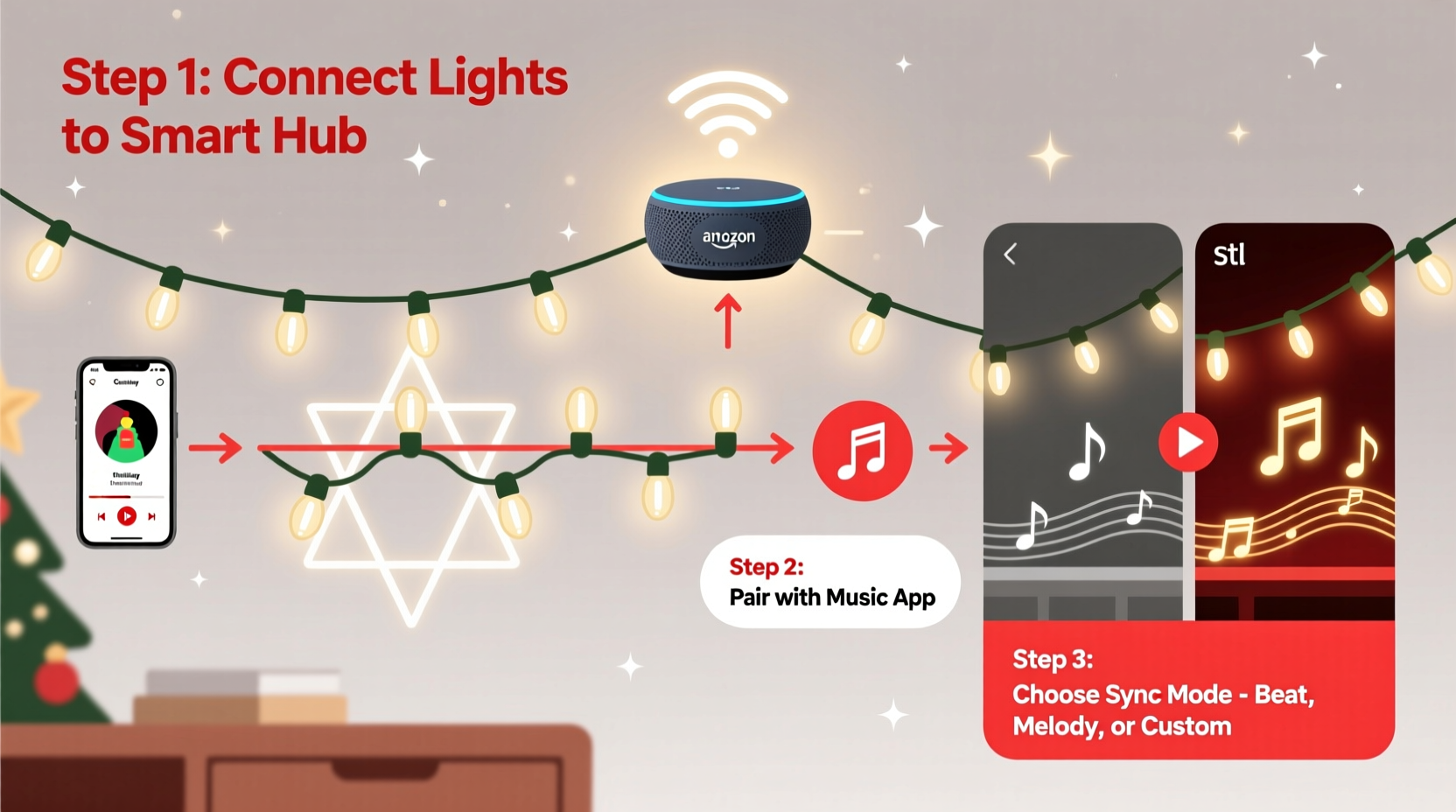
Synchronizing lights with music involves controlling when and how individual lights turn on, off, dim, change color, or pulse in response to sound. This requires three core components: compatible lighting hardware, a control system (often app-based), and audio-reactive software.
Smart LED strips, bulbs, and addressable light nodes can be programmed to react dynamically to audio input. Unlike traditional timers or manual switches, these devices connect via Wi-Fi, Bluetooth, or dedicated protocols like DMX or E1.31, allowing real-time adjustments based on music waveforms. The most accessible entry point for beginners is consumer-grade smart lighting platforms such as Philips Hue, LIFX, or Nanoleaf, which offer built-in music-sync modes.
For more advanced users, open-source tools like xLights or Falcon Player enable pixel-level precision across hundreds of individually controllable LEDs. These are often used in large-scale residential displays seen during the holiday season, where entire rooftops and trees pulse in perfect time with classic carols or pop remixes.
“Synchronization isn’t just about blinking to the beat—it’s about creating emotion through light motion, color transitions, and timing. That’s what turns a good display into a memorable experience.” — David Linthicum, Smart Home Lighting Designer and Creator of Holiday Light Reviews
Step-by-Step Guide to Sync Your Lights with Music
Creating a synchronized light show doesn’t have to be overwhelming. Follow this structured process to go from concept to performance in under a weekend.
- Choose Your Lighting System: Decide whether you want indoor accent lighting or a full outdoor display. For beginners, start with a single strand of RGB smart LED strip lights or a set of Wi-Fi-enabled bulb strings. Brands like Govee, Twinkly, and HitLights offer plug-and-play options with music sync features.
- Install and Power the Lights: Secure your lights along eaves, fences, trees, or window frames. Ensure all connections are weatherproof if used outdoors. Use surge protectors and avoid overloading circuits. Most smart light strings require a stable power source and should not be daisy-chained beyond manufacturer limits.
- Connect to Your Network: Pair the lights with your home Wi-Fi using the manufacturer’s app (e.g., Govee Home, Twinkly App). Make sure each device appears online and responds to basic commands like color changes or brightness adjustments.
- Select a Music Track: Pick a high-energy holiday song with clear beats and dynamic shifts—think “Carol of the Bells,” “Jingle Bell Rock,” or a modern remix. Avoid overly quiet or monotonous tracks for better visual impact.
- Enable Music Mode: Open the app and locate the music synchronization feature. Most apps include a real-time mode that uses your phone’s microphone to detect ambient sound and trigger effects instantly. Position your phone near a speaker playing the track for best results.
- Test and Refine: Play the music and observe how the lights respond. Adjust sensitivity settings to prevent overreaction to background noise or under-response to soft passages. Some apps allow you to manually tweak patterns per segment of the song.
- Automate the Show (Optional): For repeat performances, schedule playback using voice assistants (e.g., “Hey Google, play ‘All I Want for Christmas’ and turn on the front yard lights”) or use automation platforms like IFTTT or Home Assistant to trigger both audio and lighting sequences simultaneously.
Advanced Options: Building a Custom Synchronized Display
If pre-programmed music modes feel limiting, consider stepping into custom choreography. This approach gives you complete creative control but requires additional tools and setup time.
Start by upgrading to addressable LEDs such as WS2812B strips or digital pixel nodes. These allow each LED to be controlled independently, enabling flowing waves, chases, and color splits that match specific musical phrases. You’ll also need a microcontroller (like an ESP32 or Arduino) and a bridge device such as a Shelly RGBW PM or a dedicated WLED controller.
Software like WLED (free and open-source) runs on compatible hardware and supports live audio reactivity via FFT (Fast Fourier Transform) analysis. Once configured, WLED can map bass, midrange, and treble frequencies to different lighting zones or effects. For example, deep drum hits could trigger red flashes across roofline lights, while higher chimes activate twinkling white effects on tree branches.
For fully choreographed shows—where every note corresponds to a specific light action—use desktop software like xLights. It allows frame-by-frame editing of lighting sequences synced precisely to an audio file. After designing your show, export it to a Raspberry Pi running Falcon Player or directly to networked controllers via Ethernet or wireless.
| Feature | Beginner-Friendly (App-Based) | Advanced (Custom Setup) |
|---|---|---|
| Setup Time | Under 1 hour | Several hours to days |
| Hardware Cost | $30–$150 | $200+ |
| Control Precision | General beat detection | Frame-accurate timing |
| Best For | Indoor decor, small yards | Outdoor spectacles, public displays |
| Learning Curve | Low | High |
Real Example: A Suburban Family’s First Light Show
The Thompsons in Denver, Colorado, wanted to add cheer to their neighborhood after two quiet pandemic holidays. With two young kids excited about Santa, they decided to build a modest but impressive front-yard display using smart tech they already owned.
They purchased two 16.4-foot Govee Wi-Fi LED strip lights and wrapped them around their porch railing and doorway. Using the Govee Home app, they linked the lights to a Bluetooth speaker placed near the front window. On launch night, they played Mariah Carey’s “All I Want for Christmas Is You” through the speaker while activating the app’s music mode. Neighbors began stopping by, children danced in the driveway, and within a week, their house became a local hotspot.
Encouraged by the response, the Thompsons expanded the next year with additional strings on their trees and integrated Alexa routines so the show started automatically at 5:30 PM nightly. They even added a short playlist rotation featuring Wham!, Pentatonix, and a jazzy version of “O Holy Night.” Their secret? Starting simple and iterating based on feedback and technical confidence.
Essential Checklist for a Successful Synced Light Show
- ✅ Choose music with strong rhythm and variation
- ✅ Verify all lights are connected and responsive in the app
- ✅ Test audio sync indoors first before final outdoor installation
- ✅ Use weatherproof enclosures for outdoor electronics
- ✅ Position microphone or phone close enough to detect music clearly
- ✅ Check local ordinances regarding light brightness and sound levels
- ✅ Have spare power adapters and extension cords on hand
- ✅ Label each light zone or circuit for easy troubleshooting
- ✅ Backup your sequences or settings in case of reset
- ✅ Invite neighbors to enjoy—sharing joy is part of the spirit!
Frequently Asked Questions
Can I sync non-smart Christmas lights with music?
No—not directly. Traditional incandescent or unconnected LED strings lack programmability. However, you can use a smart plug to turn them on/off in rhythm with music, though this offers only basic blinking effects without color or pattern variation.
Do I need internet for music sync?
It depends. App-based systems like Govee or Twinkly require initial Wi-Fi setup, but once paired, many support offline music sync via Bluetooth or local audio input. Fully automated shows may rely on cloud services unless hosted locally (e.g., via Home Assistant).
How do I prevent lag between music and lights?
Lag often occurs due to audio processing delays or weak Wi-Fi signals. To minimize latency:
- Use wired Ethernet for controllers when possible
- Keep your phone or hub within range of the lights
- Select lightweight effects over complex animations
- Play music from a local device instead of streaming
Maximizing Impact While Staying Safe and Efficient
A dazzling display should never compromise safety or efficiency. Always use UL-listed products designed for outdoor use, and inspect cords regularly for wear or damage. Avoid running cables across walkways unless properly covered. Consider using timers or automations to limit daily operation to peak viewing hours—typically between 5 PM and 10 PM—to reduce energy consumption and light pollution.
Many smart systems report energy usage through their apps. Monitor this data to estimate costs and optimize performance. For instance, dimming lights by 20% can cut power use significantly while still maintaining visibility. Additionally, scheduling automatic shutdowns prevents accidental all-night operation.
Be mindful of your neighbors. While most appreciate festive decorations, excessive brightness or loud music can become disruptive. Keep speaker volume moderate, direct sound toward the street, and avoid flashing effects that might affect individuals with photosensitive conditions.
Conclusion: Bring the Holidays to Life with Rhythm and Light
Synchronizing your Christmas lights with music blends tradition with innovation, turning passive decoration into immersive celebration. Whether you're illuminating a studio apartment balcony or orchestrating a block-wide spectacle, smart home technology puts creative control in your hands. With intuitive apps, accessible hardware, and growing online communities sharing tutorials and playlists, there's never been a better time to experiment.
The joy isn't just in the final result—it's in the process of building something unique, sharing it with others, and seeing faces light up along with your display. This holiday season, don’t just hang lights. Make them dance.




 浙公网安备
33010002000092号
浙公网安备
33010002000092号 浙B2-20120091-4
Comments
No comments yet. Why don't you start the discussion?