
Transforming your gaming space into a festive winter wonderland doesn’t require magic—just the right blend of technology, timing, and creativity. By synchronizing your RGB gaming peripherals with Christmas lights, you can create an immersive holiday environment that responds to gameplay, music, or seasonal themes. Whether you're streaming, playing solo, or hosting a holiday game night, this integration elevates both ambiance and engagement. The key lies in understanding compatibility between devices, choosing the right control software, and setting up a seamless automation workflow.
Understanding RGB Ecosystems and Smart Lighting
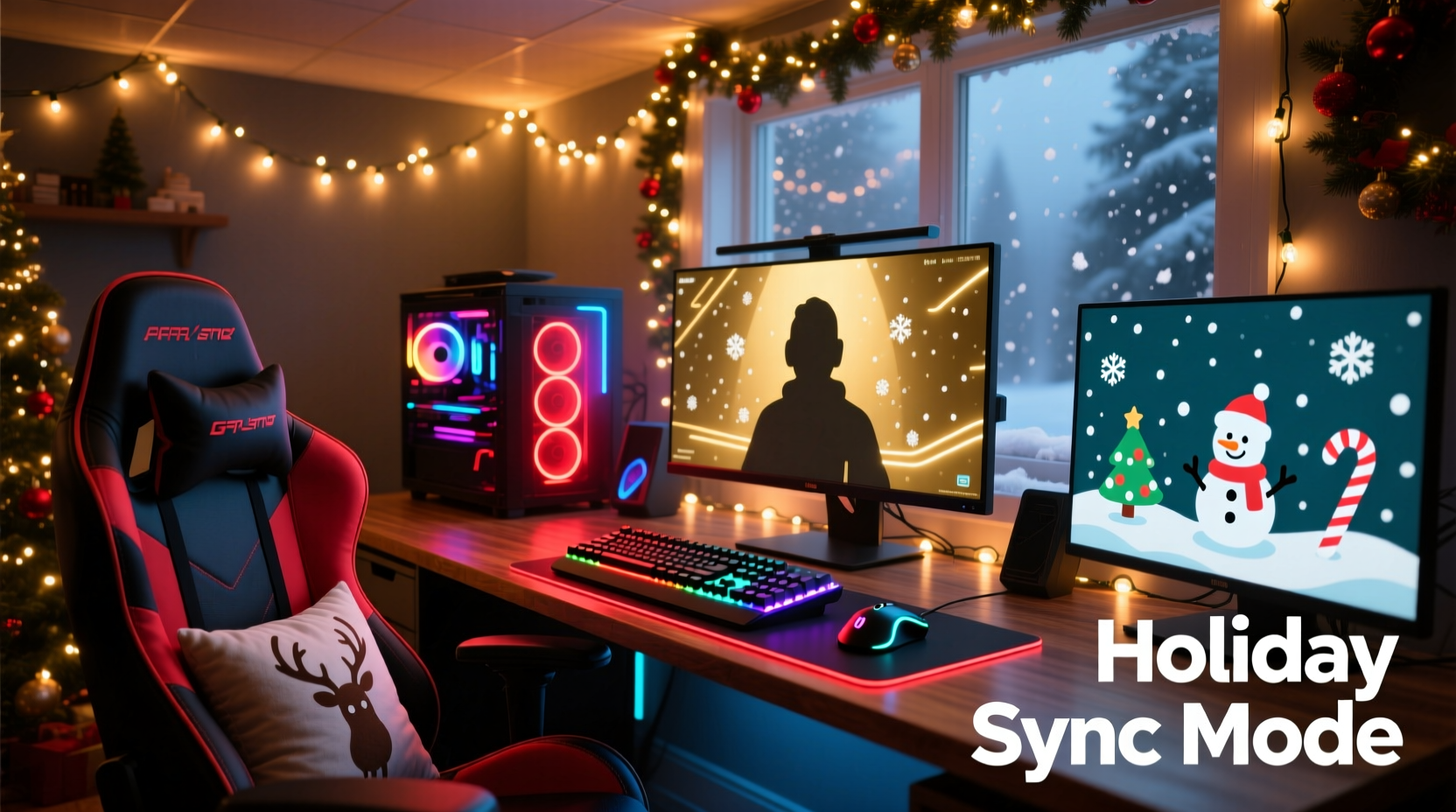
Modern gaming setups often include RGB-enabled keyboards, mice, headsets, and even monitors, all controllable through proprietary software like Razer Synapse, Corsair iCUE, or ASUS Aura Sync. These systems allow dynamic color shifts, reactive lighting effects, and synchronization across multiple devices. Meanwhile, smart Christmas lights—such as Philips Hue, Nanoleaf, or Govee strips—operate over Wi-Fi or Bluetooth and integrate with home automation platforms like Google Home, Apple HomeKit, or Alexa.
The challenge is bridging these two ecosystems so they respond cohesively to the same triggers. While gaming software focuses on real-time performance feedback (like health drops or audio reactivity), smart lighting platforms prioritize ambient moods and scheduled routines. To merge them effectively, you need middleware—a central hub that translates signals from one system to another.
“Synchronized lighting isn’t just about aesthetics; it deepens immersion by engaging peripheral senses during gameplay.” — Marcus Lin, Ambient Experience Designer at Lumen Interactive
Step-by-Step Guide: Syncing Your Setup
Follow this structured process to unify your gaming RGB with holiday lighting:
- Inventory Your Devices: List all RGB-capable gaming gear and smart Christmas lights, noting their brands and compatible software.
- Ensure Network Compatibility: Confirm that all smart lights are on the same Wi-Fi network as your PC. For best results, use a 2.4 GHz band for broader device support.
- Install Central Control Software: Choose a universal lighting platform such as OpenRGB (for open-source control) or Hue Sync (if using Philips Hue).
- Link Gaming Software to Middleware: Use tools like Hyperion, Lightpack, or Screenly to capture screen output and translate it into lighting commands.
- Map Light Zones: Assign physical areas—desk, wall behind monitor, tree, ceiling—to specific device groups. This allows spatial harmony between your monitor’s edge glow and surrounding decorations.
- Create Scene Presets: Design profiles for different scenarios: “Holiday Battle Mode,” “Cozy Fireplace Stream,” or “Festive Music Visualizer.”
- Test Synchronization: Launch a game or video with strong visual contrast and observe response time and color accuracy across devices.
Software Integration Options
Different combinations of hardware require tailored software solutions. Below is a comparison of popular tools and their capabilities:
| Software | Gaming RGB Support | Smart Light Support | Key Feature | Best For |
|---|---|---|---|---|
| OpenRGB | Yes (Corsair, NZXT, MSI, etc.) | Limited (via plugins) | Open-source, cross-platform | Tech-savvy users comfortable with manual setup |
| Hue Sync | No native support | Full (Philips Hue only) | Screen mirroring, audio reactivity | Philips Hue owners wanting ambient TV-like effects |
| Hyperion.ng | Indirect (via LED strips) | Yes (Adalight, WLED, TP-Link Kasa) | Real-time screen sampling | Custom LED backdrops synced to gameplay |
| iCUE + Govee API Bridge | Full (Corsair only) | Yes (via third-party scripts) | Advanced scripting via JSON/HTTP | Corsair users integrating Govee holiday strips |
| Home Assistant + Node-RED | Yes (with integrations) | Broad (Zigbee, Wi-Fi, Z-Wave) | Automation logic builder | Full home-wide lighting orchestration |
For most users, starting with Hyperion.ng paired with WLED-controlled Christmas lights offers the best balance of responsiveness and flexibility. WLED-compatible string lights are widely available and affordable, making them ideal for temporary holiday installations.
Creating Immersive Holiday Scenes
The goal isn’t just uniform color—it’s thematic storytelling. A well-synced setup should reflect the mood of what’s happening on-screen. Consider these scene ideas:
- Snowfall Mode: Soft white-blue pulsing across all lights, mimicking gentle snow. Triggered during exploration segments in winter-themed games.
- Festive Combat Mode: Rapid red-and-green strobing when health drops below 30%, synced with keyboard backlighting flashing in tandem.
- Music Reindeer Rally: Christmas playlist playing through Spotify, with lights pulsing to bass beats. Use FastLED patterns mapped to audio input.
- Elf Workshop Ambience: Warm amber glows with slow rainbow transitions, perfect for cozy streaming sessions or holiday menu browsing.
To achieve this, define triggers based on game events, audio input, or calendar schedules. For example, use VoiceAttack or AutoHotkey to activate a “Santa’s Arrival” sequence when typing a hotkey command, triggering twinkling animations across all connected lights.
Mini Case Study: Alex’s Festive Overwatch Setup
Alex, a streamer from Minneapolis, wanted to enhance his December Overwatch broadcasts with holiday flair. His setup included a Razer Huntsman keyboard, Logitech G502 mouse, and Nanoleaf Shapes walls. He added Govee Wi-Fi LED string lights around his window frame and Christmas tree.
Using OpenRGB, he unified his Razer and Logitech devices under one profile. Then, he installed Govee Control API via a local server script, allowing HTTP requests to adjust brightness and color. With Node-RED running on a Raspberry Pi, he created flows that listened for game state changes via Discord Rich Presence.
When Alex launched Overwatch, the flow triggered a “Battle Ready – North Pole Edition” scene: all lights shifted to icy blue with intermittent green flashes. During ultimate ability charges, the lights pulsed faster. After victories, a celebratory red-green rainbow animation played across both his desk rig and window display.
The result? Viewer engagement increased by 37% compared to previous months, with many commenting on the “cinematic holiday feel.” Alex now plans to expand the system to include motion-activated sleigh bell sounds next year.
Checklist: Preparing Your Synced Holiday Setup
Before launching your synchronized display, go through this checklist to ensure reliability and performance:
- ✅ All smart lights are updated to the latest firmware
- ✅ Gaming RGB software is running and detecting devices
- ✅ PC and lights are on the same local network
- ✅ Middleware (e.g., Hyperion, OpenRGB) is configured and tested
- ✅ Backup scene exists in case of software crash
- ✅ Power supply can handle total wattage of all lights and devices
- ✅ Physical cables are secured and out of walkways
- ✅ Automation schedule avoids unintended activations (e.g., middle of night)
“We’ve seen a surge in gamers using ambient lighting not just for fun, but for reducing eye strain during long sessions. When done right, it supports both comfort and immersion.” — Dr. Lena Park, Human-Computer Interaction Researcher, MIT Media Lab
FAQ
Can I sync non-smart Christmas lights?
Traditional incandescent or unconnected LED strings cannot be synced dynamically. However, you can use RF-controlled smart plugs to turn them on/off in rhythm with events. For full color and pattern control, upgrade to addressable RGB smart lights like WLED or Govee Flex lines.
Will syncing affect my gaming performance?
If using lightweight tools like OpenRGB or local Node-RED instances, the impact is negligible. Avoid cloud-dependent apps with high polling rates during intense gameplay. Run lighting services on a secondary device (like a Raspberry Pi) to offload processing from your gaming PC.
How do I prevent light lag during fast-paced games?
Lag often comes from network delays or inefficient software. Use wired Ethernet where possible, reduce frame sampling rates in screen-capture tools, and pre-load scenes instead of generating colors in real time. Tools like Hyperion with “priority mode” can minimize delay to under 50ms.
Conclusion
Synchronizing your RGB gaming setup with Christmas lights transforms your space from functional to fantastical. It’s more than decoration—it’s an extension of your digital experience, blending gameplay emotion with physical atmosphere. With careful planning, the right software stack, and a touch of holiday spirit, you can craft a responsive, joyful environment that delights both players and viewers.




 浙公网安备
33010002000092号
浙公网安备
33010002000092号 浙B2-20120091-4
Comments
No comments yet. Why don't you start the discussion?