
Synchronizing multiple strands of Christmas lights to a single remote isn’t just about convenience—it’s about cohesion, control, and creative expression. Whether you’re wrapping a towering spruce, outlining your roofline, or layering warm white with multicolor sequences on your porch, inconsistent timing or mismatched effects break the magic. Yet many homeowners assume it requires expensive controllers, custom wiring, or abandoning their favorite pre-lit strands. In reality, successful synchronization is achievable with careful planning, attention to technical specifications, and realistic expectations about what “synchronized” truly means across different product categories. This guide distills field-tested methods used by professional installers, holiday lighting technicians, and seasoned DIYers—not theoretical ideals, but practical, repeatable approaches grounded in electrical compatibility, signal integrity, and real-world limitations.
Understanding Why Synchronization Fails (and What “Synchronized” Really Means)
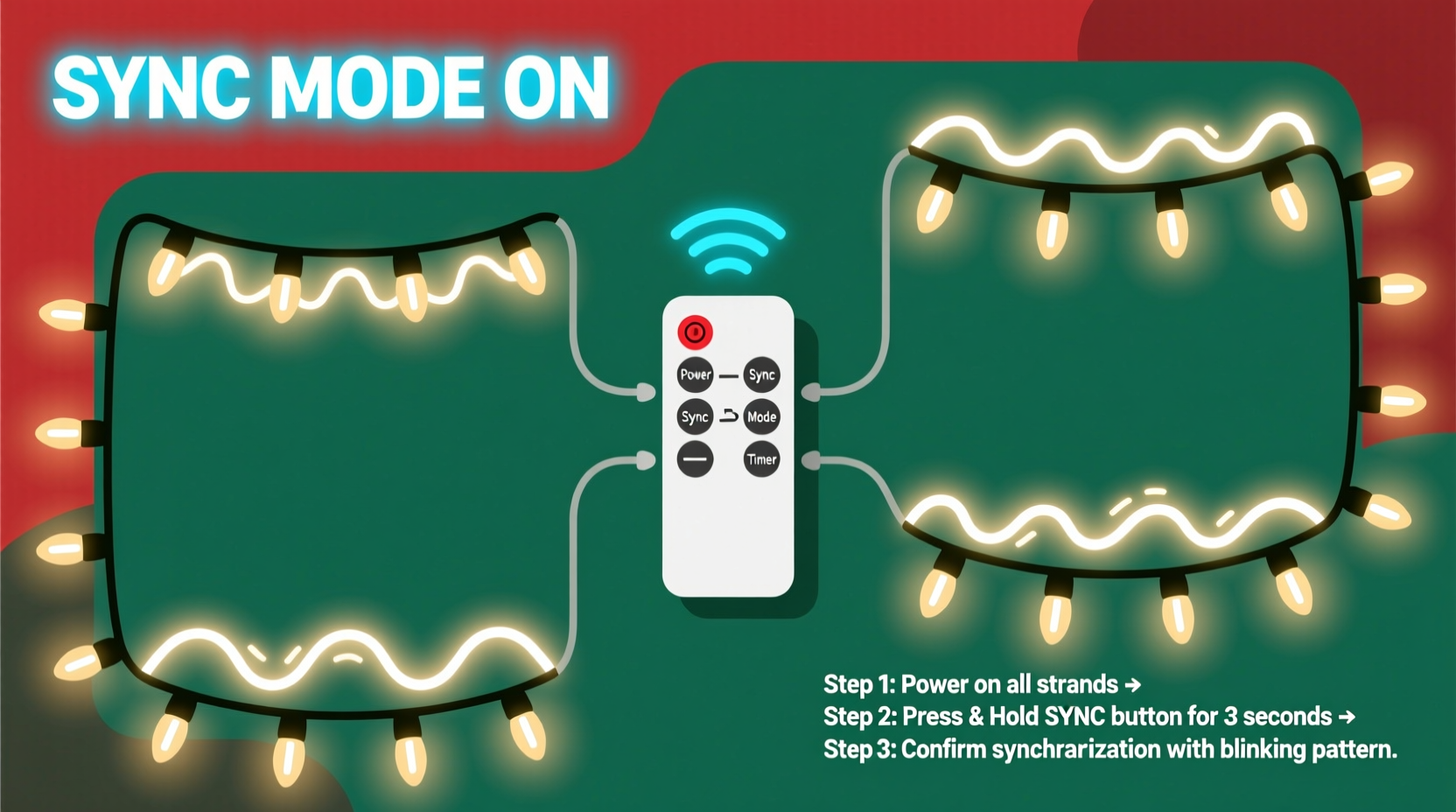
Before adjusting any settings or splicing wires, clarify what synchronization entails—and what it doesn’t. “Synchronized” does not mean every bulb pulses at identical microsecond precision across 20 strands. Instead, it means consistent behavior: same mode (e.g., “twinkle”), same speed, same color sequence (if applicable), and responsive, simultaneous activation/deactivation via one remote command. Failure usually stems from three root causes: incompatible protocols, signal attenuation over distance, or power supply mismatch.
Most consumer-grade LED light strands use infrared (IR) remotes operating on one of two dominant protocols: standard IR timing codes (used by generic brands like NOMA or Twinkly Basics) and proprietary rolling codes (used by higher-end systems like Philips Hue Lightstrip + Bridge or Govee’s app-controlled sets). Strands using different protocols cannot share commands—even if they appear identical. Worse, many budget strands lack true protocol standardization; two “identical” packs from the same Amazon listing may ship with slightly different firmware versions, resulting in erratic pairing.
Step-by-Step: Synchronizing IR-Controlled Strands (The Most Common Scenario)
This method applies to the vast majority of plug-in, battery-operated, or USB-powered LED strands sold at big-box retailers and online marketplaces. It assumes all strands use IR remotes and are rated for daisy-chaining (check the manufacturer’s spec sheet for “max number of strands per circuit” or “chainable up to X ft”).
- Verify Remote Compatibility: Confirm all strands list the same remote model number (e.g., “Remote Model R-7B”) in their manuals or packaging. If one says “R-7B” and another “R-7C”, they’re likely incompatible—even if buttons look identical.
- Power Down Everything: Unplug all strands and remove batteries from remotes. Wait 30 seconds to discharge capacitors.
- Reset Each Strand Individually: Locate the reset button (often a tiny pinhole near the plug or controller box). Press and hold for 10 seconds using a paperclip. You’ll see the lights flash rapidly 3–5 times—this clears prior pairing memory.
- Power On One Strand First: Plug in only Strand A. Point the remote directly at its receiver (usually a small dark window on the controller box) from ≤12 inches away. Press and hold the “ON” button for 5 seconds until lights respond and stabilize in Mode 1.
- Add Subsequent Strands Sequentially: With Strand A powered and stable, plug in Strand B. Wait 10 seconds for its internal circuit to initialize, then point the remote at Strand B’s receiver and press “ON” once. Repeat for each additional strand, waiting 10 seconds between connections.
- Test Uniformity: Cycle through all modes (steady, fade, twinkle, etc.) and speeds. Observe whether transitions happen simultaneously—or with a noticeable lag (≥0.5 sec). Lag indicates weak IR reception or power fluctuation.
If lag persists after step six, move to the troubleshooting section below. Do not attempt to “force sync” by pressing multiple buttons rapidly—that often triggers error states requiring full reset.
Troubleshooting Persistent Sync Issues: A Diagnostic Table
| Issue | Likely Cause | Practical Fix |
|---|---|---|
| Strand responds to remote only when pointed directly at receiver, but stops working when moved 2 feet away | Weak IR receiver sensitivity or obstructed line-of-sight (e.g., frosted plastic cover, dust buildup) | Clean receiver lens with microfiber cloth. Relocate strand so receiver faces open space—not tucked behind garland or inside conduit. |
| One strand cycles through modes correctly, but others skip modes or freeze | Insufficient power delivery due to exceeding maximum load (voltage drop) | Calculate total wattage: multiply strand wattage (listed on label) × number of strands. Ensure your outlet circuit supports ≥125% of that load. Use separate outlets or a heavy-duty power strip with individual switches. |
| All strands turn on/off together, but animation speeds drift over time (e.g., twinkle starts aligned, then desyncs after 90 seconds) | Independent internal oscillators drifting—common in low-cost controllers without master clock sync | No hardware fix. Accept minor drift as normal. For critical applications, upgrade to DMX or Wi-Fi systems (see Section 4). |
| Remote works for first 3 strands, but fourth shows no response—even after reset | Signal overload or electromagnetic interference from nearby devices (Wi-Fi routers, microwaves, LED TVs) | Relocate remote closer during pairing. Temporarily disable 2.4 GHz Wi-Fi or unplug suspect electronics during setup. |
When IR Isn’t Enough: Upgrading to Smart & Professional Solutions
For larger displays—think full-house outlines, multi-tree setups, or animated façades—IR remotes hit hard limits: range (≤30 ft), line-of-sight dependency, and lack of centralized timing. That’s where smart ecosystems and professional protocols shine.
Wi-Fi-enabled strands (Govee, Twinkly, Nanoleaf) solve the range problem but introduce new constraints. They require stable 2.4 GHz networks (5 GHz won’t work), and synchronization depends entirely on cloud or local hub processing. Twinkly’s “Group Mode” allows up to 50 strands to share one schedule—but only if all are on the same Wi-Fi subnet and firmware version. Govee’s app permits grouping, yet users report 1–2 second latency between farthest strands during complex animations due to sequential API calls.
For true millisecond-precision sync—used by municipal displays and theme parks—the industry standard is DMX512. Unlike IR or Wi-Fi, DMX sends timed digital signals over shielded cable to dedicated controllers. Each strand connects to a DMX decoder, which interprets channel data (e.g., Channel 1 = Red intensity, Channel 2 = Green intensity). A single DMX console or software (like xLights or Vixen Lights) sends one command packet affecting all decoders simultaneously. The trade-off? Cost ($150–$400+ for basic kits) and learning curve. But for serious hobbyists, it’s the only path to frame-accurate music syncing.
“IR remotes are great for porches and small trees—but once you exceed eight strands or need audio-reactive timing, DMX isn’t optional. It’s the language of professional lighting.” — Marcus Chen, Lead Technician, HolidayLites Pro Installations
Mini Case Study: The Thompson Family’s 3-Story Synchronization Challenge
The Thompsons installed 14 strands across their Colonial-style home: 4 on the front porch railing, 6 outlining windows and eaves, and 4 wrapped around two mature oaks. Initially, they bought identical $12 strands from a national retailer, assuming “same brand = same remote.” After setup, the porch lights responded instantly, but the oak strands required repeated button presses and cycled at half-speed.
Diagnosis revealed three issues: First, the oak strands were manufactured in a different factory batch with revised firmware (confirmed via serial number lookup). Second, the extension cord powering the oaks introduced voltage drop—measured at 108V instead of 120V. Third, the IR receivers faced inward toward tree trunks, blocking line-of-sight.
Resolution involved: (1) replacing the oak strands with the exact same model number (verified via barcode scan), (2) installing a dedicated 15-amp circuit with voltage-regulated outlet, and (3) mounting IR repeaters (small $25 units that receive and re-broadcast signals) near each tree base. Total cost: $187. Result: seamless, lag-free control from one remote—even from their driveway.
Essential Synchronization Checklist
- ☑️ Confirm all strands use the *exact same* remote model number—not just similar branding
- ☑️ Reset *every* strand individually before attempting group operation
- ☑️ Verify total wattage does not exceed 80% of circuit capacity (e.g., 1440W max on a 15A/120V circuit)
- ☑️ Position IR receivers facing open space—no obstructions within 3 feet
- ☑️ Test synchronization at dusk (ambient IR noise is lowest) before final installation
- ☑️ For >8 strands or music-sync needs, budget for DMX-compatible controllers—not IR remotes
FAQ: Your Top Synchronization Questions Answered
Can I mix warm white and multicolor strands on the same remote?
Yes—if they share the same remote protocol and controller architecture. However, color-changing strands often use RGB+WW chips with independent channels, while warm white strands use simpler dimming circuits. You’ll likely lose color control when grouped: all strands may default to “white mode” or cycle unpredictably. For mixed-color displays, use separate remotes or upgrade to an app-based system that assigns zones.
Why do my lights go out after 4 hours, even though the remote says “timer off”?
Many budget strands include a hidden auto-shutoff timer (typically 4–6 hours) hardcoded into firmware—unrelated to remote settings. This is a safety feature mandated in some regions for UL-listed products. There’s no user-accessible override. To bypass it, use an external programmable timer switch (like the GE Enbrighten Z-Wave model) set to cut/reapply power every 3.5 hours.
Will cutting and splicing strands void synchronization?
Yes—permanently. Most LED strands use constant-current drivers calibrated for specific lengths. Shortening a strand changes resistance, causing overvoltage on remaining LEDs and destabilizing the controller’s timing circuitry. Even if lights stay on, IR responsiveness degrades, and sync fails. Always buy strands at your required length.
Conclusion: Master Control Starts with Intentional Setup
Synchronizing multiple Christmas light strands isn’t about hacking or workarounds—it’s about respecting the physics of signal transmission, the limits of consumer electronics, and the importance of verification. The most elegant solution isn’t always the most advanced; sometimes, it’s simply buying 12 strands from the same production lot, resetting them in sequence, and placing receivers where they can actually “see” the remote. Other times, it means investing in DMX to achieve the cinematic precision your display deserves. Whichever path you choose, start with measurement—not assumption. Test voltage. Scan barcodes. Read firmware revision notes. Because the difference between a disjointed flicker and a unified, breath-catching glow isn’t magic. It’s meticulous execution.




 浙公网安备
33010002000092号
浙公网安备
33010002000092号 浙B2-20120091-4
Comments
No comments yet. Why don't you start the discussion?