
Synchronizing smart lights across multiple rooms transforms a house into a cohesive, responsive environment. Whether you're setting the mood for a dinner party, creating an immersive movie night, or simply maintaining consistent lighting throughout your home, synchronized smart lighting enhances both functionality and aesthetics. Yet, achieving true synchronization—where every string responds simultaneously, displays the same color, brightness, and transitions in unison—isn’t always plug-and-play. Many users assume pairing each strip to the same app is enough, but subtle delays, firmware mismatches, and network congestion can disrupt harmony. This guide dives into the technical and practical steps needed to achieve flawless synchronization across multiple rooms using consumer-grade smart lighting systems.
Understanding Smart Light Synchronization
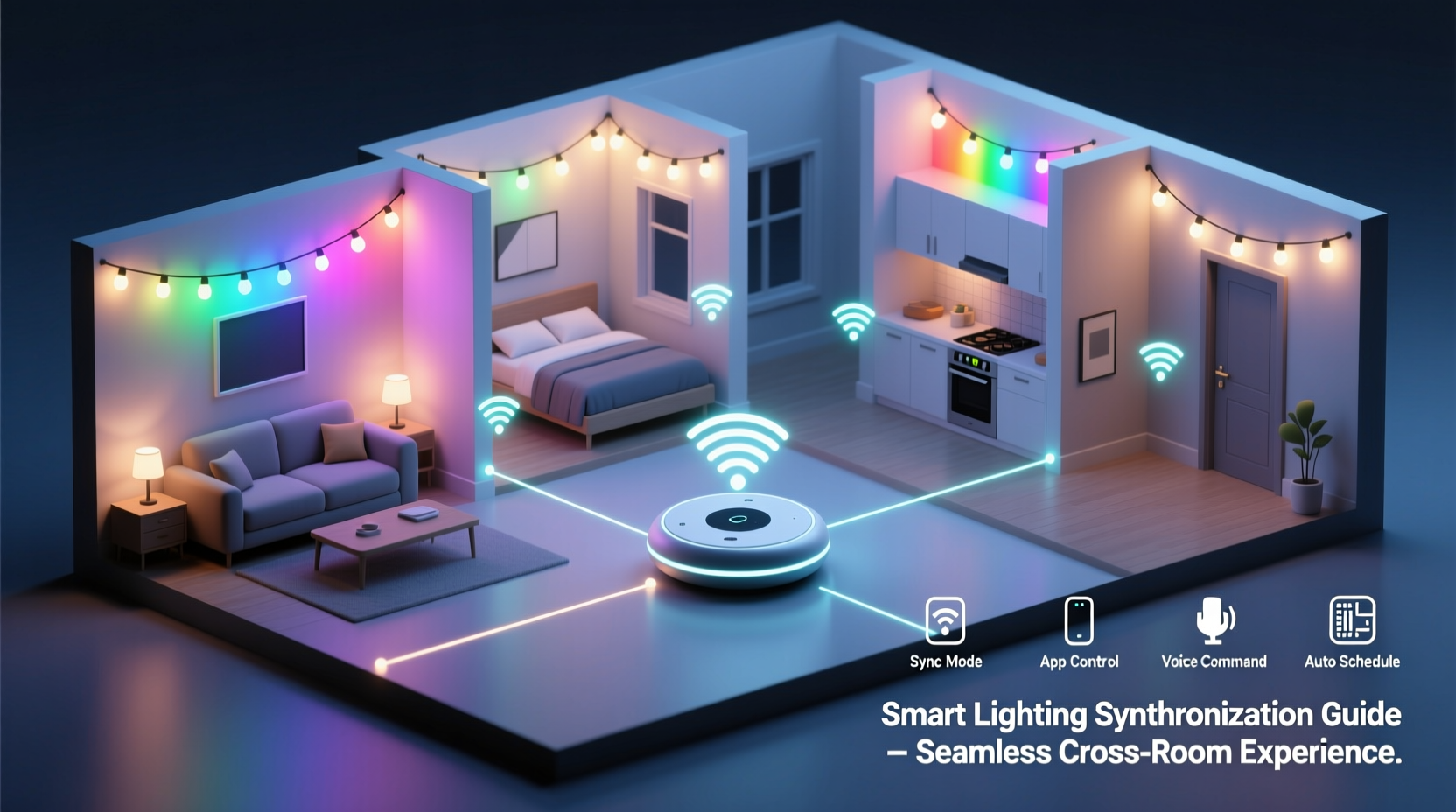
Synchronization means that all connected light strings react at the exact same moment to commands like turning on, changing color, dimming, or cycling through effects. While this seems straightforward, it depends on several layers: hardware compatibility, network stability, command routing, and software logic. Most smart lights operate over Wi-Fi, Bluetooth, Zigbee, or Thread protocols. Each has different latency characteristics and range limitations that influence how well lights stay in sync.
Wi-Fi-based lights are convenient because they connect directly to your home network, but they rely heavily on router performance. If your router is overloaded or poorly positioned, some devices may receive signals milliseconds later than others—enough to create visible lag. Bluetooth models often suffer from limited range and connection drops when walls interfere. In contrast, mesh networks like Zigbee and Thread allow devices to relay signals to one another, improving reliability and reducing delay.
“True synchronization isn’t just about grouping devices—it’s about minimizing latency variance across the entire network.” — Marcus Tran, IoT Systems Engineer at HomeSync Labs
The goal is not only visual consistency but also temporal precision. For example, during a music-reactive light show, even a 200ms delay between rooms breaks immersion. Achieving sub-100ms response alignment requires careful planning beyond basic app settings.
Step-by-Step Guide to Synchronize Multiple Strings
To ensure your smart lights perform as a unified system across rooms, follow this structured approach:
- Inventory Your Devices: List all smart light strings by brand, model, and communication protocol. Mixing brands can lead to inconsistent behavior unless they’re integrated via a central hub.
- Ensure Firmware Updates: Check the manufacturer’s app for firmware updates. Outdated firmware may lack optimization for group control or contain bugs affecting timing.
- Connect to a Stable Network: Use a dual-band router with Quality of Service (QoS) enabled. Assign higher priority to smart lighting traffic if possible. For best results, place a mesh node near each room with lights.
- Create Device Groups: In your lighting app (e.g., Philips Hue, LIFX, Nanoleaf, or SmartThings), create a group labeled “Whole House” or “All Rooms.” Add every relevant light string to this group.
- Test Basic Commands: Send a simple command—like turning all lights white at 50% brightness—and observe for delays. Walk between rooms to check responsiveness.
- Adjust Transition Speeds: Set uniform transition times (e.g., 500ms fade) across all devices. Avoid instant changes unless necessary; smooth transitions mask minor timing discrepancies.
- Use Scene Presets: Save synchronized states as scenes (e.g., “Evening Warmth,” “Focus Mode”) so activation is instantaneous and consistent.
- Leverage Automation Triggers: Use time-based or sensor-based automations (e.g., sunset trigger) instead of manual toggling to reduce human-induced delays.
Hardware and Protocol Considerations
The foundation of synchronization lies in choosing compatible hardware and reliable networking standards. Below is a comparison of common smart lighting technologies and their suitability for multi-room setups:
| Protocol | Latency | Range | Mesh Networking | Best For |
|---|---|---|---|---|
| Wi-Fi | Medium (100–300ms) | Moderate (depends on router) | No | Small homes with strong routers |
| Bluetooth | Low (50–150ms) | Poor (10m max, obstructed) | Limited (Bluetooth Mesh) | Single-room setups only |
| Zigbee | Very Low (20–80ms) | Good (40–60m outdoors) | Yes | Whole-home synchronization |
| Thread | Ultra-Low (10–50ms) | Excellent (self-healing mesh) | Yes | High-end, future-proof systems |
If you're starting fresh or upgrading, prioritize Zigbee or Thread-compatible lights paired with a dedicated hub such as Philips Hue Bridge, Amazon Echo (4th gen+), or Apple HomePod Mini. These hubs act as central coordinators, sending commands simultaneously rather than relying on individual cloud connections.
Advanced Techniques for Perfect Sync
For users seeking pixel-perfect synchronization—especially for entertainment or artistic installations—basic grouping may not suffice. Here are advanced strategies:
- Local Execution Over Cloud Control: Enable local control in your app settings so commands are processed within your network instead of being routed through the internet. This reduces round-trip time significantly.
- Use UDP-Based Protocols Like WLED or DIY Solutions: Open-source platforms like WLED (for ESP8266/ESP32 chips) support Art-Net or E1.31 protocols, which stream lighting data over UDP for professional-grade sync. These are ideal for LED strips used in home theaters or gaming rooms.
- Timecode Alignment: When syncing to audio or video, use tools like Hyperion or Glediator to generate frame-accurate lighting sequences distributed across IP addresses with millisecond precision.
- Dedicated VLAN for Smart Devices: Segment your smart lights onto a separate virtual LAN to prevent bandwidth competition with streaming or downloads.
Mini Case Study: Whole-Home Lighting Sync for a Modern Family
The Rivera family moved into a three-bedroom townhouse and installed different brands of smart lights in each room during renovations. The living room had LIFX strips, the kitchen used Philips Hue under-cabinet LEDs, and bedrooms featured budget Wi-Fi strips from a third-party brand. Initially, they tried controlling everything through Google Home, but noticed the kitchen lights turned on seconds after the rest.
After diagnosing the issue, they consolidated control using a Samsung SmartThings Hub, added all devices via integration, and created a “Main Floor” lighting group. They updated all firmware, disabled cloud-only modes, and set up local automations triggered by motion sensors. By switching to Zigbee where possible and placing a Wi-Fi extender near the kitchen, they reduced average latency variation from 400ms to under 70ms. Now, when they say, “Hey Google, movie time,” all downstairs lights dim in sync, enhancing their evening routine.
Checklist: Ensure Flawless Multi-Room Sync
Follow this checklist before declaring your system fully synchronized:
- ✅ All light strings are on the same network (same subnet if using advanced networking)
- ✅ Firmware is up to date on every device
- ✅ A central hub or bridge manages communications (if applicable)
- ✅ Lights are grouped together in the app
- ✅ Transition speeds and effects are standardized
- ✅ Local control is enabled (no reliance on cloud servers)
- ✅ Network congestion is minimized (QoS or VLAN in place)
- ✅ Physical placement avoids interference (away from microwaves, thick walls)
- ✅ Test synchronization under real conditions (voice command, automation, manual toggle)
Common Pitfalls and How to Avoid Them
Even experienced users make mistakes that undermine synchronization. Recognizing these early prevents frustration:
- Mixing Latency-Prone Devices: Combining fast Zigbee lights with slow Wi-Fi bulbs creates inherent desync. Stick to one protocol per zone or use a hub that buffers and redistributes commands evenly.
- Overloading the Router: Too many smart devices on a low-end router cause packet loss. Upgrade to a mesh system like Google Nest Wifi Pro or ASUS AiMesh.
- Ignoring Power Supply Variance: Weak power adapters can cause flickering or delayed startup, especially in long LED runs. Use high-amperage drivers rated for your total LED length.
- Using Different App Ecosystems: Controlling some lights via Alexa and others via Apple Home leads to inconsistent triggers. Choose one primary ecosystem and integrate others via bridges.
“Synchronization starts at the network layer. No amount of app tweaking will fix poor connectivity.” — Lena Patel, Smart Home Consultant, Connected Living Co.
FAQ
Can I sync smart lights from different brands?
Yes, but only if they’re integrated into a unified platform like Apple HomeKit, Google Home, Samsung SmartThings, or Home Assistant. Direct syncing without a central controller is unreliable due to differing APIs and response times.
Why do my lights blink out of sync after a power outage?
After rebooting, Wi-Fi lights reconnect at slightly different times, causing staggered initialization. To fix this, use automations that reset lighting states a minute after power restoration, ensuring all devices receive the same command once online.
Is voice command syncing accurate enough?
Voice commands introduce variable latency depending on microphone pickup, internet speed, and server processing. For critical sync (e.g., parties), use pre-programmed automations triggered by buttons or schedules instead.
Optimizing for Special Use Cases
Different scenarios demand tailored synchronization approaches:
- Entertainment Sync: Use apps like Philips Hue Sync or LIFX + Razer Chroma to mirror screen colors across rooms. Ensure all lights support high refresh rates (at least 25fps).
- Security & Presence Simulation: Randomize brightness and timing slightly across rooms to mimic natural human activity, avoiding robotic patterns that look artificial.
- Accessibility Support: Sync lighting to assist those with mobility or vision challenges. For example, turning on all hallway and bathroom lights simultaneously at night improves safety.
In commercial or artistic applications, consider adopting DMX or Art-Net controllers for industrial-grade precision. While more complex, they offer deterministic timing essential for performances or exhibitions.
Conclusion
Synchronizing multiple strings of smart lights across rooms is more than a convenience—it’s a step toward intelligent, responsive living spaces. With the right combination of compatible hardware, optimized networking, and thoughtful configuration, you can eliminate lag, unify ambiance, and elevate everyday moments. It’s not about owning the most expensive lights, but about integrating them thoughtfully. Start small: test two rooms, refine your setup, then expand. As smart home ecosystems evolve, synchronization will become increasingly seamless—but today, the difference between good and great lighting lies in attention to detail.




 浙公网安备
33010002000092号
浙公网安备
33010002000092号 浙B2-20120091-4
Comments
No comments yet. Why don't you start the discussion?