
In a world where digital communication dominates work, study, and daily life, typing is no longer just a skill—it’s a necessity. Whether you're writing emails, coding, or drafting reports, the ability to type quickly and accurately can save hours every week. The good news? You don’t need expensive software or formal classes. With free online tools, consistent practice, and the right techniques, anyone can significantly improve their typing speed in weeks.
The average person types between 38 and 40 words per minute (WPM), while professional typists often exceed 65–75 WPM. Some reach over 100 WPM with training. The difference isn’t innate talent—it's methodical practice and muscle memory. This guide walks through practical strategies, free resources, and structured drills that help you build speed without sacrificing accuracy.
Master the Fundamentals First
Before chasing high speeds, ensure your foundation is solid. Fast typing starts not with velocity but with correct form. Many people develop bad habits early—pecking at keys with two fingers, looking down at the keyboard, or tensing their shoulders. These habits limit progress and increase fatigue.
Touch typing—the technique of typing without looking at the keyboard—is essential. Your fingers should rest on the “home row”: A-S-D-F for the left hand and J-K-L-; for the right. Each finger controls specific keys, allowing smooth transitions across the keyboard. Learning this layout builds muscle memory so your brain stops thinking about *where* letters are and focuses on *what* you’re writing.
Accuracy must come before speed. Rushing too soon leads to ingrained errors and poor rhythm. Aim for 95%+ accuracy during initial sessions—even if it means typing slowly. Speed naturally follows precision when repetition reinforces correct movements.
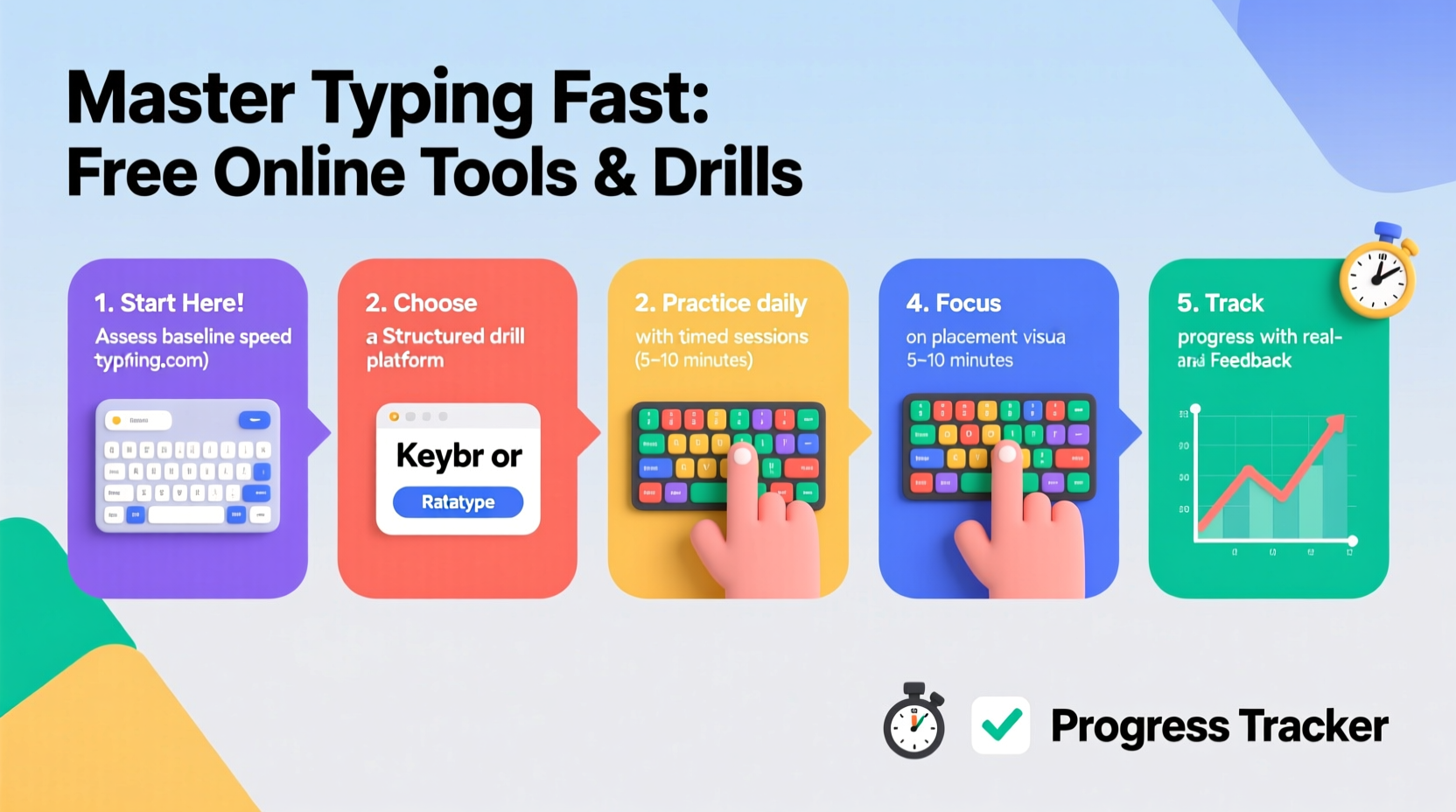
Best Free Online Tools for Typing Practice
High-quality, no-cost platforms make self-guided learning accessible. These tools offer structured lessons, real-time feedback, gamified challenges, and progress tracking—all critical for sustained improvement.
| Tool | Key Features | Best For |
|---|---|---|
| keybr.com | Adaptive lessons, highlights weak keys, detailed analytics | Learners needing personalized drills |
| TypingClub | Step-by-step curriculum, interactive exercises, badges | Beginners and younger learners |
| Typing.com | Full courses, tests, classroom mode, career prep | Serious learners seeking structure |
| 10FastFingers | Race-based typing, multi-language support, live competitions | Motivation through competition |
| Monkeytype | Clean interface, customizable modes, no login required | Minimalist practice and timed sprints |
Each platform has strengths. TypingClub excels in teaching fundamentals with visual cues, while Monkeytype appeals to those who want distraction-free speed runs. Keybr uses algorithm-driven repetition to target problem keys—ideal for overcoming plateaus.
“Consistent use of adaptive typing tools can improve speed by 20–30 WPM within six weeks.” — Dr. Linda Tran, Human-Computer Interaction Researcher, University of Washington
Effective Drills to Build Speed and Accuracy
Tools provide the environment, but deliberate practice determines results. Incorporate these drills into your routine to accelerate progress.
1. Home Row Repetition Drill
Spend 5–10 minutes daily practicing only home row keys. Type sequences like:
asdf jkl; asdf jkl; fdds kkll jj;; ;lkj fdsa
This reinforces finger positioning and strengthens neural pathways. Once comfortable, expand to upper and lower rows gradually.
2. Targeted Key Practice
Identify your weakest keys (often 'q', 'z', 'p', or ';') using analytics from Keybr or Monkeytype. Create custom phrases emphasizing those letters:
quick quiz quiz quill zipper zone pizza pop quiz
Repeat each set 3–5 times with focus on clean keystrokes, not speed.
3. Timed Sprints
Use Monkeytype or 10FastFingers for 1-minute sprints. Goal: Maximize correct words without errors. After each attempt, analyze mistakes—was it a mis-hit, wrong finger, or slip due to rushing? Adjust accordingly.
4. Sentence Flow Training
Type full sentences from books, articles, or quotes. This improves rhythm and contextual typing. Example:
“The purpose of life is not to be happy. It is to be useful, to be honorable, to be compassionate.” – Ralph Waldo Emerson
Copy this passage three times, focusing on smooth transitions between words and maintaining posture.
5. Blindfolded Practice (Advanced)
Once familiar with the keyboard, try short sessions with eyes closed or gaze fixed on the screen. This forces reliance on muscle memory and accelerates touch-typing fluency.
A Realistic Timeline for Improvement
Progress varies, but most learners see measurable gains within 3–6 weeks when practicing 15–20 minutes daily. Here’s a realistic timeline based on beginner-level typing (30 WPM):
- Week 1–2: Focus on form and accuracy. Learn home row, avoid looking at keys. Expect 25–35 WPM with 90–95% accuracy.
- Week 3–4: Expand to full keyboard. Introduce simple words and short sentences. Speed rises to 40–50 WPM.
- Week 5–6: Add timed tests and error analysis. Begin targeting weak zones. Reach 55–65 WPM with improved endurance.
- Week 7–8: Incorporate complex text (technical terms, punctuation). Aim for 70+ WPM with minimal errors.
This progression assumes focused practice—not passive typing. Skipping foundational stages leads to frustration. Patience and precision yield lasting results.
Mini Case Study: From Two-Finger to 72 WPM in 8 Weeks
Jamal, a college freshman majoring in journalism, typed at 28 WPM using two fingers. He struggled to keep up with lecture notes and assignments. Determined to improve, he committed to 20 minutes daily on TypingClub and Monkeytype.
Weeks 1–2 were slow. He focused solely on finger placement, often dropping below 20 WPM to maintain accuracy. By week 4, he reached 45 WPM and began taking lecture notes using proper technique. At week 6, he tested at 61 WPM on 10FastFingers. By week 8, after adding sentence drills and blindfolded practice, his average stabilized at 72 WPM with 97% accuracy.
“I used to dread writing essays,” Jamal said. “Now I finish drafts 30 minutes faster. It feels like I’ve unlocked a new level of productivity.”
Common Mistakes to Avoid
- Rushing too early: Prioritizing speed over accuracy creates bad habits that are hard to unlearn.
- Ignoring posture: Slouching or bending wrists increases strain and reduces efficiency.
- Practicing inconsistently: Sporadic 1-hour sessions are less effective than daily 15-minute blocks.
- Using incorrect fingers: Letting one finger dominate multiple keys disrupts rhythm and slows progress.
- Not reviewing errors: Repeating the same mistakes defeats the purpose of practice.
Ergonomics matter. Sit with feet flat, elbows at 90 degrees, and wrists floating slightly above the keyboard. Use a chair that supports your lower back. Even minor discomfort signals poor setup—and can derail long-term progress.
Essential Checklist for Faster Typing
- ✅ Daily Practice Routine
- - 15–20 minutes minimum
- - Same time each day
- ✅ Proper Technique
- - Fingers on home row
- - No peeking at keyboard
- - Use correct fingers for each key
- ✅ Accuracy Focus
- - Maintain >95% accuracy
- - Slow down if error rate spikes
- ✅ Tool Utilization
- - Use at least one free platform daily
- - Track progress weekly
- ✅ Ergonomic Setup
- - Comfortable chair and desk height
- - Screen at eye level
- - Relaxed shoulders and wrists
Frequently Asked Questions
How long does it take to become a fast typist?
With consistent daily practice, most people reach 60–70 WPM within 6–8 weeks. Mastery (80+ WPM) may take 3–6 months depending on starting level and dedication.
Is it worth learning to type faster if I already type decently?
Yes. Increasing from 50 to 70 WPM saves approximately 40 hours per year for someone who types 2 hours daily. That’s nearly a full workweek regained annually.
Can I improve without a mechanical keyboard?
Absolutely. While mechanical keyboards offer tactile feedback, any standard keyboard works. What matters more is technique, consistency, and using responsive online tools that register keystrokes accurately.
Final Steps: Make It Stick
Learning to type faster isn’t a sprint—it’s a habit. The most successful typists don’t rely on motivation; they build systems. Schedule practice like a daily appointment. Use calendar reminders. Pair it with another habit (e.g., morning coffee or post-lunch break).
Track your progress weekly. Take a standardized test (like the one on Typing.com) every Sunday. Record your WPM and accuracy. Over time, you’ll see trends—plateaus, breakthroughs, and areas needing attention.
Finally, apply your skills immediately. Write journal entries, transcribe podcasts, or draft social media posts using touch typing. Real-world application solidifies learning far better than isolated drills.
“The best typists aren’t the fastest off the line—they’re the ones who practice deliberately, correct consistently, and never stop refining.” — Mark Chen, UX Research Lead, Google Input Tools
Start Today—Your Future Self Will Thank You
You don’t need special equipment, certifications, or expensive programs to type faster. All you need is access to free tools, 15 minutes a day, and the willingness to start slow and stay consistent. Every expert typist was once a beginner staring at a blank screen, unsure which finger goes where.
Pick one tool from this guide. Open it now. Do a single 5-minute lesson. That small action is the first step toward transforming a fundamental digital skill—one keystroke at a time.




 浙公网安备
33010002000092号
浙公网安备
33010002000092号 浙B2-20120091-4
Comments
No comments yet. Why don't you start the discussion?