
For many, the magic of the holiday season begins at dusk—when neighborhoods transform into sparkling wonderlands lit by carefully arranged Christmas lights. But manually turning on and off these displays every day is inconvenient and often inconsistent. The solution? Automating your Christmas light setup to align precisely with local sunset times using geolocation-enabled smart technology. This method ensures your display activates only when it can be seen, conserves energy, enhances curb appeal, and delivers a seamless seasonal experience.
Modern smart lighting systems and mobile applications now use real-time geolocation data to determine daily sunrise and sunset times based on your exact location. No more guessing when darkness falls or adjusting timers weekly as daylight shifts. With this approach, your lights come on at the perfect moment—every evening—and shut off when needed, all without lifting a finger.
Why Sunset-Timed Lights Matter
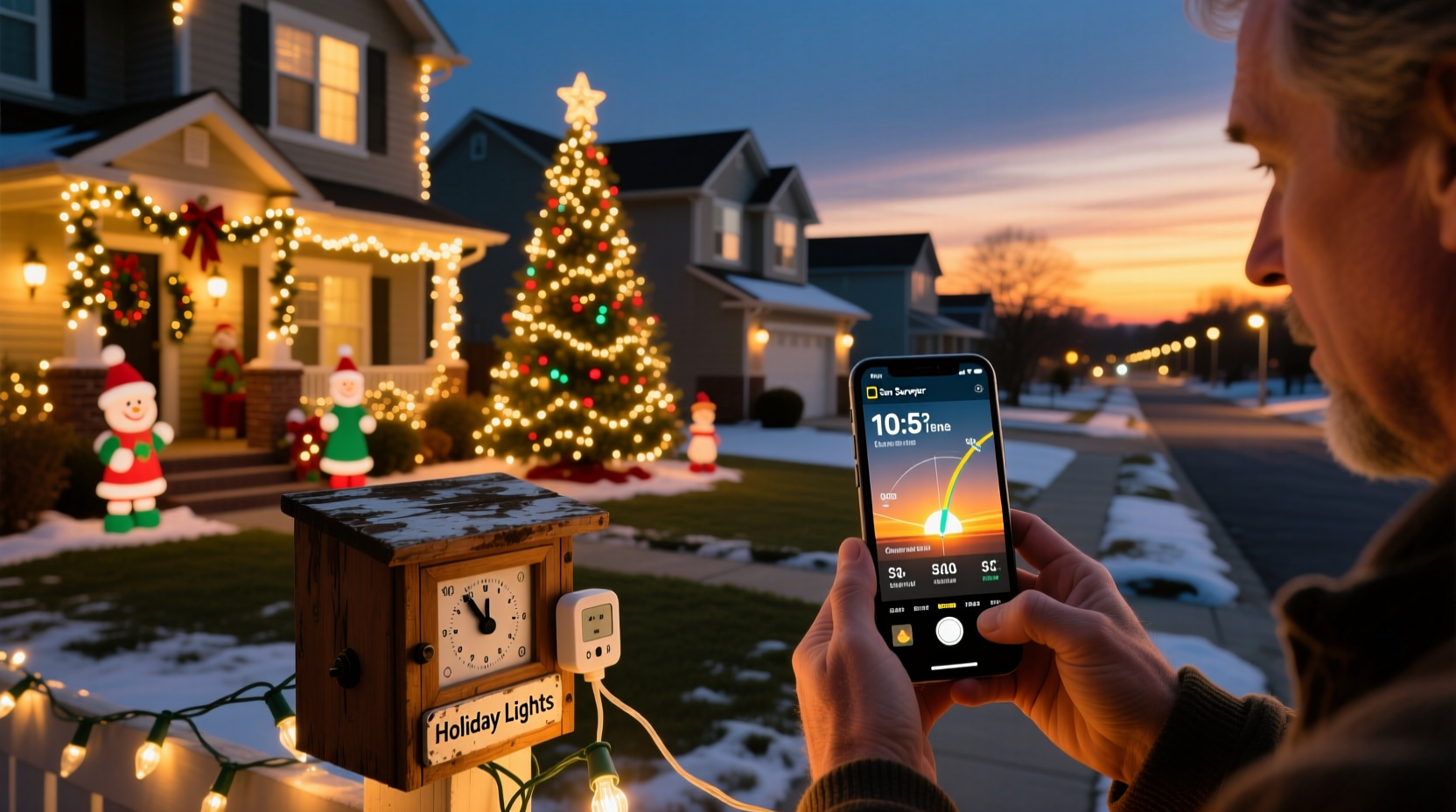
Synchronizing your Christmas lights with sunset isn’t just about convenience—it’s a strategic decision that improves both aesthetics and efficiency. Light displays turned on too early appear dull against a bright sky, while those activated too late miss the initial evening ambiance. By syncing with actual sunset, you maximize visual impact during peak viewing hours.
Energy conservation is another key benefit. Running lights from 5 PM in December when sunset is at 4:30 PM wastes power and reduces bulb lifespan. Geolocation-based timing adjusts automatically throughout the season, accounting for changing daylight patterns across November, December, and January.
“Automation based on true solar events creates a more natural and sustainable lighting rhythm.” — Daniel Reeves, Smart Home Lighting Consultant
How Geolocation Enables Precision Timing
Geolocation apps and smart devices calculate sunrise and sunset times using GPS coordinates and astronomical algorithms. These calculations factor in latitude, longitude, atmospheric refraction, and Earth's axial tilt to determine the precise moment the sun dips below the horizon each day.
Unlike fixed mechanical timers—which require manual updates as days shorten or lengthen—geolocation-aware systems update automatically. For example, a home in Seattle will see different sunset times than one in Miami, even on the same date. A geofenced system recognizes this difference and adjusts accordingly, ensuring accurate performance regardless of location.
This dynamic adjustment is especially useful during the weeks leading up to and following the winter solstice, when sunset times shift noticeably week by week. Manual timer adjustments would demand constant attention; automated geolocation systems handle the changes silently in the background.
Step-by-Step Guide to Automate Your Display
Setting up a sunset-synchronized Christmas light display involves selecting compatible hardware, installing software, and configuring automation rules. Follow this sequence to get your system running smoothly before the first snowfall.
- Choose Smart-Compatible Lighting: Select LED string lights or permanent fixtures that work with smart platforms like Philips Hue, LIFX, or Wi-Fi-enabled controllers such as Kasa or Govee.
- Install a Smart Plug or Controller: Use outdoor-rated smart plugs (e.g., TP-Link Kasa KP400) or dedicated light controllers connected to your router via Wi-Fi or Zigbee.
- Download the Companion App: Install the manufacturer’s app (e.g., Kasa Smart, Smart Life, or Apple Home) and link it to your device.
- Enable Location Permissions: Allow the app to access your device’s GPS so it can retrieve accurate sunrise/sunset data.
- Create a Sunset-Based Schedule: In the app, set an automation rule such as “Turn on lights 10 minutes after sunset” and “Turn off at 11:00 PM.”
- Test Before Deployment: Run a test cycle during twilight to confirm activation timing and brightness levels.
- Add Fallback Rules (Optional): Include conditions like weather overrides (e.g., delay lighting if heavy rain is detected) or holiday-specific schedules (e.g., extended hours on Christmas Eve).
Once configured, the system runs autonomously. Even if you travel or forget to check the lights, they’ll follow nature’s clock reliably each night.
Top Apps That Support Sunset Automation
Several popular smart home platforms integrate geolocation-based triggers. Here are the most reliable options:
| App/Platform | Key Features | Geolocation Accuracy | Best For |
|---|---|---|---|
| Kasa Smart (TP-Link) | Sunset/sunrise scheduling, voice control, energy monitoring | High – uses device GPS | Budget-friendly outdoor setups |
| Apple HomeKit | Seamless iOS integration, scene automation, privacy-focused | Very High – leverages iCloud location | iPhone users with multiple smart devices |
| Google Home | Voice commands, routines, multi-room coordination | High – syncs with Android location | Families using Android devices |
| SmartThings (Samsung) | Advanced automations, Z-Wave/Zigbee support, customizable scripts | Very High – supports hyperlocal weather APIs | Tech-savvy users building full smart landscapes |
| Govee Home | Color customization, music sync, auto-schedule mode | Moderate – requires manual location input | Decorative RGB light strips |
When choosing an app, prioritize those that offer native “sunrise” and “sunset” as trigger conditions rather than requiring third-party integrations like IFTTT, which may introduce delays or connectivity issues.
Real Example: A Suburban Family’s Holiday Upgrade
The Peterson family in Denver had long struggled with their front-yard light display. Using a basic timer, they’d set their lights to turn on at 5:00 PM year-round. In early December, this meant two hours of wasted operation under daylight. By late December, however, sunset crept to 4:30 PM, leaving them embarrassed when neighbors’ displays were already glowing.
In 2023, they upgraded to three Kasa outdoor smart plugs and reprogrammed their schedule using geolocation. They created a rule: “Turn on 5 minutes after sunset, off at midnight.” The result? Their lights now activate exactly when visibility peaks, drawing consistent compliments from passersby. They estimate a 30% reduction in electricity usage compared to previous years.
Additionally, they added a secondary rule: “On weekends, extend shutdown to 1:00 AM.” This small tweak enhanced enjoyment during holiday gatherings without compromising efficiency.
Common Mistakes to Avoid
- Using indoor-rated smart plugs outdoors: Always choose weatherproof models rated for external use to prevent short circuits.
- Disabling location services: If your phone or hub loses GPS access, sunset calculations may default to a generic time zone setting, causing errors.
- Ignoring timezone settings: Ensure your device’s clock is set to automatic timezone detection, especially if traveling or near state borders.
- Overloading circuits: Distribute high-wattage incandescent strings across multiple outlets—even if smart, overloaded circuits trip breakers.
- Skipping surge protection: Outdoor electrical setups should include surge-protected extension cords or strips to guard against lightning or grid fluctuations.
Checklist: Setting Up Your Sunset-Synced Display
Use this checklist to ensure a smooth installation and configuration process:
- ☐ Choose energy-efficient, smart-compatible Christmas lights
- ☐ Purchase outdoor-rated smart plugs or controllers
- ☐ Verify Wi-Fi coverage near installation points
- ☐ Install hardware and connect to power safely
- ☐ Download and configure the companion app
- ☐ Grant location permissions to the app
- ☐ Set automation: “Turn on X minutes after sunset”
- ☐ Define end time or duration (e.g., “Off at 11 PM”)
- ☐ Test operation during twilight hours
- ☐ Add labels and backup schedules
- ☐ Inspect monthly for damage or wear
FAQ
Can I use geolocation timing if I live in an area with extreme daylight variation?
Absolutely. Systems using geolocation excel in regions with dramatic seasonal shifts—like Alaska or northern Europe—because they adapt daily. Some apps even allow you to offset sunset times (e.g., “on at civil twilight”) for optimal visibility in areas with prolonged dusk.
What happens if my internet goes down?
Most smart plugs retain the last known schedule and can operate on cached sunset data for several days. However, extended outages may cause drift. Consider pairing your setup with a battery-backed router or using a hybrid timer as a backup.
Do I need a smart speaker to make this work?
No. While voice assistants like Alexa or Google Assistant enhance control, they’re not required. Scheduling based on geolocation works directly through the app and connected hardware.
Enhancing Ambiance with Layered Automation
For a truly immersive display, go beyond simple on/off scheduling. Advanced users can layer effects based on time, motion, or sound. For instance:
- Set pathway lights to activate at sunset but dim after 9 PM for neighborhood courtesy.
- Trigger animated sequences only on Fridays and Saturdays using calendar-based rules.
- Integrate motion sensors so porch displays brighten when someone approaches.
- Use color-shifting LEDs to transition from warm white at dusk to cool blue at midnight.
These enhancements create a dynamic, responsive environment that feels alive and thoughtfully designed—not just automated, but intentional.
Conclusion
Timing your Christmas light display with sunset using geolocation apps transforms a seasonal chore into a hands-free, energy-smart tradition. By leveraging precise location data and modern smart technology, you ensure your lights shine at exactly the right moment—enhancing beauty, reducing waste, and bringing joy without effort.




 浙公网安备
33010002000092号
浙公网安备
33010002000092号 浙B2-20120091-4
Comments
No comments yet. Why don't you start the discussion?