
There’s a quiet magic in watching holiday lights flicker to life just as dusk settles over the neighborhood. For many homeowners, timing this moment perfectly—lights turning on at sunset, every evening without fail—is more than a convenience; it’s part of the seasonal charm. Yet doing so manually becomes tedious, especially when sunset times shift daily throughout December. The solution? Automation. With the right tools and setup, you can synchronize your Christmas lights to sunset automatically, ensuring they glow precisely when natural light fades—no daily adjustments needed.
This approach not only enhances visual impact but also conserves energy, reduces wear on lighting systems, and eliminates the need to remember to flip switches. Whether you're managing a modest porch setup or an elaborate driveway spectacle, automating your display around sunset is both practical and elegant.
Why automate your holiday lights to sunset?
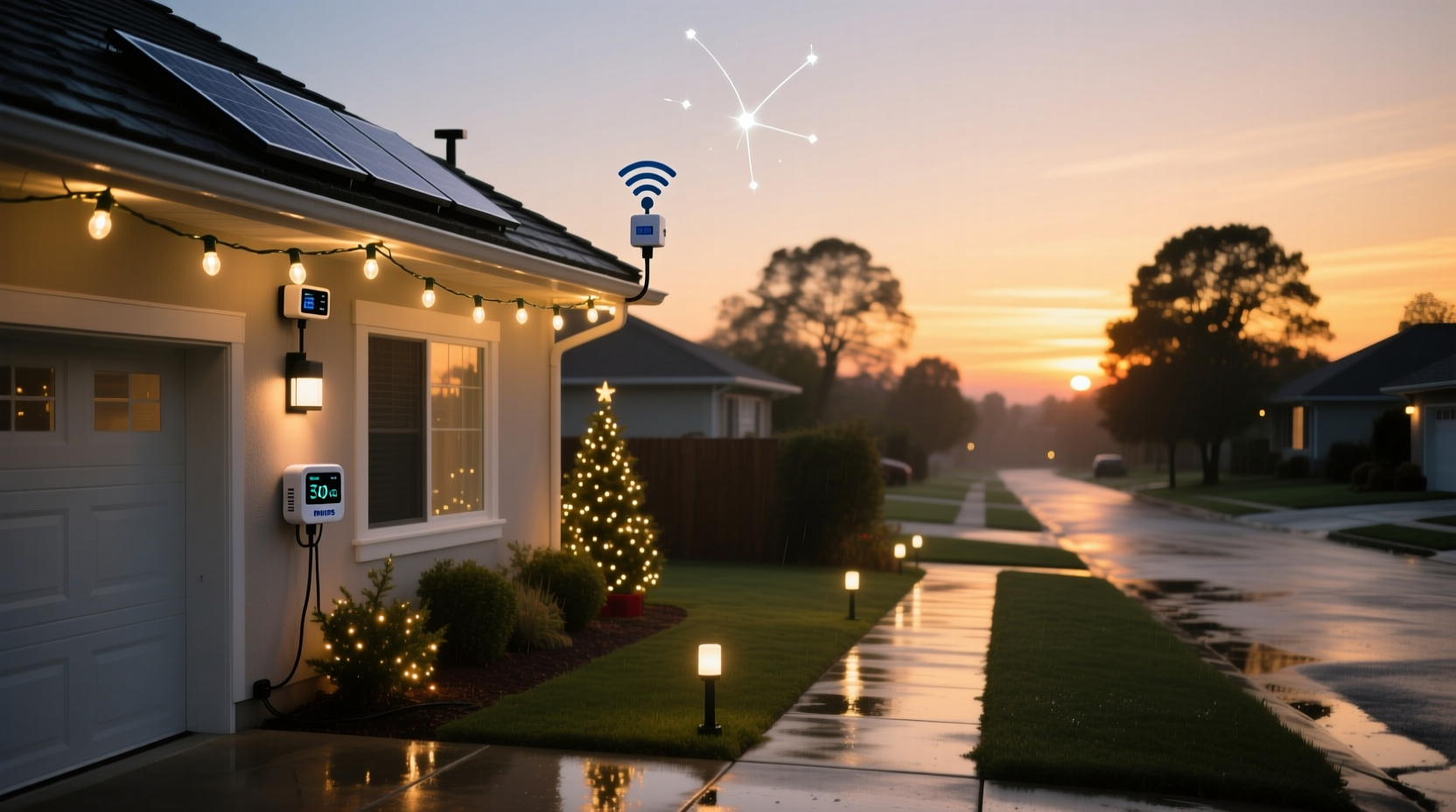
Sunset-based automation aligns your lighting with natural daylight cycles, creating a seamless transition from day to night. As winter days grow shorter, sunset times change by several minutes each day. By early December, sunset might be around 4:45 PM; by late December, it could shift to 4:30 PM or earlier depending on your location. Manually adjusting timers to match these shifts is impractical.
Automated systems eliminate guesswork. They ensure your lights activate exactly when ambient light drops below visibility thresholds, maximizing their effect while minimizing unnecessary runtime. This precision also helps prevent lights from turning on during twilight hours when they’re barely visible—or worse, being forgotten entirely on cloudy evenings.
“Timing holiday lighting to sunset isn’t just about aesthetics—it’s about respect for neighbors and responsible energy use.” — Mark Reynolds, Smart Home Lighting Consultant
Beyond functionality, automated timing contributes to a consistent neighborhood ambiance. When multiple homes sync their displays to natural light cycles, the result is a coordinated streetscape that feels thoughtfully curated rather than haphazard.
Key methods for automatic sunset synchronization
Several technologies enable automatic sunset timing, ranging from simple plug-in devices to full smart home integrations. Choosing the right method depends on your budget, technical comfort level, and existing infrastructure.
1. Astronomical timers (dual-mode digital timers)
Astronomical timers are standalone devices that calculate local sunrise and sunset times based on geographic coordinates and date. Once programmed with your zip code or latitude/longitude, they adjust daily without user input.
These timers typically offer two modes: fixed time scheduling and astronomical mode. In astronomical mode, you set an offset—such as “on 15 minutes after sunset” and “off at 11:00 PM”—and the device handles the rest. Most models retain settings through power outages and support multiple on/off events per day.
2. Smart plugs with geofencing and weather integration
Smart plugs like those from TP-Link Kasa, Wemo, or Amazon Smart Plug can connect to smartphone apps and integrate with voice assistants. When paired with automation platforms such as IFTTT (If This Then That) or Apple Shortcuts, they can trigger lighting based on real-time sunset data.
Using GPS location services, these apps detect your local sunset and send commands to turn outlets on accordingly. Some advanced models even factor in weather conditions—delaying activation on unusually bright overcast evenings or advancing it during storms.
3. Solar-powered photocell sensors
Photocells, or light-dependent resistors (LDRs), detect ambient brightness and switch circuits accordingly. A photocell sensor turns lights on when it gets dark and off when it gets light—ideal for sunset-to-sunrise operation.
While basic models lack programmability, newer hybrid versions combine photocell detection with timer controls. These allow you to set delays (e.g., activate 10 minutes after dark) or define end times (turn off at midnight regardless of dawn). They’re particularly useful for outdoor installations where Wi-Fi signals may be weak.
Step-by-step guide to setting up automatic sunset timing
Follow this sequence to implement a reliable, hands-free lighting schedule synced to sunset.
- Determine your location’s coordinates: Use Google Maps or a GPS tool to find your exact latitude and longitude, or note your ZIP code. This data is essential for astronomical timers and app-based systems.
- Choose your control method: Decide whether you prefer a dedicated hardware timer, smart plug system, or photocell switch based on cost, reliability, and desired features.
- Install the controller: Plug your Christmas lights into the chosen device. Ensure all connections are weatherproof if used outdoors.
- Configure location and time settings: Program your device with correct time zone, DST preference, and geographic data. Double-check accuracy against a trusted source like time.gov.
- Set on/off parameters: Define when lights should activate relative to sunset (e.g., immediately after, 10 minutes post-sunset) and when they should shut off (e.g., 11:00 PM, 2 hours after activation).
- Test the system: Simulate low-light conditions (cover a photocell with your hand) or advance the clock to verify correct behavior. Monitor performance over several evenings.
- Monitor and refine: Adjust offsets if lights come on too early or late. Consider seasonal glare from snow cover, which can delay perceived darkness.
Troubleshooting common issues
- Lights turn on too early: Reduce any positive offset or recalibrate photocell placement away from reflective surfaces.
- Lights don’t turn on at all: Check power supply, tripped breakers, and sensor cleanliness. Dust or spider webs can block photocell sensors.
- Inconsistent timing across multiple controllers: Ensure all devices use the same location data and time source. Synchronize via NTP (Network Time Protocol) if possible.
Comparison of automation methods
| Method | Setup Complexity | Cost Range | Weather Adaptability | Best For |
|---|---|---|---|---|
| Astronomical Timer | Medium | $20–$50 | High – uses calculated data | Whole-house displays, multi-circuit setups |
| Smart Plug + App | Low to Medium | $25–$40 per plug | Variable – depends on service integration | Tech-savvy users, remote monitoring |
| Photocell Sensor | Low | $10–$30 | High – reacts directly to light | Simple setups, areas with unreliable Wi-Fi |
| Home Automation Hub (e.g., Hubitat, Home Assistant) | High | $70+ | Very High – customizable logic | Advanced users, integrated smart homes |
Real-world example: The Johnson family display
The Johnsons in suburban Denver maintain a large front-yard display featuring animated reindeer, roofline icicles, and a glowing nativity scene. Previously, they used a standard mechanical timer set to 5:00 PM, but by mid-December, sunlight still lingered at that hour, making the lights look underwhelming. In January, they forgot to adjust the timer after New Year’s, leaving the display running well past its welcome.
Last season, they upgraded to an Intermatic ST01C astronomical timer. After entering their ZIP code and setting activation to “sunset + 5 minutes,” the system began adjusting daily. Their lights now illuminate precisely as shadows deepen, drawing consistent praise from passersby. They also added a second schedule to dim non-essential lights at 10:00 PM, reducing energy consumption by nearly 30% compared to previous years.
“It’s one less thing to think about during a busy time,” said Sarah Johnson. “And the kids love that the lights come on like clockwork every evening—it feels magical.”
Checklist: Setting up sunset-synced Christmas lights
- ☐ Measure total wattage of your light strings to ensure compatibility with your timer or smart plug
- ☐ Choose a weather-resistant outlet or enclosure for outdoor controllers
- ☐ Program your device with accurate location and time zone
- ☐ Set activation to begin shortly after sunset (5–15 minutes recommended)
- ☐ Define a reasonable end time (e.g., 11:00 PM) to conserve energy and reduce light pollution
- ☐ Test the system before final installation
- ☐ Label all circuits clearly for future reference
- ☐ Schedule a mid-season check to clean sensors and inspect wiring
Frequently asked questions
Can I use multiple timers for different parts of my display?
Yes. You can run separate circuits with individual timers—for example, keeping pathway lights on longer than decorative trees. Just ensure each device is properly configured for consistency.
Will clouds or snow affect photocell sensors?
Snow accumulation on the sensor lens can delay activation. Regularly clear debris and position the sensor facing north (in the Northern Hemisphere) to minimize direct exposure to artificial light and reflected glare.
Do smart plugs require constant internet access?
Most do. If your Wi-Fi goes down, scheduled events may fail unless the plug supports local execution (available in select models like those using Matter or Thread protocols). For critical reliability, consider a backup like an astronomical timer.
Expert tips for optimal performance
For maximum efficiency, combine automation with LED lighting. LEDs consume up to 90% less energy than incandescent bulbs and generate minimal heat, reducing fire risk and extending lifespan—even with extended nightly use.
If using a smart ecosystem, create routines that respond to exceptions. For instance, disable lights during severe weather alerts or extend runtime on Christmas Eve. Platforms like Home Assistant allow scripting complex behaviors, such as delaying shutdown if motion is detected near the display.
Conclusion: Let nature set the mood
Perfectly timed holiday lighting transforms a simple decoration into a nightly event. By syncing your Christmas display to sunset, you honor natural rhythms, enhance visual drama, and simplify maintenance during one of the busiest times of the year. Whether you choose a $15 photocell adapter or a fully networked smart home routine, the goal remains the same: effortless beauty that arrives just as the sky darkens.
Start small if needed—a single smart plug controlling your tree lights can make a meaningful difference. Over time, expand your system to include layered effects, music synchronization, or community-wide coordination. The technology exists to make your holiday vision not just possible, but predictable and peaceful.




 浙公网安备
33010002000092号
浙公网安备
33010002000092号 浙B2-20120091-4
Comments
No comments yet. Why don't you start the discussion?