
Managing a Facebook Page comes with the natural curiosity: Who’s visiting? Are they potential customers? How engaged are they? While Facebook provides valuable analytics through its Insights tool, there are strict limits on user privacy that prevent access to personal visitor data. Understanding both the capabilities and boundaries of Facebook's reporting is essential for any page administrator aiming to grow their audience strategically.
Facebook prioritizes user privacy, meaning you won’t see names, profile pictures, or direct identifiers of individual visitors. However, aggregated and anonymized data offers powerful insights into behavior, demographics, and engagement patterns. This guide breaks down exactly what information is available, what isn’t, and how to use it effectively.
What You Can See About Your Page Visitors
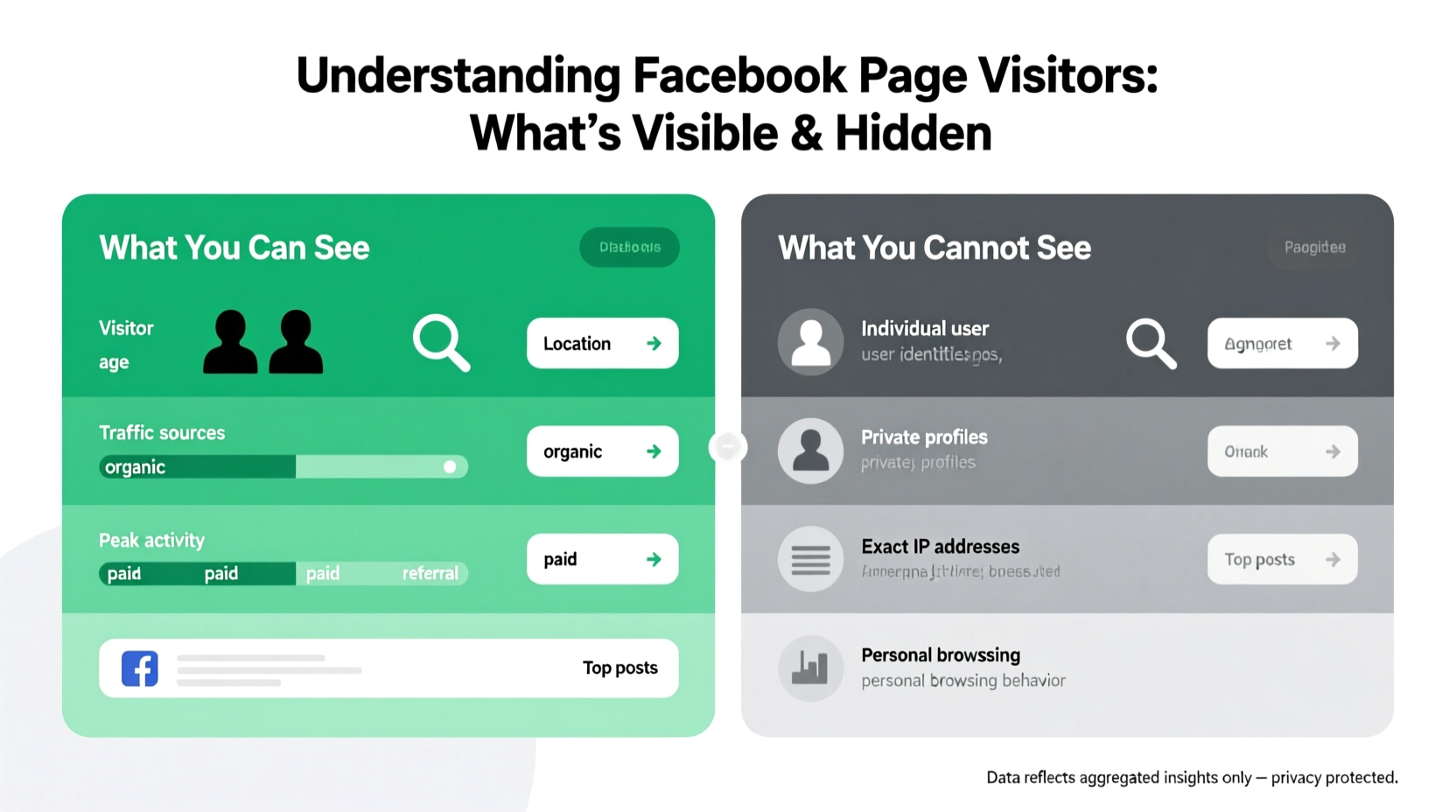
Facebook Page Insights gives administrators access to a wide range of metrics that help interpret visitor behavior without compromising individual privacy. These insights fall into several key categories:
- Page Views: Total number of times your page was viewed, broken down by day, week, or month.
- Reach: The number of unique users who saw any content from your page.
- Engagement: Likes, comments, shares, and clicks on posts or call-to-action buttons.
- Follower Demographics: Age, gender, location, and active times of your followers.
- Referral Sources: Where traffic to your page originated—such as Facebook search, external links, or recommendations.
- Actions on Page: How many people clicked “Get Directions,” called your business, or messaged you.
This data is updated daily and accessible via the Meta Business Suite or directly in the Facebook app under \"Insights.\" It allows you to refine content strategy, optimize posting times, and evaluate campaign performance.
What You Cannot See — And Why
Despite the depth of analytics, Facebook enforces strong privacy protections that limit visibility into individual users. Here’s what remains hidden:
- Specific identities of visitors — You cannot see who viewed your page unless they interacted (e.g., liked, commented).
- Profile information of non-followers — Even if someone spends time on your page, their name, photo, or bio remains private.
- Real-time visitor tracking — Unlike website analytics tools like Google Analytics, Facebook doesn’t show live visitor counts or scrolling behavior.
- IP addresses or device details — No technical footprint of visitors is shared with page owners.
These restrictions stem from Facebook’s Data Policy and global privacy regulations like GDPR and CCPA. As Meta has stated, user anonymity is preserved unless explicit consent is given through interaction.
“We design our systems to protect people’s privacy by default. That means no one—not even businesses—can access personal data without permission.” — Meta Privacy Team
How to Interpret Visitor Behavior Without Personal Data
Even without knowing who visits, smart analysis of aggregated data reveals meaningful trends. For example:
If your \"Page Views\" spike but \"Engagement Rate\" stays low, it suggests people are landing on your page but not taking action. This could indicate weak visuals, unclear messaging, or missing contact information.
Conversely, high \"Actions on Page\" (like calls or messages) paired with steady \"Reach\" shows your page is effectively converting interest into results.
To make sense of this, consider setting up conversion tracking using Facebook Pixel on your website. While this doesn’t track Facebook page visits directly, it helps link social exposure to real-world actions like purchases or sign-ups.
Step-by-Step Guide to Analyzing Visitor Trends
- Open Meta Business Suite or go to your Page > Insights.
- Navigate to \"Audience\" tab to review demographics and active times.
- Go to \"Content\" section to see which posts drove the most page views.
- Check \"Discovery\" metrics to identify how people found your page (search, ads, suggestions).
- Compare weekly reports to detect changes after new campaigns or content shifts.
- Create benchmarks for key metrics (e.g., average reach per post) to measure future growth.
Common Misconceptions About Facebook Page Visitors
Many page admins operate under false assumptions. Clarifying these myths improves decision-making:
| Misconception | Reality |
|---|---|
| You can see who viewed your page recently. | No. Only interacting users appear in notifications (e.g., likes, follows). |
| Third-party apps can reveal visitor identities. | Any app claiming this violates Facebook’s policies and may be a scam. |
| All traffic comes from your posts. | Over 50% often comes from discovery features like Search or Recommendations. |
| More page views equal more sales. | Not necessarily. Measure downstream actions like website clicks or conversions. |
Mini Case Study: Local Bakery Gains Clarity Through Insights
Sweet Rise Bakery noticed a surge in page views but no increase in foot traffic. Using Facebook Insights, they discovered that 70% of their visitors were aged 13–17 and located outside their city—likely students drawn by viral cake photos.
The team adjusted their ad targeting to focus on local adults aged 25–45 and added a \"Book a Custom Cake\" button. Within six weeks, message inquiries rose by 40%, and weekend sales increased noticeably.
This case illustrates how understanding *who* is visiting—and who isn’t your target audience—can reshape marketing efforts effectively, even without individual-level data.
Practical Checklist for Monitoring Page Visitors
- ✅ Review Audience Demographics monthly
- ✅ Track top-performing content driving page visits
- ✅ Monitor referral sources to optimize discovery
- ✅ Set up automated weekly Insights summaries
- ✅ Align content calendar with peak activity times
- ✅ Use UTM parameters to trace off-Facebook traffic impact
Frequently Asked Questions
Can I see if a specific person visited my Facebook Page?
No. Facebook does not provide any feature that allows page admins to see whether a particular individual has viewed their page, unless that person interacts publicly (e.g., liking a post or commenting).
Why do some pages claim to show \"recent visitors\"?
Such claims usually come from third-party tools or scams. These services either fake data or attempt to exploit user trust. Facebook prohibits sharing identifiable visitor data, so these tools cannot deliver legitimate results.
Does Facebook count bots or fake accounts in page views?
Potentially. While Facebook uses algorithms to filter out suspicious activity, some automated traffic may still register in metrics. Focus on engagement quality—real interactions are harder to fake and more indicative of genuine interest.
Conclusion: Work Smarter Within Facebook’s Boundaries
Understanding your Facebook Page visitors isn’t about uncovering identities—it’s about interpreting behavior at scale. By leveraging Insights responsibly and focusing on actionable metrics, you gain clarity on what resonates with your audience and where to improve.
Rather than chasing invisible visitor lists, invest time in refining your content, optimizing calls to action, and analyzing patterns over time. The real power lies not in knowing who stopped by, but in shaping an experience that turns casual viewers into loyal customers.




 浙公网安备
33010002000092号
浙公网安备
33010002000092号 浙B2-20120091-4
Comments
No comments yet. Why don't you start the discussion?