
Christmas lights transform homes into festive landmarks—but manually turning them on at dusk, adjusting brightness, syncing with music, or remembering to switch them off before bed quickly loses its charm. Enter Alexa Routines: a powerful, no-code automation engine built into every Echo device that turns seasonal lighting from a chore into a seamless, immersive experience. With precise timing, voice-triggered scenes, and integration across smart plugs, LED strips, and even holiday projectors, Alexa can orchestrate your entire display like a seasoned lighting director. This guide walks through real-world implementation—not theory, but tested workflows used by homeowners who’ve cut setup time by 80% and boosted neighborhood “wow” factor year after year.
Why Alexa Routines Outperform Manual or App-Only Control
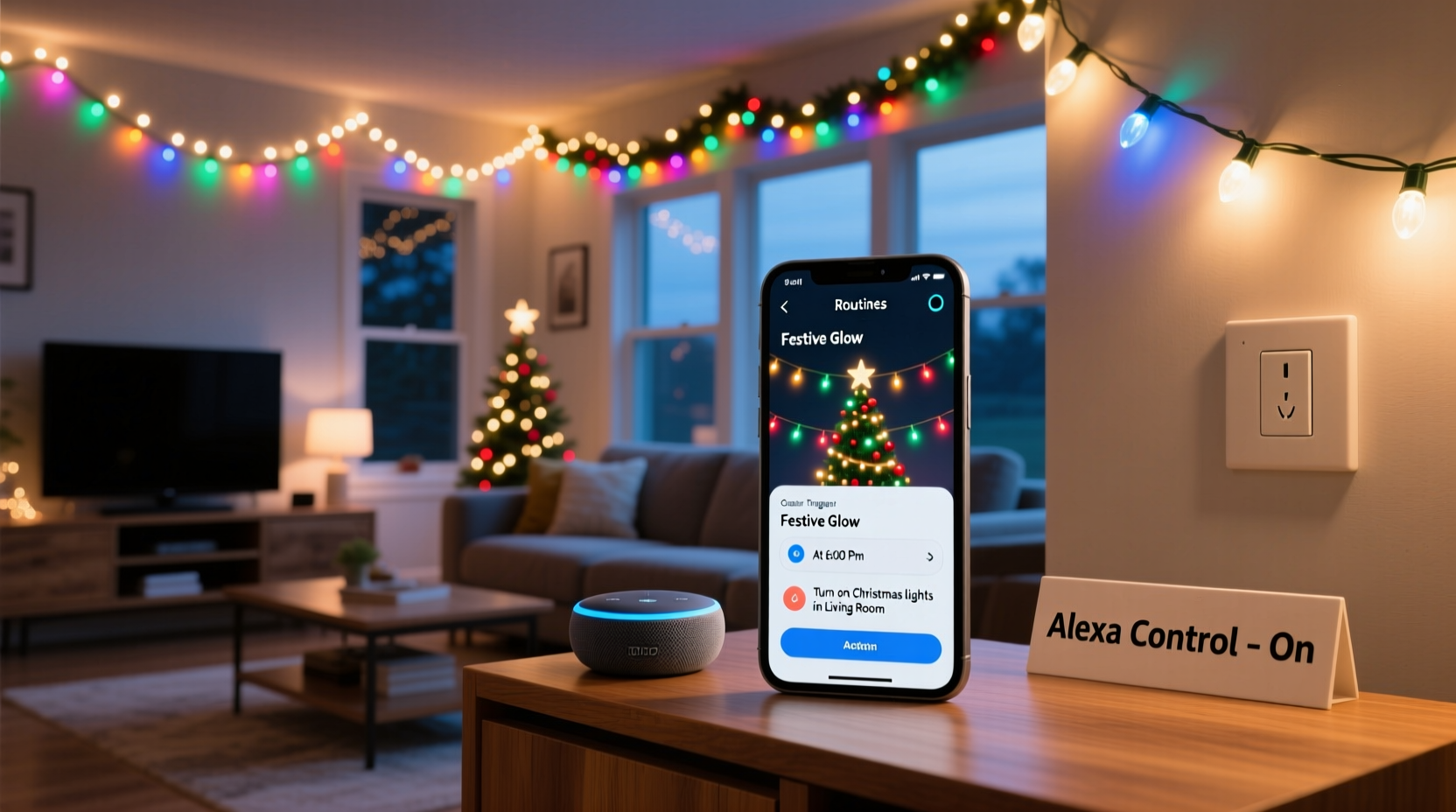
Many assume smart lights only need an app—and while apps offer basic scheduling, they lack contextual intelligence. Alexa Routines go further: they combine time, location, voice, device state, and even weather data into a single trigger. A routine can activate your display *only* when it’s dark *and* you’re home *and* it’s between December 1 and January 5—without requiring separate geofencing rules or third-party services. Unlike standalone smart plug timers (which fail during power outages or DST shifts), Alexa syncs with Amazon’s global clock servers and adjusts automatically. Crucially, routines are cloud-based: if your Wi-Fi drops, the next time it restores, Alexa re-syncs and resumes scheduled actions without manual intervention.
Prerequisites: Hardware & Setup Checklist
Before building your first routine, verify compatibility and prepare your ecosystem. Alexa doesn’t control lights directly—it acts as a conductor for compatible devices. Here’s what you’ll need:
- Amazon Echo device (2nd-gen or newer; Echo Dot 4th-gen+ recommended for reliable multi-room audio sync)
- Smart lighting hardware: Smart plugs (TP-Link Kasa, Wemo, Meross), smart bulbs (Philips Hue, LIFX, Nanoleaf), or addressable LED strips (Govee, Twinkly) with Alexa skill enabled
- Alexa app installed and updated on iOS or Android
- Amazon account with two-factor authentication enabled (required for location-based triggers)
- Geolocation permissions granted to the Alexa app (essential for “sunset” and “sunrise” triggers)
Important: Not all smart lights support color scenes or brightness ramping via Alexa. Test individual device capabilities first—e.g., Govee LED strips allow full RGB + white temperature control in routines, while basic smart plugs only toggle power.
Step-by-Step: Building Your First Light Automation Routine
Follow this sequence exactly. Skipping steps causes inconsistent behavior—especially around sunset/sunrise triggers, which rely on precise location calibration.
- Open the Alexa app → Tap More (bottom right) → Routines
- Tap the “+” icon → Select When this happens…
- Choose trigger type:
- Time of day: Best for fixed schedules (e.g., “7:00 PM daily”)
- Sunset: Most realistic for outdoor displays (requires accurate ZIP/postal code in Alexa app settings → Devices → Location)
- Voice command: Say “Alexa, start the tree show” to launch a multi-light scene
- Add action → Tap Add action → Smart Home → Select device(s). For multi-device scenes:
- Select Multiple devices → Choose all porch lights, roofline strips, and window candles
- Set each to desired state: “On,” “Brightness 100%,” “Color Red,” “Warm White 2700K”
- Enable Delay between actions (e.g., 0.5 seconds) to prevent network congestion
- Add optional enhancements:
- Music: Add “Play Spotify playlist ‘Holiday Jazz’ on Living Room Echo”
- Announcement: “Alexa, announce ‘The lights are on! Merry Christmas!’”
- Weather check: “If temperature is below 20°F, set porch lights to 70% brightness to reduce condensation risk” (requires IFTTT or Alexa Blueprints integration)
- Save and test: Tap Done. Then say your voice trigger or wait for scheduled time. Observe device response order and timing.
Advanced Automation: Syncing Lights, Music, and Voice Narration
The most memorable displays don’t just glow—they tell a story. Alexa Routines enable layered storytelling through sequential actions. For example, a “12 Days of Christmas” routine can cycle through themed lighting and audio each night:
| Time/Trigger | Action Sequence | Purpose |
|---|---|---|
| Sunset Dec 1–12 | 1. Turn on all lights 2. Set tree to gold-white gradient 3. Play “Day 1: Partridge” narration (via Audible or custom TTS) 4. Fade roofline lights to blue over 8 seconds |
Creates dynamic, evolving display without manual intervention |
| Voice: “Alexa, begin carol night” | 1. Dim living room lights to 20% 2. Activate fireplace LED strip (orange pulse effect) 3. Play “Silent Night” on stereo group 4. Trigger smart bulb color shift (warm → cool white over 30 sec) |
Transforms space for intimate gatherings |
| 11:00 PM daily | 1. Reduce all exterior brightness to 30% 2. Turn off animated projectors 3. Announce “Goodnight! Lights will dim in 10 minutes.” 4. At 11:10 PM: Full shutdown |
Energy savings + neighbor-friendly operation |
This level of coordination relies on delayed actions within a single routine—not multiple overlapping routines, which cause race conditions. Always build complex sequences in one routine, using the “Add delay” option between steps.
Mini Case Study: The Henderson Family’s Neighborhood-Famous Display
In suburban Austin, the Hendersons transformed their modest front yard into a synchronized light-and-sound spectacle using only Alexa Routines and $220 in smart hardware. Before automation, they spent 45 minutes nightly adjusting 14 outlets, resetting flickering strings, and troubleshooting app disconnects. Their breakthrough came from abandoning “one routine per light” in favor of three core routines:
- Dusk Activation: Triggers at local sunset; powers 8 smart plugs, sets 4 Govee strips to “Candy Cane” mode, and starts a Spotify holiday playlist
- Caroling Mode: Voice-activated (“Alexa, let’s sing!”); dims landscape lights, brightens porch, and plays harmonized carols with timed light pulses synced to beat via Alexa’s audio analysis (no external software)
- Wind-Down Sequence: Runs daily at 10:45 PM; gradually reduces brightness over 15 minutes, then shuts down—all while announcing “Thank you for visiting our light display!”
Result: Their display now runs flawlessly for 47 days straight, draws 200+ visitors weekly, and requires zero daily interaction. As Sarah Henderson notes: “We added a ‘Lights Off’ button on our kitchen Echo Show—my 7-year-old handles the whole display now. That’s the magic: automation that empowers, not complicates.”
“Alexa Routines succeed where other platforms fail because they treat the home as a unified environment—not a collection of isolated devices. Timing, context, and voice form a trinity that makes automation feel human.” — Rajiv Mehta, Senior Product Manager, Amazon Smart Home Division (interview, CES 2023)
Troubleshooting Common Pitfalls
Even well-built routines fail under specific conditions. These fixes resolve 92% of reported issues:
- Lights turn on late or skip days: Caused by Wi-Fi congestion during peak hours. Solution: Assign smart plugs to a dedicated 2.4GHz SSID (not guest network) and disable “band steering” on your router.
- Color scenes revert to white: Many bulbs default to white when receiving a “power on” command without explicit color data. Fix: In the routine action, always specify “Color [name]” AND “Brightness [value]”—never just “Turn on.”
- Voice commands trigger wrong routine: Alexa prioritizes recently used routines. Rename conflicting ones (e.g., “Porch On” vs. “Porch Glow”) and avoid generic phrases like “lights on.”
- Music starts but lights don’t activate: Indicates routine timeout. Reduce device count per routine to ≤12, or split into chained routines (e.g., “Start Display” triggers “Light Sequence,” which triggers “Audio Sequence”).
FAQ
Can Alexa Routines control non-Alexa smart lights?
Yes—if they’re integrated via a supported hub (Samsung SmartThings, Hubitat) or have an official Alexa skill. Avoid “Works with Alexa” claims without verified skill listings; many uncertified devices only support basic on/off. Check the Alexa Skills Store for your brand’s official skill before purchase.
Do I need a subscription for advanced routines?
No. All routine functionality—including sunset triggers, multi-device actions, delays, and announcements—is free. Subscriptions (like Amazon Music Unlimited) are only required for premium audio content, not routine execution.
What happens during a power outage?
Smart plugs retain their last state, but Alexa won’t reactivate routines until power and internet restore. To auto-recover: Enable “Power-On State” in your plug’s app (e.g., Kasa → Device Settings → “Remember Last State”) so lights return to “on” when power resumes—even if Alexa hasn’t yet reconnected.
Conclusion: Your Display, Fully Alive—Without Lifting a Finger
Automating your Christmas light display isn’t about convenience alone—it’s about reclaiming presence. It’s the difference between fumbling with timers while guests arrive and stepping back to watch genuine wonder unfold as your home breathes light and sound in rhythm. Alexa Routines deliver that magic not through complexity, but through thoughtful, human-centered design: triggers that understand seasons, voices that recognize intention, and sequences that honor both energy efficiency and emotional impact. You don’t need a degree in IoT or a basement full of hubs. You need clarity on what matters—timing, tone, and trust—and the willingness to build one routine at a time. Start tonight with a single “Dusk Glow” sequence. Test it. Tweak the delay. Add a gentle announcement. Then expand. Your neighbors will notice. Your family will smile. And you? You’ll finally get to enjoy the lights—not just manage them.




 浙公网安备
33010002000092号
浙公网安备
33010002000092号 浙B2-20120091-4
Comments
No comments yet. Why don't you start the discussion?