
As the holiday season approaches, the warm glow of Christmas lights can transform your home into a festive sanctuary. But remembering to switch them on each evening—especially as daylight hours shorten—can be easy to overlook. Fortunately, with Amazon Alexa’s smart home automation, you can ensure your lights illuminate precisely at sunset, every day, without lifting a finger.
This isn’t just about convenience; it’s about creating consistent ambiance, enhancing curb appeal, and embracing the spirit of the season with minimal effort. By leveraging Alexa routines and compatible smart lighting, you can automate your holiday display with precision and elegance. Whether you’re new to smart home tech or looking to refine your setup, this guide walks you through everything needed to make your Christmas lights respond to nature’s clock.
Why Automate Your Christmas Lights with Alexa?
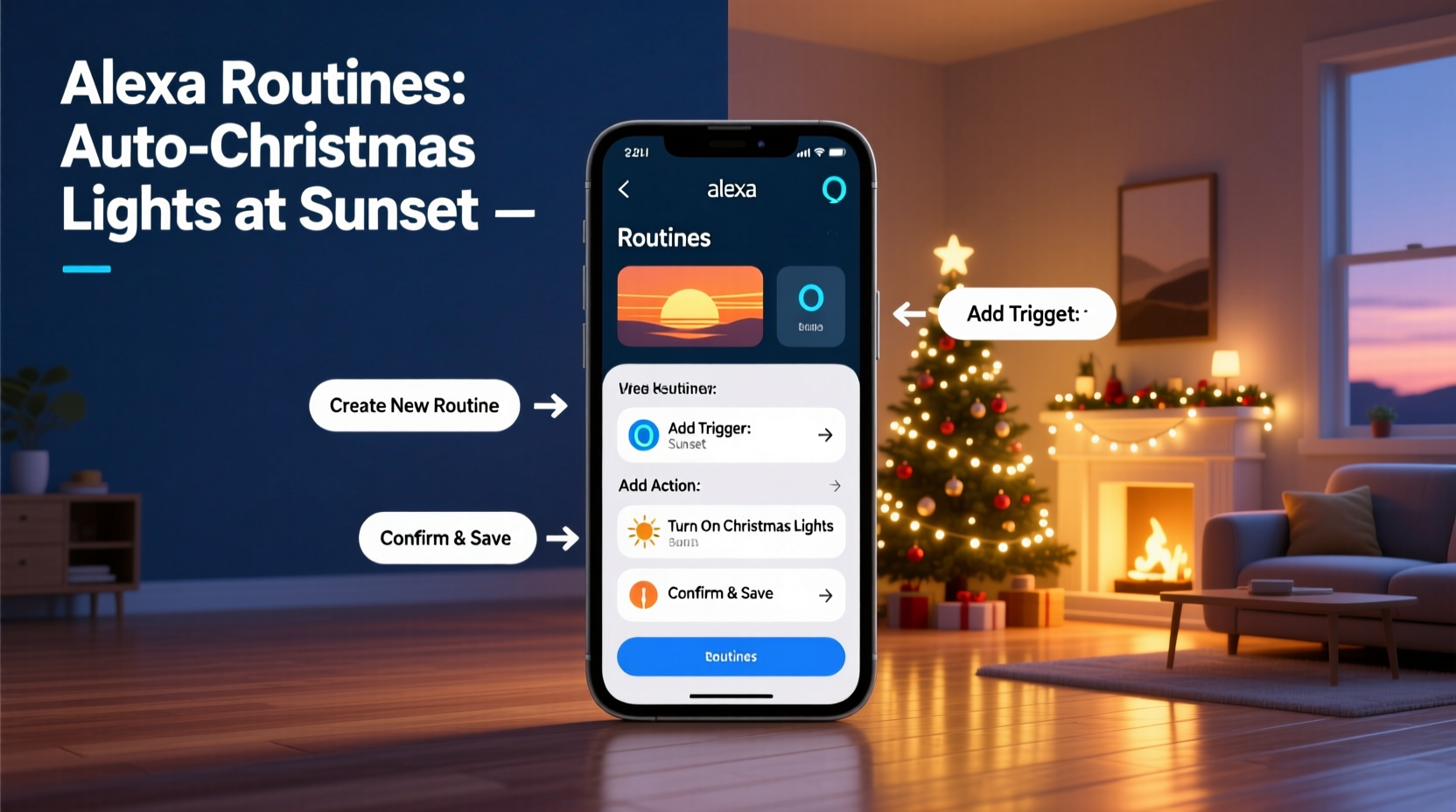
Manual control means inconsistent lighting. You might forget one night, turn them on too late, or leave them running past bedtime. Automation solves these issues by syncing your lights with real-world conditions—like sunset—so they activate at the perfect time, every single day.
Alexa routines go beyond simple timers. They allow conditional triggers based on time, location, device status, and even environmental events such as sunrise and sunset. This means your lights adjust automatically throughout the year as sunset times shift, eliminating the need for seasonal reprogramming.
Additionally, automated systems reduce energy waste. When paired with a schedule to turn off at midnight or 10 PM, your lights aren’t left on all night. This not only saves electricity but also extends the lifespan of your bulbs and fixtures.
What You’ll Need to Get Started
Before setting up your routine, confirm you have the necessary components. Most modern smart home setups will already include these, but double-checking prevents frustration later.
- An Amazon Alexa-enabled device: Echo Dot, Echo Show, Echo Studio, or any other Alexa-compatible speaker or display.
- Amy Amazon account: Required to access Alexa app features and manage routines.
- The Alexa app: Available on iOS and Android, used to create and edit routines.
- Smart Christmas lights or a smart plug: Devices that connect to Wi-Fi and are compatible with Alexa (look for “Works with Alexa” labels).
- Wi-Fi network: All devices must be connected to the same reliable home network.
Popular smart lighting options include Philips Hue, LIFX, TP-Link Kasa, Govee, and Feit Electric. If you're using traditional Christmas lights, plug them into a smart outlet like the Meross Mini Smart Plug or the Amazon Smart Plug. Once connected, you can control the power state via voice or automation.
Step-by-Step Guide to Create a Sunset-Triggered Routine
Setting up an Alexa routine for sunset activation takes less than ten minutes. Follow these steps carefully to ensure reliability.
- Open the Alexa app on your smartphone or tablet.
- Navigate to the Routines tab at the bottom right (represented by a magic wand icon).
- Tap the “+” sign in the top-right corner to create a new routine.
- Under “When this happens,” select Sunrise/Sunset.
- Choose Sunset from the dropdown menu.
- Select “On the day of” to trigger daily at local sunset time.
- Tap Add Action, then choose Smart Home.
- Select Turn On and pick your smart lights or smart plug from the list.
- (Optional) Add a second action to set brightness or color if your lights support it.
- Review the summary and tap Save.
Your routine is now active. Alexa will use your device’s registered address to calculate daily sunset times and trigger the command accordingly. The system adjusts automatically across seasons—no further input required.
Customizing Your Routine for Better Control
You can enhance the basic routine with additional logic. For example:
- Delay the start time: Set lights to turn on 15 minutes after sunset for a more gradual transition.
- Add voice announcements: Have Alexa say, “The Christmas lights are now on,” adding a fun touch.
- Include multiple devices: Control outdoor string lights, indoor wreaths, and tree lights simultaneously.
- Set end times: Create a second routine triggered at a specific hour (e.g., 11 PM) to turn everything off.
Do’s and Don’ts of Alexa Holiday Lighting Automation
| Do’s | Don’ts |
|---|---|
| Test the routine manually after setup to confirm device response. | Assume all smart plugs work equally well outdoors—check weather resistance. |
| Use device groups (e.g., “Christmas Lights”) for easier control. | Overload a single smart plug with high-wattage light strands. |
| Update device firmware regularly for optimal compatibility. | Forget to check Wi-Fi signal strength near outdoor installations. |
| Pair routines with voice commands for manual override. | Use non-dimmable LEDs with dimming routines—can cause flickering. |
Proper planning ensures your setup runs smoothly throughout December. Grouping devices under a unified name simplifies both automation and troubleshooting. In the Alexa app, go to Devices > + > Add Group, then assign your holiday lights to a group called “Holiday Lights” or similar.
Real Example: A Stress-Free Season for the Thompson Family
The Thompsons live in Denver, where winter evenings grow dark early. In past years, they often forgot to turn on their rooftop icicle lights until late at night—or worse, not at all. Their kids were disappointed, and neighbors commented on the inconsistent display.
Last November, they invested in two outdoor-rated TP-Link Kasa smart plugs and connected their main light strands. Using the Alexa app, they created a routine titled “Festive Mode” that activates at sunset. They added a second routine to turn the lights off at 10:30 PM, balancing cheer with quiet nighttime respect.
They also grouped the smart plugs under “Christmas Display” for unified control. Now, every evening, the house glows warmly within minutes of dusk. The family reports feeling more relaxed and immersed in the season, with zero maintenance required. Even during a snowy week when they stayed indoors, the lights continued their schedule flawlessly.
“We used to argue about who would remember the lights. Now, Alexa handles it like a pro. It’s one less thing to worry about during a busy time.” — Sarah Thompson, homeowner and Alexa user since 2020
Troubleshooting Common Issues
Even well-designed routines can encounter hiccups. Here are frequent problems and how to resolve them:
1. Lights don’t turn on at sunset
First, verify that the correct location is set in your Alexa app. Go to Settings > Device Location and confirm your address is accurate. Alexa uses geolocation to calculate sunrise and sunset times. An incorrect address may delay or prevent triggers.
Next, check device connectivity. Open the Smart Home section in the Alexa app and ensure your lights or plug show as online. Reboot the device if unresponsive.
2. Routine works manually but not automatically
This usually indicates a permissions issue. Ensure the routine has permission to control the selected devices. Also, confirm that “Do Not Disturb” mode isn’t enabled on your Echo device, as it can suppress certain actions.
3. Lights turn on too early or too late
If timing seems off, note that Alexa uses civil twilight (when the sun is 6° below the horizon), which may differ slightly from visual sunset. To fine-tune, create a custom routine using a specific time offset—e.g., “Sunset + 10 minutes.”
4. Multiple routines conflict
If you have overlapping routines (e.g., one at sunset and another at 5 PM), unexpected behavior may occur. Review all routines under the Routines tab and disable redundant ones.
Frequently Asked Questions
Can I use Alexa routines if I’m not home?
Yes. As long as your Echo device and smart lights are connected to Wi-Fi, routines run locally or via the cloud regardless of your physical presence. Geolocation-based triggers like sunset do not require your phone to be nearby.
Do I need an Echo device in every room?
No. Only one Alexa-enabled device is needed to manage routines for your entire smart home. However, having multiple devices can improve voice recognition coverage and allow room-specific announcements.
Can I change the routine for sunrise instead?
Absolutely. During setup, simply select “Sunrise” instead of “Sunset.” This is ideal for security lighting or morning ambiance, though less common for holiday displays.
Maximizing Year-Round Value
While this routine shines during the holidays, the same principle applies to everyday lighting. Consider repurposing your setup for:
- Outdoor path lights that turn on at sunset and off at midnight.
- Indoor lamps that simulate occupancy while traveling.
- Seasonal décor like Halloween inflatables or Easter garden lights.
By mastering sunset-triggered routines now, you build a foundation for smarter home management all year. The skills transfer seamlessly to other automations, reducing manual tasks and increasing comfort.
Checklist: Setting Up Your Sunset Light Routine
- ✅ Confirm your Alexa device is set up and online
- ✅ Connect Christmas lights to a compatible smart plug or smart bulb
- ✅ Name and group your holiday lighting devices in the Alexa app
- ✅ Verify your home address is correct in Alexa settings
- ✅ Create a new routine with “Sunset” as the trigger
- ✅ Add action: Turn on your Christmas light group
- ✅ (Optional) Add a shutdown routine for bedtime
- ✅ Test the routine manually to confirm functionality
- ✅ Monitor the first few days to ensure reliable performance
Final Thoughts: Let Technology Enhance the Holidays
The magic of Christmas lies in moments shared, traditions honored, and homes filled with warmth. Automating your lights doesn’t remove the personal touch—it protects it. By removing the chore of remembering, you free mental space to focus on what truly matters: family, joy, and celebration.
Alexa routines are more than technical tools—they’re enablers of experience. With a sunset-triggered setup, your home becomes a beacon of holiday spirit, glowing reliably each evening without fail. And when January arrives, simply disable the routine or reassign the devices to new purposes.
Start today. Open the Alexa app, gather your gear, and set the stage for a seamless, sparkling season. Your future self—standing outside on a cold December night, watching your home glow perfectly in the dusk—will thank you.




 浙公网安备
33010002000092号
浙公网安备
33010002000092号 浙B2-20120091-4
Comments
No comments yet. Why don't you start the discussion?