
Transforming your home into a festive wonderland doesn’t have to mean flipping switches or untangling cords every time you want to adjust your Christmas lights. With Amazon Alexa and the right smart home setup, you can control each set of lights in your display—indoors or out—with simple voice commands. Whether you’re illuminating a staircase, wrapping trees, or staging an outdoor spectacle, independent control gives you precision, convenience, and creative freedom. This guide walks through the exact steps, tools, and best practices to make your holiday lighting fully responsive to your voice.
Why Independent Control Matters
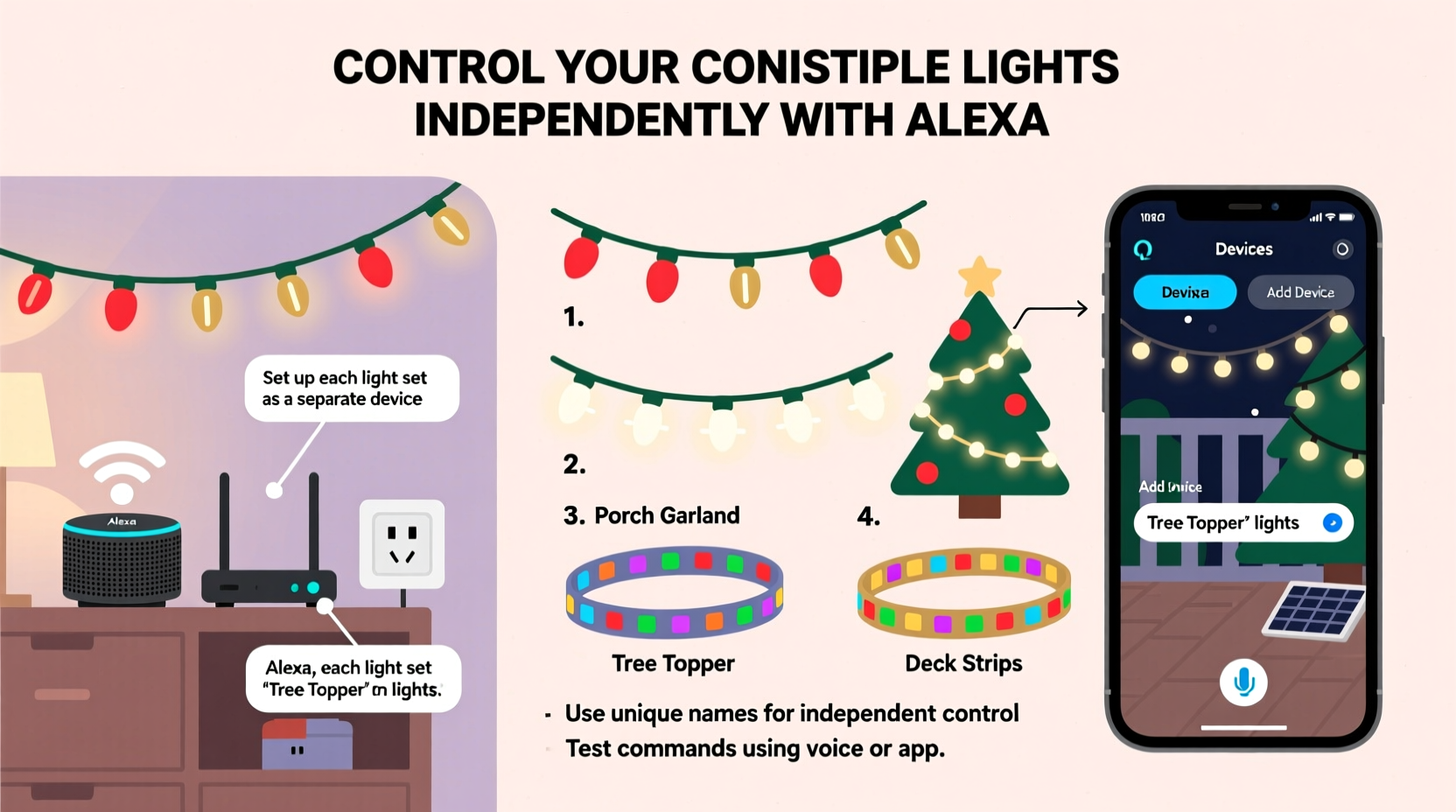
Most homes don’t use just one strand of Christmas lights. You might have warm white lights on the porch, multicolored ones on the tree, cool blue accents in the living room, and flickering candle-style bulbs in the dining area. If all these are plugged into a single smart outlet, turning them on or off is an all-or-nothing affair. That’s where independent control becomes essential.
By assigning individual smart devices to each light set, you gain the ability to:
- Turn specific lights on or off without affecting others
- Create custom lighting scenes for different times of day or events
- Schedule lights to activate based on sunset or bedtime
- Use voice commands like “Alexa, turn on the tree lights” without ambiguity
This level of granularity not only enhances ambiance but also improves energy efficiency and security, especially when integrating lights into broader smart home routines.
What You’ll Need: Equipment Checklist
To control multiple Christmas light sets independently via Alexa, you need a combination of hardware and software components. Here’s what to gather before beginning:
- Amazon Echo device (Echo Dot, Echo Show, etc.) – any model that supports Alexa voice assistant
- Smart plugs or smart outlets – one per light set you want to control separately (e.g., TP-Link Kasa, Wemo Mini, Philips Hue Smart Plug)
- Wi-Fi network – stable 2.4 GHz connection (most smart plugs don’t support 5 GHz)
- Christmas lights – standard plug-in strands (avoid battery-powered ones unless paired with smart adapters)
- Amazon Alexa app – installed on iOS or Android device
“Smart lighting isn't just about convenience—it's about creating emotional experiences. Being able to dim the tree while keeping the porch glowing adds depth to holiday moments.” — Daniel Reeves, Smart Home Designer & Lighting Consultant
Step-by-Step Setup Process
Follow this sequence to ensure each light set is recognized and controllable as a distinct entity by Alexa.
Step 1: Plug in and Power Up
Connect each set of Christmas lights to its own smart plug. Make sure all smart plugs are within range of your Wi-Fi router and powered on. Most will have an LED indicator showing connection status.
Step 2: Install and Open the Alexa App
Download the Amazon Alexa app from the App Store or Google Play. Log in using your Amazon account—the same one linked to your Echo device.
Step 3: Add Devices via the App
Navigate to Devices > + Add Device > Plug > select your smart plug brand (e.g., Kasa, Wemo). Follow the in-app instructions to connect each plug to your Wi-Fi network. Repeat this process for every smart plug used.
Step 4: Name Each Light Set Clearly
Once a smart plug is connected, assign it a descriptive name. Avoid generic labels like “Plug 1.” Instead, use names such as:
- Front Porch Lights
- Living Room Tree
- Dining Room Candles
- Staircase Rail Lights
Clear naming ensures Alexa understands which lights you’re referring to when issuing voice commands.
Step 5: Test Voice Commands
After setup, test each light set individually. Say:
- “Alexa, turn on the front porch lights”
- “Alexa, turn off the dining room candles”
- “Alexa, is the living room tree on?”
If Alexa responds correctly, the integration is working.
Creating Custom Routines for Festive Automation
One of Alexa’s most powerful features is the ability to create routines—automated actions triggered by time, voice, or device state. With routines, you can orchestrate complex lighting sequences effortlessly.
Example Routine: Evening Glow
Set up a routine that activates at sunset:
- In the Alexa app, go to Routines > Create New Routine.
- Set the trigger to “Time of Day” and choose “Sunset.”
- Add actions: Turn on Front Porch Lights, Living Room Tree, and Staircase Rail Lights.
- Save as “Evening Glow.”
Now, every evening, your key lights will illuminate automatically—no command needed.
Voice-Activated Scenes
You can also create voice-triggered scenes. For example:
- “Alexa, start Holiday Mode” → turns on all lights
- “Alexa, start Midnight Calm” → turns off everything except the tree
- “Alexa, start Party Time” → blinks porch lights (if supported by plug)
Note: While basic smart plugs only offer on/off functionality, some advanced models (like those compatible with Zigbee or Z-Wave hubs) allow dimming or color changes if used with smart bulbs instead of traditional light strands.
| Routine Name | Trigger | Lights Activated | Best Use Case |
|---|---|---|---|
| Evening Glow | Sunset | Porch, Tree, Staircase | Daily ambient lighting |
| Holiday Mode | Voice: “Start Holiday Mode” | All sets | Festive gatherings |
| Bedtime Blackout | 10:00 PM | Turns off all except tree | Energy saving + ambiance |
| Guest Welcome | Doorbell press (with Ring/compatible device) | Porch + Entryway | Impress visitors |
Real-World Example: The Thompson Family Display
The Thompsons live in a two-story suburban home and wanted a dynamic holiday lighting experience without constant manual adjustments. They had five distinct light zones:
- Outdoor roofline (multicolor)
- Front yard tree (warm white)
- Indoor staircase railing (cool white)
- Fireplace mantle (flicker-effect candles)
- Christmas tree in living room (RGB color-changing)
They purchased five TP-Link Kasa smart plugs, one for each zone. After naming them clearly in the Alexa app, they created three routines:
- Sunset Activation: Turns on roofline, yard tree, and porch accent lights.
- Family Movie Night: At 7 PM, dims the indoor tree and turns on staircase lights softly.
- Goodnight Command: “Alexa, goodnight” shuts off all lights except the fireplace candles, which stay on for 30 minutes.
The result? A personalized, low-effort holiday atmosphere that impressed neighbors and delighted their children. More importantly, they reduced electricity usage by ensuring lights weren’t left on accidentally.
Troubleshooting Common Issues
Even with careful setup, issues may arise. Here’s how to solve frequent problems:
Issue: Alexa Doesn’t Recognize a Specific Light Set
Solution: Double-check the device name in the Alexa app. Ensure there are no duplicates or typos. Reconnect the smart plug if necessary.
Issue: Delayed Response or Unreliable Control
Solution: Confirm your Wi-Fi signal strength near the smart plug. Move the router closer or use a Wi-Fi extender. Also, reboot both the Echo device and the smart plug.
Issue: Multiple Plugs Respond to One Command
Solution: Avoid using ambiguous names like “lights” or “Christmas.” Use precise identifiers. In the Alexa app, disable “group suggestions” under Settings > Account Settings > Household Groups.
Issue: Outdoor Plug Stops Working in Cold Weather
Solution: Not all smart plugs are rated for outdoor or freezing conditions. Use weatherproof enclosures or switch to indoor-rated extension setups with surge protectors.
Frequently Asked Questions
Can I control multiple light sets with one voice command?
Yes. You can group devices under a single name (e.g., “Holiday Lights”) or include multiple devices in a routine. Just say, “Alexa, turn on Holiday Lights,” and all assigned plugs will respond.
Do I need a separate smart plug for each light set?
Yes, for true independent control. If two light sets share one plug, they’ll always turn on or off together. To differentiate control, each needs its own smart outlet.
Can Alexa dim my Christmas lights?
Only if you’re using smart bulbs or dimmable smart strips (like Philips Hue Lightstrip). Standard incandescent or LED light strands on regular smart plugs can only be turned fully on or off—not dimmed.
Maximizing Your Setup: Pro Tips
- Use power strips wisely: You can plug multiple non-conflicting lights into a single smart-controlled power strip if you want them to behave as one unit (e.g., all window displays).
- Leverage geofencing: Enable Location Services in the Alexa app so lights turn on when you arrive home.
- Schedule vacations: Program lights to turn on and off randomly while you're away to simulate occupancy.
- Integrate with other devices: Pair lighting routines with smart speakers playing holiday music or adjusting thermostat settings.
“The real magic happens when technology fades into the background. When your lights just *know* when to glow, the holidays feel more joyful and less hectic.” — Lena Park, Smart Living Advocate
Conclusion: Bring Your Holiday Vision to Life
Controlling multiple Christmas light sets independently through Alexa isn’t just a tech trick—it’s a way to elevate your seasonal celebrations with elegance and ease. From quiet family nights to lively parties, your lighting can now reflect the mood, moment, and memory you want to create. With smart plugs, clear naming, and well-designed routines, you gain full command over your display using nothing but your voice.
The holiday season comes around once a year, but the convenience and joy of a smart lighting system can last far beyond December. Start small if needed—one smart plug today can grow into a full synchronized display next year. Once you experience the simplicity of saying, “Alexa, light up the night,” you’ll wonder how you ever managed holiday decorating without it.




 浙公网安备
33010002000092号
浙公网安备
33010002000092号 浙B2-20120091-4
Comments
No comments yet. Why don't you start the discussion?