
The holiday season is no longer confined to the living room. With app-controlled Christmas lights, you can spread festive cheer far beyond your front yard—whether it’s lighting up a relative’s porch across the country or syncing holiday displays with friends in different time zones. These smart lighting systems blend convenience, creativity, and connectivity, allowing users to manage ambiance with a tap on their smartphone. More than just decorative, they represent a new way to share joy remotely, especially during times when physical gatherings are limited.
Modern LED string lights now come equipped with Wi-Fi or Bluetooth connectivity, compatible apps, and cloud-based features that enable control from anywhere with an internet connection. From color customization to automated routines and synchronized music effects, the possibilities extend well beyond traditional plug-and-play setups. This guide explores how to maximize the potential of app-controlled lights to deliver warm, remote holiday experiences that feel personal and magical—even from miles away.
Why App-Controlled Lights Are Changing Holiday Traditions
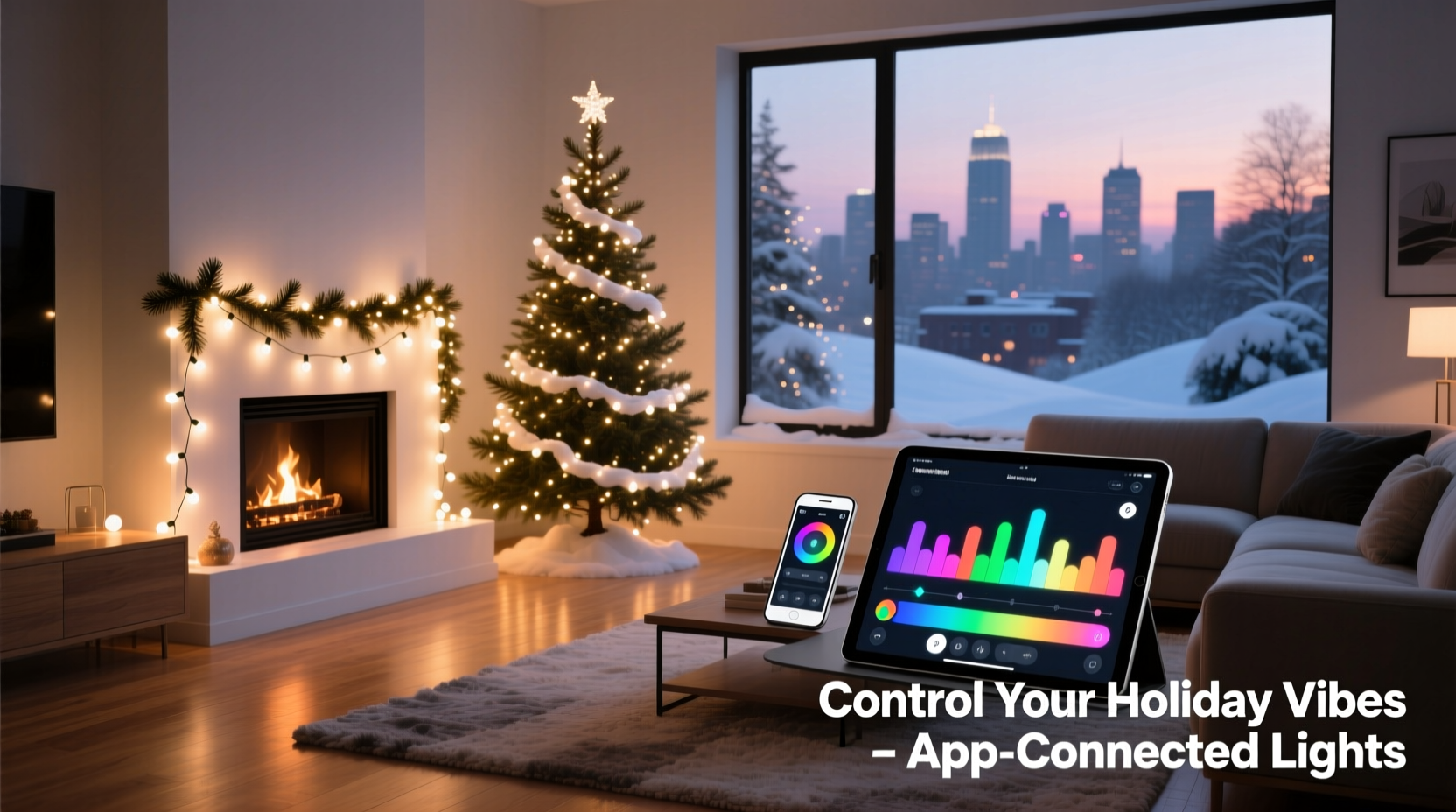
For decades, decorating for the holidays meant climbing ladders, untangling wires, and manually switching lights on and off. Today, smart lighting technology has redefined what’s possible. App-controlled Christmas lights allow users to manage brightness, color, animation speed, and timing—all from a mobile device. But more importantly, they open the door to shared holiday moments without requiring everyone to be in the same place.
Families separated by distance can now coordinate light shows in real time. Grandparents can surprise grandchildren with a nightly light sequence triggered through a shared schedule. Neighbors can synchronize displays for block-wide spectacles. The emotional impact is tangible: seeing a familiar home lit up in seasonal colors, even through a video call, can evoke nostalgia and warmth.
According to market research firm Statista, global sales of smart lighting systems are projected to exceed $30 billion by 2026, with holiday-specific products gaining significant traction. As consumers seek meaningful yet flexible ways to celebrate, app-controlled lights offer both practicality and sentimentality.
Step-by-Step Guide to Setting Up Remote-Controlled Holiday Lights
Getting started with app-controlled Christmas lights doesn’t require technical expertise, but following a structured process ensures reliability and full functionality. Here’s how to set them up for seamless remote operation:
- Purchase compatible smart lights – Look for brands like Philips Hue, Govee, Twinkly, or LIFX that offer dedicated holiday strings with app support and remote access via cloud services.
- Install the lights physically – Hang or drape them as desired, ensuring power sources are accessible and outdoor-rated cords are used outside.
- Download the manufacturer’s app – Install it on your smartphone (iOS or Android) and create an account if required.
- Connect to Wi-Fi – Power on the lights and follow in-app instructions to pair them with your home network. Most systems will prompt you to enter your Wi-Fi password directly in the app.
- Test basic controls – Use the app to turn the lights on/off, change colors, and select preset patterns like fading, twinkling, or wave effects.
- Enable remote access – Ensure the lights are linked to a cloud service so they can be controlled outside your local network. This often requires logging into the app from another location to confirm connectivity.
- Set up user sharing (optional) – Invite family members or friends to control the lights by sharing access through the app—ideal for collaborative holiday events.
Once configured, these lights become digital ambassadors of your holiday spirit—reachable with a few taps, regardless of geography.
Creating Shared Experiences Across Distances
The true power of app-controlled Christmas lights lies not in automation, but in connection. When thoughtfully used, they can bridge emotional gaps created by physical separation.
Consider this scenario: Sarah lives in Seattle, while her parents reside in Florida. Her father has mobility issues and can no longer hang lights himself. Using a set of Govee Wi-Fi LED strings, Sarah sets up a custom display on her parents’ porch before leaving for the winter. From Washington, she logs into the Govee app every evening at 5:30 p.m. EST—the time her dad usually drinks his tea—and activates a gentle red-and-gold fade pattern he always loved. She even schedules a special “Surprise Mode” for Christmas Eve, which triggers a dynamic snowfall effect during their nightly video call.
This isn’t just convenience—it’s care expressed through light.
“Technology shouldn’t replace tradition; it should enhance it. Smart lights let people stay emotionally present, even when they can’t be there in person.” — Dr. Lena Torres, Human-Computer Interaction Researcher, MIT Media Lab
Other creative applications include:
- Syncing light shows with virtual caroling sessions
- Launching coordinated neighborhood displays using shared calendars
- Sending “light messages” (e.g., flashing blue and silver for Hanukkah, rotating green and red for Christmas)
- Triggering animations during birthday celebrations held over Zoom
Comparison: Top App-Controlled Light Features
Not all smart Christmas lights offer the same capabilities. Below is a comparison of popular models based on key features relevant to remote holiday use:
| Brand | Remote Access | Music Sync | Multi-User Sharing | Scheduling | Best For |
|---|---|---|---|---|---|
| Govee | ✔️ | ✔️ | ✔️ | ✔️ | Budget-friendly, reliable remote control |
| Twinkly | ✔️ | ✔️ (advanced) | ✔️ | ✔️ | High-resolution, pixel-level animations |
| Philips Hue | ✔️ (via Bridge) | ❌ | ✔️ | ✔️ | Integration with smart home ecosystems |
| LIFX | ✔️ | Limited | ✔️ | ✔️ | Brightness and durability outdoors |
When choosing a system, prioritize remote access, ease of sharing, and scheduling flexibility—especially if your goal is to maintain consistent, long-distance holiday connections.
Do’s and Don’ts of Managing Remote Holiday Lighting
To avoid frustration and ensure smooth operation, follow these best practices:
| Do | Don’t |
|---|---|
| Test connectivity before relying on remote control | Assume the lights will work after a router restart without re-pairing |
| Use strong Wi-Fi signals or extenders near outdoor installations | Place lights too far from the router, risking disconnection |
| Set up automatic on/off times to conserve energy | Leave lights running 24/7, increasing wear and electricity costs |
| Share access with clear instructions for guest users | Give full admin rights to untrusted individuals |
| Label circuits or groups (e.g., “Front Porch,” “Tree Top”) for easy control | Control multiple unrelated zones under one generic name |
FAQ: Common Questions About Remote-Controlled Christmas Lights
Can I control app-based Christmas lights when I’m out of town?
Yes—provided the lights are connected to a stable Wi-Fi network at home and the app supports cloud-based remote access. As long as your phone has internet, you can manage them from anywhere in the world.
What happens if my home Wi-Fi goes down?
If the local network fails, remote control will be temporarily unavailable. However, most systems retain scheduled routines locally, so programmed on/off times may still execute once power and connection are restored. Consider using a Wi-Fi backup or mesh extender to improve reliability.
Are app-controlled lights safe for outdoor use?
Many models are rated for outdoor use (look for IP44 or higher water resistance), but always check the manufacturer’s specifications. Ensure power adapters are protected from moisture and placed on elevated surfaces to prevent electrical hazards.
Final Checklist Before Going Live
Before launching your remote holiday lighting experience, run through this essential checklist:
- ✅ Confirm Wi-Fi signal strength near the light installation point
- ✅ Test remote access by controlling the lights from a cellular network (not home Wi-Fi)
- ✅ Set up at least one scheduled routine (e.g., daily 5 PM activation)
- ✅ Share access with at least one other trusted user
- ✅ Label each light zone clearly in the app
- ✅ Verify power supply capacity—don’t overload extension cords
- ✅ Document login credentials and recovery steps in case of app issues
This preparation minimizes technical hiccups and ensures your holiday lighting remains a source of delight, not stress.
Conclusion: Illuminate More Than Just Spaces—Light Up Connections
App-controlled Christmas lights are more than a tech upgrade—they’re a tool for emotional expression. In a world where families are increasingly dispersed, the ability to send a burst of color, a flicker of gold, or a gentle pulse of white light across hundreds of miles carries deep significance. These small acts of digital care remind us that presence isn’t solely physical. A well-timed light show, triggered from afar, can say “I’m thinking of you” more vividly than words.
As you prepare your holiday setup, think beyond aesthetics. Plan moments: a synchronized switch-on during a family call, a surprise animation for a loved one’s birthday, a quiet nightly ritual that brings comfort. Let your lights tell stories. And when someone smiles because their window suddenly glowed with festive rhythm, know that you’ve done more than decorate—you’ve connected.




 浙公网安备
33010002000092号
浙公网安备
33010002000092号 浙B2-20120091-4
Comments
No comments yet. Why don't you start the discussion?