
As home environments evolve with smart technology, many homeowners are discovering creative ways to enhance ambiance without the maintenance of real fireplaces. One such innovation is using app-controlled LED lighting to mimic the warm, flickering glow of a crackling fireplace. This method combines precise color control, brightness modulation, and dynamic effects to create an illusion so convincing it can fool even seasoned observers. Whether you live in a modern apartment without a chimney or simply want a safer, energy-efficient alternative, simulating a fireplace with smart lighting offers both aesthetic and practical benefits.
The key lies not just in turning on red and orange lights, but in replicating the organic randomness of flame movement—subtle shifts in intensity, occasional bright flashes like sparks, and deep embers glowing beneath. With today’s advanced smart bulbs and apps, this level of realism is not only possible but surprisingly accessible.
Selecting the Right Smart Lighting System
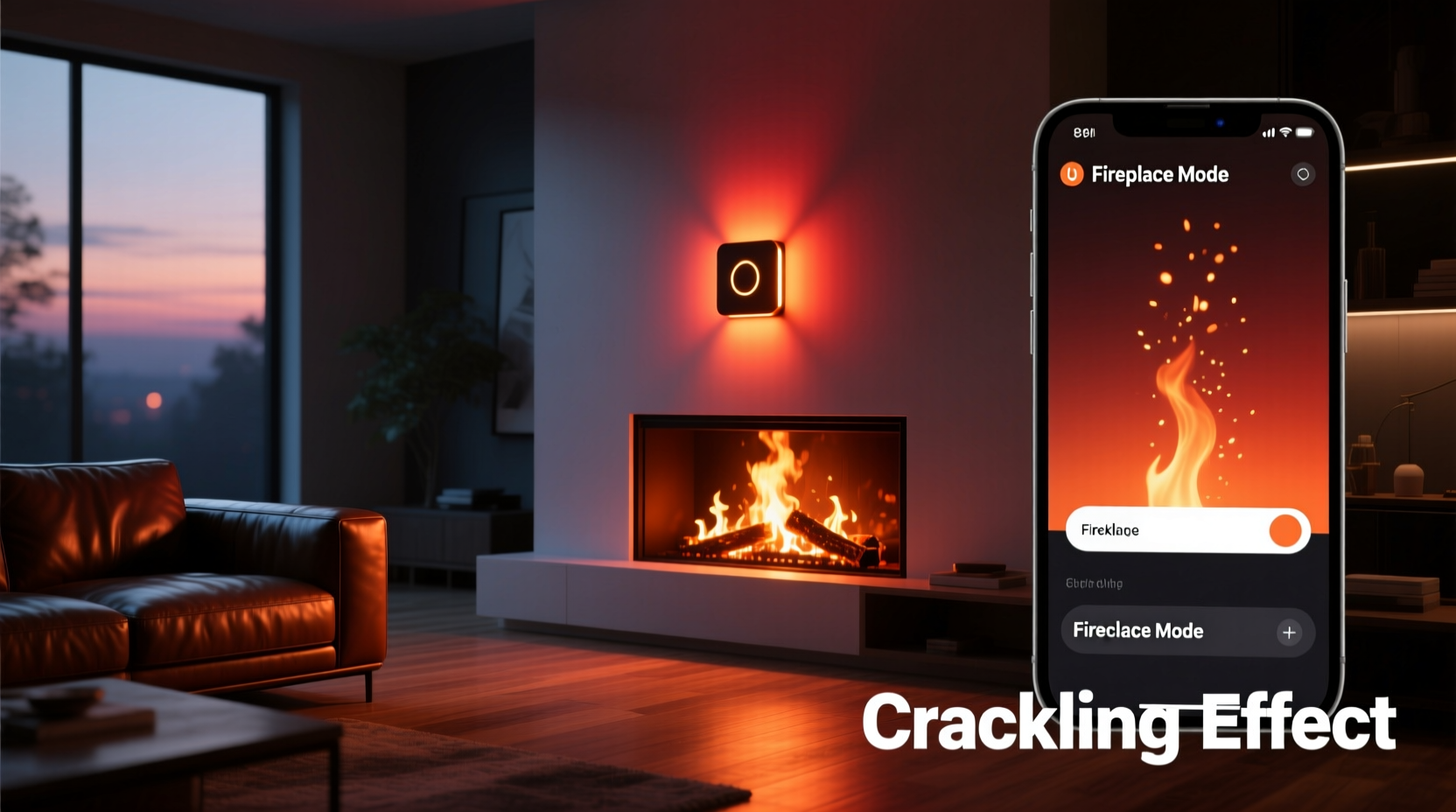
Not all smart lights are created equal when it comes to mimicking natural phenomena like fire. To achieve a believable crackling fireplace effect, your lighting system must support several critical features: full-color spectrum (especially warm reds, oranges, and yellows), adjustable brightness levels, fast response time, and programmable dynamic scenes.
Bulbs from brands like Philips Hue, LIFX, Nanoleaf, and Govee offer robust RGBWW (Red, Green, Blue, Warm White, Cool White) capabilities, allowing for nuanced color blending that closely resembles actual firelight. These systems also integrate with mobile apps that enable granular control over light behavior, including timing, transitions, and motion-like flicker patterns.
For larger spaces or wider firebox simulations, consider strip lighting installed behind mantels or under shelves. Linear solutions like LIFX Z strips or Nanoleaf Lines allow for segmented control, enabling different sections of the \"fire\" to behave independently, much like flames dancing across logs.
Setting Up Your App-Controlled Lights
Once you've selected compatible hardware, the next step is configuration through the associated app. Most platforms—such as the Philips Hue app, LIFX app, or third-party tools like Home Assistant or Eve for HomeKit—allow users to save custom scenes and automate behaviors based on triggers like time of day or voice commands.
Begin by grouping the lights intended for the fireplace simulation into a dedicated zone. This could be two bulbs flanking a faux hearth, a single bulb inside a decorative lantern, or multiple segments of LED tape arranged to resemble a burning log pile. Naming this group “Fireplace” makes future access intuitive.
In the app, set a base scene called “Ember Glow” with low brightness (10–20%) and a hue dominated by deep reds and soft amber tones (around 2000K–2500K if tunable white is available). This represents the resting state of the fire—steady, dim, and inviting.
Creating Dynamic Flicker Effects
To simulate active flames, most apps allow for temporary effects or transitions. While some systems offer built-in “candlelight” or “party” modes, these often lack the subtlety needed for a realistic fireplace. Instead, manually program a sequence that alternates between three states:
- Low Pulse: 15% brightness, reddish-orange (RGB ~255, 60, 0)
- Mid Flame: 40% brightness, golden-orange (RGB ~255, 100, 20)
- Spark Flash: 70% brightness, brief yellow-white burst (RGB ~255, 180, 80), lasting 0.5 seconds
Using automation tools within the app, cycle through these states at irregular intervals. For example, trigger a “Mid Flame” state every 3–7 seconds at random, followed by a return to “Low Pulse.” Occasionally insert a “Spark Flash” every 20–40 seconds to mimic a popping ember.
“Lighting design isn’t just about visibility—it’s about emotion. A well-simulated fire taps into primal comfort cues, making a space feel instantly warmer and safer.” — Dana Reeves, Interior Lighting Designer & Author of *Ambient Intelligence*
Step-by-Step Guide: Simulate a Crackling Fireplace in 6 Steps
Follow this sequence to implement a convincing virtual fireplace using only app-controlled LEDs:
- Install and connect your smart bulbs or strips near your intended fireplace area. Ensure they’re within Wi-Fi or Bluetooth range and recognized in your lighting app.
- Create a new room or group labeled “Fireplace” and assign all relevant lights to it for centralized control.
- Design a base “Ember” scene with warm color temperature (~2200K) and very low brightness (10–15%). Save this as a reusable preset.
- Build a flicker automation using your app’s routine or scene scheduler. Program randomized transitions between dark red, orange, and brief yellow bursts over variable durations (e.g., hold each state 1–3 seconds).
- Add environmental enhancements such as placing textured glass, translucent fabric, or moving reflective objects in front of the lights to diffuse and animate the glow.
- Test and refine the timing and colors in a darkened room. Adjust delays and hues until the effect feels organic rather than mechanical.
Advanced Techniques for Greater Realism
For those seeking cinematic-level authenticity, go beyond basic color cycling. Advanced setups leverage external software, sound integration, and motion effects.
Third-party platforms like Home Assistant or Node-RED allow scripting of non-repeating sequences using pseudo-random number generators. You can code a pattern where brightness fluctuates sinusoidally with叠加 small random spikes—mirroring how real flames grow and collapse unpredictably.
Another technique involves syncing the light animation with audio. Play a high-quality crackling fireplace recording through speakers while adjusting light intensity to match audible pops and bursts. Some users have developed scripts that analyze audio input and adjust LED output in real time—a process known as “audio-reactive lighting.”
Additionally, consider layering multiple light sources:
- A primary warm glow from below (simulating flames rising)
- A secondary softer red reflection cast upward onto the ceiling (mimicking radiant heat)
- Optional cool blue accent behind the setup (to suggest shadowed depth, like ash and unburnt wood)
This layered approach engages peripheral vision and creates a sense of volume, making the illusion more immersive.
Do’s and Don’ts: Smart Lighting for Fireplace Simulation
| Action | Do | Don't |
|---|---|---|
| Color Selection | Use deep reds, amber, and soft yellow; avoid neon or oversaturated tones | Avoid pure white or blue hues during active simulation |
| Brightness Control | Vary intensity randomly between 10% and 70% | Keep brightness static or too high (looks artificial) |
| Timing | Use irregular intervals between flickers (3–8 sec) | Set uniform, metronomic pulses (feels robotic) |
| Placement | Position lights low and shielded, like a real fire source | Mount bright LEDs overhead or in plain view |
| Diffusion | Use frosted covers, fabric, or textured barriers | Expose bare bulbs directly to line of sight |
Real Example: Transforming a Blank Wall into a Cozy Hearth
Sarah Kim, a UX designer in Portland, lives in a mid-century apartment with a sealed-off brick fireplace. Rather than leave it dark and unused, she installed Govee LED strips along the inner edges of the firebox and connected them to her smartphone via Wi-Fi.
She programmed a custom effect using the Govee app’s “DIY Scene” feature: a looping gradient from maroon to tangerine, with intermittent surges in luminance timed to sound effects played through a hidden speaker. By covering the strips with a piece of semi-transparent rice paper mounted on a wooden frame, she diffused the light into a soft, undulating glow.
Guests frequently ask if she lit a real fire. “It’s become our winter ritual,” she says. “We dim the overhead lights, start the ‘fire,’ pour wine, and let the room transform. It’s cozy, sustainable, and completely safe around our cat.”
FAQ: Common Questions About Simulated Fireplace Lighting
Can I run the simulated fireplace effect all night?
Yes, most modern smart LEDs are energy-efficient and generate minimal heat. However, continuous use may shorten lifespan slightly. For overnight ambiance, reduce maximum brightness to 30% and extend transition times to minimize processor load on the bulb.
Do I need a hub or bridge for this to work?
It depends on the brand. Philips Hue requires a bridge for full functionality, while Wi-Fi-based systems like Govee or LIFX operate directly over your network. Bluetooth models may have limited range but no extra hardware needed.
Can voice assistants control the fireplace effect?
Absolutely. Once programmed, link your scene to routines in Alexa (“Alexa, start the fireplace”), Google Assistant (“Hey Google, turn on the fire”), or Siri (“Set the mood with fireplace lighting”).
Checklist: Ready-to-Use Setup Guide
Before activating your virtual fireplace, ensure the following steps are complete:
- ✅ Choose smart lights with full RGB and tunable white support
- ✅ Install lights in or near a designated fireplace area
- ✅ Connect all devices to your home network and verify in the app
- ✅ Create a “Fireplace” group in your lighting app
- ✅ Design and save an “Ember Glow” base scene
- ✅ Program a dynamic flicker sequence with variable timing
- ✅ Add diffusion material to soften the light output
- ✅ Test the effect in low ambient light and adjust as needed
- ✅ Integrate with voice assistant or automation schedule
- ✅ Optional: Sync with audio of crackling fire for enhanced realism
Conclusion: Bring Warmth Without the Flame
Simulating a crackling fireplace with app-controlled lights is more than a clever tech hack—it’s a thoughtful blend of design, psychology, and modern convenience. The gentle dance of artificial flames can calm the mind, enrich social gatherings, and make any room feel lived-in and welcoming, all without smoke, ash, or safety risks.
With careful setup and attention to detail, you can create an experience indistinguishable from the real thing. The tools are already in many homes; what’s missing is imagination and intention. As smart lighting becomes increasingly sophisticated, the boundary between digital illusion and physical reality continues to blur—in the most comforting way possible.




 浙公网安备
33010002000092号
浙公网安备
33010002000092号 浙B2-20120091-4
Comments
No comments yet. Why don't you start the discussion?