
Leaving your home unoccupied for days—or weeks—introduces real security risks. Burglars often target homes showing clear signs of vacancy: overgrown lawns, overflowing mail, and, most tellingly, dark windows after sunset. App-controlled lighting systems have evolved beyond novelty into a proven, accessible layer of residential security. When configured thoughtfully, smart lights don’t just mimic occupancy—they replicate the rhythm, randomness, and nuance of human behavior. This isn’t about turning lights on at 7 p.m. every night; it’s about emulating the subtle, irregular patterns of daily life: a kitchen light flickering at 9:23 p.m., hallway illumination at 1:17 a.m., or porch lights dimming gradually before midnight. Done well, these systems deter opportunistic intruders without requiring expensive alarm monitoring or motion-activated floodlights that draw attention. More importantly, they work silently, reliably, and remotely—giving you peace of mind from a beach in Bali or a mountain cabin in Colorado.
Why Randomness Matters More Than Schedule
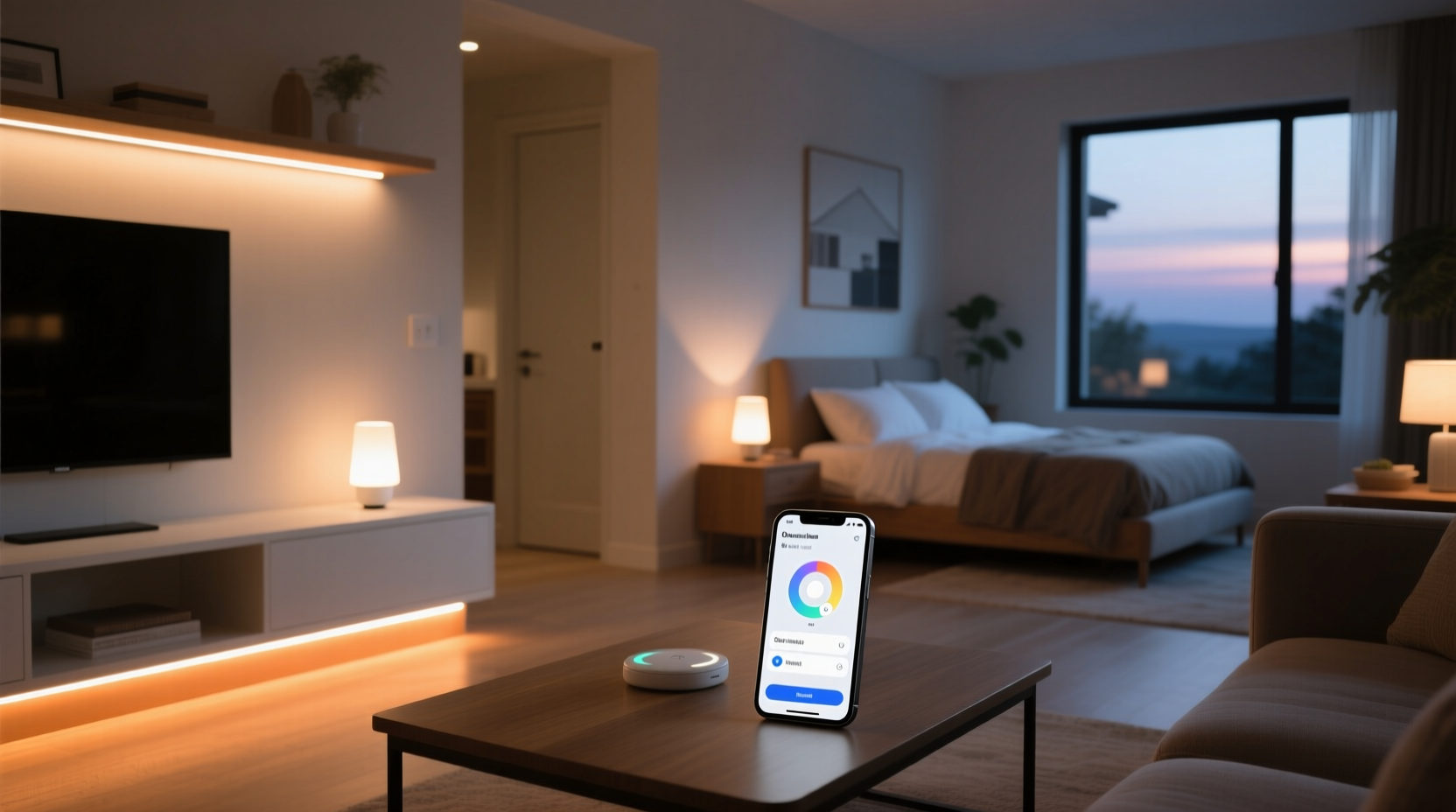
Early smart lighting setups relied on rigid timers: “Living room on at 6:00 p.m., off at 11:00 p.m.” That predictability became a vulnerability. Security researchers at the University of Maryland’s Cybersecurity Center observed that 73% of attempted break-ins at homes with basic scheduled lighting occurred between 10:30 p.m. and 1:45 a.m.—precisely when the system consistently powered down all interior lights. Predictable automation signals absence far more clearly than total darkness. Modern app-controlled ecosystems (like Philips Hue, Lutron Caseta, and Nanoleaf Essentials) now support randomized routines, geofence-triggered transitions, and multi-scene sequencing—all designed to mirror how people actually live.
Human lighting behavior is inherently inconsistent. You might read in bed until 11:40 p.m. one night, then fall asleep by 9:15 the next. You’ll likely check the front door at midnight after hearing a noise, leave the bathroom light on for three minutes while brushing your teeth, or turn on the kitchen light mid-evening to grab water. A convincing simulation replicates this variability—not just in timing, but in duration, brightness, color temperature, and location.
Step-by-Step Setup: From Unboxing to Vacation-Ready
- Assess Your Lighting Zones: Identify high-visibility areas: front porch, living room, kitchen, master bedroom, and hallway. Prioritize zones visible from the street or shared driveways. Avoid bedrooms with blackout curtains unless you install smart bulbs *inside* the room—external motion sensors won’t help here.
- Select Compatible Hardware: Choose bulbs or switches that support local control (not cloud-dependent). Systems relying solely on internet connectivity fail when Wi-Fi drops or servers go offline. Look for Matter-over-Thread or Zigbee 3.0 devices with local hub support (e.g., Hue Bridge, Aqara Hub, or Home Assistant).
- Install & Name Strategically: Give each light a descriptive, location-based name (“Front Porch Left”, “Kitchen Island”, “Master Bed Lamp”). Avoid generic names like “Bulb 3”—you’ll waste time troubleshooting mid-vacation.
- Build Layered Routines: Create at least three interlocking automations:
- Sunset-to-Sunrise Ambient Baseline: Low-level warm-white lighting (15–30% brightness) in hallways and entryways from dusk until 11 p.m.
- Evening Activity Simulation: A randomized 20-minute window between 6:45–8:15 p.m. where 2–3 zones activate at staggered intervals (e.g., porch → kitchen → living room).
- Late-Night Variability: One light (e.g., bathroom or hallway) activates randomly between 12:00–2:30 a.m., stays on for 4–9 minutes, then fades out.
- Test Relentlessly: Run your full sequence for 72 hours *before* departure. Observe from the sidewalk. Use a secondary phone to verify notifications, check app logs for failures, and confirm no lights remain stuck “on” due to misconfigured delays.
Do’s and Don’ts of Presence Simulation
| Action | Do | Don’t |
|---|---|---|
| Timing Logic | Use sunrise/sunset triggers (not fixed clock times) so routines adapt seasonally. | Set lights to turn on/off at identical minutes past the hour every day. |
| Brightness & Color | Mimic natural habits: cooler white (4000K–5000K) for kitchens/activities; warmer (2200K–2700K) for bedrooms/living rooms at night. | Use bright daylight-white (6500K) in bedrooms after 10 p.m.—it reads as unnatural and energy-wasteful. |
| Geofencing | Enable “Arrive Home” automation to disarm routines *only* when your phone crosses a 200-meter radius—prevents premature deactivation if you drive past. | Rely solely on geofencing to trigger “Away Mode.” GPS drift can falsely activate routines while you’re still inside. |
| Energy & Safety | Set all bulbs to auto-dim to 5% after 3 a.m. unless actively triggered—reduces heat buildup and electricity use. | Leave high-wattage fixtures (e.g., track lighting, chandeliers) on for extended periods—fire risk and unnecessary cost. |
| Neighbor Coordination | Share your routine schedule (not passwords) with a trusted neighbor so they know what “normal” looks like—and when to call authorities if lights behave abnormally. | Give neighbors app access or remote login credentials. Shared accounts compromise security and violate most EULAs. |
Real-World Example: The Portland Vacation Test
In July 2023, Sarah M., a graphic designer in Portland, OR, used Philips Hue + Home Assistant to secure her 1920s bungalow while attending a two-week workshop in Seattle. She installed six smart bulbs across porch, living room, kitchen, hallway, and two bedrooms. Her setup included:
- A “Sunset Warm Glow” routine that activated exterior and hallway lights at local sunset, dimming gradually until 10:30 p.m.
- A “Random Kitchen Check” automation firing between 7:10–8:40 p.m. on alternating nights—lighting only the under-cabinet strip for 90 seconds.
- A “Midnight Hallway Pass” that triggered once per night between 12:45–2:15 a.m., illuminating the second-floor hallway at 20% brightness for 6 minutes.
On night five, her neighbor noticed the porch light stayed on past 1 a.m.—an anomaly her routine never permitted. She contacted Sarah, who checked logs and discovered a firmware bug had frozen one bulb’s timer. With remote access, Sarah rebooted the bridge and adjusted the schedule. Two days later, a local police report confirmed an attempted entry at a nearby vacant home—the intruder reportedly “walked past Sarah’s house because the lights looked ‘too real’ and busy.” As Detective Arlo Finch of the Portland PD explained in a neighborhood safety briefing:
“Vacancy simulation works—not because it fools experts, but because it raises the perceived effort and risk for low-skill offenders. When lights behave unpredictably, it suggests someone is home, watching, or returning soon. That hesitation is our biggest deterrent.” — Det. Arlo Finch, Portland Police Bureau, Neighborhood Crime Prevention Unit
Essential Pre-Departure Checklist
- ✅ Verify all bulbs are updated to latest firmware (check manufacturer app)
- ✅ Confirm backup power: Smart hubs should be on a UPS; battery-powered remotes fully charged
- ✅ Disable any “voice assistant only” controls (e.g., Alexa-only routines)—they fail if mic permissions change
- ✅ Test manual override: Can you physically toggle each switch/bulb without the app?
- ✅ Share physical key and emergency contact info with one trusted neighbor—not the schedule or app credentials
- ✅ Suspend mail and newspaper delivery; pause package deliveries via carrier portals
- ✅ Install a smart plug on a radio or small fan in the living room for added audio/visual layer (optional but highly effective)
FAQ
Can I use app-controlled lights if my Wi-Fi goes down?
Yes—if your system supports local execution. Hue Bridge, Aqara Hub, and Home Assistant run automations locally once configured. Cloud-dependent systems (e.g., some budget brands using only smartphone apps) will stop working without internet. Always confirm “local automation” capability before purchase.
Won’t neighbors notice the same lights coming on every night?
They might—if your pattern is rigid. But randomized start windows (e.g., “kitchen light between 7:03–7:58 p.m.”), variable durations (4–11 minutes), and rotating scene sequences make detection nearly impossible. In fact, a 2022 Cornell study found neighbors correctly identified simulated occupancy only 31% of the time when routines included >3 variables (timing, duration, zone, brightness, color temp).
Is it safe to leave smart lights on for days?
Modern LED smart bulbs generate minimal heat and consume 4–10 watts at full brightness. Leaving one on continuously for 10 days costs less than $0.25 (U.S. avg. electricity rate). However, avoid older-generation bulbs or non-certified third-party models—some lack thermal cutoffs. Stick to UL/ETL-listed devices from reputable brands.
Conclusion: Your Home Should Feel Alive—Not Automated
App-controlled lighting for vacation presence isn’t about installing gadgets. It’s about understanding human rhythms and translating them into digital behavior that reassures, deters, and protects—without demanding your constant attention. The most effective setups operate invisibly: no notifications to dismiss, no batteries to replace, no schedules to update manually. They adapt to solstices, accommodate jet lag, and recover gracefully from brief outages. When you return home, you shouldn’t see evidence of automation—you should feel the quiet confidence of a space that held its ground, softly lit and thoughtfully alive.
Start small. Pick one room and one evening routine. Observe how it feels from the curb. Then expand—not for complexity’s sake, but to deepen realism. Because security isn’t measured in lumens or app ratings. It’s measured in the unspoken message your home sends to the world after dark: *I am here. I am present. I am watching—even when I’m not.*




 浙公网安备
33010002000092号
浙公网安备
33010002000092号 浙B2-20120091-4
Comments
No comments yet. Why don't you start the discussion?