
As the days grow shorter and winter nights settle in, there’s a quiet magic in watching your home light up just as the sun dips below the horizon. For many, Christmas lights are more than decoration—they’re tradition, warmth, and welcome. But manually turning them on each evening is inconvenient, and leaving them on all night wastes energy. The solution? Automate your display using app timers that activate your lights precisely at sunset. With smart plugs, mobile apps, and geolocation-based scheduling, you can enjoy a perfectly timed light show every single day—without lifting a finger.
This guide walks through the technical setup, compatible devices, and best practices for automating your holiday lights to align with local sunset times. Whether you're new to smart home tech or looking to refine your current system, this method ensures reliability, efficiency, and festive consistency.
Why Automate Christmas Lights with Sunset Timers?
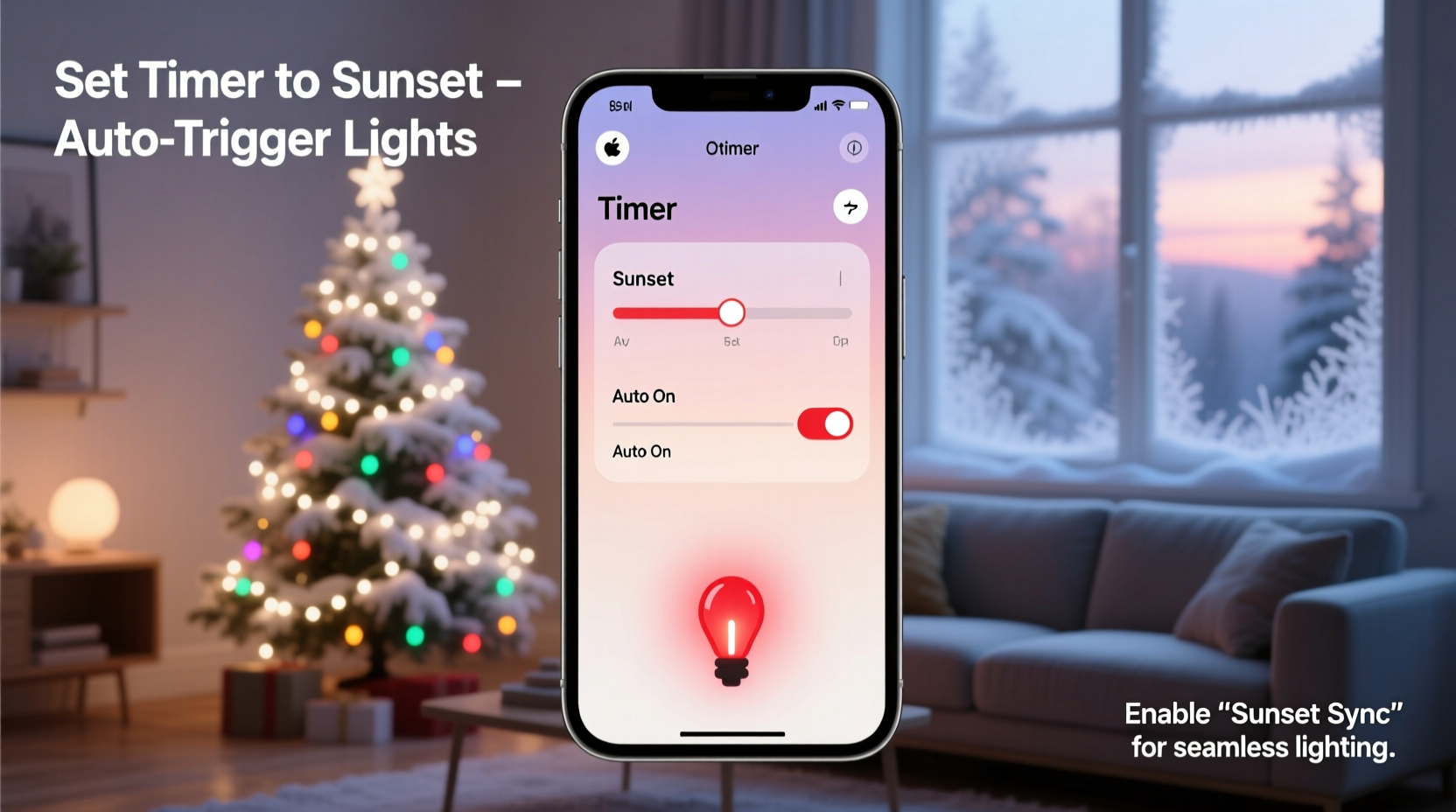
Manual control of holiday lights often leads to inconsistency. Some evenings you forget; others, you leave them on until dawn. Automation solves both problems by syncing your lights with natural daylight cycles. Since sunset time changes daily—especially during December—static timers quickly fall out of sync. A dynamic, app-based timer adjusts automatically based on your geographic location and the time of year.
Smart automation also enhances security. A house that lights up predictably each evening signals occupancy, deterring potential intruders. Additionally, reducing unnecessary runtime extends bulb life and lowers electricity costs. According to the U.S. Department of Energy, LED Christmas lights consume significantly less power than incandescent ones—but even LEDs benefit from being off when not needed.
Required Equipment and Compatibility
To automate your Christmas lights with sunset timing, you'll need a few key components:
- Smart Plug or Smart Outlet: Acts as the bridge between your lights and your smartphone. Must support app-based scheduling and work with your home Wi-Fi network.
- Mobile App: Typically provided by the smart plug manufacturer (e.g., Kasa, Wemo, TP-Link, or Philips Hue). Should offer sunrise/sunset triggers.
- Stable Wi-Fi Connection: Required for the smart plug to receive time updates and maintain scheduling accuracy.
- Outdoor Extension Cord (if needed): To safely connect lights placed away from outlets.
- Weatherproof Enclosure: Protects the smart plug if mounted outside.
Not all smart plugs offer sunset-triggered automation. Look for models labeled “astronomical timer” or “sunrise/sunset mode.” These use GPS data from your phone to calculate daily sunset and sunrise times for your exact location.
“Smart lighting systems that respond to natural light cycles create a seamless experience. They eliminate guesswork and ensure your home glows exactly when it should.” — Daniel Reeves, Smart Home Integration Specialist
Step-by-Step Setup Guide
Follow these steps to configure your Christmas lights to turn on automatically at sunset:
- Choose a Compatible Smart Plug: Purchase a smart outlet that supports geolocation-based scheduling. Recommended brands include TP-Link Kasa, Amazon Smart Plug, and Belkin Wemo Mini.
- Install the Manufacturer’s App: Download the corresponding app (e.g., Kasa Smart, Wemo, or Alexa) and create an account.
- Connect the Smart Plug to Wi-Fi: Plug the device into an outdoor-safe electrical outlet. Follow the app’s pairing instructions, usually involving pressing a sync button and connecting via 2.4 GHz Wi-Fi.
- Plug in Your Christmas Lights: Connect your light string to the smart plug. Ensure all connections are secure and protected from moisture.
- Enable Location Services: Allow the app to access your device’s location. This is essential for accurate sunset detection.
- Create a Sunset-Based Schedule:
- In the app, navigate to the “Schedules” or “Automation” section.
- Select your smart plug and choose “Add Schedule.”
- Set the action to “Turn On” and select “Sunset” as the trigger time.
- Optionally, set a “Turn Off” time (e.g., 11:00 PM or “Sunrise + 2 hours”) to limit runtime.
- Test the Automation: Wait until the next sunset or use the app’s “Test” function to verify the plug activates correctly.
- Monitor and Adjust: Check performance over several days. If lights come on too early or late, recalibrate location settings or adjust offset minutes.
Advanced Features and Customization
Many modern apps go beyond basic on/off scheduling. Here are advanced options to enhance your automated display:
- Sunset Offset Scheduling: Some apps let you set triggers like “Sunset + 15 minutes” or “Sunset – 30 minutes,” giving you fine control over activation timing.
- Scene Automation: Integrate your lights with other smart devices. For example, have porch lights, tree lights, and pathway markers all activate simultaneously at dusk.
- Voice Assistant Integration: Link your smart plug to Alexa, Google Assistant, or Siri for voice-controlled overrides or status checks (“Hey Google, are the Christmas lights on?”).
- Remote Access: Control your lights from anywhere via the app. Forgot to turn them on before vacation? Do it from your phone.
- Energy Monitoring: High-end smart plugs track power usage, helping you measure the cost of running your display.
If you have multiple light zones (front yard, roofline, tree), consider using separate smart plugs for each and grouping them under a single automation labeled “Holiday Lights.” This allows synchronized control while maintaining individual troubleshooting capability.
Do’s and Don’ts of Automated Holiday Lighting
| Do | Don’t |
|---|---|
| Use smart plugs rated for outdoor use or protect indoor models in weatherproof enclosures. | Expose non-weatherproof electronics to rain, snow, or ice. |
| Verify your app uses real-time geolocation, not static time zones. | Rely on fixed timers that don’t adjust for changing sunset times. |
| Label each smart plug (e.g., “Front Roof,” “Tree”) for easier management. | Mix up devices and lose track of which controls what. |
| Set a nightly cutoff (e.g., 11 PM) to save energy and reduce light pollution. | Leave lights on all night unless part of a community display with special permissions. |
| Test the system weekly to ensure connectivity and responsiveness. | Assume automation will work perfectly without occasional checks. |
Real-World Example: A Suburban Family’s Automated Display
The Thompson family in Portland, Oregon, used to spend December reminding each other to turn on their rooftop lights. Some nights they forgot entirely; others, the display stayed on until sunrise. In 2023, they upgraded to two TP-Link Kasa smart plugs—one for the roofline, another for the front tree.
Using the Kasa app, they created a schedule triggered by sunset, with a 10-minute delay to wait for full darkness. They set both circuits to turn off at 11:00 PM. They also grouped the plugs under a scene called “Holiday Glow” and linked it to Alexa.
Now, every evening, the house lights up like clockwork. Neighbors comment on the consistency, and the kids love saying, “Alexa, turn on Holiday Glow” for an instant festive mood. Most importantly, the parents no longer worry about forgetting or wasting electricity.
Troubleshooting Common Issues
Even well-planned automations can encounter hiccups. Here are common problems and solutions:
- Lights Don’t Turn On at Sunset: Check that location services are enabled in the app. Also, ensure the smart plug is online and connected to Wi-Fi.
- Inconsistent Timing: Verify your phone’s time zone and GPS are accurate. Reset the schedule if needed.
- App Crashes or Sync Failures: Update the app to the latest version. Re-pair the device if necessary.
- Power Outage Disrupts Schedule: Most smart plugs restore automation after power returns, but some require manual reconnection. Consider a UPS backup for critical displays.
- Wi-Fi Signal Weak Outside: Install a Wi-Fi extender or mesh node near the plug location to maintain strong signal.
Checklist: Setting Up Sunset Automation
Before your first automated lighting night, confirm the following:
- ✅ Smart plug is securely installed and connected to Wi-Fi
- ✅ Christmas lights are plugged in and functioning
- ✅ App has permission to access device location
- ✅ Sunset-based schedule is created and activated
- ✅ Turn-off time is set to prevent overnight operation
- ✅ Weather protection is in place for outdoor equipment
- ✅ System tested during actual sunset or via manual trigger
Frequently Asked Questions
Can I automate lights to turn on at sunrise too?
Yes. Most apps that support sunset triggers also allow sunrise-based actions. You could, for example, turn off lights at sunrise or activate indoor holiday lamps in the morning.
What happens if my internet goes down?
If your Wi-Fi drops, most smart plugs lose remote control and scheduling functions temporarily. Once connectivity resumes, schedules typically resume automatically. For uninterrupted operation, ensure a stable network and consider dual-band routers with reliable coverage.
Do I need a smart speaker to use sunset timers?
No. Sunset automation works through the smart plug’s app alone. Smart speakers add voice control convenience but aren’t required for scheduling.
Final Thoughts: Embrace Effortless Festivity
Automating your Christmas lights to turn on at sunset blends technology with tradition in the most elegant way. It removes the burden of daily decisions while enhancing the beauty and impact of your display. With just a small investment in a smart plug and ten minutes of setup, you gain weeks of hands-free holiday charm.
Beyond convenience, this approach promotes energy mindfulness, home security, and neighborhood delight. As sunset shifts throughout December—from around 4:30 PM in northern states to 5:15 PM in southern regions—your lights adapt seamlessly, glowing brighter each time.
“The best holiday displays feel effortless because they’re well-planned. Automation isn’t cheating—it’s thoughtful celebration.” — Miranda Lin, Seasonal Design Consultant
Take Action Today
Don’t wait until the last weekend of December to figure this out. Set up your sunset timer now, test it over a few evenings, and enjoy peace of mind knowing your lights will shine exactly when they should. Whether you’re hosting gatherings or simply spreading cheer from afar, let your home speak volumes—with zero effort.




 浙公网安备
33010002000092号
浙公网安备
33010002000092号 浙B2-20120091-4
Comments
No comments yet. Why don't you start the discussion?