
In a world where misplaced keys, wallets, and remotes are daily frustrations, Apple AirTags offer a smart solution. These small, circular tracking devices are designed to help you locate personal items using the Find My network. While often associated with outdoor tracking, their true strength lies in simplifying life at home. With precise Bluetooth and Ultra-Wideband (UWB) technology available on compatible iPhones, AirTags can guide you directly to that remote buried under couch cushions or the backpack you left in the guest room. This guide walks through practical ways to integrate AirTags into your household routine, turning chaos into calm with just a few taps.
Understanding How AirTags Work Inside Your Home
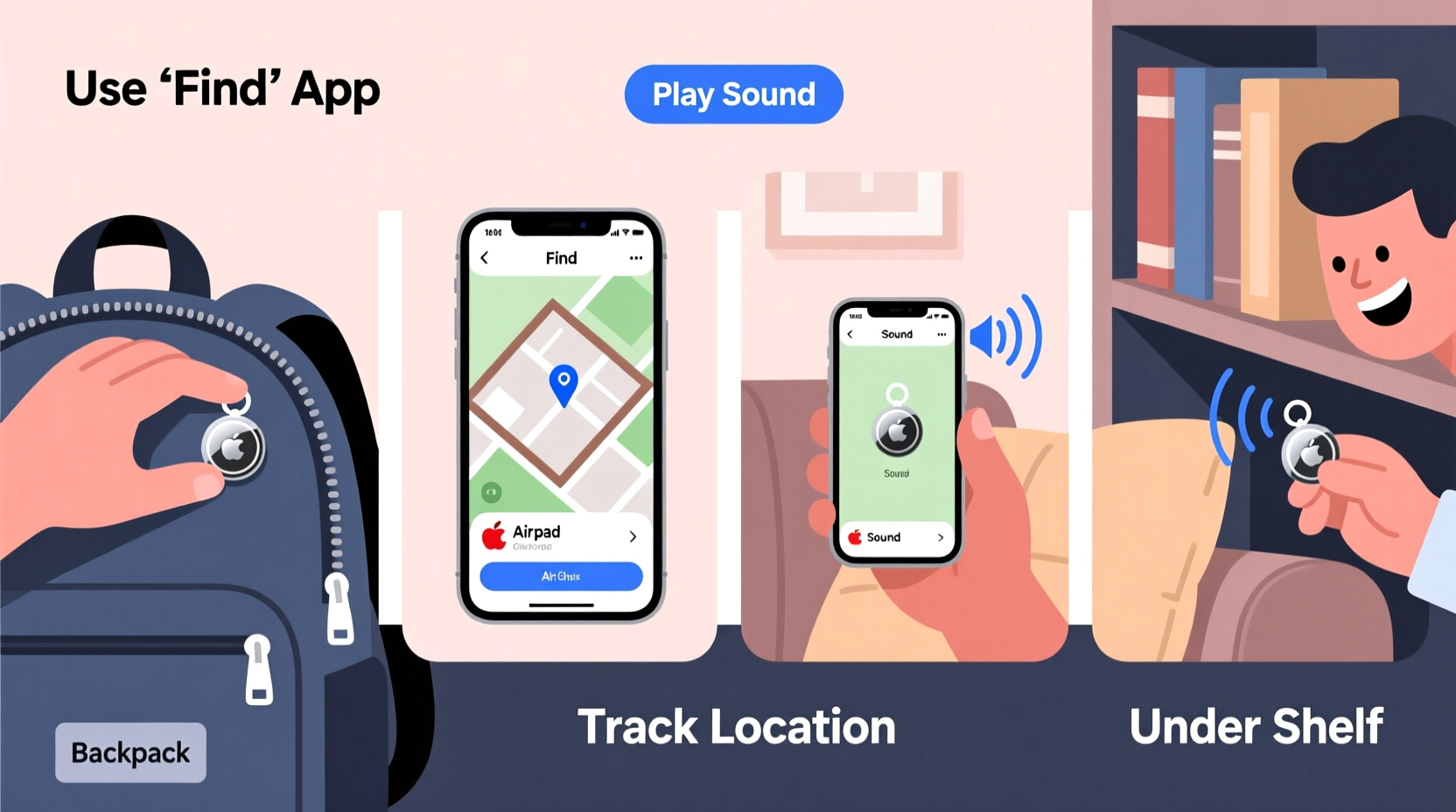
Apple AirTags use Bluetooth to communicate with nearby Apple devices linked to iCloud. When an AirTag is separated from its owner, it emits a secure signal picked up by other devices in the Find My network—without compromising privacy. Within your home, this means your iPhone, iPad, or Mac can detect the AirTag’s location as long as it's within Bluetooth range (approximately 30–50 feet). For users with iPhone 11 or later models, Precision Finding adds another layer: using UWB technology, your phone provides directional arrows and distance cues, guiding you like a compass straight to the item.
The key advantage indoors is consistency. Unlike GPS, which struggles inside buildings, Bluetooth maintains reliable short-range detection. If your AirTag is inside a drawer or behind furniture, your iPhone can still locate it—especially when combined with haptic feedback and audible signals triggered through the Find My app. This makes AirTags ideal for frequently misplaced household objects.
Step-by-Step: Setting Up AirTags for Household Use
Getting started with AirTags requires minimal effort but delivers lasting benefits. Follow this sequence to deploy them effectively across your living space.
- Unbox and activate: Remove the AirTag from packaging and peel off the battery seal. Bring it close to your iPhone—the device will prompt a connection screen automatically.
- Name your AirTag: Assign a descriptive label such as “Kitchen Keys,” “Living Room Remote,” or “Backpack.” Clear naming prevents confusion when managing multiple tags.
- Attach securely: Use adhesive loops, key rings, or custom holders to fix the AirTag to the item. Ensure it won’t fall off during regular use.
- Enable Lost Mode (optional): In the Find My app, toggle Lost Mode to display a message and contact number if someone finds your item outside the home.
- Test the signal: Move the tagged item to another room and open the Find My app to confirm detection. Try triggering a sound to verify responsiveness.
Once set up, each AirTag remains linked to your Apple ID, ensuring privacy and continuous tracking across all your trusted devices. No additional subscriptions or fees are required.
Best Items to Track at Home
Not every object needs an AirTag—but some benefit immensely from being tracked. Focus on high-value, frequently lost, or essential-use items. Below is a comparison of recommended candidates based on utility and return on investment.
| Item | Why Track It? | Recommended Attachment Method |
|---|---|---|
| House keys | Often misplaced; critical for daily access | Keyring with silicone loop |
| TV remote controls | Frequently buried in furniture or handed around | Adhesive mount on back |
| Wallet or purse | Contains sensitive documents and cards | Slip-in pocket tag or card-style holder |
| Backpacks or tote bags | Moved between rooms or taken out briefly | Zipper pull attachment |
| Medication cases | Important for health; often stored discreetly | Small pouch clip-on |
Avoid attaching AirTags to low-risk or immobile items like lamps or bookshelves. The goal is to reduce friction in daily routines, not over-engineer static environments.
Real-Life Scenario: Finding the Missing TV Remote
Sarah spends her evenings searching for the family remote. Her kids often leave it under cushions, toss it on shelves, or accidentally kick it under the couch. After losing it three times in one week, she attaches an AirTag using a slim adhesive mount. She names it “Living Room Remote” and places it on the back near the battery compartment.
One evening, after dinner, the remote vanishes again. Instead of lifting every cushion, Sarah opens the Find My app. Her iPhone detects the AirTag nearby and activates Precision Finding. Arrows appear on-screen, directing her toward the entertainment center. As she moves closer, the distance count drops from 15 feet to 2 feet. A soft chime plays from the remote itself, revealing it was tucked behind a stack of board games. Total search time: 22 seconds.
This scenario illustrates how AirTags transform habitual frustration into instant resolution—especially valuable in homes with children or shared spaces.
Optimizing AirTag Performance Indoors
To get the most from your AirTags at home, consider environmental and technical factors that influence performance.
- Minimize signal interference: Metal surfaces, thick walls, and large appliances can block Bluetooth signals. Avoid placing AirTags inside metal drawers or behind refrigerators.
- Leverage multiple Apple devices: Homes with several Apple products (e.g., iPad, HomePod, Mac) improve detection speed. Any device signed into the same iCloud account can ping the AirTag.
- Update firmware regularly: Apple releases periodic AirTag firmware updates via Bluetooth. Keep your iPhone nearby for at least a few hours weekly to ensure updates install automatically.
- Use sound wisely: The built-in speaker allows you to play a sound even when the item is out of sight. However, volume is moderate—use it in quiet moments or pair with visual cues.
“AirTags shine brightest in controlled environments like homes, where consistent device presence enables fast, accurate location recovery.” — David Lin, Smart Home Technology Analyst at TechLiving Labs
Checklist: Maximize Your AirTag Setup at Home
Before relying on AirTags daily, complete this verification list to ensure optimal functionality:
- ✅ All AirTags are registered to your Apple ID
- ✅ Each tag has a clear, recognizable name
- ✅ Physical attachments are secure and won’t detach easily
- ✅ Bluetooth and Location Services are enabled on your primary iPhone
- ✅ Precision Finding is supported and calibrated (for iPhone 11 and newer)
- ✅ Family members know how to access Find My via shared access (if applicable)
- ✅ Test each AirTag monthly by initiating a sound or check location
This checklist ensures reliability and reduces surprises when you actually need to find something.
Common Mistakes to Avoid
Even simple tools can be misused. Here are frequent errors homeowners make with AirTags—and how to prevent them.
- Poor naming conventions: Tags labeled “Item 1” or “New Tag” create confusion. Always use specific, context-rich names.
- Ignoring battery life: AirTags use a standard CR2032 coin battery lasting about one year. Enable low-battery notifications in the Find My app.
- Over-relying on precision: Precision Finding requires line-of-sight and works best within 15 feet. Don’t expect miracles through walls or floors.
- Forgetting privacy settings: If an unknown AirTag travels with you, your iPhone will alert you. But avoid attaching tags to others’ belongings without consent.
- Placing in damp or extreme environments: While AirTags are water-resistant (IP67), prolonged exposure to moisture or heat can degrade performance.
Frequently Asked Questions
Can I use AirTags to track pets or children?
Apple does not recommend using AirTags for tracking people or animals. For safety and ethical reasons, dedicated GPS trackers designed for pets or wearables for children are more appropriate and legally compliant.
What happens if my AirTag gets separated from me?
If your AirTag is away from your device for too long, it may emit a random sound after a period (typically 8–24 hours) to prevent unwanted tracking. This protects privacy and complies with anti-stalking measures.
Do AirTags work when Wi-Fi is down?
Yes. AirTags rely on Bluetooth and the broader Find My network—not your home Wi-Fi. As long as your iPhone has cellular data or connects to any internet-enabled Apple device, location data syncs normally.
Integrating AirTags into Family Organization
In multi-person households, coordination enhances effectiveness. Consider setting up shared access so family members can assist in locating common items. While AirTags are tied to one Apple ID, anyone with access to the primary user’s device or account can open the Find My app and initiate a search.
For added convenience, create a shared note or whiteboard listing which items have AirTags and who manages them. Teach older children how to use the app responsibly—turning it into a tool for independence rather than dependency.
You can also group related tags. For example, if both parents have tagged briefcases, label them “Dad’s Work Bag” and “Mom’s Work Bag” for clarity. Over time, this system fosters accountability and reduces duplicate purchases due to loss.
Conclusion: Turn Daily Chaos Into Effortless Order
Apple AirTags aren’t just for travelers or adventurers—they belong in every modern home. By tagging the things you lose most often, you reclaim minutes lost to searching, reduce stress, and streamline your environment. The setup takes less than ten minutes per tag, yet the payoff lasts years. Whether it’s your car keys vanishing before work or the TV remote disappearing during movie night, AirTags restore control with quiet efficiency.




 浙公网安备
33010002000092号
浙公网安备
33010002000092号 浙B2-20120091-4
Comments
No comments yet. Why don't you start the discussion?