
Choosing the right spot for your Christmas tree is more than a matter of tradition—it’s a spatial puzzle. Will that six-foot spruce dominate the living room? Does it block the path to the kitchen? Is it too close to the ceiling fan? For decades, these questions were answered through guesswork, tape outlines on the floor, or last-minute repositioning after assembly. But now, augmented reality (AR) filters offer a smarter way: visualizing your tree in your space before you bring it home.
Using AR technology through your smartphone or tablet, you can project virtual Christmas trees into your room at accurate scale, experiment with different styles, and test lighting effects—all without lifting a single ornament. This guide walks you through how to do it effectively, what tools to use, and how to avoid common pitfalls.
Why AR Changes How We Decorate for the Holidays
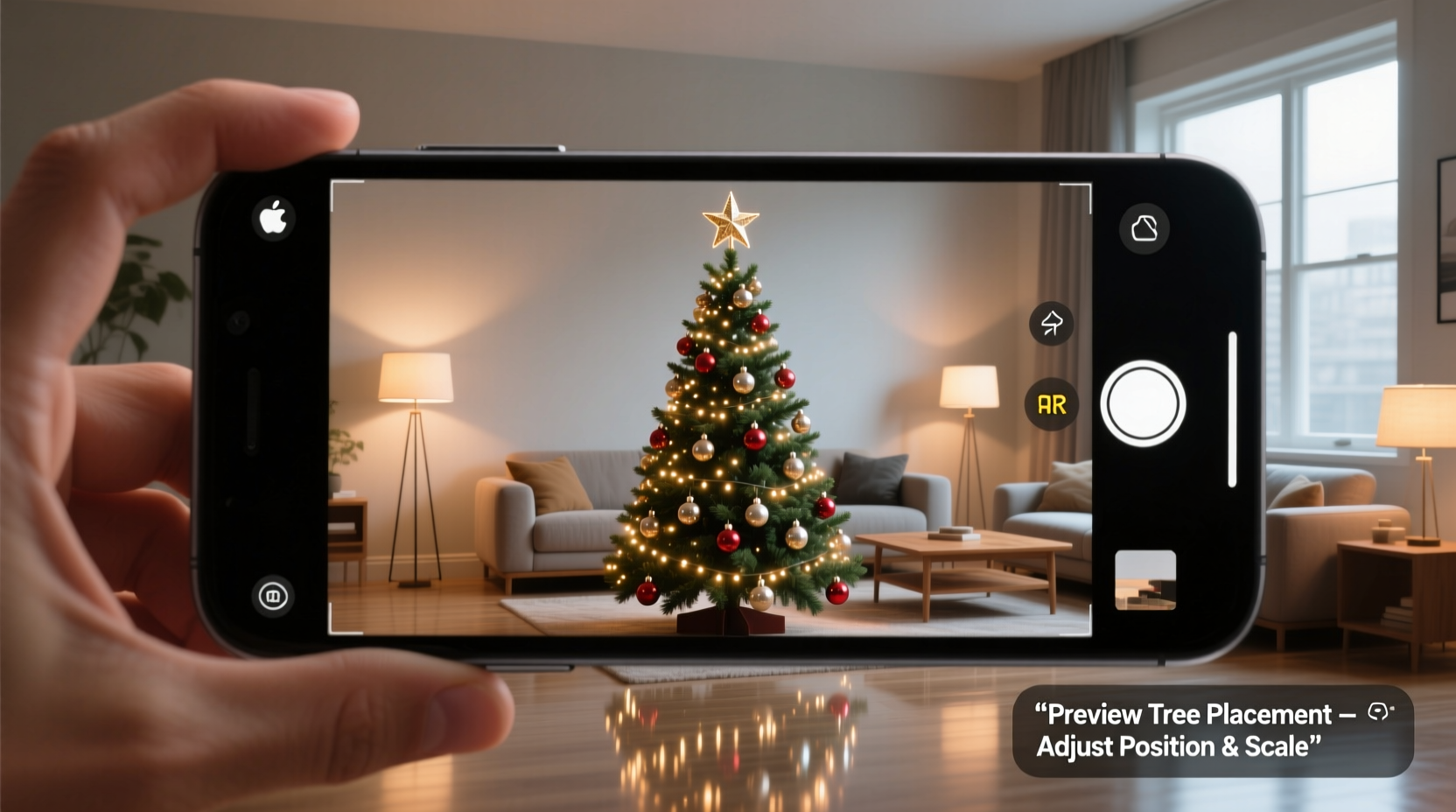
Augmented reality overlays digital content onto the real world through your device’s camera. Unlike virtual reality, which creates an entirely artificial environment, AR enhances your physical surroundings with interactive 3D models. In the context of holiday decorating, this means you can see a life-sized digital Christmas tree standing in your actual living room—complete with lights, tinsel, and even falling snow effects.
The rise of consumer-friendly AR apps has been driven by advancements in mobile processing power, depth-sensing cameras, and software development kits like Apple’s ARKit and Google’s ARCore. Retailers such as IKEA, Wayfair, and Amazon have already adopted AR for furniture placement, and seasonal decor is following closely behind.
“AR is transforming how people plan their spaces—not just for functionality, but for emotional impact. The ability to ‘see’ a Christmas tree in your room before buying helps reduce buyer’s remorse and increases confidence in decisions.” — Dr. Lena Torres, Human-Computer Interaction Researcher, MIT Media Lab
This shift isn’t just about convenience; it’s about reducing waste. According to a 2022 National Christmas Tree Association survey, nearly 18% of consumers returned or abandoned artificial trees due to size or style mismatches. AR previews can significantly cut down on those errors.
Step-by-Step Guide to Using AR Filters for Tree Placement
Follow this sequence to accurately preview a Christmas tree in your space using AR technology:
- Choose Your AR Platform: Download a compatible app. Recommended options include:
- Amazon Shopping – Use “View in Room” for select Christmas trees.
- IKEA Place – Features holiday items and scales them precisely.
- Wayfair – Offers AR visualization for artificial trees and stands.
- Snapchat – Seasonal AR lenses let you place festive trees anywhere.
- Google Search AR – Search “Christmas tree 3D” and tap “View in 3D” to activate AR mode.
- Prepare Your Space: Clear the area where you plan to place the tree. Remove clutter, push aside furniture if needed, and ensure good lighting. AR works best when your device can detect flat surfaces and room boundaries.
- Launch the App and Activate AR Mode: Open the app and navigate to the AR feature. Point your camera at the floor in the desired location. Most apps will display a target circle or grid to indicate surface detection.
- Place the Virtual Tree: Tap the screen where you want the base of the tree. The 3D model will appear anchored to that spot. You can usually drag it to reposition, pinch to resize, or rotate with two fingers.
- Adjust Scale and Style: Select different tree types (flocked, pre-lit, slim, full) and adjust height. Make sure the app uses real-world measurements—most default to feet/inches based on your device’s calibration.
- Walk Around and Evaluate: Move around the room to view the tree from different angles. Check sightlines from doorways, seating areas, and windows. Does it feel balanced? Is there enough clearance?
- Test Lighting and Ambiance: If the AR filter includes light effects, toggle between warm white, multicolor, or twinkling modes. Observe how the glow interacts with your walls and furniture.
- Take Screenshots or Record Video: Capture multiple views to share with family or compare later. Some apps allow saving configurations for future reference.
Top AR Apps and Their Christmas Features
Not all AR experiences are equal. Here’s a comparison of leading platforms for previewing Christmas trees:
| App | Tree Variety | Scaling Accuracy | Lighting Effects | Offline Access |
|---|---|---|---|---|
| Amazon Shopping | High (branded pre-lit models) | High (uses ARKit/ARCore) | Limited (static lighting) | No (requires internet) |
| Wayfair | Very High (50+ styles) | High | Moderate (color options) | No |
| IKEA Place | Moderate (holiday-specific items) | Excellent (1:1 scaling) | Low | Yes (saved projects) |
| Snapchat | Stylized (animated/festive) | Moderate (less precise) | High (dynamic effects) | Yes (saved snaps) |
| Google Search (3D) | Basic (generic models) | Good | Low | Yes (cached) |
For serious planning, Wayfair and Amazon are best for realistic previews tied to purchasable products. Snapchat excels in fun, social sharing with animated trees, while Google Search offers instant access without downloading an app.
Real Example: Sarah’s Living Room Dilemma
Sarah lives in a cozy two-bedroom apartment with an open-plan living and dining area. Every year, her seven-foot tree overwhelmed the space, leaning dangerously close to a ceiling fan and blocking the hallway to the bathroom. Last November, she decided to try AR before committing.
Using the Wayfair app, she tested three placements: one near the bay window, another beside the TV stand, and a third in the corner by the bookshelf. She discovered that the window spot created glare issues with reflected lights, and the TV location disrupted foot traffic. The corner option, though narrower, allowed full door clearance and framed the room beautifully.
She then adjusted the tree height to 6.5 feet—just under the fan blades—and toggled between flocked and unflocked versions. The flocked model looked too heavy visually, so she opted for a classic green. After capturing a video walkthrough, she shared it with her partner, who approved instantly.
On delivery day, the tree fit perfectly on the first try. No disassembly, no frustration. “It felt like cheating,” Sarah said. “Like I’d already decorated once in the digital world.”
Common Mistakes to Avoid When Using AR for Holiday Prep
While AR simplifies decision-making, users often make avoidable errors that compromise accuracy:
- Ignoring ceiling height: Many forget to account for tree toppers. A 7-foot tree with a 6-inch star needs 7.5 feet of clearance.
- Overlooking power access: AR won’t show outlet locations. Ensure your chosen spot has nearby access for lights and rotating bases.
- Using low-light environments: Dim rooms confuse AR sensors. Test in daylight or well-lit conditions.
- Skipping pet and child safety checks: Even if the tree looks fine in AR, remember that real ornaments and cords pose hazards. Adjust placement accordingly.
- Trusting stylized filters over real dimensions: Snapchat lenses may exaggerate size or ignore physics. Use them for inspiration, not measurement.
Checklist: AR-Powered Tree Planning in 10 Steps
Use this checklist to ensure a smooth, error-free preview process:
- Measure your room’s ceiling height and note obstructions (fans, shelves, vents).
- Identify potential tree locations based on traffic flow and focal points.
- Download at least two AR apps for cross-verification (e.g., Wayfair + Amazon).
- Clear and clean the test area for optimal surface detection.
- Calibrate your device’s AR sensor by scanning the room slowly.
- Place and scale the virtual tree in each candidate location.
- Evaluate visibility from key viewpoints (sofa, entryway, kitchen).
- Test different tree styles and lighting schemes.
- Take screenshots or record video walkthroughs for review.
- Confirm outlet proximity and safety considerations before finalizing.
Frequently Asked Questions
Can I use AR filters if I have an older smartphone?
Most AR features require devices supporting ARKit (iOS 11+ on iPhone 6s or later) or ARCore (select Android 8.0+ models). Older phones may not support real-time 3D rendering. Check your device specs before downloading AR apps.
Do AR previews work for outdoor tree placement?
Outdoor use is limited due to variable lighting and lack of flat surface detection. However, some apps like IKEA Place can function in controlled outdoor areas like patios or balconies with clear ground markers.
Can I share my AR preview with family members who don’t have the same app?
Yes. Record a video of your AR session and send it via messaging or email. Some apps also generate shareable links or QR codes that open the 3D model in a web browser.
Conclusion: Decorate Smarter, Not Harder
The holiday season should be joyful, not stressful. By using AR filters to preview Christmas tree placement in your room, you eliminate guesswork, reduce physical strain, and create a more thoughtful, personalized display. Whether you're optimizing for space, aesthetics, or family traditions, AR gives you the power to visualize success before the first box is opened.
Technology doesn’t replace the magic of the holidays—it enhances it. With a few taps on your phone, you can walk through a fully decorated version of your home, make informed choices, and start the season with confidence. This year, skip the trial-and-error. See your dream tree before it arrives.




 浙公网安备
33010002000092号
浙公网安备
33010002000092号 浙B2-20120091-4
Comments
No comments yet. Why don't you start the discussion?