
Decorating for Christmas is one of the most anticipated traditions of the year. But what if you could see exactly how that oversized reindeer statue would look next to your front door—or whether the red-and-gold wreath clashes with your porch color—before making a single purchase? Augmented reality (AR) makes this possible. By overlaying digital decorations onto your real-world environment through your smartphone or tablet, AR allows you to experiment with festive designs in context, reducing guesswork and buyer’s remorse.
This technology has evolved rapidly over the past few years, and major retailers, design platforms, and app developers now offer accessible tools that bring holiday visions to life. Whether you're planning an elaborate outdoor display or a cozy indoor scene, AR helps you make informed decisions, save money, and create a more cohesive aesthetic—all from the comfort of your living room.
Why Use Augmented Reality for Holiday Decorating?
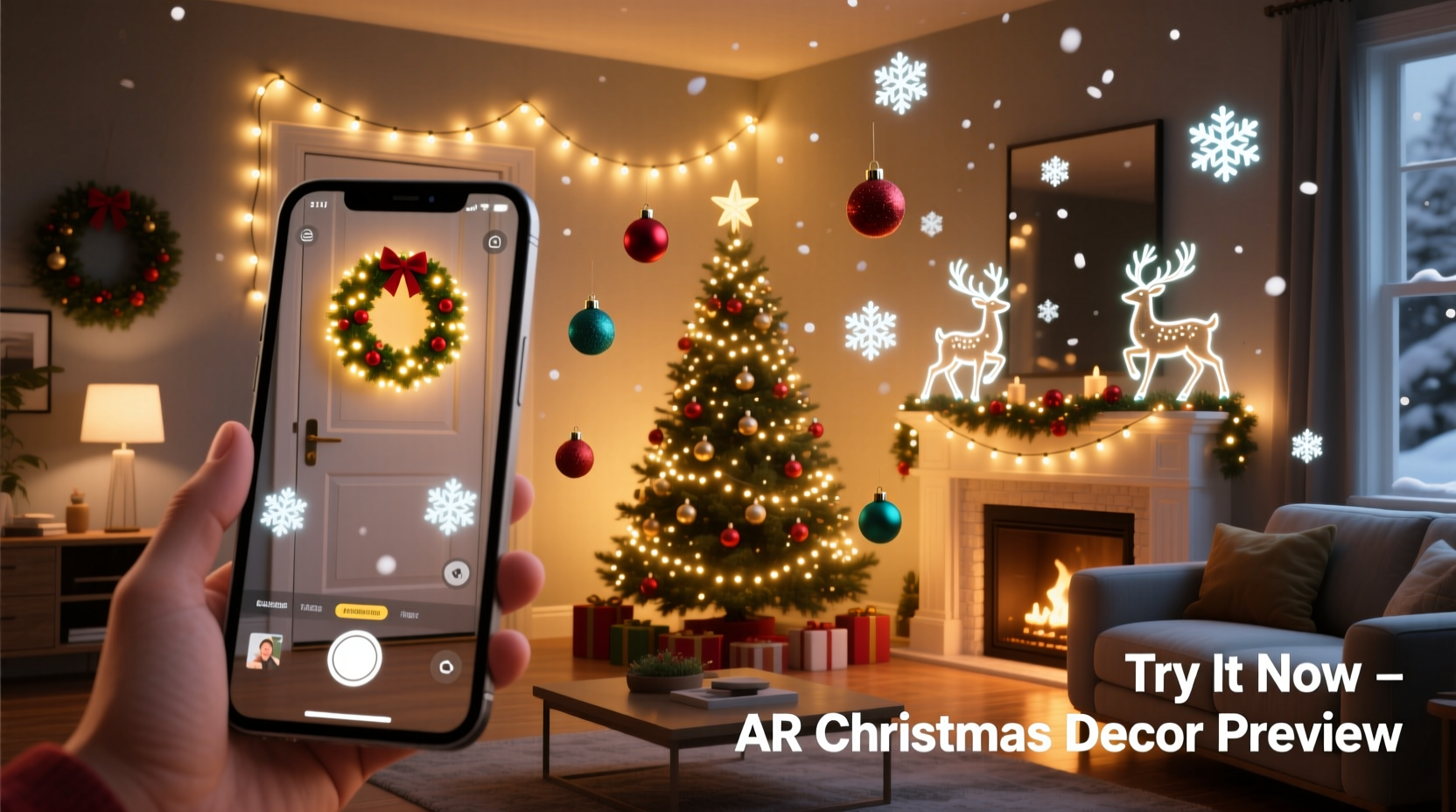
Traditional decorating often involves trial and error. You buy items based on photos or imagination, only to find they don’t fit, clash with existing decor, or look underwhelming in person. AR eliminates much of this uncertainty by placing virtual objects directly into your space using your device’s camera and spatial mapping.
The benefits extend beyond aesthetics. Using AR can:
- Reduce impulse purchases by testing items virtually first
- Save time during the busy holiday season
- Help coordinate themes across rooms or outdoor areas
- Allow family members to collaborate on design choices remotely
- Minimize returns and packaging waste
According to retail tech analyst Lisa Tran, “Consumers who use AR tools during seasonal shopping are 34% less likely to return items. The ability to visualize products in their actual environment builds confidence in decision-making.”
“Augmented reality turns holiday planning from guesswork into precision. It’s like having an interior designer in your pocket.” — Marcus Bell, Digital Experience Consultant
How to Get Started: A Step-by-Step Guide
Using AR to preview Christmas decorations doesn’t require technical expertise. Most tools are designed for everyday users and work seamlessly with modern smartphones. Follow these steps to begin visualizing your dream holiday setup.
- Choose a compatible device: Use a smartphone or tablet with a rear-facing camera, motion sensors, and AR support. Most iPhones from the XR onward and Android devices from 2019+ with ARCore compatibility will work.
- Install an AR-enabled shopping or design app: Download apps like IKEA Place, Amazon View in Room, Wayfair, or specialized holiday tools such as Jingle View or Magic Santa.
- Prepare your space: Ensure the area is well-lit and uncluttered. Move furniture slightly if needed to give the camera a clear view of walls, floors, and entry points.
- Launch the app and grant permissions: Allow access to your camera and motion sensors. Some apps may request location data for personalized offers, but this is optional.
- Scan the environment: Slowly move your device around the room. The app will map surfaces and detect flat planes where virtual objects can be placed.
- Select a decoration: Browse the app’s catalog for Christmas trees, lights, nativity sets, inflatables, or ornaments. Filter by size, color, theme, or price.
- Place and adjust: Tap the screen to position the item. Pinch to resize, rotate with two fingers, and walk around to view it from different angles.
- Evaluate and save: Take screenshots or save scenes within the app. Compare multiple options side by side by placing them simultaneously.
- Purchase or share: Buy directly through the app or export your design to share with family or decorators.
Top Apps That Support AR Holiday Previews
Not all apps are created equal when it comes to holiday-specific features. Here’s a comparison of leading platforms that support AR visualization for Christmas decor.
| App Name | Best For | Key Features | Platform |
|---|---|---|---|
| Amazon View in Room | Purchasing specific products | Direct integration with Amazon listings, accurate scaling, saves to wishlist | iOS, Android |
| Wayfair | Furniture and large decor | High-resolution models, realistic lighting, room-wide previews | iOS, Android |
| Jingle View | Seasonal-specific visuals | Exclusive Christmas items, animated previews (e.g., twinkling lights), snow effects | iOS |
| Google Lens (via Search) | Quick checks without downloading apps | Search any decoration, tap “View in 3D,” place via browser | Android, iOS (limited) |
| Home Depot Project Color | Outdoor light placement | Map rooflines, preview string light paths, estimate length needed | iOS, Android |
While general-purpose apps like Amazon and Wayfair cover a broad range of decor, niche tools like Jingle View offer richer holiday experiences with animations and thematic overlays. If you’re focused on exterior lighting, Home Depot’s tool is invaluable for planning complex setups without climbing ladders prematurely.
Real Example: Previewing a Front Yard Display
Sarah Thompson, a homeowner in Denver, wanted to upgrade her front yard display but was hesitant after last year’s inflatable snowman blocked her sidewalk. This year, she used Jingle View to test three different arrangements.
She began by scanning her porch, driveway, and lawn. Then, she added a 7-foot Santa sleigh, a pair of light-up reindeer, and a glowing tree to various positions. By viewing each option from the street perspective, she realized the sleigh looked overwhelming near the mailbox. She resized the reindeer and moved them closer to the shrubs, achieving better balance.
She also used the app’s “night mode” to simulate how the lights would appear after dark. Satisfied with the layout, she shared the final scene with her husband via email. They ordered the selected items the same day, confident in their choices. Installation took under two hours because everything had already been planned digitally.
“It felt like playing a video game—but one that saved me $200 in returns,” Sarah said. “I even kept the AR file as a reference for next year.”
Pro Tips for Better AR Results
To maximize accuracy and usability, consider these expert-backed strategies:
- Always check scale settings—some apps default to centimeters instead of feet.
- Test multiple color variations if available; a “warm white” vs. “cool white” light can dramatically change ambiance.
- Use AR to plan storage too—visualize where decorations will go when not in use.
- Combine AR with measuring tape for large items. Virtual sizing is usually accurate, but physical confirmation adds certainty.
Common Mistakes to Avoid
Even with advanced tools, users sometimes make errors that undermine the AR experience. Be mindful of these pitfalls:
- Rushing the scan: Moving the device too quickly prevents proper spatial mapping.
- Ignoring scale: Placing a 6-foot tree in a small apartment corner may look fine in AR but feel cramped in reality.
- Overloading the scene: Adding too many items at once can overwhelm the app and your judgment.
- Forgetting context: Consider foot traffic, pet access, and weather exposure—even if something looks great in AR, it must function in real life.
Checklist: Your AR Holiday Prep Plan
Follow this actionable checklist to ensure a smooth AR-assisted decorating process:
- ✅ Update your smartphone’s operating system and apps
- ✅ Choose 2–3 AR apps to test (start with one retailer you shop from often)
- ✅ Identify key areas to decorate (entryway, living room, tree stand, etc.)
- ✅ Clear and clean those spaces for optimal scanning
- ✅ Decide on a theme or color scheme (e.g., rustic, modern, traditional)
- ✅ Browse AR catalogs and save 3–5 favorite items per zone
- ✅ Test combinations in AR, adjusting size and position as needed
- ✅ Take screenshots or export designs
- ✅ Share with family or co-decorators for feedback <10>✅ Order only after finalizing your virtual layout
Frequently Asked Questions
Can I use AR to preview Christmas lights on my roof?
Yes. Apps like Home Depot Project Color and certain smart lighting brands (e.g., Philips Hue Holiday) allow you to map rooflines and preview light patterns. You can simulate steady glow, twinkling, or color-changing sequences to see how they’ll look at night.
Do I need special glasses or equipment?
No. All you need is a compatible smartphone or tablet with a camera and internet access. AR runs directly through the app using your screen as the display.
What if the virtual item doesn’t match the real one?
Most reputable retailers use high-fidelity 3D models, but slight discrepancies in color or texture can occur due to screen calibration. Always check product reviews and return policies before purchasing. Some apps now include “realistic material rendering” to minimize this gap.
Final Thoughts: Decorate Smarter This Holiday Season
Augmented reality is no longer a futuristic concept—it’s a practical tool available to anyone with a smartphone. When applied to holiday decorating, it transforms a traditionally chaotic process into a streamlined, creative, and enjoyable experience. You gain clarity, confidence, and control over your festive aesthetic without the stress of endless returns or last-minute adjustments.
The holiday season is about joy, connection, and celebration. Let technology handle the logistics so you can focus on what truly matters. This year, try using AR to preview your Christmas decorations. Experiment freely, involve your family, and build traditions that blend nostalgia with innovation.




 浙公网安备
33010002000092号
浙公网安备
33010002000092号 浙B2-20120091-4
Comments
No comments yet. Why don't you start the discussion?