
Gaming isn’t just about performance—it’s about immersion. The glow of a monitor, the hum of cooling fans, the tactile feedback of a mechanical keyboard—all contribute to presence. Yet one often-overlooked layer is ambient lighting: subtle, non-distracting illumination that reduces eye strain, enhances depth perception, and reinforces mood without competing for attention. Christmas lights—especially modern LED string lights—are uniquely suited for this role. They’re affordable, energy-efficient, flexible in placement, and increasingly controllable. But slapping a strand behind your monitor isn’t enough. Done poorly, they cause glare, flicker-induced fatigue, or electrical hazards. Done well, they transform your setup into a cohesive sensory environment—one where the game world feels like it extends beyond the screen.
Why Christmas Lights Work Better Than Generic LED Strips (For This Use Case)
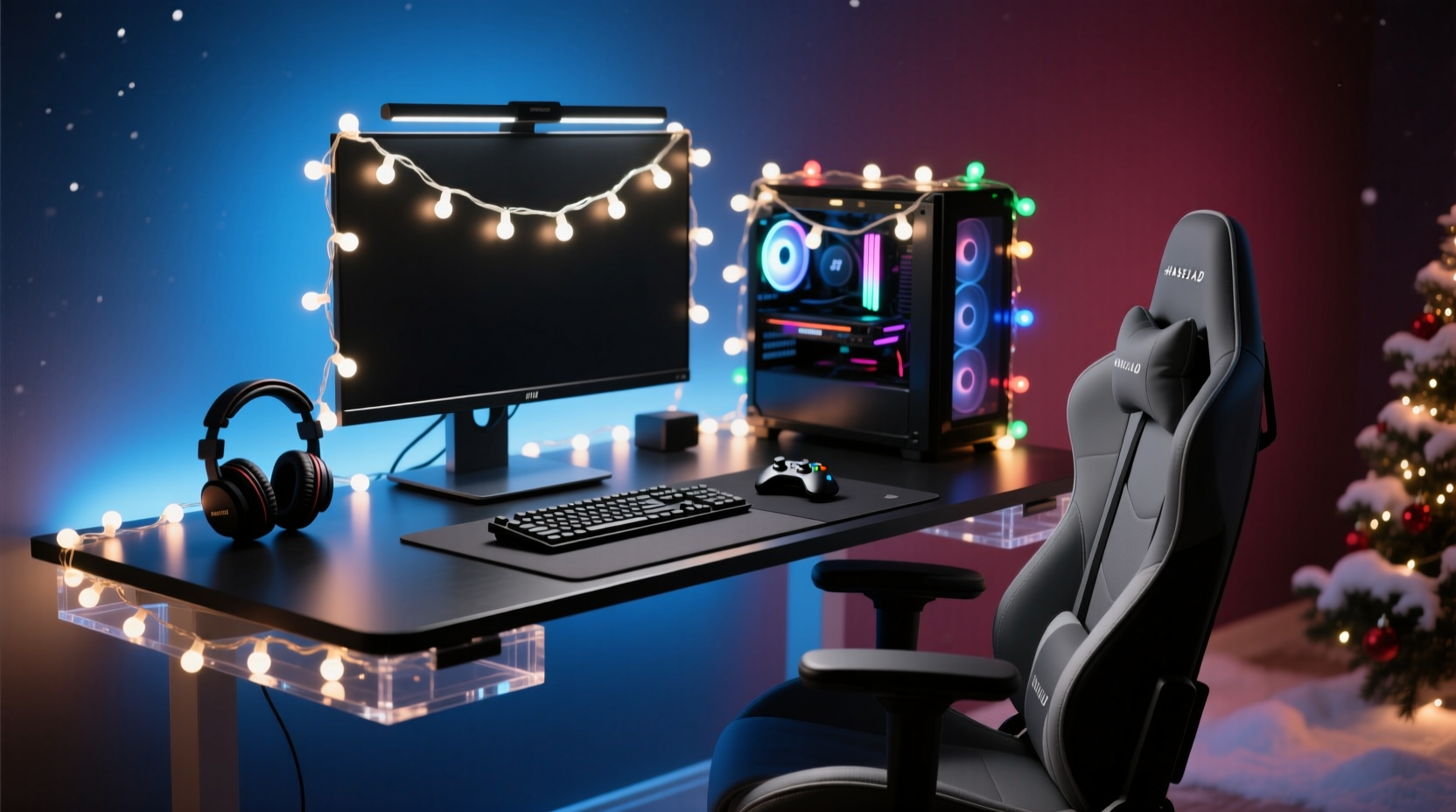
It’s tempting to reach for addressable RGB strips—the kind marketed for PC builds—but Christmas lights offer distinct advantages for ambient backlighting. First, their diffused, low-luminance output avoids the “hot spot” effect common with bare LEDs. Second, many premium strands (especially warm-white or tunable white models) emit light with higher Color Rendering Index (CRI >90), meaning colors on-screen appear more natural when reflected subtly off nearby surfaces. Third, their physical design—often with spaced-out bulbs on insulated wire—makes them easier to route around desks, shelves, and cable management trays without rigid mounting hardware. And crucially, they’re built for extended operation: UL-listed outdoor-rated strings are engineered to run 24/7 in freezing rain or summer heat—far more robust than many budget LED strips rated for 6–8 hours of intermittent use.
Choosing the Right Strand: Specs That Actually Matter
Not all Christmas lights are created equal. For ambient gaming lighting, ignore marketing terms like “vibrant” or “party mode.” Focus instead on these five technical criteria:
- Lumen Output per Bulb: Aim for 1–5 lumens per bulb. Anything above 8 lumens risks visual competition with your display. Warm-white (2700K–3000K) bulbs at 2–3 lm deliver soft, relaxing fill light without washing out dark UI elements.
- Power Delivery Method: Choose plug-in (AC-powered) over USB-powered strings. USB ports rarely supply stable 5V/2A under load—and voltage drop across long cables causes uneven brightness or flicker. A dedicated 120V outlet with a surge-protected power strip is safer and more reliable.
- Dimmability & Control Interface: Look for strands with physical dimmer dials or IR remotes—not just smartphone apps. Why? Because you’ll adjust brightness mid-game (e.g., lowering intensity during a dark horror sequence). Physical controls prevent menu-diving that breaks immersion.
- Wire Gauge & Insulation: Minimum 22 AWG wire with PVC or silicone insulation. Thinner wires (24–26 AWG) overheat when daisy-chained beyond three strands—a common mistake when wrapping multiple monitors or shelves.
- Bulb Spacing: 4–6 inches between bulbs provides even coverage behind a 27-inch monitor. For larger ultrawide or triple-monitor rigs, opt for 3-inch spacing or use two parallel strands staggered vertically.
| Feature | Ideal Spec | Why It Matters |
|---|---|---|
| Color Temperature | 2700K–3500K (warm to neutral white) | Matches typical monitor white point; avoids blue-rich light that suppresses melatonin during late-night sessions |
| Flicker Rate | Zero perceptible flicker (≥3,000 Hz PWM or analog dimming) | Prevents eye strain and headaches after 90+ minutes of use |
| IP Rating | IP44 or higher | Protects against dust ingress and accidental spills—critical near keyboards and drink holders |
| Max Daisy-Chain Length | ≥50 feet (per manufacturer spec) | Ensures voltage stability across full desk perimeter runs |
| Connector Type | Shrouded, keyed DC barrel or proprietary locking connector | Prevents accidental disconnection during cable tugs or desk adjustments |
A Real-World Installation: How Maya Transformed Her Triple-Monitor Rig
Maya, a competitive Apex Legends player and Twitch streamer based in Portland, struggled with monitor glare and post-session eye fatigue. Her 34-inch ultrawide + dual 24-inch side monitors created harsh contrast edges, especially in her basement studio lit only by overhead LEDs. She tried RGB strips but found the blue-heavy default modes disrupted her night vision during ranked matches.
She switched to a set of 100-bulb, warm-white (3000K), UL-listed Christmas lights with analog dimming and IP44 rating. Instead of mounting them directly behind monitors, she used 3M Command™ Picture Hanging Strips to affix the strand 8 inches *above* her main monitor’s top bezel, running it horizontally across the full width of her desk wall. She then added a second, shorter strand vertically along the left monitor’s outer edge—angled slightly inward to bounce light softly onto her keyboard tray. Crucially, she set the dimmer to 35% brightness during daytime play and 15% for nighttime. Within a week, her self-reported eye strain dropped by 70%, and viewers commented on the “cinematic depth” of her stream background—without distracting from gameplay.
“Good ambient lighting doesn’t draw attention to itself—it disappears into the experience. When players report ‘feeling more present’ without knowing why, that’s ambient design working.” — Dr. Lena Torres, Human Factors Researcher, NVIDIA UX Lab
Step-by-Step Safe Installation Protocol
Follow this sequence to avoid electrical risk, thermal damage, or visual distraction:
- Map Your Light Path: Use painter’s tape to mark where bulbs will sit—keeping them ≥6 inches from monitor edges and ≥12 inches from any ventilation grilles (on GPUs, PSUs, or consoles).
- Test Power Load: Plug the strand into a standalone outlet first. Measure voltage at the farthest bulb using a multimeter. If it drops below 110V (for 120V systems), reduce daisy-chained length or add a powered splitter.
- Mount Securely—No Adhesives on Hot Surfaces: Never attach lights directly to metal monitor stands or GPU shrouds. Use fabric-wrapped zip ties looped around desk grommets or monitor arms. For wall mounting, use adhesive-backed clips—not glue—so bulbs remain replaceable.
- Route Wires Away from Data Cables: Keep power cords at least 6 inches from HDMI, DisplayPort, or USB-C cables to prevent electromagnetic interference (EMI) that can cause monitor flicker or audio pops.
- Set Baseline Brightness: With monitors at default sRGB calibration and room lights off, adjust dimmer until the wall behind your setup reads 1–3 lux on a phone light meter app. This ensures light supports—not competes with—your display’s black levels.
Syncing Without Complexity: When (and How) to Add Smart Control
You don’t need smart home integration to get value—but if you want dynamic responsiveness, keep it simple. Avoid full-home ecosystems (like Matter or HomeKit) unless your entire rig already uses them. Instead, choose one of two proven approaches:
- Hardware Sync via Monitor USB Hub: Some high-end monitors (e.g., LG UltraFine, ASUS ProArt) include USB hubs that output ambient light data. Connect compatible lights (like Philips Hue Play Bars with third-party firmware) to read screen-edge color averages and mirror them—no software required.
- Software-Light Bridge (Open Source): Tools like AmbiLight or Hyperion NG capture screen edges and drive compatible lights via USB-to-DMX adapters. For Christmas lights, use a DMX-compatible controller (e.g., Enttec Open DMX USB) paired with a DMX-to-12V converter and a relay board. This adds ~$45 in hardware but delivers precise, lag-free response (<12ms).
FAQ
Can I use battery-powered Christmas lights for this?
No. Battery packs introduce inconsistent voltage as they deplete, causing visible brightness drift and color temperature shifts over time. They also require frequent replacement—disrupting workflow and creating waste. Stick with AC-powered, UL-listed strings.
Will warm-white lights make my screen look yellow?
No—ambient lighting doesn’t alter screen color accuracy. In fact, warm-white light reduces the stark contrast between bright screen content and dark surroundings, which minimizes pupil dilation stress. Your monitor’s white point remains unchanged; your eyes simply adapt more comfortably.
How do I clean dust off bulbs without breaking them?
Power off and unplug the strand. Use a microfiber cloth lightly dampened with distilled water (never tap water—it leaves mineral residue). Gently wipe each bulb in one direction. Let air-dry fully before reconnection. Never use alcohol or glass cleaners—they degrade plastic diffusers over time.
The Lasting Impact of Thoughtful Light
Ambient lighting isn’t decoration. It’s ergonomics made visible. It’s the difference between squinting at a HUD in a dark room and feeling enveloped by the game’s atmosphere. Christmas lights—when selected with intention, installed with precision, and tuned with awareness—deliver that quietly transformative effect. They lower visual fatigue so you play longer without discomfort. They deepen spatial awareness so reaction times stay sharp. And they elevate your space from functional to intentional—proof that even the smallest details shape how we engage with digital worlds.
Start small: pick one certified warm-white strand, mount it above your primary monitor, and dial brightness until your peripheral vision feels relaxed—not lit up. Notice how UI elements pop more clearly. Observe how your eyes feel after two hours instead of one. Then expand deliberately—adding vertical accents, testing dimming curves, experimenting with color temperature shifts for different genres. This isn’t about chasing trends. It’s about honoring the human body’s need for balanced light in an increasingly screen-saturated life.




 浙公网安备
33010002000092号
浙公网安备
33010002000092号 浙B2-20120091-4
Comments
No comments yet. Why don't you start the discussion?