
In the age of remote work and digital communication, your video call backdrop matters more than ever. A well-designed background not only reflects personal style but also enhances visual clarity and professionalism. One surprisingly effective yet often overlooked tool is the humble string of Christmas lights. When used thoughtfully, these twinkling strands can transform an ordinary room into a warm, inviting, and visually engaging space—perfect for Zoom meetings, virtual interviews, or holiday-themed calls.
Far from being limited to seasonal decor, Christmas lights offer soft, diffused illumination that flatters facial features, reduces harsh shadows, and adds depth to flat backgrounds. Whether you're working from home during the holidays or simply want to elevate your everyday video presence, learning how to strategically place and style Christmas lights can make a significant difference in how you appear on screen.
Why Lighting Matters in Video Calls
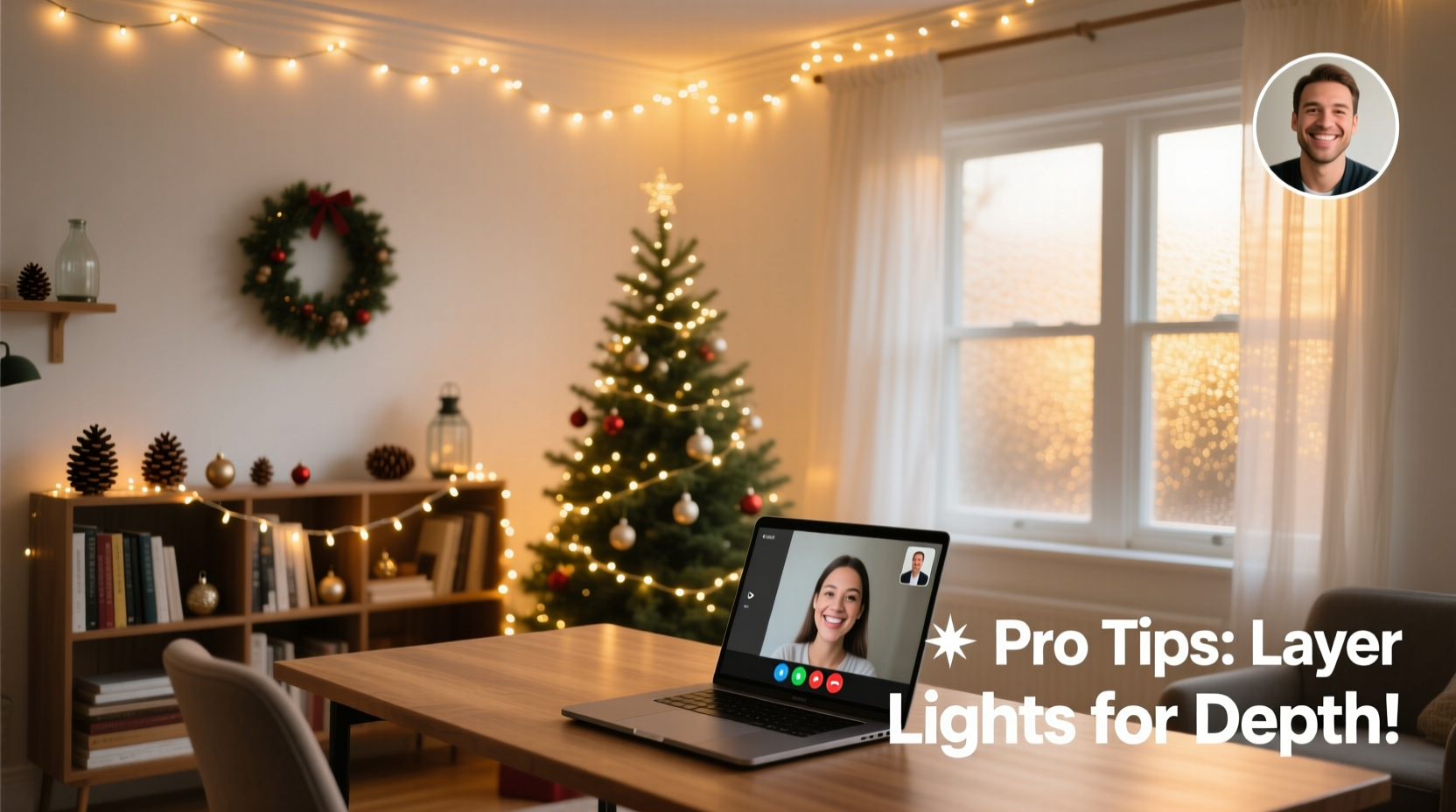
Poor lighting is one of the most common reasons people look washed out, overly shadowed, or unprofessional on camera. Natural light is ideal, but it's inconsistent and dependent on time of day and weather. Artificial lighting, when done right, provides reliable control over brightness, color temperature, and direction.
Christmas lights—especially LED varieties—emit a gentle glow that mimics ambient lighting better than overhead bulbs or desk lamps. Their low-intensity output prevents glare while still illuminating the background evenly. This creates a halo effect around the subject, subtly separating them from the wall and adding dimensionality to the frame.
“Lighting shapes perception. Even small adjustments can dramatically improve how someone appears on screen.” — Jordan Lee, Broadcast Lighting Technician
The psychological impact of warm lighting should not be underestimated. Studies show that warmer tones (around 2700K–3000K) evoke feelings of comfort, trust, and approachability—qualities highly beneficial in both personal and professional conversations.
Choosing the Right Type of Christmas Lights
Not all Christmas lights are created equal when it comes to video performance. The key is selecting strings that provide consistent, flattering illumination without flickering or creating distracting patterns.
| Light Type | Best For | Avoid If |
|---|---|---|
| Warm White LEDs | Professional calls, evening meetings, cozy aesthetics | You need bright task lighting |
| Cool White LEDs | Daytime energy, modern looks | You want a warm, welcoming vibe |
| Multicolor LEDs | Festive events, casual hangouts, creative presentations | Attending formal or corporate meetings |
| Twinkle/Flicker Mode | Entertainment, storytelling, holiday greetings | Regular work calls (can be distracting) |
| Dimmable Strings | Maximum control over ambiance | Budget is very tight (slightly more expensive) |
For most professional applications, opt for **warm white, non-twinkling, dimmable LED strings** with at least 50 bulbs per strand. These produce a steady, soothing glow and consume minimal power. Avoid cheap incandescent sets—they generate heat, have shorter lifespans, and may cause color inconsistencies on camera.
Step-by-Step Guide to Installing Your Light Backdrop
Setting up an effective Christmas light backdrop requires planning, positioning, and testing. Follow this sequence to achieve optimal results:
- Assess your space: Identify where you typically sit for calls. Measure the width and height behind you to determine how many strands you’ll need.
- Choose your layout: Common configurations include vertical columns along window frames, horizontal rows across the top of the wall, or a grid pattern for full coverage.
- Prepare the surface: Clean the wall area and ensure no dust or debris interferes with adhesive clips or tape.
- Mark placement points: Use removable putty or low-tack tape to temporarily position lights before securing permanently.
- Attach mounting hardware: Use plastic clips, Command hooks, or adhesive strips designed for lightweight wires. Avoid nails or permanent fixtures unless necessary.
- String the lights: Begin at the power source and lay each strand smoothly, avoiding kinks or tangles. Overlap ends slightly for continuity.
- Test the setup: Turn on the lights and view yourself on camera. Adjust angles or density based on visibility and reflection.
- Connect to power: Route cords safely along baseboards or under rugs using cord covers. Never leave tripping hazards.
- Finalize appearance: Tuck stray wires, check for flickering bulbs, and confirm uniform brightness.
For best results, position the lights approximately 12–18 inches behind your shoulders so they remain out of direct view but still illuminate the background effectively.
Creative Placement Ideas for Maximum Impact
The magic of Christmas lights lies in their versatility. Beyond simple outlines, consider these innovative arrangements:
- Frame Effect: Arrange lights around the edges of your monitor or window to create a natural “picture frame” around your face.
- Shelf Accent: Drape mini lights behind floating shelves to highlight books, plants, or decor items without overwhelming them.
- Headboard Glow: In home offices located in bedrooms, wrap lights around the headboard for a soft backlight.
- Ceiling Canopy: Hang crisscrossing strings from the ceiling to simulate starlight—a favorite among creatives and educators.
- Mirror Halo: Outline a mirror behind you to add sparkle and reflect additional light onto your face.
Layering multiple strands at varying depths increases visual interest and prevents flatness. Just remember: subtlety wins. The goal is enhancement, not spectacle.
Real Example: Transforming a Home Office in Under an Hour
Sarah Thompson, a freelance graphic designer from Portland, struggled with looking “flat” during client calls. Her neutral gray wall offered no character, and her built-in laptop camera made her appear washed out in the evenings.
She purchased two 50-light warm white LED strings and Command clips for under $25. Within 45 minutes, she installed a vertical column of lights on either side of her desk, extending from floor to ceiling. She angled her chair slightly so the lights appeared just behind her shoulders on camera.
The result? Clients immediately commented on her \"more vibrant\" and \"engaging\" presence. One said, “You look like you’re in a proper studio now.” Sarah reported feeling more confident and noticed fewer requests to repeat herself—likely because improved lighting enhanced lip and facial cue visibility.
Her total investment: less than $30 and under an hour. The transformation was subtle but impactful.
Common Mistakes to Avoid
Even well-intentioned setups can go wrong. Watch out for these pitfalls:
- Overloading the frame: Too many lights or colors compete with your face for attention.
- Using flashing modes: Blinking or chasing effects distract viewers and can trigger discomfort in sensitive individuals.
- Ignoring wire management: Visible cords break immersion and look unprofessional.
- Placing lights too close: Direct exposure causes glare and hotspots on camera.
- Mixing color temperatures: Combining warm and cool whites creates visual imbalance.
“Your background should support you—not steal the show.” — Lena Park, Virtual Presentation Coach
Checklist: Setting Up Your Christmas Light Backdrop
- Determine your primary seating position
- Measure the wall space behind you
- Select warm white, non-twinkling LED strings
- Gather mounting supplies (clips, tape, cord covers)
- Plan your light layout (frame, columns, grid)
- Mark positions with temporary markers
- Secure clips or hooks
- Install lights smoothly, avoiding tangles
- Route cords safely away from walkways
- Turn on lights and join a test call
- Adjust brightness or position as needed
- Ensure no flickering or dead bulbs
- Confirm the look works in different times of day
FAQ
Can I use Christmas lights every day, not just during the holidays?
Absolutely. Warm white fairy lights are timeless and widely used in studios, cafes, and homes year-round. Choose minimalist designs and subtle placements to keep the look versatile and non-seasonal.
Will Christmas lights interfere with my Wi-Fi or Bluetooth devices?
No. Standard LED Christmas lights do not emit electromagnetic interference that affects wireless signals. However, avoid placing power adapters directly on routers or modems to prevent overheating.
How many strands do I need for a standard-sized wall?
For a wall about 6 feet wide and 8 feet high, two to three 50-light strands are usually sufficient depending on layout. Grid patterns require more coverage; frame styles need fewer.
Conclusion
Transforming your video call backdrop with Christmas lights is more than a decorative choice—it’s a strategic move toward better communication, presence, and engagement. With minimal cost and effort, you can harness the power of ambient lighting to appear more polished, personable, and professional on screen.
Whether you're preparing for a job interview, hosting a virtual workshop, or catching up with family, a thoughtfully lit background speaks volumes about your attention to detail and self-presentation. Don’t wait for the next holiday season to try it. Start tonight: unbox a set of warm white LEDs, map out your layout, and see the difference light can make.




 浙公网安备
33010002000092号
浙公网安备
33010002000092号 浙B2-20120091-4
Comments
No comments yet. Why don't you start the discussion?