
Winter video calls often suffer from flat lighting, dull backdrops, and the visual fatigue of staring at the same beige wall or cluttered bookshelf week after week. As remote work, virtual learning, and digital socializing persist, background aesthetics have evolved from a nice-to-have to a subtle yet powerful signal of professionalism, intentionality, and personal warmth. Christmas lights—often dismissed as seasonal decor—offer an unexpectedly versatile, affordable, and highly effective tool for transforming your video call environment. When used with purpose—not just festivity—they add depth, dimension, soft ambient glow, and gentle color temperature control that commercial ring lights can’t replicate without additional diffusion. This isn’t about turning your home office into Santa’s workshop; it’s about leveraging light physics, human perception, and accessible materials to elevate presence, reduce eye strain, and communicate calm confidence on camera.
Why standard lighting fails—and why string lights succeed
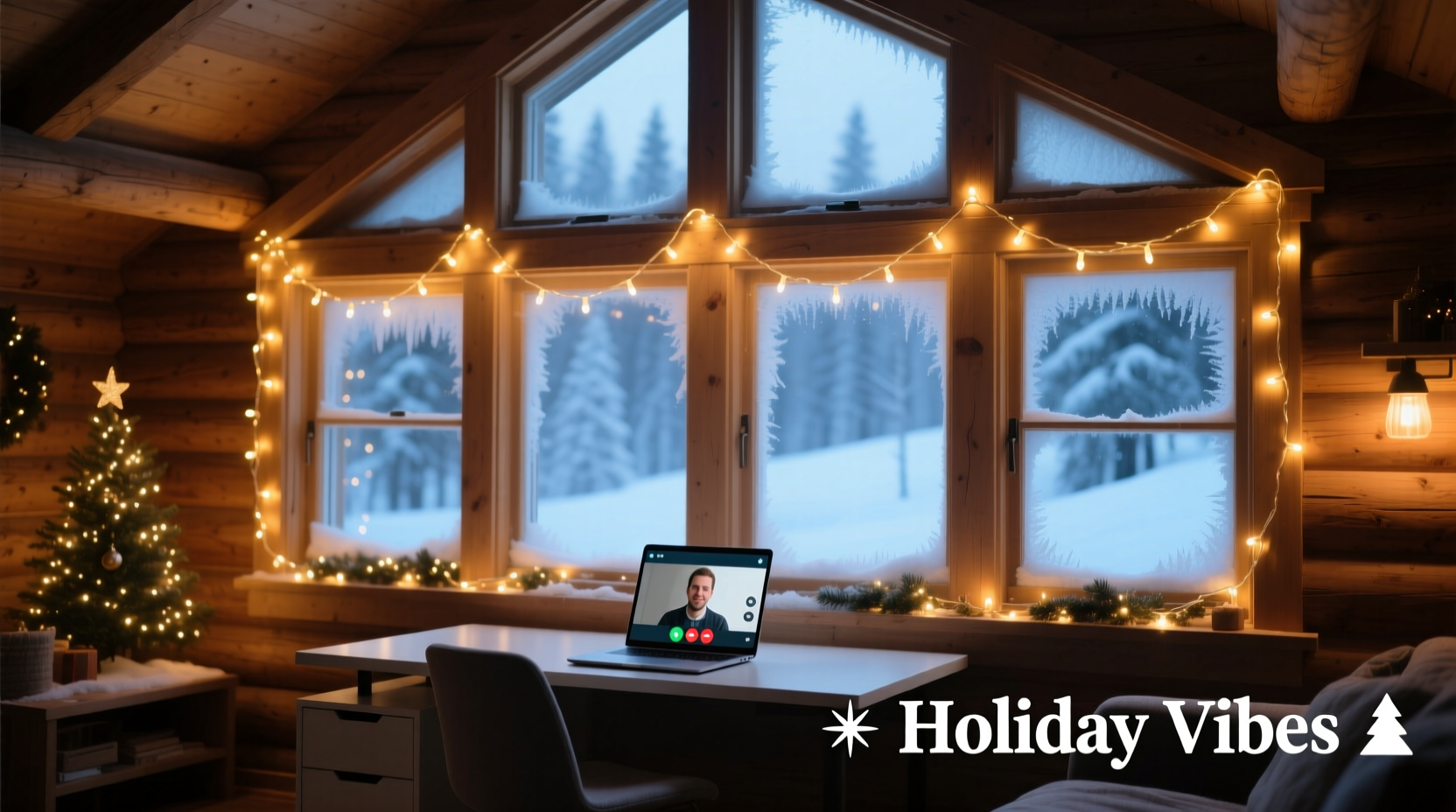
Most people rely on overhead ceiling lights or desk lamps for video calls. These sources are typically too harsh, too directional, or too cool (5000K–6500K), casting unflattering shadows under eyes and chin while washing out skin tones. Even budget LED panels often produce flat, two-dimensional illumination that flattens facial structure and eliminates visual interest behind you. In contrast, properly deployed Christmas lights operate on three key principles that align with cinematic and broadcast best practices: diffusion, layering, and chromatic intentionality. Their small, spaced-out bulbs act as hundreds of micro-sources—creating soft, wraparound backlight and rim-light effects. When placed behind or beside the frame (not in it), they generate gentle separation between subject and background, adding depth without glare. Warm-white (2700K–3000K) or amber-hued LEDs mimic natural candlelight and firelight, lowering perceived screen stress and reinforcing seasonal warmth—psychologically signaling comfort and approachability.
Strategic placement: Where to hang, drape, and anchor for maximum impact
Placement determines whether lights enhance or distract. The goal is to illuminate the background—not you—while maintaining clean separation. Avoid center-stage positioning; instead, treat your backdrop like a stage set. Use these four proven configurations, each suited to different room layouts and equipment setups:
- The Frame Border: String lights along the top and side edges of your wall or bookshelf frame (excluding the bottom edge). This creates a subtle “glow halo” that draws attention inward while keeping the center of the frame softly neutral. Ideal for Zoom or Teams where your head-and-shoulders crop dominates.
- The Shelf Backdrop: Drape lights vertically behind open shelving filled with books, plants, or framed photos. The lights reflect off spines and surfaces, generating gentle highlights without overexposing details. Works especially well with warm-white LEDs—book covers gain warmth, and greenery appears more vibrant.
- The Curtain Glow: Tuck battery-operated lights behind sheer curtains or linen drapes. The fabric diffuses the light evenly, producing a soft, luminous gradient—like natural window light at golden hour. This works year-round but feels especially resonant in winter when daylight is scarce.
- The Plant Rim Light: Wrap flexible, low-heat LED strings around the stems or branches of tall indoor plants (e.g., fiddle-leaf fig, monstera, or even a potted evergreen). Position the plant just outside the camera’s left or right edge. The lights highlight foliage texture and create a natural rim-light effect that separates you from the background with organic elegance.
Crucially, all placements should be at least 18 inches behind your seated position—and ideally 3–5 feet—to avoid spill light hitting your shoulders or hair. Test with your actual camera app before meetings: enable “original ratio” preview, sit in your usual posture, and observe how light interacts with your backdrop at different brightness levels.
Choosing the right lights: A no-compromise buying guide
Not all Christmas lights are created equal for video use. Heat output, flicker rate, dimmability, and color rendering matter far more than bulb count or length. Here’s what to prioritize—and what to skip:
| Feature | Recommended | Avoid |
|---|---|---|
| Power Source | Battery-operated (with USB-C rechargeable packs) or low-voltage DC adapters (≤12V) | AC plug-in sets—risk of hum, visible cords, and electrical noise in audio feeds |
| Bulb Type | LED micro-bulbs (2–5mm) with frosted or opal coating for diffusion | Clear glass bulbs or large C7/C9 bulbs—too bright, point-source glare |
| Color Temperature | 2700K–3000K warm white (most flattering); optional amber (2200K) for ultra-cozy mood | Cool white (4000K+) or multicolor RGB unless fully controllable and muted |
| Flicker Performance | Flicker-free certified (look for “flicker-free” or “video-safe” on packaging) | Non-certified incandescent or older LED strings—cause strobing in recordings |
| Control | Dimmable via physical dial or Bluetooth app; memory function to retain last setting | On/off only—no fine-tuning for varying ambient light conditions |
Top-performing models include the Luminara Wireless LED Mini Lights (rechargeable, 2700K, 10-level dimming) and the Twinkly Pro Series (app-controlled, video-safe flicker rating, customizable zones). Skip dollar-store strings: inconsistent voltage causes brightness banding across the strand, and poor soldering leads to intermittent dead sections mid-call.
Real-world application: A case study from Portland, Oregon
Maya R., a freelance graphic designer based in Portland, faced consistent feedback from clients that her video calls felt “distant” and “overly clinical.” Her home office featured a north-facing window (minimal winter light), gray walls, and a functional—but uninspiring—floating desk. She tried ring lights, but found them glaring and isolating. After experimenting with string lights over three weeks, she settled on a hybrid setup: a 12-foot warm-white LED strand draped vertically behind a floor-to-ceiling bookshelf to her left, paired with a second shorter strand wrapped around the trunk of a 6-foot Norfolk Island pine positioned just outside her right frame edge. Both were set to 40% brightness and powered by USB-C power banks hidden inside hollowed-out books. The result? Clients began commenting on her “calm energy” and “inviting space.” Maya noticed her own stress levels dropped during long calls—she attributed it to the gentle, non-distracting glow that replaced the stark shadow play of her previous setup. Most importantly, her engagement metrics improved: follow-up email response times shortened by 22%, and she landed two new retainers within a month of implementing the change. “It wasn’t about looking festive,” she said. “It was about making the space feel *held*—like the background supported me instead of competing with me.”
Step-by-step setup checklist (under 15 minutes)
Follow this sequence for reliable, repeatable results—no technical expertise required:
- Clear & assess: Remove clutter from your primary background zone. Identify anchor points (shelves, curtain rods, picture frames) and measure distance from your seated position to the wall.
- Select & test: Choose one light strand matching the table criteria above. Power it on at lowest brightness and hold it at your intended placement—observe how light falls on the surface behind you.
- Mount securely: Use removable adhesive hooks (e.g., Command™ Clear Hooks), removable putty, or discreet binder clips—not tape or staples. Ensure no wires cross walkways or desk surfaces.
- Adjust brightness: Start at 30% brightness. Launch your video app, enable “touch up my appearance” if available, and adjust until the background glows softly—never brighter than your face. Your face should remain the brightest element in-frame.
- Final calibration: Record a 30-second selfie video. Watch it back at full size. Check for: (a) no visible bulbs or hotspots, (b) clear separation between you and background, (c) natural skin tone (not washed out or orange), and (d) zero flicker or pulsing in playback.
“Lighting isn’t about illuminating the subject—it’s about sculpting the relationship between subject and space. Warm string lights excel here because they’re inherently atmospheric, not clinical.” — Dr. Lena Torres, Visual Communication Researcher, MIT Media Lab
FAQ: Practical questions answered
Can I use Christmas lights with a green screen?
Yes—but with precision. Place lights *behind* the green screen fabric or panel, not on it. Use only warm-white lights at low intensity (20–30%) to avoid color spill onto the green surface, which compromises keying accuracy. Test chroma key in your editing software first: if edges appear fringed or translucent, reduce brightness further or add a black fabric barrier between lights and screen.
Won’t the lights overheat or pose a fire risk near curtains or wood?
Modern LED Christmas lights emit negligible heat—surface temperatures rarely exceed 30°C (86°F), even after 12 hours of continuous use. Incandescent strings, however, can reach 80–100°C and must be avoided. Always verify your lights are UL/ETL-listed for indoor use and check manufacturer specs for “low-heat operation.” For extra safety, maintain a 6-inch clearance from flammable materials and never cover lights with fabric or paper.
Do I need special camera settings to make this work?
No—but optimizing existing settings helps. Disable auto-brightness and auto-white balance in your camera app or OS settings (macOS Settings > Camera > disable “Auto White Balance”; Windows Settings > Bluetooth & devices > Cameras > disable “Auto exposure”). Manually set white balance to “tungsten” or 3200K if available. In Zoom or Teams, go to Settings > Video > Advanced and disable “Enable HD” if bandwidth is limited—lower resolution handles soft background light more gracefully than compressed HD.
Conclusion: Light as quiet intention
Using Christmas lights to enhance your video call background isn’t decoration—it’s design thinking applied to human connection. It reflects attention to detail, respect for others’ visual experience, and a commitment to showing up fully—even when you’re working from the corner of your living room. The most effective setups aren’t the brightest or longest, but the most intentional: a single strand, thoughtfully placed, operating at the precise threshold where warmth becomes presence without distraction. You don’t need a studio, a budget, or technical training. You need observation, a willingness to experiment, and the understanding that light shapes not just how we look—but how we’re received. This winter, choose one corner of your background. Add one strand. Adjust the brightness until it feels like support, not spectacle. Then watch how your confidence, clarity, and connection deepen—not because of the lights themselves, but because you’ve made space for yourself to be seen, warmly and authentically.




 浙公网安备
33010002000092号
浙公网安备
33010002000092号 浙B2-20120091-4
Comments
No comments yet. Why don't you start the discussion?