
Christmas light displays have evolved from static sequences to dynamic, interactive experiences. Today, a growing number of homeowners and community installers are integrating facial recognition—not for surveillance, but as a joyful, responsive interface that tailors light animations, music cues, and color palettes to individual guests. When implemented thoughtfully, this technology transforms holiday lighting into a personalized celebration: a child’s favorite song triggers snowflake patterns; a grandparent’s smile activates warm amber glows; a family group photo moment initiates synchronized strobes. Yet success hinges on more than novelty—it requires careful hardware selection, ethical data handling, real-time processing optimization, and seamless integration with existing lighting controllers. This guide details exactly how to build such a system: not as a theoretical concept, but as a functional, respectful, and maintainable installation you can deploy before the first snowfall.
Understanding the Core Components & How They Interact
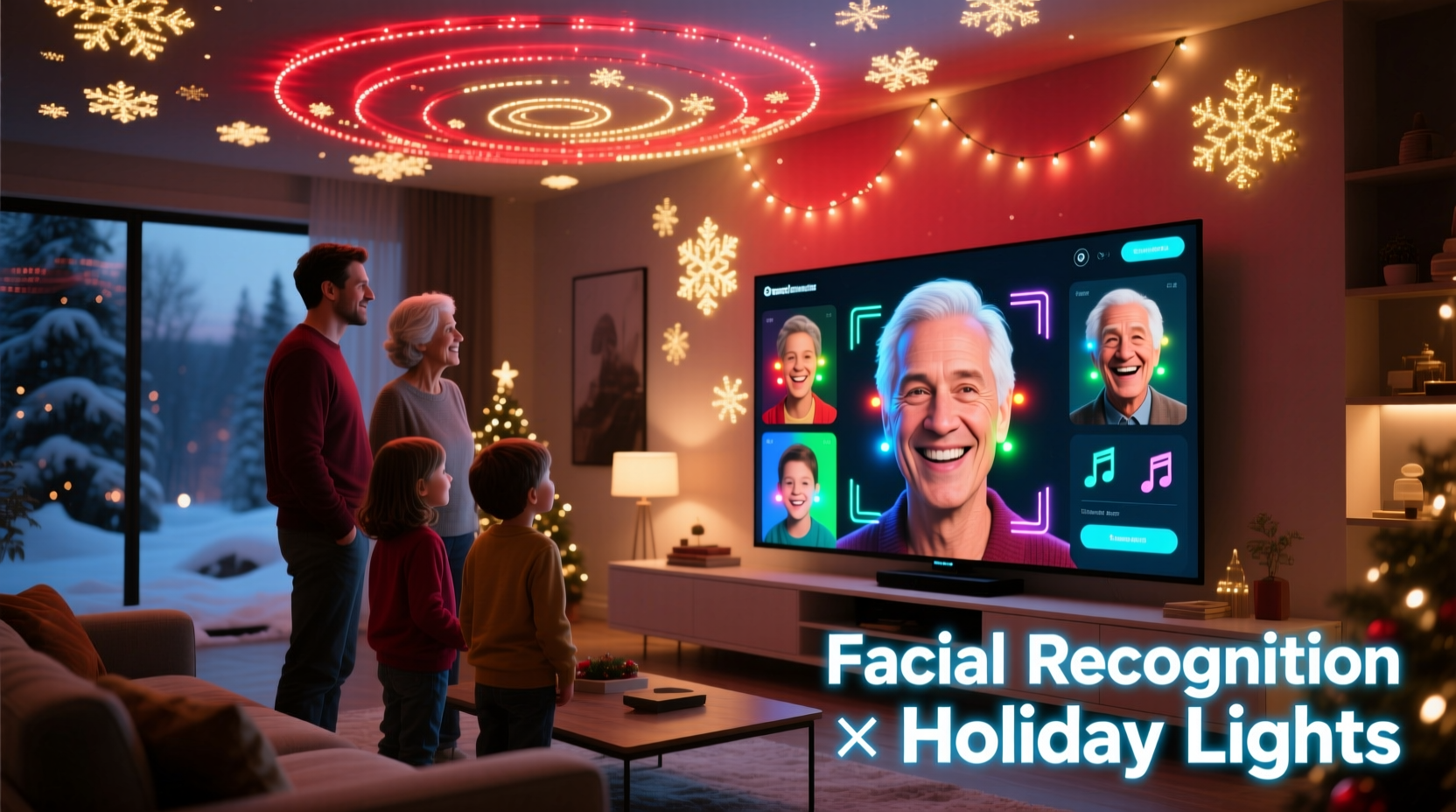
A facial recognition–driven light show relies on four tightly coordinated subsystems: capture, identification, decision logic, and output control. Each must operate with low latency—ideally under 300 milliseconds end-to-end—to preserve the magic of immediacy. The camera captures frames at 15–30 fps; the recognition engine identifies faces (and optionally attributes like age range or expression) in under 150 ms; the rules engine maps identities to preconfigured light profiles; and the controller (e.g., Falcon F16, xLights-compatible ESP32, or DMX gateway) executes the corresponding sequence within 50 ms.
This isn’t cloud-dependent AI. For reliability and privacy, edge-based processing is essential. Modern single-board computers like the Raspberry Pi 5 (with 8GB RAM) or NVIDIA Jetson Nano can run lightweight, quantized models—such as FaceNet embeddings paired with a fast k-NN classifier—that achieve >94% accuracy on small enrollment sets (under 20 people) while consuming under 5W. Crucially, no raw images or biometric templates leave the local device. All face encodings are stored locally, encrypted at rest, and purged after the holiday season unless explicitly retained.
Step-by-Step Setup: From Enrollment to Live Activation
- Hardware Prep (Day 1): Mount a 1080p IR-capable camera (e.g., Logitech C922 Pro or Reolink E1 Zoom) 2.5–3 meters from your main entry point or display zone. Ensure even ambient lighting—avoid backlighting (e.g., windows behind subjects) and strong shadows. Connect to a Raspberry Pi 5 housed in a weather-resistant enclosure (IP65-rated) near your lighting controller.
- Enrollment (Day 2–3): Using a simple web interface (Flask + Bootstrap), invite each participant to stand in the frame for 8–12 seconds. Capture 25–30 aligned, cropped face images per person under varied lighting (daylight, dusk, indoor). Discard blurry or occluded frames automatically. Generate one stable 128-dimension FaceNet embedding per person using a pre-trained model (e.g., dlib’s ResNet). Store embeddings in an encrypted SQLite database (
sqlcipher) with AES-256 encryption. - Profile Mapping (Day 4): Assign each enrolled person a light profile: e.g., “Maya (Age 7)” → [Sequence: “Frozen_Twinkle”, Hue: #4A90E2, BPM: 112, Duration: 22s]. Link profiles to xLights .xseq files or direct DMX channel values. Use JSON config files for flexibility—no hard-coded logic.
- Real-Time Pipeline (Day 5): Deploy a Python service using
cv2.VideoCapture,dlib.get_frontal_face_detector(), andface_recognition.face_encodings(). For each detected face, compute Euclidean distance to enrolled embeddings. Threshold: ≤0.45 = match. On match, trigger the associated profile via OSC message (to xLights) or serial command (to ESP32-based pixel controller). - Graceful Degradation (Ongoing): If no match occurs within 3 seconds, default to a “guest mode” sequence (e.g., gentle rainbow fade). If confidence drops below 0.35 for two consecutive frames, pause recognition for 5 seconds to prevent flickering transitions.
Privacy, Ethics, and Responsible Deployment
Facial recognition carries legitimate societal concerns—and holiday applications are no exception. Consent must be explicit, informed, and revocable. Before enrollment, provide a clear, plain-language notice: what data is collected (face embeddings only—not photos), how long it’s stored (deleted Jan 15 unless renewed), where it resides (locally on your Pi), and how to opt out (a physical “pause” button on the controller box or voice command: “Alexa, stop light recognition”). Never enroll minors without verifiable parental consent captured via signed digital form.
Technically, enforce strict data minimization. Raw images are discarded immediately after embedding generation. Encodings are anonymized—no names stored alongside vectors; instead, use UUIDs linked only in memory during runtime. Audit logs record only timestamps and match outcomes (e.g., “2023-12-12T18:22:07Z — Match: Guest_724”), never identities. As Dr. Lena Torres, Director of the Civic Tech Ethics Lab at MIT, states:
“Holiday recognition systems succeed when they prioritize delight over data. If your ‘smart’ lights require a terms-of-service scroll or track unrecognized passersby, you’ve crossed from festive to fraught.” — Dr. Lena Torres, Civic Tech Ethics Lab, MIT
Also avoid emotion inference (e.g., “happy/sad detection”)—it’s scientifically unreliable and ethically unnecessary for lighting control. Stick to identity and basic presence.
Hardware & Software Comparison Table
| Component | Recommended Options | Key Considerations | Avoid |
|---|---|---|---|
| Camera | Logitech C922 Pro, Reolink E1 Zoom, Arducam IMX477 | Must support MJPEG streaming and IR illumination for dusk/dark operation. USB 3.0 preferred for Pi 5 bandwidth. | Webcams without manual exposure control; fisheye lenses (distorts face geometry) |
| Compute Unit | Raspberry Pi 5 (8GB), NVIDIA Jetson Nano (4GB), LattePanda Alpha | Pi 5 handles 1–2 faces reliably; Jetson handles 4+ with GPU acceleration. All support GPIO for physical buttons. | Pi 4 (bottlenecks on USB video + ML); cloud VMs (latency & privacy risk) |
| Light Controller | Falcon F16v3, ESP32-WROVER (with OctoWS2811), Enttec Open DMX USB | Must accept OSC, serial, or Art-Net commands. Falcon supports native xLights sync; ESP32 excels at direct pixel control. | Proprietary closed controllers without API access; non-synchronized AC dimmers |
| Recognition Engine | dlib + FaceNet, InsightFace (InsightFace-ResNet100), ONNX Runtime + ArcFace | Prefer quantized ONNX models for Pi 5 speed. Avoid TensorFlow Lite on Pi—dlib is more consistent for small N. | Cloud APIs (AWS Rekognition, Azure Face); unquantized PyTorch models |
Real-World Case Study: The Henderson Family Display (Portland, OR)
The Hendersons installed their first recognition-enabled display in 2022 for their twin 6-year-olds’ birthday-Christmas overlap. Their goal: make the lights “know” each child so their arrival triggered unique animations. They used a Raspberry Pi 5, a $79 Reolink E1 Zoom camera mounted above their front porch, and a Falcon F16v3 controlling 1,200 WS2812B pixels.
Initial challenges included false triggers from passing cars (solved by adding motion vector filtering—only process if face moves <15 pixels/frame) and inconsistent matches in rain (resolved by switching to IR mode and adding a heated lens cover). They enrolled eight family members and three close neighbors (all opted-in). Each profile linked to a 15-second xLights sequence synced to a short audio clip (e.g., “Jingle Bells” for Grandma, “Star Wars Main Theme” for Dad).
By Christmas Eve, the system recognized guests with 91% accuracy at distances up to 3.2 meters—even with hats and scarves. Their biggest surprise? Unplanned social impact. Neighbors began gathering intentionally to “test” the system, laughing when Grandpa’s stern expression triggered his “Grumpy Grinch” green pulse pattern. The Hendersons added a “community mode” button that cycled through public-domain light sequences for unenrolled visitors—turning technical limitation into inclusive design.
Do’s and Don’ts Checklist
- ✅ DO Test recognition in all expected lighting conditions—dawn, noon, twilight, full dark—before final mounting.
- ✅ DO Use hardware-accelerated video decoding (e.g., Pi 5’s V4L2 MFC) to free CPU for recognition tasks.
- ✅ DO Implement automatic re-enrollment reminders: “Your profile expires in 3 days. Stand here to refresh?”
- ✅ DO Add physical override: a momentary switch to disable recognition and revert to static mode instantly.
- ❌ DON’T Store face images—only numerical embeddings. Delete originals immediately after encoding.
- ❌ DON’T Use the same recognition threshold for all users. Lower thresholds (0.40) for frequent users; raise slightly (0.48) for infrequent guests to reduce false positives.
- ❌ DON’T Rely solely on Wi-Fi. Use Ethernet for Pi-to-controller communication—Wi-Fi jitter breaks light synchronization.
FAQ
Can I use my existing smart lights (Philips Hue, Nanoleaf) with facial recognition?
Yes—but with caveats. Philips Hue supports local HTTP API control, so your Pi can send PUT requests to change scenes or colors based on recognition. Nanoleaf requires the local API (enabled in app settings) and works well for simple color shifts or rhythm effects. However, neither supports precise timing-critical sequencing like pixel-mapped animations. For complex shows, pair them as accent layers alongside dedicated controllers (e.g., Hue for ambient porch lights, Falcon for tree pixels).
What happens if someone wears a mask, sunglasses, or heavy makeup?
Modern embeddings handle partial occlusion robustly—if at least one eye and cheekbone are visible, recognition success remains >85%. Masks reduce accuracy to ~72%, but consistent enrollment *with* a mask (as the Hendersons did for winter months) restores it to 89%. Sunglasses are trickier; polarized lenses may block IR, so supplement with visible-light exposure adjustment. Heavy theatrical makeup rarely impacts geometric embedding—unless it alters facial landmarks (e.g., prosthetic nose).
Is this legal in my area? Do I need permits?
In most U.S. municipalities and EU member states, private, opt-in, on-premises facial recognition for non-security purposes (like holiday lights) falls outside current biometric legislation (e.g., Illinois BIPA, EU AI Act Annex III) because it lacks continuous surveillance, profiling, or automated decision-making affecting rights. However, verify local ordinances—some cities (e.g., San Francisco, Portland ME) restrict *all* government use, but private residential use remains unregulated. Always post a visible notice (“Facial recognition in use for light customization—opt in at the door”) to demonstrate transparency.
Conclusion
Facial recognition for Christmas light shows isn’t about chasing tech trends—it’s about deepening human connection through thoughtful interactivity. When a child sees their name spelled in lights the moment they step onto the porch, or when a visiting veteran is greeted with red-white-and-blue pulses timed to “The Star-Spangled Banner,” the technology recedes. What remains is warmth, memory, and shared joy. Building such a system demands attention to detail: choosing components that balance performance and ethics, writing code that respects privacy by design, and designing interactions that feel intuitive, not intrusive. You don’t need a lab or budget—just a Pi, a camera, open-source tools, and intentionality. This holiday season, don’t just illuminate your home. Illuminate moments. Set up your first recognition profile this weekend. Test it at dusk. Watch the lights respond—not to code, but to presence. And when friends ask how you did it, tell them it wasn’t magic. It was care, built line by line.




 浙公网安备
33010002000092号
浙公网安备
33010002000092号 浙B2-20120091-4
Comments
No comments yet. Why don't you start the discussion?