
Projection mapping has transformed the way we experience seasonal decor, turning static holiday traditions into dynamic visual performances. Among the most captivating applications is using projection mapping on a Christmas tree—transforming a traditional centerpiece into a living canvas of light, motion, and storytelling. Unlike standard lighting or video displays, projection mapping adapts digital content precisely to the shape and texture of the tree, creating illusions that dance across branches, animate ornaments, and even simulate falling snow or blooming flowers. This technique blends technology and artistry, making it ideal for homes, galleries, public installations, and holiday events.
While the concept may sound complex, modern tools have made projection mapping more accessible than ever. With the right setup and approach, even beginners can create mesmerizing effects that elevate their holiday display beyond strings of lights and tinsel. The key lies in understanding the technical requirements, mastering software calibration, and applying creative vision in a way that complements the natural form of the tree.
Understanding Projection Mapping Basics
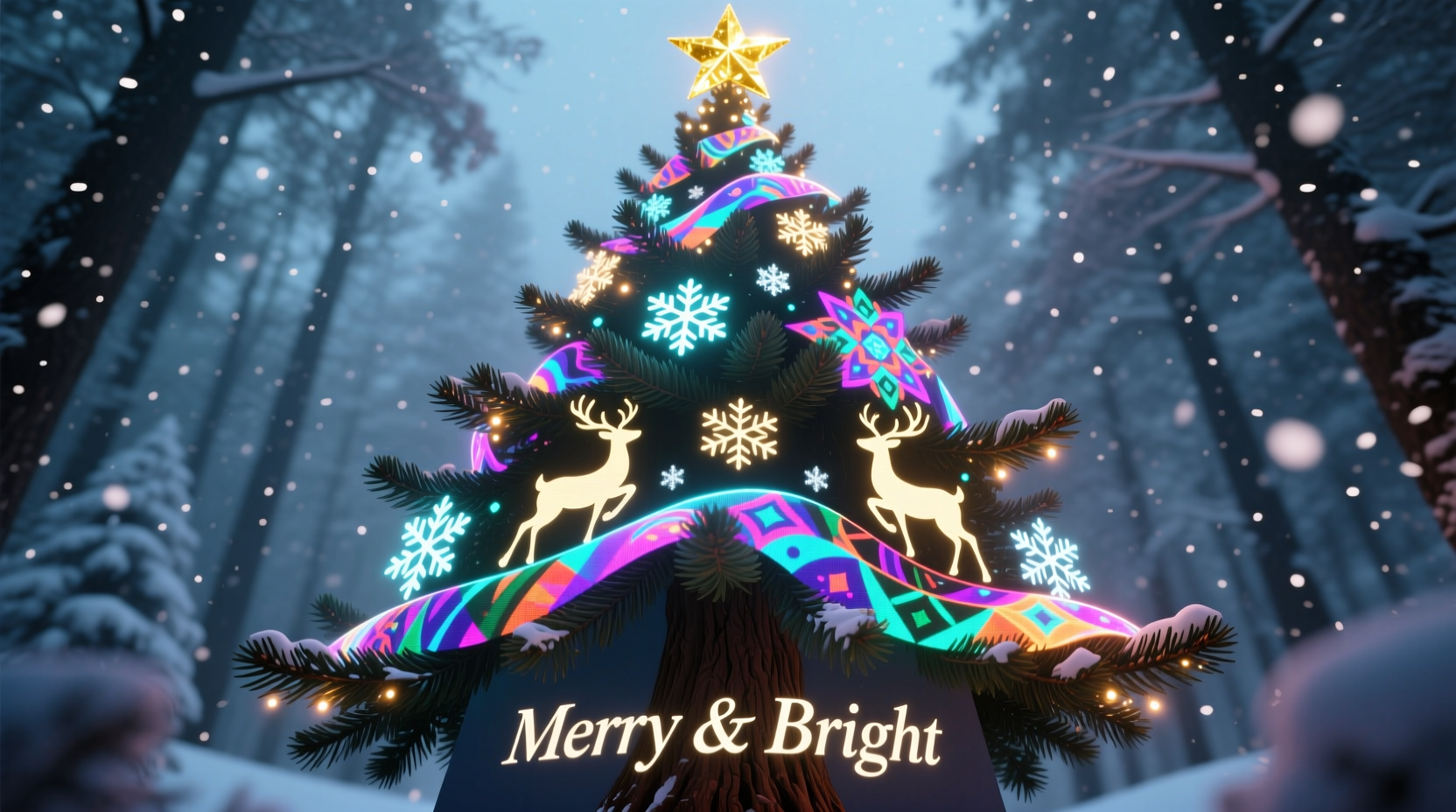
Projection mapping, also known as spatial augmented reality, involves projecting video or animation onto irregular surfaces so that the image conforms to the object’s geometry. In the case of a Christmas tree, this means adjusting the projected visuals to wrap around its conical structure, aligning effects with individual branches, and compensating for depth variations. The result is an immersive experience where digital art appears to grow from within the tree itself.
Unlike flat-screen projections, projection mapping requires warping and masking techniques to ensure the content fits seamlessly. This is achieved through specialized software that allows users to “map” virtual projectors to physical spaces. The process begins with capturing the spatial layout of the tree and its surroundings, followed by aligning digital layers to match real-world contours.
For a Christmas tree, the surface presents unique challenges: its three-dimensional taper, uneven branch density, and reflective ornaments can distort images if not accounted for. However, these same characteristics can be leveraged creatively—using gaps between branches for layered animations or reflecting light off metallic decorations to amplify visual impact.
Essential Equipment and Setup Requirements
To successfully implement projection mapping on a Christmas tree, you need a combination of hardware and software designed for spatial visualization. While high-end systems exist for commercial installations, affordable consumer-grade options now enable impressive results at home.
- Projector(s): A high-lumen projector (at least 3,000 lumens) is essential, especially if displaying in a dimly lit room rather than complete darkness. Short-throw or ultra-short-throw models are ideal because they minimize shadows and allow placement close to the tree. For larger trees, consider using multiple projectors blended together.
- Computer: A laptop or desktop with dedicated graphics processing power (NVIDIA or AMD GPU recommended) capable of running real-time rendering software. At least 16GB RAM ensures smooth playback of HD or 4K animations.
- Mapping Software: Programs like TouchDesigner, Resolume Arena, MadMapper, or HeavyM provide intuitive interfaces for warping, layering, and synchronizing visuals. Some offer pre-built templates for festive themes, including snowfall, fireflies, or animated reindeer.
- Tree Placement: Position the tree against a neutral-colored wall, away from reflective surfaces. Ensure there's enough clearance behind and to the sides for unobstructed projection angles.
- Cables & Power: HDMI or DisplayPort cables for video output, extension cords, and surge protectors to manage multiple devices safely.
Before powering up, conduct a site survey: measure the tree’s height and width, note ambient light sources, and identify optimal projector positions. Most successful setups place the projector slightly below or beside the tree, angled upward to cover the full silhouette without casting human shadows during interaction.
| Equipment | Recommended Specs | Avoid |
|---|---|---|
| Projector | 3,000+ lumens, short-throw lens | Low-brightness models, long-throw in small rooms |
| Computer | Dedicated GPU, 16GB+ RAM | Integrated graphics, older processors |
| Tree Type | Artificial, dark green, minimal shiny decor | Natural trees with glossy needles, heavy glitter |
| Software | MadMapper, TouchDesigner, or HeavyM | Basic slideshow tools like PowerPoint |
Step-by-Step Guide to Mapping Your Tree
Creating a compelling projection-mapped Christmas tree display follows a clear sequence of technical and creative steps. Follow this timeline to achieve professional-quality results.
- Prepare the Environment: Clear space around the tree. Turn off overhead lights and close curtains to reduce ambient brightness. Set up your projector on a stable surface or tripod, ensuring it’s level and aligned with the base of the tree.
- Launch Mapping Software: Open your chosen program and create a new project. Select the correct resolution matching your projector’s native output (e.g., 1920x1080).
- Project a Grid Pattern: Use the software’s calibration tool to project a grid over the tree. Observe how straight lines bend across branches and trunk. This reveals the distortion needed for accurate mapping.
- Create a Surface Mask: In the software, draw a polygon mesh that traces the outer edges of the tree. Add internal points to follow major branch divisions. This defines the “canvas” where your artwork will appear.
- Warp and Adjust: Manipulate control points until the grid conforms tightly to the tree’s shape. Fine-tune corners and curves until horizontal lines stay parallel and verticals remain upright across the surface.
- Import or Create Content: Load animations, generative art, or custom videos. Scale them to fit within the mapped area. Use layering to separate background textures (like glowing bark) from foreground effects (such as floating stars).
- Add Depth with Multiple Layers: Simulate 3D movement by assigning different Z-depth values to layers. For example, make snowflakes appear to fall behind certain branches while lights pulse forward.
- Test and Refine: Play back animations in real time. Walk around the space to check visibility from multiple angles. Adjust brightness, contrast, and timing based on feedback.
- Synchronize with Audio (Optional): Link visual cues to music using beat detection features. Time color shifts to coincide with chimes or crescendos in classic carols.
- Automate Playback: Once satisfied, export the show as a standalone sequence or schedule automatic start times using media player settings.
Creative Applications and Real-World Inspiration
Digital art on a mapped Christmas tree isn’t limited to festive colors and blinking lights. Artists and designers have used the medium for narrative storytelling, emotional expression, and interactive experiences.
In 2022, a community center in Portland installed a 15-foot artificial tree equipped with dual projectors and motion sensors. As visitors approached, the tree responded with rippling waves of color that mimicked breathing. During peak hours, pre-programmed sequences told the story of climate change through shifting seasons—starting with lush green growth, transitioning to autumn decay, then freezing into a stark white winter. The display sparked conversations about environmental awareness while maintaining a joyful holiday spirit.
“Projection mapping turns passive viewing into emotional engagement. When people see a tree ‘come alive,’ they don’t just watch—they remember.” — Lena Torres, Interactive Media Artist
This blend of art and technology opens doors for personal expression. Imagine a tree that replays family memories through animated photo collages, or one that changes themes each night—from underwater scenes to outer space journeys. Children can design their own digital ornaments using simple drawing apps, which are then projected onto specific branches.
For public installations, synchronized multi-tree mappings create large-scale light forests. By linking several mapped trees via networked software, creators produce cascading effects where animations flow from one tree to the next, simulating wind, fire, or migrating birds.
Common Challenges and How to Overcome Them
Even with careful planning, issues arise during implementation. Recognizing common pitfalls helps maintain momentum and avoid frustration.
- Uneven Brightness: Projectors often illuminate the lower third of the tree more intensely. Counteract this by reducing opacity in brighter zones or using gradient masks in software.
- Shadow Interference: People walking between the projector and tree cast disruptive shadows. Mitigate by positioning the projector to the side or elevating it slightly above head height.
- Color Washout: Highly reflective ornaments scatter light. Replace shiny balls with matte finishes or incorporate reflections into the design (e.g., treating glints as part of the animation).
- Software Lag: Complex compositions may stutter on underpowered systems. Pre-render sequences instead of relying on live generation when performance drops.
- Heat Buildup: Prolonged projector use generates heat. Ensure adequate ventilation and limit continuous operation to 4–6 hours unless the model supports extended runtime.
Checklist: Ready-to-Use Setup Guide
- ✅ Confirm projector is focused and positioned correctly
- ✅ Run a test pattern to verify alignment
- ✅ Calibrate mapping mesh to match tree outline
- ✅ Import final animations and sync timing
- ✅ Dim ambient lighting for maximum contrast
- ✅ Test audio sync (if applicable)
- ✅ Perform full run-through from audience viewpoint
- ✅ Schedule automatic start/stop times for convenience
Frequently Asked Questions
Can I use a natural Christmas tree for projection mapping?
Yes, but with limitations. Natural trees have irregular shapes and absorb light due to needle texture, resulting in softer, less defined images. They also shed needles, which can disrupt the surface consistency over time. An artificial tree offers greater stability, uniformity, and reusability across seasons.
Do I need coding skills to create mapped content?
No. While advanced tools like TouchDesigner support scripting for generative art, many platforms offer drag-and-drop interfaces and ready-made templates. Beginners can start with pre-animated holiday packs available online and customize colors or timing without writing code.
How much does a basic setup cost?
A functional home setup typically ranges from $600 to $1,500. This includes a mid-range short-throw projector ($400–$800), a capable laptop ($500+), and optional software licenses (some tools like HeavyM offer free versions with watermarking). Costs decrease if repurposing existing equipment.
Conclusion
Projection mapping on a Christmas tree bridges tradition and innovation, offering a fresh way to celebrate the holidays through digital art. It invites creativity not just in visual design but in how we connect with seasonal spaces—transforming a familiar symbol into a dynamic storyteller. Whether used for intimate family moments or public spectacles, the technique rewards attention to detail, technical patience, and artistic courage.
The barrier to entry has never been lower. With accessible software, growing online communities, and increasingly affordable hardware, anyone passionate about light, motion, and emotion can bring a tree to life in ways once reserved for large studios. Start small, experiment boldly, and let your imagination shape what the season can become.




 浙公网安备
33010002000092号
浙公网安备
33010002000092号 浙B2-20120091-4
Comments
No comments yet. Why don't you start the discussion?