
Gift-giving has long been about connection—not just the object exchanged, but the intention, memory, and emotion behind it. Yet traditional paper tags often fall short: they’re static, easily lost, and limited to a few handwritten lines. Enter QR code gift tags: unassuming squares that unlock rich, multimedia, deeply personal digital messages—voice notes, photo slideshows, video thank-yous, custom playlists, or even interactive scavenger hunts. When thoughtfully designed and deployed, they bridge the tactile joy of a wrapped present with the intimacy and flexibility of digital storytelling. This isn’t novelty for novelty’s sake. It’s a meaningful upgrade in how we express care, commemorate milestones, and sustain relationships beyond the moment of unwrapping.
Why QR Code Gift Tags Are More Than a Trend
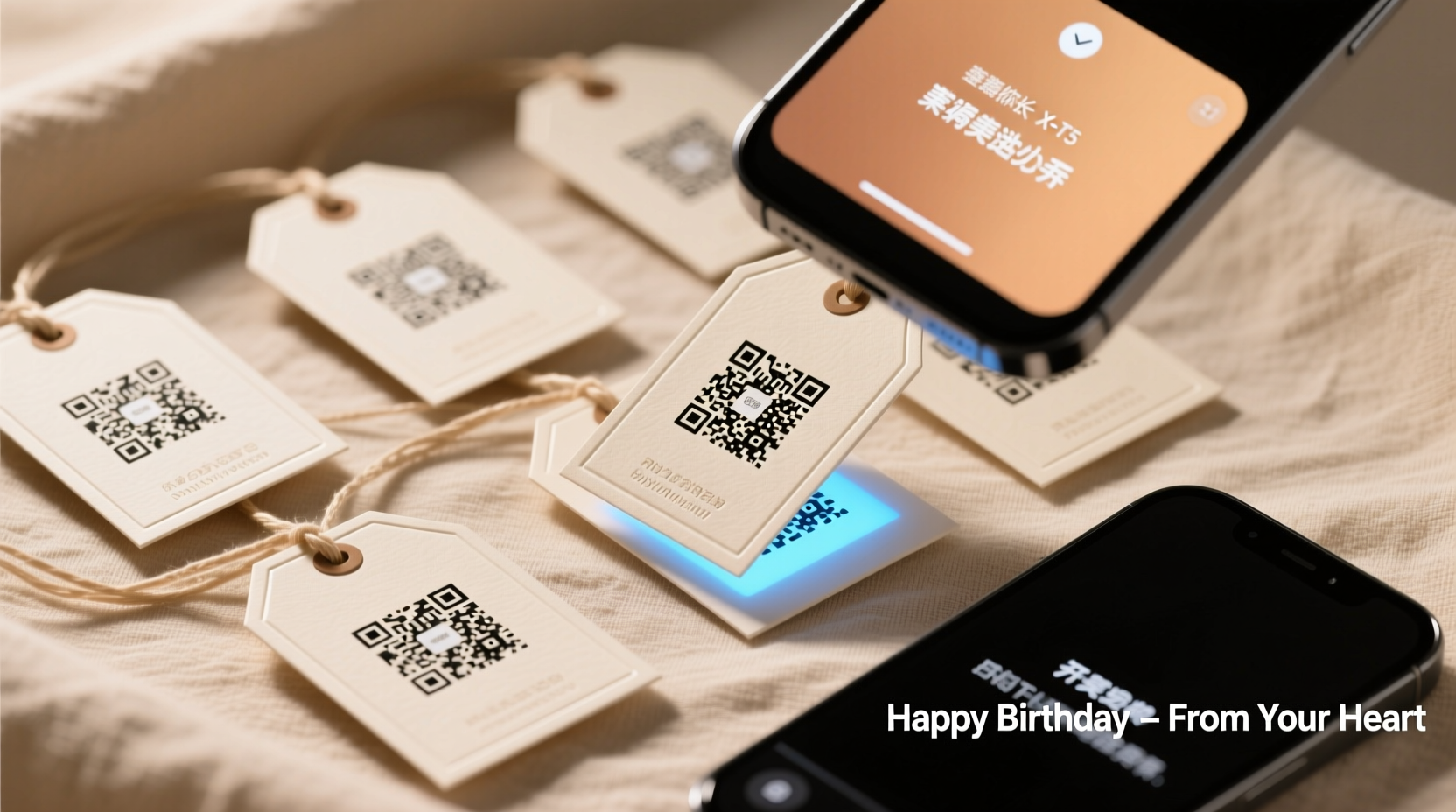
QR codes have evolved far beyond their early utilitarian roots in inventory tracking. Today’s generation is fast, reliable, and universally supported—even on older smartphones without dedicated apps. A 2023 Pew Research study found that 89% of U.S. adults own a smartphone capable of scanning QR codes instantly via native camera apps, eliminating friction for recipients of all ages. But what makes them uniquely powerful for gifting is their capacity to carry *contextual depth*. A birthday card might say “Happy Birthday!”—a QR tag can deliver a 90-second voice message recorded by a grandparent living across three time zones, layered over a slideshow of childhood photos, ending with a link to a shared Spotify playlist titled “Songs We Sang in the Car.” That level of emotional resonance isn’t possible with ink on paper.
The shift reflects deeper cultural changes: rising demand for experiential value over material accumulation, growing comfort with hybrid (physical + digital) interactions, and heightened appreciation for authenticity in communication. As Dr. Lena Torres, human-computer interaction researcher at MIT Media Lab, observes:
“People don’t reject physical gifts—they reject *disconnected* ones. A QR tag works because it doesn’t replace the gift; it deepens its meaning. The scan becomes a ritual—a deliberate pause before opening, where anticipation meets personalization.” — Dr. Lena Torres, Human-Computer Interaction Researcher, MIT Media Lab
Step-by-Step: Creating Your First Personalized QR Code Gift Tag
Setting up a functional, beautiful, and reliable QR code gift tag takes under ten minutes once you know the sequence. Follow this precise workflow to avoid common pitfalls like broken links, unreadable codes, or mismatched expectations.
- Define the message intent: Ask: Is this a thank-you? A memory capsule? An instruction (e.g., “Scan to reveal your next clue”)? Clarity here shapes everything that follows.
- Select your destination platform: Choose a service that supports your format and guarantees longevity. For voice messages, use Vocaroo or Anchor; for photo galleries, Google Photos (shared album with view-only link); for videos, YouTube Unlisted or Vimeo. Avoid platforms requiring logins or subscriptions—your recipient should land directly on content.
- Create & test the content first: Record your audio, upload your images, or edit your video *before* generating the QR code. Verify playback speed, volume, image clarity, and loading time on mobile.
- Generate the QR code: Use a reputable generator like QRCode Monkey or Unitag. Paste your final, tested URL. Select “Static QR” (not dynamic, unless you need analytics—and most gift contexts don’t). Set size to minimum 2×2 cm (0.8×0.8 in) when printed; add 4–5 mm quiet zone (blank margin) around edges.
- Design and print the tag: Embed the QR code in a clean, legible design—avoid busy backgrounds or low-contrast colors (e.g., light gray on white). Print on sturdy cardstock (250–300 gsm) or matte sticker paper. Laminate if attaching to fabric or outdoor gifts.
Creative Use Cases That Go Beyond “Scan for a Message”
Personalization thrives on specificity. Here are five real-world applications—each grounded in actual user behavior—that demonstrate how QR gift tags deepen connection across life stages and relationships:
- The “Time Capsule” Graduation Gift: A high school senior receives a leather journal tagged with a QR code. Scanning it opens a private webpage showing video messages from teachers, friends, and family—recorded over six months—plus a downloadable PDF of advice compiled from alumni. The page updates automatically as new contributions arrive, turning the gift into an evolving archive.
- The “Recipe Legacy” Kitchen Gift: A hand-thrown ceramic bowl arrives with a tag linking to a narrated cooking tutorial—Grandma’s voice guiding through her famous apple pie, filmed in her kitchen, with timestamps for key steps. Embedded beneath is a printable PDF recipe card with handwritten annotations (“Add cinnamon *after* the butter melts—trust me”).
- The “Adventure Starter” Birthday Present: A child receives a backpack tagged with a QR code that launches an animated map. Each location pin (e.g., “Backyard,” “Park Bench,” “Front Porch”) reveals a riddle, photo clue, or audio hint leading to the next physical gift—transforming a single present into a 45-minute discovery experience.
- The “Long-Distance Love Note” Anniversary Gift: A framed photo displays a couple’s first date spot. The QR tag links not to a generic message, but to a 3D audio recording—binaural sound captured at that exact location (birdsong, distant traffic), overlaid with whispered reflections from both partners, recorded separately and mixed into one seamless track.
- The “Career Milestone” Professional Gift: A new manager receives a sleek notebook. Its QR tag opens a microsite featuring congratulatory video clips from team members, a timeline of their career highlights (with internal project links), and a “Future Goals” form they can complete privately—triggering automated email reminders to revisit it quarterly.
What Works (and What Doesn’t): A Practical Comparison Table
| Element | Do | Don’t |
|---|---|---|
| Content Hosting | Use permanent, no-login-required platforms (Google Sites, Notion Public Pages, YouTube Unlisted) | Rely on social media posts (may vanish or require login), email attachments (blocked by many clients), or temporary file hosts |
| QR Design | Use high-contrast black-on-white codes; embed in minimalist tag designs with ample quiet zone | Overlay logos *inside* the QR pattern, use gradients or transparency, or shrink below 1.5 cm width |
| Message Length | Keep core content under 90 seconds (audio/video) or 3 scrollable screens (text/gallery) | Link to full-length documentaries, multi-page PDFs, or websites requiring navigation |
| Recipient Context | Include a tiny printed instruction: “Scan with your phone camera” — especially for ages 65+ | Assume universal QR literacy; omit any visual cue or text prompt |
| Privacy & Control | Set sharing permissions to “Anyone with the link” and disable comments/downloads if sensitive | Use public social posts or unsecured Google Docs; forget to revoke access after the event |
Mini Case Study: How a Small Wedding Stationer Doubled Client Retention
When Portland-based stationer Maya Chen launched “Echo Tags” — custom QR gift tags for wedding favors — she expected novelty interest. What surprised her was the behavioral shift among couples. One client, Sarah, ordered 120 tags for mini honey jars. Instead of generic “Thank You,” each tag linked to a 20-second audio clip of the couple sharing *why* that guest mattered: “Aisha, you drove us to the ER at 2 a.m. during finals week—we’ll never forget that kindness.” Guests didn’t just scan; they lingered. Many replayed clips. Several emailed Sarah saying, “I cried reading this. I felt truly seen.”
Within six months, 73% of Echo Tag users requested the same service for anniversaries or baby showers. Maya’s repeat client rate jumped from 22% to 68%. Her insight? “People don’t want ‘digital’ gifts. They want *undivided attention*, delivered in a way that feels intentional, not technical. The QR code is just the door. What’s behind it—the specificity, the warmth, the effort—that’s what transforms a transaction into a keepsake.”
Essential Checklist Before Attaching Your QR Tag
Run through this checklist to ensure your tag delivers on its promise—every time.
- ✅ Content is fully loaded, plays correctly, and requires zero sign-in or download
- ✅ QR code scans cleanly on iOS (Camera app), Android (Google Lens or default camera), and one older-model device
- ✅ Printed size is ≥2 cm × 2 cm with ≥4 mm blank margin (quiet zone)
- ✅ Background contrast passes WCAG 2.1 AA standard (minimum 4.5:1 ratio between code and background)
- ✅ A subtle, legible instruction is printed near the code: “Scan with your phone camera”
- ✅ Link permissions are set to “view only” and will remain active for ≥12 months
- ✅ You’ve saved the original content files and URL in a secure, labeled folder (“QR_Gift_Sarah_Birthday_2024”)
FAQ: Addressing Real Concerns
Can QR codes expire or stop working?
QR codes themselves don’t expire—they’re static patterns. What *can* break is the link they point to. If you host content on a free platform that shuts down, or change your password on a cloud service, the QR becomes useless. That’s why using stable, long-term hosting (like Google Sites or a simple GitHub Pages site) is essential. Never rely on ephemeral tools.
Is it safe to scan QR codes on gift tags?
Yes—if you generate and control the code yourself. Malicious QR codes exist, but they’re almost always found in public spaces (parking meters, flyers), not on personalized gifts from people you know. To reassure recipients, add a trusted brand element: “Created with [YourName]’s love” or “Powered by [YourWebsite]” beside the code. Transparency builds trust.
What if my recipient isn’t tech-savvy?
Two words: printed instructions. Include a tiny, elegant line beneath the QR: “Point your phone camera here → it opens automatically.” No jargon. No “download an app.” Test this with someone unfamiliar with QR codes—you’ll likely find they succeed on the first try. The barrier is lower than most assume.
Conclusion: Your Next Gift Is Already Waiting to Speak
A QR code gift tag is more than a clever trick. It’s a deliberate choice to invest time, thought, and emotional precision into how you show up for others. It says: “This person matters enough that I crafted something unique—not mass-produced, not generic, not rushed.” In a world of fleeting digital noise, these small, intentional bridges between physical presence and digital intimacy resonate with rare authenticity. You don’t need special equipment, coding skills, or a big budget. You need curiosity, a clear intention, and willingness to spend ten focused minutes building meaning into a square of ink.
Start small: choose one upcoming occasion—a friend’s promotion, your niece’s art show, your partner’s quiet Tuesday. Record one genuine sentence you wish they’d hear. Upload it. Generate the code. Print it. Attach it. Watch what happens when someone pauses, points their phone, and hears your voice—not as data, but as care made visible.




 浙公网安备
33010002000092号
浙公网安备
33010002000092号 浙B2-20120091-4
Comments
No comments yet. Why don't you start the discussion?