
Christmas lighting has evolved far beyond simple white or multicolored strings of bulbs. With the rise of smart lighting technology, homeowners and decorators now have unprecedented control over ambiance, color, and motion. Among the most powerful tools in this space are RGBW controllers—devices that manage red, green, blue, and white LEDs to create rich, nuanced lighting effects. When applied to holiday displays, these controllers unlock dynamic scenes that can shift from warm candlelight glows to icy winter wonderlands with a single command.
Unlike basic RGB systems, which often struggle to produce true white light, RGBW adds a dedicated white channel. This allows for brighter whites, softer ambient tones, and smoother transitions between colored and neutral lighting. For Christmas, this means you can blend festive red-and-green animations with warm white twinkles on your roofline or simulate the soft glow of snow under moonlight—all within the same setup.
Understanding RGBW vs. Traditional Lighting Systems
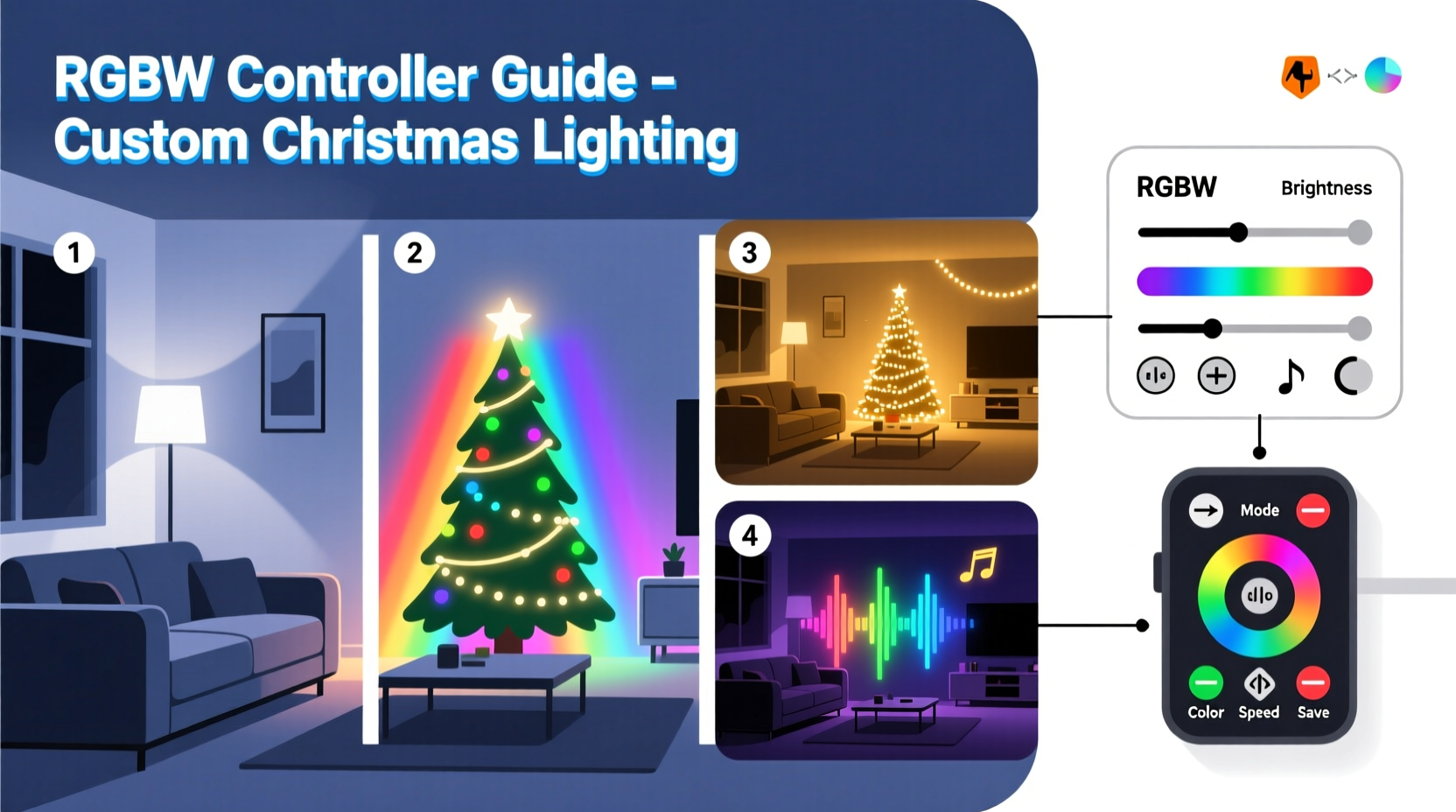
Before diving into scene creation, it’s essential to understand what sets RGBW apart from other lighting technologies. Most standard LED strips use either single-color LEDs or RGB (Red-Green-Blue) configurations. While RGB can mix millions of colors, its “white” is created by combining all three channels at full brightness. The result is often a cool, bluish, or slightly off-white tone that lacks the warmth or purity of natural white light.
RGBW solves this limitation by incorporating a fourth channel: pure white LEDs. These are typically available in warm white (2700K–3000K), cool white (6000K–6500K), or tunable white variants. This dedicated white channel ensures that when you want clean, bright illumination—such as simulating starlight or illuminating a nativity scene—you get exactly that, without relying on mixed color approximation.
| Feature | Standard RGB | RGBW |
|---|---|---|
| White Light Quality | Mixed, often cool or uneven | Pure, selectable temperature |
| Color Accuracy | Good | Excellent, especially near white |
| Brightness Control | Limited per channel | Independent white channel boost |
| Scene Flexibility | Moderate | High – seamless color-to-white transitions |
| Ideal For | Festive color washes | Layered scenes with ambient + color effects |
This distinction becomes critical during Christmas when lighting must serve both decorative and atmospheric roles. A classic red-and-green chase looks vibrant on the eaves, but the porch railing might need a steady warm white glow to guide guests safely. RGBW allows both to coexist on the same controller, synchronized or independent, depending on your design goals.
Setting Up Your RGBW Controller System
Deploying an effective RGBW lighting system involves more than just plugging in a strip. Proper setup ensures reliability, safety, and maximum creative control. Follow this sequence to establish a solid foundation:
- Select compatible hardware: Choose LED strips labeled “RGBW” and ensure your controller supports four independent channels. Popular options include the Ks0118, Shelly RGBW PM, or DIY platforms like ESP32 with WLED firmware.
- Plan your zones: Divide your display into functional areas—roofline, trees, windows, walkway. Each zone can be controlled separately for layered effects.
- Power considerations: RGBW strips consume more power than RGB. Use a power supply rated at least 20% above total strip requirements. Inject power at multiple points for long runs to avoid voltage drop.
- Install controllers: Mount waterproof controllers near each zone if using multiple units, or use a central hub with signal amplifiers for large setups.
- Connect wiring: Match the four signal wires (R, G, B, W) precisely. Reversed or crossed wires cause incorrect color output. Use solderless connectors for quick assembly and troubleshooting.
- Test before finalizing: Power up each zone individually. Verify that white appears clean and colors respond correctly to commands.
Designing Custom Christmas Lighting Scenes
The true power of RGBW lies in scene creation—transforming static lights into storytelling elements. A well-designed scene doesn’t just flash; it evokes emotion, guides attention, and enhances the seasonal atmosphere.
Start by defining the mood of each area. Is your front yard meant to feel cozy and welcoming? Then prioritize warm white base lighting with slow, gentle pulses in deep red and forest green. Is your rooftop display aiming for magical spectacle? Try a “snowfall” effect: white twinkles cascade downward while RGB colors shimmer in the background like auroras.
Use the white channel strategically. Instead of treating it as just another color, leverage it as an ambient foundation. For example:
- Set warm white at 30% brightness across all zones as a base layer.
- Overlay a slow RGB fade from gold to crimson on window frames.
- Add intermittent white flashes on the roof to mimic falling snow.
- Sync tree lights to pulse gently in rhythm with holiday music.
Advanced users can program sequences using software like xLights or Falcon Player, which support RGBW natively. These tools allow frame-by-frame timing, audio synchronization, and preview simulations—ideal for complex, choreographed shows.
“With RGBW, we’re no longer limited to ‘on’ or ‘color cycle.’ We can craft lighting that breathes, evolves, and tells a story—like a visual carol.” — Daniel Ruiz, Smart Lighting Designer & Holiday Display Consultant
Real-World Application: A Residential Holiday Upgrade
Consider the case of the Martinez family in Portland, Oregon. For years, they used traditional C9 bulbs in red and green along their roofline and white mini-lights on the trees. Their display was cheerful but static—typical of most neighborhood setups.
In 2023, they upgraded to an RGBW system using addressable LED strips controlled via WLED on an ESP32 microcontroller. They divided their home into four zones: roofline, front trees, porch columns, and driveway path.
Their signature scene, “Winter Carol,” begins at dusk:
- The porch columns glow in warm white at 40% brightness, creating a welcoming entry.
- The roofline cycles slowly through deep red and evergreen, holding each for five seconds.
- Every 30 seconds, a “starburst” effect triggers: all white LEDs flash brightly for half a second, then fade out like a shooting star.
- On weekends, they activate a music-sync mode where the entire display dances to classic carols streamed from a smartphone app.
The addition of the white channel allowed them to maintain visibility and safety while adding drama. Neighbors reported feeling “drawn in” by the display, and local news featured their home in a holiday spotlight segment. The upgrade cost under $300 and took two weekends to install—proof that professional-grade results are accessible to dedicated hobbyists.
Troubleshooting Common RGBW Challenges
Even well-planned installations encounter issues. Here are frequent problems and solutions:
- White appears dim or yellowish: Check if the white LEDs are warm white instead of daylight. Adjust expectations or replace strips if cool white is needed for snow effects.
- Colors bleed into white zones: Ensure the controller firmware properly isolates channels. Some budget controllers mix signals unless calibrated.
- Signal drop over long distances: Use signal repeaters or shift to RS-485 communication for runs over 10 meters.
- App connectivity fails: Reset Wi-Fi settings on the controller. Avoid placing metal objects near antennas, which can block signals.
- Flickering in one channel: Inspect for loose wiring or insufficient power. Add a capacitor (1000µF) near the controller to stabilize voltage.
Essential Checklist for a Successful RGBW Christmas Display
Follow this checklist to ensure a smooth, impressive installation:
- ☐ Confirm all LED strips are labeled RGBW (not RGB+WW or RGBWW unless intended)
- ☐ Calculate total power draw and select an appropriately sized power supply
- ☐ Plan physical layout and cable routes to minimize exposure to weather
- ☐ Flash and configure controllers before mounting outdoors
- ☐ Test all zones individually for correct color and white output
- ☐ Program at least three distinct scenes (e.g., ambient, festive, music-sync)
- ☐ Schedule on/off times using a smart plug or built-in timer
- ☐ Perform a full system check after the first week of operation
Frequently Asked Questions
Can I mix RGBW strips with regular RGB or single-color LEDs?
Technically, yes—but not on the same controller channel. Mixing types on one output will cause unpredictable behavior. Use separate zones or controllers for different LED types to maintain full control.
Do I need Wi-Fi for RGBW controllers?
No, but Wi-Fi enables remote control, scheduling, and integration with voice assistants like Alexa or Google Home. Offline systems work via IR remotes or manual buttons, though with less flexibility.
How do I achieve a “candlelight” effect with RGBW?
Set the white channel to warm white (2700K) at 10–20% brightness. Add slight, random fluctuations in red and green (±5%) to mimic flicker. Some controllers have a built-in “candle” mode; otherwise, use WLED’s “Flicker” effect with low decay.
Bringing Your Vision to Life
Using RGBW controllers for custom Christmas lighting scenes transforms decoration into artistry. No longer confined to fixed colors or rigid patterns, you gain the ability to shape light with precision and emotion. Whether you're crafting a serene nativity backdrop or a dazzling rooftop symphony, the dedicated white channel gives your designs depth, balance, and realism that basic RGB simply can’t match.
The technology is accessible, the components are affordable, and the impact is undeniable. With careful planning and creative experimentation, your home can become a beacon of holiday spirit—one pixel at a time.




 浙公网安备
33010002000092号
浙公网安备
33010002000092号 浙B2-20120091-4
Comments
No comments yet. Why don't you start the discussion?