
Managing holiday lighting across a large property used to mean juggling timers, extension cords, and multiple remotes—often resulting in inconsistent brightness, missed schedules, or lights left on all night. Today, smart home dashboards transform that chaos into coordinated, responsive, and deeply personal seasonal displays. Whether you’re illuminating a modest porch, a two-story façade, a backyard gazebo, and a front-yard sculpture garden—or managing commercial installations for a neighborhood HOA—the ability to group, schedule, and monitor light zones from a single interface is no longer a luxury. It’s operational intelligence for the holidays.
This isn’t about basic on/off toggles. It’s about granular control: dimming roofline LEDs to 30% at midnight while keeping pathway lights at full intensity until 1:00 a.m., triggering synchronized color shifts across three zones when guests arrive, or pausing all animations during a winter storm warning. The dashboard becomes your command center—not just for convenience, but for energy efficiency, safety, and storytelling through light.
Understanding Smart Light Zones and Dashboard Architecture
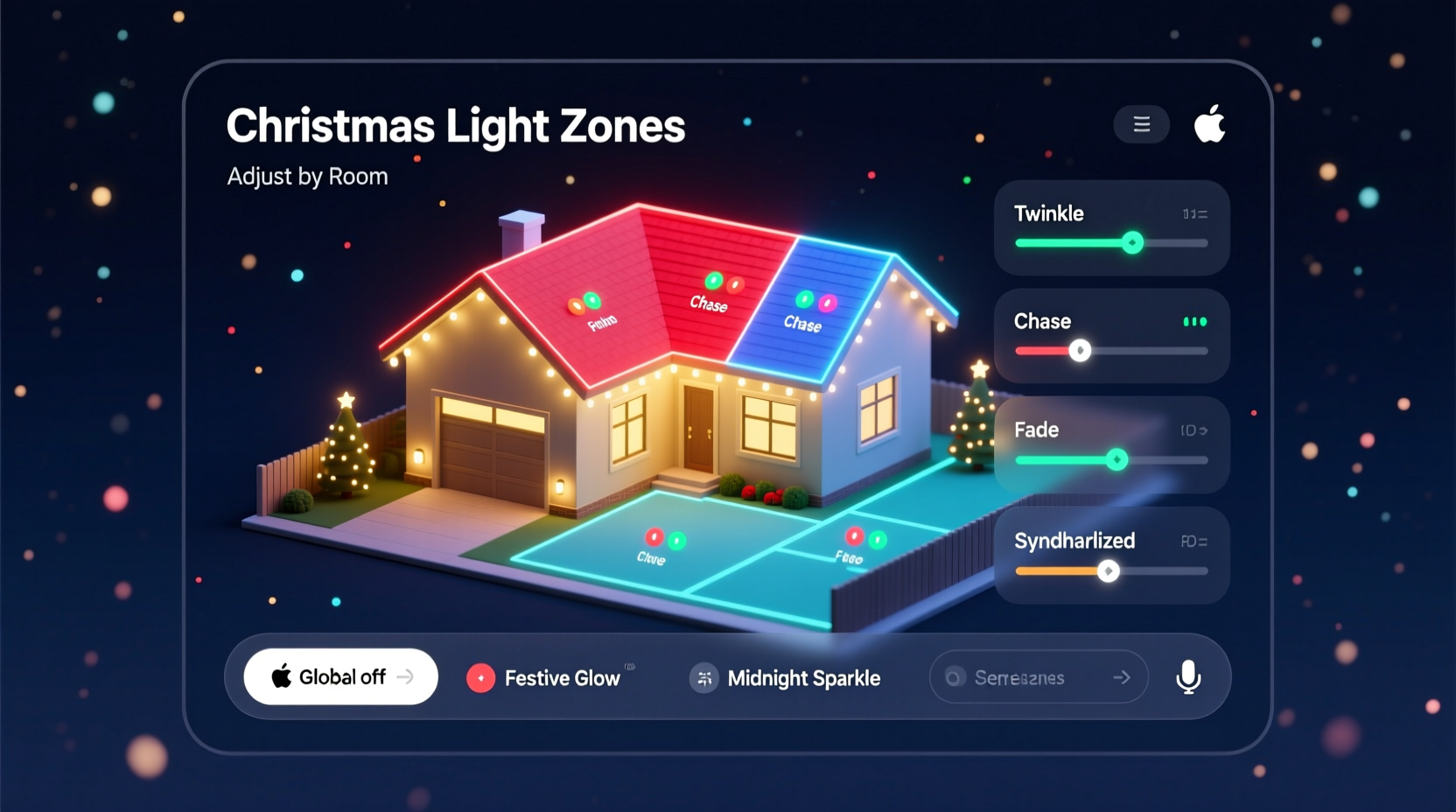
A “zone” in smart lighting isn’t arbitrary—it’s a logical grouping of devices (bulbs, strips, controllers) that share physical location, function, or aesthetic intent. A front-yard zone may include path lights and shrub-mounted spotlights; a roofline zone might combine LED rope lights and icicle strings; a tree zone could encompass both trunk-wrapped warm-white strands and branch-tip color-changing bulbs.
Smart home dashboards—whether native apps like Apple Home, Google Home, Samsung SmartThings, or third-party platforms like Home Assistant or Hubitat—act as orchestration layers. They don’t replace individual device firmware but unify communication protocols (Matter, Zigbee, Z-Wave, Thread, Wi-Fi) under one visual interface. This unification enables cross-brand interoperability, centralized automation, and persistent state tracking—critical when managing dozens of devices across varying power states and network conditions.
Crucially, dashboards separate *control logic* from *hardware execution*. For example, a “Winter Solstice Mode” automation may instruct Zone 1 (porch) to pulse amber at 2 Hz, Zone 2 (garage) to fade between cool white and soft blue, and Zone 3 (back patio) to remain static—all triggered by sunset time, not a fixed clock. The dashboard calculates timing, resolves conflicts, and logs execution history—something standalone smart plugs simply cannot do.
Step-by-Step: Building Your Multi-Zone Dashboard System
- Inventory & Map Your Physical Zones: Walk your property with a notebook. Label each distinct lighting area (e.g., “South Eave,” “North Staircase,” “Garden Arch”). Note power sources, existing wiring, and line-of-sight to your hub.
- Select Compatible Hardware: Prioritize Matter-over-Thread or Matter-over-Zigbee devices for future-proofing. Avoid mixing proprietary ecosystems unless using a robust bridge (e.g., Philips Hue Bridge for non-Matter Hue bulbs). Ensure all controllers support dimming, color control, and scheduling natively.
- Configure Devices Individually First: Pair each bulb, strip, or controller to your hub *before* grouping. Verify responsiveness, naming consistency (“Porch_Pendant_Left”), and correct firmware version.
- Create Logical Zones in Your Dashboard: In Apple Home, use “Rooms” and “Scenes”; in Home Assistant, define “Areas” and “Light Groups.” Assign devices by physical location—not by brand or purchase date. Rename zones descriptively (“Front_Roofline_Zone”) rather than generically (“Zone_1”).
- Build Layered Automations: Start with time-based triggers (sunset/sunrise), then add conditional logic (e.g., “If weather forecast shows >15 mph wind, disable all animated effects in exterior zones”). Test each automation independently before combining.
- Implement Monitoring & Alerts: Configure dashboard notifications for unexpected power loss, offline devices, or repeated failed commands. Use dashboard history graphs to identify patterns—e.g., if Zone 4 consistently drops at 9:47 p.m., it may indicate a circuit overload or Wi-Fi interference.
Optimizing Dashboards for Real-World Holiday Scenarios
Most guides stop at “create a scene.” But real homes face shifting priorities: a toddler who needs hallway lights on all night, a neighbor complaint about glare, or a sudden power outage during peak display hours. Effective dashboard design anticipates these variables.
Consider context-aware zoning. Instead of static groups, build dynamic zones that adapt to time, occupancy, or environment. For instance:
- A “Family Evening” mode dims all exterior zones to 40% brightness while keeping interior entryway lights at 100%, with motion-triggered path lighting activating only when someone walks toward the front door.
- A “Storm Watch” mode disables all animated sequences and reduces overall brightness by 60% to minimize strain on circuits and reduce light pollution during high winds or ice events.
- A “Guest Arrival” sequence uses door sensor + geofencing to trigger a 15-second cascade: porch lights brighten, roofline begins gentle amber pulse, and pathway lights illuminate sequentially—ending with a soft chime from a smart speaker.
This level of sophistication requires more than prebuilt scenes. It demands dashboard-level logic: conditional statements, variable thresholds, and multi-trigger rules. Platforms like Home Assistant excel here, allowing YAML-based automations that reference weather APIs, motion sensors, and even local utility pricing data to shift lighting profiles during peak-rate hours.
Comparison: Top Dashboard Platforms for Multi-Zone Light Management
| Platform | Zoning Flexibility | Automation Depth | Cross-Brand Support | Learning Curve |
|---|---|---|---|---|
| Apple Home | Moderate (Rooms/Scenes) | Basic (Time/Trigger only) | Good (Matter-certified devices) | Low |
| Google Home | Moderate (Routines/Zones) | Moderate (Voice + simple conditions) | Fair (Wi-Fi/Matter focus) | Low |
| Samsung SmartThings | High (Locations/Areas/Groups) | High (WebCore, custom triggers) | Very Good (Zigbee/Z-Wave/Matter) | Moderate |
| Home Assistant | Exceptional (Areas/Groups/Blueprints) | Exceptional (Python/YAML, API integrations) | Excellent (All major protocols) | High |
| Hubitat | High (Hubs/Zones/Scenes) | High (Rule Machine, local processing) | Very Good (Zigbee/Z-Wave native) | Moderate |
For most homeowners managing 5–15 zones, SmartThings or Hubitat strikes the best balance of power and usability. For technically inclined users or those managing 20+ zones—especially across mixed protocols—Home Assistant offers unmatched precision. Its open-source architecture allows custom dashboards with live power consumption charts per zone, historical brightness logs, and even predictive maintenance alerts (e.g., “Zone 7 bulb #3 has cycled 8,240 times—consider replacement before December 15”).
Mini Case Study: The Miller Residence – From Chaos to Coordinated Control
The Millers’ 1920s Colonial features four distinct lighting zones: a 60-foot roofline, a 12-foot front porch with pendant and sconces, a 30-foot driveway lined with solar-powered path lights (integrated via smart relay), and a 20-foot backyard cedar pergola wrapped in RGBWW string lights. Last year, they used five separate apps, three timers, and manual overrides—resulting in lights staying on until dawn twice and a burnt-out transformer after a rainstorm.
This season, they migrated to a Hubitat Elevation hub with Matter-compatible Govee and Nanoleaf devices. They rebuilt zones around function, not hardware: “Approach Zone” (driveway + porch), “Ambiance Zone” (roofline + pergola), and “Safety Zone” (path lights + entry sconces). Using Rule Machine, they created an automation that:
- Activates “Approach Mode” when their car’s Bluetooth signal is detected within 300 feet;
- Triggers “Ambiance Mode” at sunset, but only if outdoor temperature is above 15°F (preventing condensation-related failures);
- Auto-dims all zones by 50% between 11:00 p.m. and 5:00 a.m., unless motion is detected near the back door;
- Sends a dashboard alert if any zone remains active past 2:00 a.m. for more than three consecutive nights.
Result: 32% less energy usage versus last year, zero unplanned outages, and a cohesive display that neighbors now photograph for local news features.
“Dashboards aren’t just interfaces—they’re decision engines. When you treat lighting zones as programmable environments rather than decorative accessories, you unlock reliability, narrative control, and measurable sustainability.” — Dr. Lena Torres, Smart Environments Research Lead, MIT Media Lab
Common Pitfalls and How to Avoid Them
Even experienced smart home users stumble when scaling to multiple light zones. These recurring issues derail functionality—and often go unnoticed until December 23rd:
- Network Saturation: Too many Wi-Fi-only devices (especially older LED strips) flood your 2.4 GHz band. Solution: Use Zigbee or Thread for dense zones; assign critical zones to a dedicated mesh network.
- Inconsistent Naming Conventions: “Front_Light_1”, “Front_Light_One”, “Front_Light_01” break automation logic and make debugging impossible. Solution: Adopt a strict naming schema (e.g., “ZONE_FUNCTION_LOCATION_DEVICE”) and enforce it during setup.
- Ignoring Power Budgets: A single 12V 5A controller can handle ~60W—but 10 meters of RGBWW strip at full white draws ~48W, leaving little headroom for spikes. Solution: Calculate wattage per zone, add 20% buffer, and verify controller specs—not just “supports 300 LEDs.”
- Over-Automating Without Fallbacks: Relying solely on geofencing means no lights activate if phone battery dies. Solution: Always pair automated triggers with manual override switches (physical or dashboard buttons) and time-based backups.
FAQ
Can I mix different brands of smart lights in one dashboard zone?
Yes—if they support a common protocol like Matter, Zigbee, or Z-Wave. Matter-certified devices (regardless of brand) integrate seamlessly into Apple Home, Google Home, and Home Assistant. Non-Matter Wi-Fi lights (e.g., some older TP-Link Kasa models) may require cloud-dependent bridges and lack local control reliability. Prioritize Matter for cross-zone consistency.
How do I prevent one faulty bulb from disabling an entire zone?
Use controllers that support “individual addressing” (e.g., WS2812B strips with pixel-level control) instead of “dumb” constant-voltage strips where one dead LED breaks the whole chain. For plug-in bulbs, avoid daisy-chaining more than 3–4 per outlet circuit. In your dashboard, configure zone automations to ignore offline devices rather than fail entirely—most advanced platforms (Home Assistant, Hubitat) support this “graceful degradation” logic.
Do I need a smart hub if all my lights are Wi-Fi enabled?
You can start without one—but you’ll sacrifice reliability, speed, and local control. Wi-Fi lights compete for bandwidth, introduce cloud latency (causing lagged responses), and become inaccessible during internet outages. A dedicated hub (Zigbee/Z-Wave or Thread) provides sub-100ms response times, offline operation, and consistent mesh networking. For 5+ zones, a hub isn’t optional—it’s essential infrastructure.
Conclusion
Christmas light zones are no longer just decorative segments—they’re intelligent subsystems that reflect your home’s rhythm, values, and personality. A well-architected dashboard doesn’t just simplify control; it transforms seasonal lighting into a responsive, adaptive, and deeply intentional experience. You gain precise energy oversight, eliminate the stress of manual overrides, and create moments—like a slow, golden fade across the roofline as snow begins to fall—that resonate far beyond aesthetics.
Start small: map one zone, name devices precisely, and build one reliable automation. Then expand deliberately—adding weather logic, occupancy awareness, or sound-reactive elements—not because the tech allows it, but because it serves your vision. The most memorable displays aren’t the brightest or longest; they’re the ones that feel alive, attuned, and unmistakably yours.




 浙公网安备
33010002000092号
浙公网安备
33010002000092号 浙B2-20120091-4
Comments
No comments yet. Why don't you start the discussion?