
As the days grow shorter and winter sets in, the warm glow of Christmas lights brings comfort and cheer. But manually turning them on every evening is tedious—and easy to forget. With modern smart home technology, you can automate your holiday lighting so they switch on precisely at dusk, every day, without lifting a finger. This guide walks you through setting up a seamless routine using compatible devices, platforms, and environmental triggers.
Why Automate Holiday Lighting?
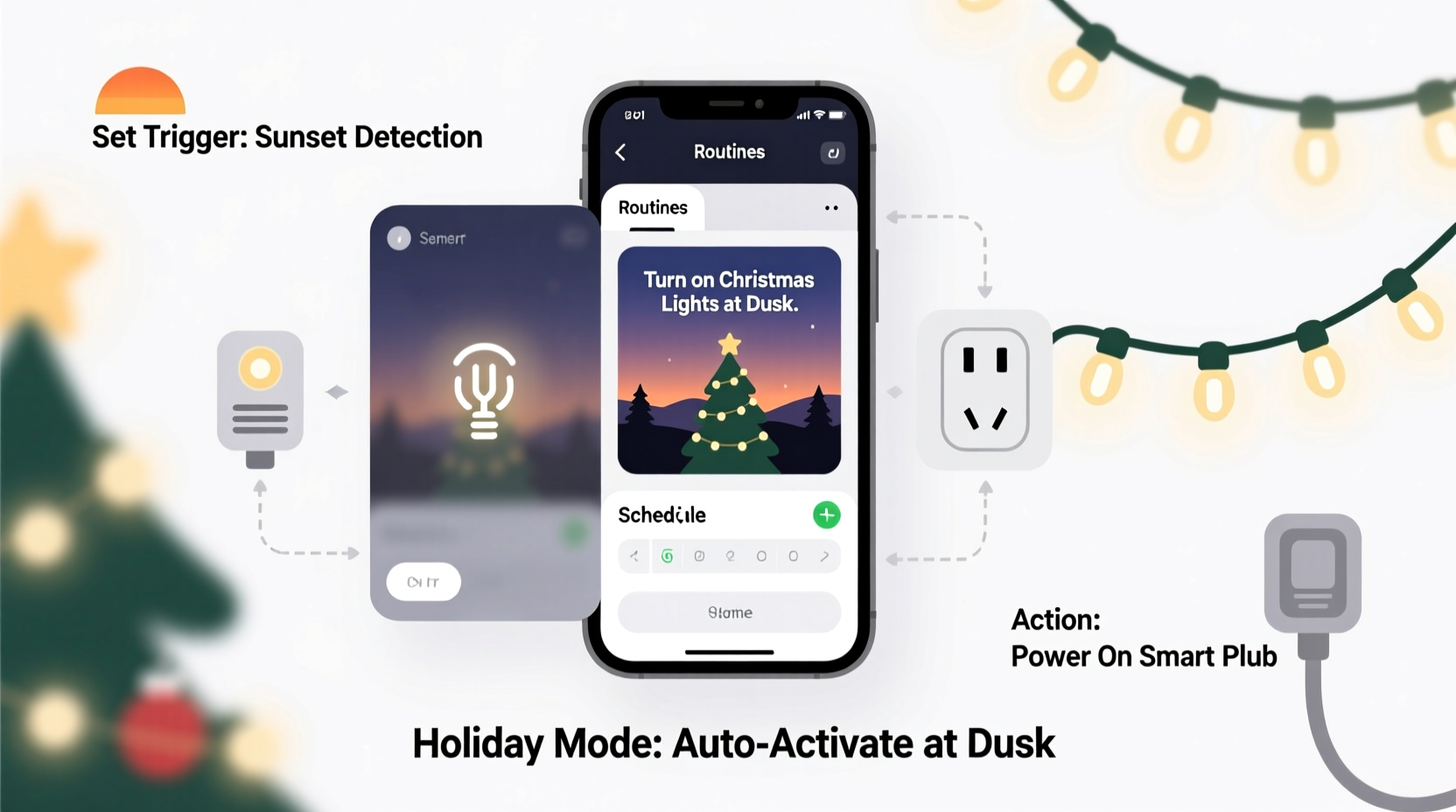
Automating your Christmas lights isn’t just about convenience—it enhances safety, energy efficiency, and ambiance. Lights that come on at dusk create an inviting atmosphere as soon as darkness falls, deterring intruders and illuminating walkways. More importantly, automation prevents accidental all-night operation, reducing electricity waste.
Smart lighting systems integrate with weather data, geolocation, or built-in light sensors to determine local sunset times daily. Unlike timers set to fixed hours, these systems adapt to seasonal changes, ensuring your lights activate at the correct moment year-round.
“Automation removes inconsistency. When holiday lights respond to actual ambient light levels, they feel more natural and engaging.” — Jordan Lee, Smart Home Integration Specialist
Step-by-Step: Setting Up a Dusk-Activated Routine
Creating a routine that turns on your Christmas lights at dusk requires three core components: compatible smart lights or plugs, a central hub or voice assistant platform (like Google Home, Amazon Alexa, or Apple HomeKit), and accurate location-based time or sensor input.
- Choose Your Smart Lighting Hardware
Select either smart string lights or a smart plug for traditional incandescent or LED sets. Popular brands include Philips Hue, LIFX, TP-Link Kasa, and Wemo. Ensure compatibility with your preferred ecosystem (e.g., Alexa, Google Assistant). - Install and Connect Devices
Plug in your lights or smart outlet, then follow the manufacturer’s app instructions to connect it to Wi-Fi and pair it with your smart home platform. - Enable Location Services
For accurate dusk detection, your smart home app must have access to your precise location. This allows it to calculate daily sunset times based on geographic coordinates. - Create a Time-Based or Sensor-Triggered Routine
In your smart home app, build a routine triggered by “Sunset” or “Dusk.” Most platforms offer this as a preset condition under automation rules. - Add Actions to the Routine
Set the action to “Turn On” your designated Christmas light device. You can also adjust brightness or color if using RGB-enabled smart lights. - Test the Routine
Schedule a test activation slightly before expected dusk or manually trigger the routine within the app to confirm functionality. - Set End Time (Optional)
Add a second routine to turn off the lights at a specific bedtime hour (e.g., 11 PM) or after a delay (e.g., 4 hours) to conserve energy.
Platform-Specific Setup Examples
Different ecosystems handle automation slightly differently. Below are concise setup paths for the most widely used platforms.
Amazon Alexa
In the Alexa app:
- Navigate to Routines > Create Routine.
- Tap When this happens and select Sunset.
- Under Add action, choose Smart Home > Turn On and select your Christmas light device.
- Save and test.
Google Home
In the Google Home app:
- Go to Automations > + Create Automation.
- Choose At Sunset as the trigger.
- Select Turn on device and pick your light or plug.
- Review and save.
Apple HomeKit
Using the native Home app on iOS:
- Tap the + icon in Automations.
- Select Time of Day and choose Sunset.
- Set the action to turn on your holiday lights.
- Enable “Allow Unauthenticated Changes” only if needed for guest access.
“Alexa’s sunset trigger has been spot-on for us since 2020. We haven’t touched the switch once during the holidays.” — Dana Ruiz, homeowner in Portland, OR
Advanced Options: Light Sensors and Weather Adaptation
While sunset-based routines work well in most areas, cloudy or stormy evenings may cause premature darkness. To refine timing further, consider integrating ambient light sensors.
Certain smart hubs like Samsung SmartThings or Hubitat support Z-Wave or Zigbee light sensors. Place one outdoors in an unshaded area, and configure a custom rule: “If ambient light drops below 10 lux AND it’s after 4 PM, turn on Christmas lights.” This ensures activation only when it’s genuinely dark, not just overcast early in the afternoon.
You can also layer conditions:
- Only run between December 1–31
- Disable during power-saving modes
- Pause if severe weather alerts are issued
Checklist: Launch Your Dusk Lighting Routine
Before the holiday season begins, verify each step below:
- ✅ Confirm all Christmas lights are functional and properly plugged into smart outlets
- ✅ Update firmware on smart devices and hub
- ✅ Verify location settings in your smart home app are accurate
- ✅ Test internet connectivity near outdoor installations
- ✅ Name your lighting device clearly (e.g., “Front Yard Lights”) for easy identification
- ✅ Create both “on at dusk” and “off at bedtime” automations
- ✅ Share automation access with household members via the app
- ✅ Perform a dry run one week before decorating
Do’s and Don’ts of Automated Holiday Lighting
| Do | Don’t |
|---|---|
| Use weather-resistant smart plugs rated for outdoor use | Plug high-wattage incandescent sets into low-amp smart outlets |
| Label circuits or plugs to avoid confusion | Rely solely on manual control during busy holiday weeks |
| Schedule weekly self-tests during the season | Forget to update location if traveling with mobile hub |
| Group indoor and outdoor zones separately for granular control | Overload a single circuit with too many strings |
| Use naming conventions like “Xmas-Porch-Lights” for clarity | Skip surge protection for outdoor setups |
Real Example: The Miller Family’s Hands-Free Holiday Display
The Millers in Ann Arbor, Michigan, manage a large front-yard display featuring reindeer figures, roofline lights, and a lit tree. In past years, someone had to remember to flip the switch around 5 PM—but with evening commutes and kids’ activities, lights often stayed off until late.
Last November, they upgraded to two TP-Link Kasa KP400 outdoor smart plugs and linked them to Google Home. They created an automation titled “Holiday Mode” triggered at sunset, which turns on both plugs simultaneously. A second routine shuts everything down at 10:30 PM.
They also added a voice command shortcut: “Hey Google, start Holiday Mode,” useful during dinner parties or impromptu gatherings. Since implementation, their display has operated flawlessly for 47 consecutive days, drawing compliments from neighbors and passersby.
No maintenance calls, no forgotten switches—just reliable, festive lighting powered by smart automation.
Frequently Asked Questions
Will my lights turn on at the same time every day?
No—and that’s intentional. Sunset times shift daily, especially in winter. A smart routine adjusts automatically, turning on earlier in December than in November. Fixed timers would require monthly manual updates; automated systems do it seamlessly.
What if I lose Wi-Fi or power?
If power goes out briefly, most smart plugs will restore their last state when electricity returns. However, prolonged outages may disrupt schedules. For critical reliability, use a UPS (uninterruptible power supply) for your router and hub. Some advanced systems support local execution (not cloud-dependent), which maintains routines even during internet downtime.
Can I use motion sensors instead of dusk triggers?
You can, but it’s not ideal for decorative lighting. Motion sensors are better suited for security or pathway illumination. Christmas lights are meant to be seen continuously at night. Using motion activation might make your display appear inconsistent or broken. Stick with dusk-based triggers for full visibility.
Maximizing Reliability and Efficiency
To ensure your automated lighting performs consistently throughout the season, consider these optimizations:
- Use LED Lights: They consume up to 80% less energy than traditional bulbs and generate minimal heat, making them safer for extended use.
- Enable Local Execution: On compatible devices (e.g., Matter-enabled or Thread-supported), routines run locally instead of relying on the cloud. This reduces latency and improves uptime during internet disruptions.
- Monitor Energy Usage: Many smart plugs provide real-time wattage tracking. Check periodically to catch faulty strings drawing excess current.
- Schedule Off-Peak Testing: Run diagnostics mid-morning when lights won’t disturb neighbors or attract unnecessary attention.
- Prepare for January 1: Program a final routine to disable all holiday automations after New Year’s Eve to prevent accidental reactivation.
Conclusion: Let Technology Handle the Holidays
There’s magic in tradition—but there’s peace in automation. By setting up a simple routine to turn on your Christmas lights at dusk, you reclaim time, reduce stress, and elevate your holiday experience. Whether you’re hosting guests, wrapping gifts, or simply enjoying quiet moments indoors, knowing your lights are shining brightly outside adds warmth to the season.
The tools are accessible, the setup takes less than 20 minutes, and the payoff lasts all month. From basic smart plugs to integrated multi-zone displays, today’s technology makes festive lighting effortless and intelligent.




 浙公网安备
33010002000092号
浙公网安备
33010002000092号 浙B2-20120091-4
Comments
No comments yet. Why don't you start the discussion?