
As holiday traditions evolve, many homeowners are embracing smart home technology to enhance seasonal decor with safety, efficiency, and creativity. One of the most enchanting effects you can achieve is simulating the warm flicker of a fireplace beneath your Christmas tree—without an actual fire. Using smart LED lights, you can create a dynamic, flame-like glow that dances across ornaments, tinsel, and presents, evoking nostalgia and warmth. This guide walks through the technical setup, lighting strategies, and creative techniques to bring this cozy illusion to life.
Why Simulate a Fireplace Glow?
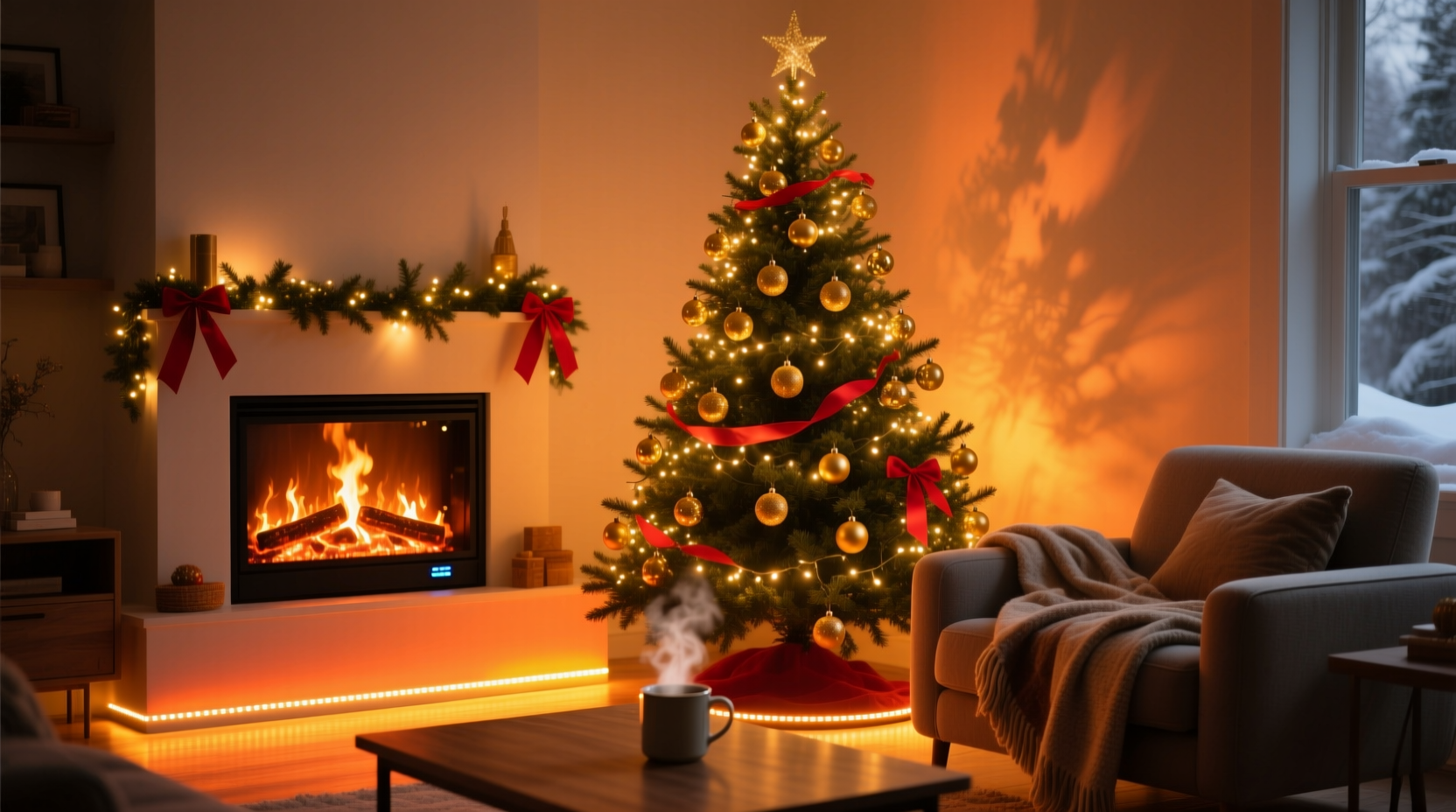
The flickering light of a fireplace has long been associated with comfort, intimacy, and celebration during winter months. Under a Christmas tree, that gentle dance of amber and orange shadows adds depth and movement, transforming static decorations into a living scene. However, not every home has a working fireplace, and open flames near a dry tree pose a serious safety risk. Smart lighting offers a compelling alternative: customizable, energy-efficient, and completely safe.
Smart bulbs and strips allow precise control over color temperature, brightness, and motion patterns. With the right configuration, they can replicate the irregular pulsing of real flames—something traditional white or warm-white string lights cannot do. The result is a mesmerizing effect that enhances photos, sets the mood for gatherings, and delights children and guests alike.
Selecting the Right Smart Lighting Equipment
Not all smart lights are created equal when it comes to mimicking natural flame effects. To achieve a convincing glow, prioritize devices with full RGB color support, adjustable white temperatures, and high refresh rates to avoid visible flickering or lag in transitions.
The following types of smart lights work best for this application:
- RGBW LED Strip Lights: Flexible, adhesive-backed strips that can be tucked around the base of the tree stand or along the floor beneath skirts. Look for models with dedicated white LEDs for smoother blending.
- Smart Bulbs (E26/E27): Can be installed in faux lanterns or decorative bases hidden under the tree. Ideal if you want to project upward-facing light.
- Smart Plug + Flame Effect Light: For those who prefer plug-and-play solutions, pair a smart plug with a commercial \"flame bulb\" or flicker tube placed out of sight.
Top brands offering reliable performance include Philips Hue, LIFX, Nanoleaf, Govee, and TP-Link Kasa. While budget options exist, ensure firmware updates and app stability—glitches during holiday events can break immersion.
“Lighting design isn’t just about brightness—it’s about behavior. Real flames don’t pulse evenly. They stutter, flare, and fade unpredictably. That’s what makes them feel alive.” — Marcus Tran, Lighting Designer & Smart Home Consultant
Step-by-Step Guide: Creating the Fire Effect
Follow this sequence to set up a realistic fireplace simulation under your Christmas tree using smart lighting.
- Plan the Layout: Decide where to place the lights. Most effective locations include:
- Under the tree skirt, running in a circle around the trunk base
- Inside a low decorative box or faux hearth positioned beneath the tree
- Along the floor behind draped fabric to diffuse the source
- Install the Lights: Secure LED strips with clips or double-sided tape. Ensure wires are concealed and power supplies accessible. Avoid sharp bends that could damage circuitry.
- Connect and Sync: Power on the lights and connect them to your chosen app (e.g., Hue, Govee, or Google Home). Assign the device to a room like “Living Room – Tree Base” for easy identification.
- Choose the Color Palette: Set the base color to a deep amber (#FFBF00) with occasional shifts to soft orange (#FF8C00) and dimmed red (#8B0000). Keep white levels low to maintain warmth.
- Adjust Brightness Dynamics: Set initial brightness between 30%–50%. Higher levels may overpower the space; too low won’t cast visible shadows.
- Enable Flicker or Animation Mode: Use built-in effects like “Candlelight,” “Fireplace,” or “Flicker” if available. If not, manually program a scene with randomized brightness pulses between 20% and 60% every 2–5 seconds.
- Test and Refine: Observe the effect from multiple angles—especially from seating level. Adjust placement or diffusion materials (like tissue paper or frosted plastic) to soften harsh spots.
- Schedule Automation: Program the lights to activate at dusk and deactivate after bedtime using geofencing or time-based routines.
Enhancing Realism with Layered Techniques
A single light source rarely convinces the eye. To deepen the illusion, layer multiple elements that mimic how real fire interacts with its environment.
Use Diffusion Materials
Direct LED exposure breaks the illusion. Place a translucent barrier—such as white fabric, frosted acrylic, or even parchment paper—between the lights and open view. This scatters the light and softens edges, much like smoke or heat haze.
Incorporate Shadow Play
Position small reflective or metallic objects (ornaments, gift tags, foil-wrapped boxes) near the light source so they catch and reflect shifting glimmers. As the simulated flames pulse, these reflections will move subtly across walls and ceilings.
Add Synchronized Audio (Optional)
For immersive experiences, pair the lighting with a subtle audio loop of crackling fire via a nearby smart speaker. Use routines in Alexa or Google Assistant to trigger both simultaneously. Just keep volume low—background ambiance, not distraction.
Leverage Third-Party Apps
Advanced users can employ platforms like Home Assistant or Node-RED to generate pseudo-random flicker patterns that more closely resemble organic flame behavior than preset modes. These systems can vary intensity, color shift timing, and even simulate occasional “pops” with brief brightness spikes.
| Technique | Effect | Difficulty |
|---|---|---|
| Basic preset “Fireplace” mode | Good starting point, but repetitive | Beginner |
| Dual-zone lighting (steady + flicker) | More depth and dimension | Intermediate |
| Diffused light through fabric | Softer, more natural spread | Beginner |
| Randomized flicker via Home Assistant | Near-indistinguishable from real fire | Advanced |
Mini Case Study: The Urban Apartment Holiday Setup
Jamila R., a graphic designer in Chicago, lives in a modern high-rise apartment with no fireplace and strict fire codes prohibiting candles near trees. Determined to recreate the cozy atmosphere of her childhood Christmases, she used a 2-meter Govee Wi-Fi LED strip to line the inner edge of a wooden crate repurposed as a tree base.
She programmed the strip using the Govee app’s “Flame” effect, then layered a sheer ivory table runner over the front half to diffuse the light. A second Nanoleaf panel behind the tree was set to a slow-pulsing orange, adding indirect wall glow. Finally, she added a Google Nest Mini playing a faint fire crackle track on a loop during evening hours.
Guests consistently commented on the “realistic warmth” of the display. “I kept expecting to feel heat,” one friend said. Jamila now uses the same setup annually, adjusting colors slightly each year for variety.
Checklist: Setting Up Your Smart Fireplace Glow
- ☐ Choose smart lights with RGB and brightness control
- ☐ Plan placement under or around the tree base
- ☐ Install lights securely and hide wiring
- ☐ Connect to your smart home ecosystem
- ☐ Select warm amber/orange color tones
- ☐ Enable flicker or candlelight animation
- ☐ Diffuse light with fabric or translucent material
- ☐ Test from seated viewpoints
- ☐ Schedule daily activation (dusk to bedtime)
- ☐ Optional: Add ambient fire sounds
Frequently Asked Questions
Can I use battery-powered smart lights for this?
Yes, but with caveats. Battery-powered strips offer flexibility in placement but may dim over time or require frequent recharging. For a multi-week holiday display, plug-in models are more reliable. If using batteries, opt for high-capacity lithium packs and monitor performance weekly.
Will this work with any smart home system?
Most major platforms support basic color and brightness control, but advanced flicker effects depend on the manufacturer. Philips Hue works seamlessly with Apple HomeKit, Google Home, and Alexa. Budget brands may only support their own apps, limiting automation options. Always verify compatibility before purchasing.
Is it safe to leave the lights on overnight?
Yes—LEDs produce minimal heat, and smart systems automatically shut off if overheating occurs. Still, follow manufacturer guidelines and avoid covering lights with flammable materials. For peace of mind, schedule the effect to turn off after midnight unless needed for early risers or security purposes.
Final Thoughts and Call to Action
Mimicking a fireplace glow under your Christmas tree isn’t just a clever tech trick—it’s a way to blend tradition with innovation. By harnessing smart lighting, you preserve the emotional resonance of flickering firelight while prioritizing safety and convenience. Whether you’re in a historic home, a compact studio, or a fire-prone region, this technique brings seasonal magic within reach.
The tools are accessible, the process is repeatable, and the impact is profound. This holiday season, go beyond static strings of white lights. Experiment with movement, warmth, and shadow. Tweak the settings until it feels just right. And when someone asks, “Is that a real fire?”—smile, knowing you’ve mastered the art of digital hearthcraft.




 浙公网安备
33010002000092号
浙公网安备
33010002000092号 浙B2-20120091-4
Comments
No comments yet. Why don't you start the discussion?