
As holiday traditions evolve, many are turning to technology to recreate the warmth and charm of classic winter scenes—especially the flickering glow of a fireplace beneath a decorated Christmas tree. For those without a real fireplace or even an open outlet near one, smart lighting offers a safe, customizable, and surprisingly lifelike alternative. With precise color control, dynamic effects, and scheduling capabilities, modern smart bulbs can mimic the dancing flames and ambient radiance of a crackling fire, all from beneath your tree.
This isn’t just about convenience—it’s about atmosphere. The soft, undulating light of a simulated fire adds emotional depth to your holiday decor, evoking nostalgia and comfort. When done right, it’s nearly indistinguishable from the real thing. Here’s how to harness the power of smart lighting to create that cozy hearth-like ambiance under your tree.
Selecting the Right Smart Lighting System
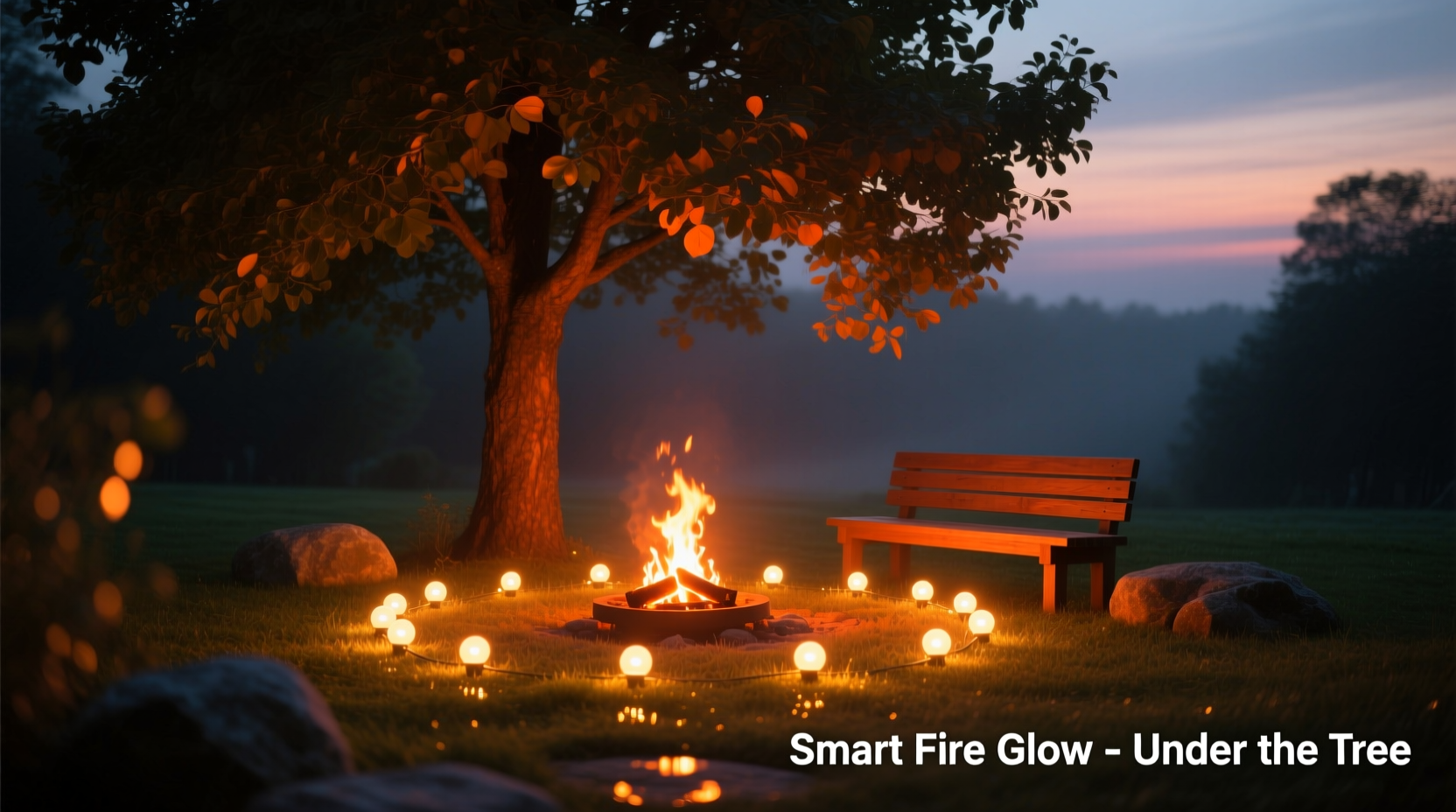
Not all smart lights are created equal when it comes to mimicking flame effects. To achieve a convincing simulation, you need bulbs or strips capable of nuanced color shifts, brightness modulation, and dynamic movement. Look for devices that support:
- RGBW or RGBWW color models – These include white diodes alongside red, green, and blue, allowing for warmer tones and smoother transitions.
- Adjustable color temperature – Ideally ranging from 2200K (candlelight warmth) to 6500K (daylight).
- Dynamic lighting modes – Features like “flicker,” “candlelight,” or “fireplace” presets enhance realism.
- App-based control and automation – Enables fine-tuning and scheduled activation.
Popular options include Philips Hue, LIFX Z Strips, Nanoleaf Shapes, and Govee LED strips. While standalone bulbs work well inside faux logs or behind translucent ornaments, flexible LED strips offer more coverage and directional control when placed along the base of the tree stand.
Strategic Placement for Maximum Realism
The illusion hinges on placement. A poorly positioned light source breaks immersion. Your goal is to simulate upward-radiating heat and intermittent flickers rising from below, not a flat wash of color across the floor.
Begin by identifying a concealed zone under the tree skirt where lights won’t be directly visible but can reflect off nearby surfaces. Wrap LED strips in a loose coil around a non-flammable base—such as a ceramic planter, metal tray, or insulated box—to diffuse the source and suggest volume, like embers in a hearth.
Angle upward-facing segments slightly so the light grazes the underside of lower branches. This creates dappled shadows that resemble flame movement through logs. Avoid pointing lights straight up; instead, use indirect bounce lighting off walls or furniture to amplify depth.
“Light behaves like water—it flows, pools, and reflects. To mimic fire, you must guide it like a stream, not blast it like a hose.” — Daniel Reyes, Lighting Designer & Architectural Consultant
Step-by-Step Setup Guide
- Clear the area under the tree skirt and inspect for cords or obstructions.
- Choose a concealment base—a low-profile, heat-resistant object to wrap or mount lights on.
- Attach LED strip or position bulbs facing outward and slightly upward, avoiding direct line-of-sight.
- Route power safely, using cord covers if crossing walkways.
- Connect to hub or Wi-Fi and confirm device recognition in the app.
- Test default fireplace modes and observe shadow behavior on surrounding walls.
- Adjust angle or diffusion if light appears too harsh or static.
Programming the Perfect Flame Effect
A convincing fireplace isn’t just orange—it’s a living gradient of amber, deep red, faint yellow, and pulsing darkness. Static colors fail this test. Instead, leverage programmable effects to replicate natural unpredictability.
In your smart lighting app, look for built-in scenes labeled “Fireplace,” “Candle Flicker,” or “Romance.” If unavailable, manually program a custom scene using these parameters:
- Base color: 2200K–2700K (warm white)
- Accent hues: Intermittent pulses of #CC5500 (rust orange) and #8B0000 (dark red)
- Brightness: Oscillate between 30% and 70% in irregular patterns
- Transition speed: Fast flickers (0.3s) mixed with slow surges (2–3s)
Some platforms, like Philips Hue, allow advanced scripting via third-party apps such as Hue Sync or Home Assistant. These let you randomize intervals and intensities, eliminating robotic repetition. For example, set one zone to pulse slowly like glowing coals while another flashes briefly like a popping ember.
| Feature | Recommended Setting | Avoid |
|---|---|---|
| Color Temperature | 2200K–2700K | Cool whites above 3000K |
| Brightness Level | 30%–70% | Full brightness or constant dimness |
| Flicker Speed | Mixed fast/slow pulses | Uniform strobing |
| Automation Trigger | Sunset + motion sensor (optional) | No scheduling |
Enhancing Ambiance with Layered Effects
To elevate the illusion beyond mere lighting, integrate complementary elements that engage multiple senses. Fire isn’t just seen—it’s felt in the silence it creates, the stillness it inspires.
Pair your smart lights with a Bluetooth speaker playing low-volume fireplace audio: gentle crackles, occasional pops, and distant wind. Sync volume peaks loosely with light surges for subconscious cohesion. Many streaming services offer timed “crackling fire” playlists lasting 1–8 hours.
Consider adding a faint scent diffuser nearby with notes of birch, smoke, or vanilla. Scent memory is powerful—when paired with visual cues, it reinforces the mental image of sitting by a real fire.
For homes with voice assistants, create a scene trigger: “Hey Google, start the fireside mood.” This activates lights, sound, and potentially thermostat adjustments (warming the room slightly) for full sensory immersion.
Mini Case Study: The Urban Apartment Hearth
Jamie lives in a high-rise studio apartment with no fireplace, gas line, or mantle space. Determined to bring seasonal warmth into her home, she used a 2-meter Govee LED strip wrapped around a black metal cake stand hidden beneath her three-foot artificial tree.
She programmed a custom scene in the Govee app using randomized red-orange pulses between 25% and 65% brightness, cycling every 1.5 to 4 seconds. She enabled sunset activation and linked it to her Google Nest for voice control.
After placing a small fabric-covered speaker behind the couch playing a looping “wood stove” audio track at 15% volume, guests consistently remarked, “I love your fireplace!”—only realizing the truth when they knelt to examine the base.
“It’s not about tricking people,” Jamie said. “It’s about creating a feeling. That little glow makes December feel sacred again.”
Troubleshooting Common Issues
Even well-planned setups encounter hiccups. Recognizing and correcting them ensures long-term enjoyment.
- Problem: Light appears too uniform or digital.
Solution: Introduce physical diffusion—drape a sheer gold or amber fabric loosely over part of the source to scatter light unevenly. - Problem: App presets feel repetitive.
Solution: Use third-party automation tools like IFTTT or Home Assistant to randomize delays and hues. - Problem: Overheating concerns with enclosed setups.
Solution: Ensure adequate airflow and use low-voltage LED strips rated for indoor use. Never cover active electronics completely.
Smart Lighting Safety Best Practices
Safety is paramount, especially during extended holiday use. While LED systems run cooler than incandescent bulbs, improper installation can still pose risks.
- Use only UL-listed or ETL-certified devices.
- Never place wiring under rugs or furniture where heat can build.
- Unplug or disable lights when leaving home for more than four hours.
- Check connections weekly for fraying or overheating signs.
- Keep away from flammable materials like dry pine needles, paper decorations, or alcohol-based sprays.
FAQ
Can I use battery-powered smart lights for this?
Yes, but with caveats. Battery strips offer portability and eliminate tripping hazards, but they lack sustained brightness and may require frequent recharging. For continuous all-night effects, plug-in models are more reliable.
Do I need a smart hub?
Not always. Many modern LED strips connect directly via Wi-Fi or Bluetooth. However, hubs like Philips Hue Bridge or Apple HomePod enable better synchronization, faster response, and broader ecosystem integration—worth considering for complex setups.
Will this work with any type of Christmas tree?
Absolutely. Whether real or artificial, tall or tabletop, the technique applies universally. Dense trees enhance shadow play, while sparse ones may require additional diffusion layers to soften the light.
Final Checklist Before Igniting Your Virtual Fire
- ✅ Selected warm-dimmable, dynamic-capable smart lights
- ✅ Positioned lights beneath tree skirt with indirect visibility
- ✅ Programmed flicker effect with mixed speeds and warm hues
- ✅ Tested reflection patterns on walls and furniture
- ✅ Scheduled daily activation (e.g., sunset to 11 PM)
- ✅ Integrated optional sound or scent for layered ambiance
- ✅ Verified safety: no exposed wires, proper ventilation, certifications
Conclusion: Rekindling Tradition Through Innovation
The desire for a glowing hearth at Christmastime transcends generations. It speaks to our need for shelter, connection, and quiet wonder. While not everyone has access to a roaring fire, smart lighting now allows us to recreate its essence—safely, sustainably, and with remarkable authenticity.
By thoughtfully combining technology, placement, and sensory detail, you can transform the space beneath your tree into a luminous focal point that feels timeless. It’s more than decoration; it’s ritual reinvented.




 浙公网安备
33010002000092号
浙公网安备
33010002000092号 浙B2-20120091-4
Comments
No comments yet. Why don't you start the discussion?