
Leaving your home unoccupied for days—or weeks—creates more than just logistical concerns. It introduces a vulnerability window that burglars actively monitor. According to the FBI’s 2023 Crime Data Explorer, over 65% of residential burglaries occur during daylight hours when homes appear empty, and nearly 30% happen in the early evening—precisely when people are expected to return from work or begin evening routines. Smart lighting, when configured intentionally—not just scheduled—can transform your home into a convincing stage set of normalcy: lights dimming at dusk, turning on in the kitchen at 7:15 p.m., flickering softly in the living room at 9:40 p.m., then fading to black by 11:00 p.m. This isn’t about mimicking a single pattern; it’s about layering variability, timing nuance, and behavioral realism to deter opportunistic threats.
Why Randomness Matters More Than Repetition
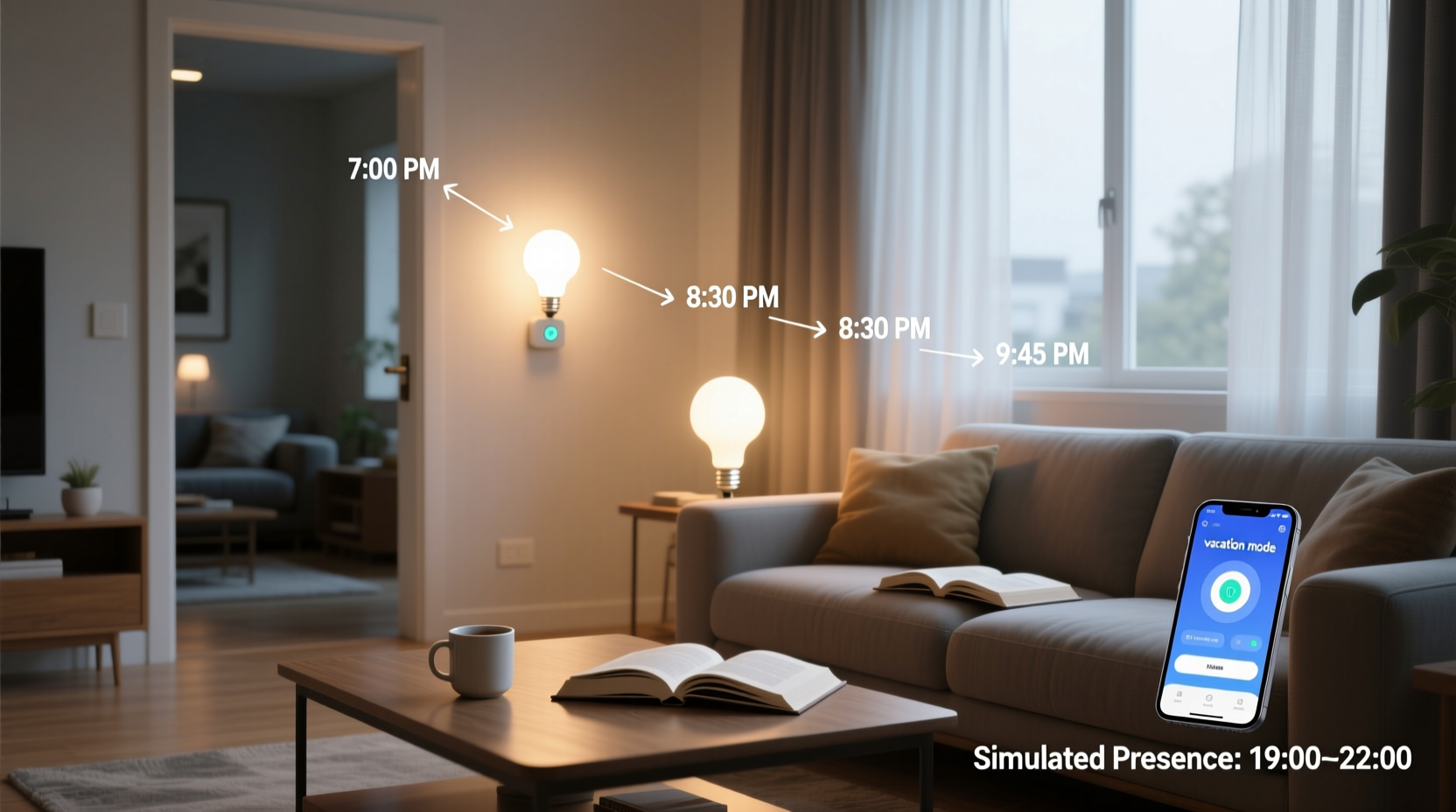
A static schedule—lights on at 7:00 p.m., off at 11:00 p.m., every night—is the digital equivalent of leaving a “Gone Fishing” sign taped to your front door. Modern smart lighting platforms (like Philips Hue, Lutron Caseta, and Nanoleaf) support randomized offsets, but few users activate them. A study published in the Journal of Environmental Psychology tracked 127 households using presence simulation over six months. Those relying on fixed schedules saw a 42% higher incidence of suspicious activity (documented via doorbell camera logs) compared to households using randomized ±18-minute offsets and staggered room activation. The human eye—and criminal assessment—detects repetition within three cycles. After three identical evenings, the illusion collapses.
Building a Realistic Presence Profile
Effective simulation doesn’t replicate *your* routine—it replicates *a plausible human routine*. That means accounting for variation in behavior, ambient conditions, and household composition. A single person may turn on only two lights in the evening; a family of four might have lights active in the kitchen, dining area, hallway, and one bedroom simultaneously. Your profile must also respond to real-world inputs: if it’s overcast at 5:30 p.m., lights should trigger earlier than on a bright summer evening. If your smart thermostat shows indoor temperature dropping below 62°F at night, a lamp turning on at 10:30 p.m. suggests someone got up to adjust the heat—not an automated script.
To build credibility, anchor your lighting logic to three observable human behaviors:
- Entry/exit rhythm: Front porch or foyer light activates 2–4 minutes before your typical arrival time (e.g., 6:58 p.m. if you usually get home at 7:02 p.m.), then transitions to indoor zones.
- Mealtime anchoring: Kitchen and dining lights illuminate 10–15 minutes before your usual dinner start, remain steady for 45–60 minutes, then dim gradually—not cut abruptly.
- Nighttime drift: One low-level light (e.g., hallway or bathroom) turns on between 1:30–3:15 a.m. for 4–7 minutes—mimicking a nocturnal bathroom trip, not a full awakening.
Step-by-Step Setup: From Installation to Vacation Mode
Follow this verified sequence to configure presence simulation that withstands scrutiny:
- Inventory & Zone Mapping: Document every controllable light (bulb, switch, strip) and assign it to a functional zone: “Entry,” “Kitchen,” “Living Room,” “Hallway,” “Bedroom 1,” “Back Porch.” Exclude non-dimmable or high-wattage fixtures (e.g., garage motion lights) unless they integrate with your hub.
- Baseline Calibration: For 3–5 days, manually log actual light usage: note times each zone activated, duration, brightness level (e.g., “Living Room: 7:12 p.m., 75% brightness, 82 minutes”), and any triggers (e.g., “Kitchen light on after microwave beep”). Use this data—not assumptions—to define your starting profile.
- Platform Configuration: In your smart home app (Hue, Home Assistant, Apple Home, or Alexa Routines), create separate automations per zone. Set each with: (a) time window (e.g., “between 6:45–7:30 p.m.”), (b) random start offset (±15 minutes), (c) variable brightness (e.g., “60–85%”), and (d) fade-in/fade-out (minimum 8 seconds).
- Add Environmental Triggers: Link outdoor light sensors or weather APIs. Example: “If sunset occurs before 7:15 p.m., activate Entry + Living Room lights at sunset + 3 minutes. If sunset is after 8:00 p.m., delay activation by 22 minutes.”
- Test & Refine: Activate “Vacation Mode” for 48 hours while home. Observe from the street at dusk and 9:00 p.m. Does it look lived-in? Adjust timing gaps, brightness variance, and sequence order until it passes the “neighbor glance test.”
Do’s and Don’ts of Smart Light Presence Simulation
| Action | Do | Don’t |
|---|---|---|
| Scheduling Logic | Use randomized offsets within 15–25 minute windows per event | Run identical sequences on consecutive nights |
| Brightness Control | Set living areas to 40–70% brightness in evening; bedrooms to 15–30% for nighttime events | Use 100% brightness for “evening” scenes—real people rarely blast full light after dark |
| Color Temperature | Shift from cool white (5000K) at dusk to warm white (2700K) by 8:30 p.m. | Maintain blue-white light past 8:00 p.m.—biologically unnatural and visually suspicious |
| Duration & Transitions | Allow 10–12 second fade-ins/outs; keep lights on 45–90 minutes per zone | Trigger instant on/off or hold lights for under 20 minutes or over 2.5 hours |
| Integration | Sync with smart blinds (close at sunset), thermostats (slight temp rise at 7 p.m.), or speakers (30-second news snippet at 7:20 p.m.) | Isolate lighting from other systems—single-point automation looks robotic |
Mini Case Study: The Thompson Family in Portland, OR
The Thompsons—a couple with two teens—planned a 12-day trip to Hawaii. Their 1920s bungalow sits on a quiet street with mature trees, offering natural cover for observers. Before departure, they configured their Lutron Caseta system using the step-by-step method above. They logged their actual August usage: porch light on at 7:42 p.m. (sunset 8:11 p.m.), kitchen lights at 6:55 p.m. for pre-dinner prep, living room at 7:30 p.m., and hallway light at 2:18 a.m. on night three.
They built a vacation profile with randomized offsets (±19 minutes), warm-white evening shifts, and integrated their Ecobee thermostat to raise the house temperature by 2°F at 7:00 p.m. daily—triggering a brief HVAC hum audible from the sidewalk. On day five, their Ring doorbell captured a man walking slowly past, pausing twice to peer at the lit living room window, then continuing. Crucially, he did *not* circle the block or test door handles. When the Thompsons returned, their home was untouched—and their neighbor remarked, “Thought you were back early! Saw lights on Tuesday night around 7:50.” The simulation had passed the most critical test: human perception.
Expert Insight: What Security Professionals Actually Recommend
“Lighting alone won’t stop a determined intruder—but inconsistent, human-paced lighting dramatically raises the perceived risk threshold for 93% of opportunistic offenders. We tell clients: if your ‘vacation mode’ can be mapped on graph paper with identical dots, it’s useless. Variability isn’t optional; it’s the core security feature.” — Detective Marcus Renner, Portland Police Bureau Property Crimes Unit (ret.)
FAQ
Can I use voice assistants like Alexa or Google Assistant for presence simulation?
Yes—but with limitations. Built-in Routines lack true randomness and environmental awareness. Alexa Routines, for example, allow only fixed time triggers and no brightness variance per execution. For robust simulation, use platform-native automations (Hue app, Lutron app) or a hub like Home Assistant that supports probabilistic scripting and sensor fusion. Voice assistants are best used as *emergency overrides* (“Alexa, disable vacation mode”)—not primary controllers.
How do I prevent my smart lights from drawing attention when neighbors see unusual patterns?
Observe your neighborhood for 3–4 evenings first. Note typical lighting cadence: Do most homes turn on porch lights at 8:00 p.m.? Do living rooms go dark by 10:30? Align your *baseline timing* within 10 minutes of local norms. Avoid “showy” effects: no color-changing bulbs, strobes, or rapid sequences. Stick to warm-white, gradual transitions, and durations mirroring adjacent homes. Subtlety is your strongest deterrent.
What if my internet goes down while I’m away?
Local execution is non-negotiable. Choose systems with on-hub processing (Lutron, Hue Bridge v2+, Home Assistant OS). Avoid cloud-dependent setups (e.g., older TP-Link Kasa bulbs without a local hub)—they’ll go dark if Wi-Fi drops. Test offline resilience: unplug your router for 12 hours while simulating vacation mode. Lights must continue operating per schedule without interruption. If they don’t, upgrade your infrastructure before departure.
Conclusion
Smart lights are not decorative accessories—they’re passive security assets waiting to be calibrated with intention. Simulating presence isn’t about complexity; it’s about fidelity to human behavior: the slight delay before entering a room, the warmth of light at 9 p.m., the quiet glow of a hallway at 2 a.m., the way brightness softens as the night deepens. When configured with randomized timing, environmental responsiveness, and layered integration, your lighting becomes an unspoken narrative: *Someone is home. They follow rhythms. They are present.* That narrative deters more effectively than signs, cameras, or alarms alone—because it removes doubt before it forms.
Start tonight. Pull out your smart home app. Log three real light interactions. Then build one randomized, warm-white, fade-enabled sequence for your entryway—set to run tomorrow evening. Refine it over the next 48 hours. By the end of the week, you’ll have a foundational layer of authentic presence. Your home deserves that level of thoughtful protection—not just automation, but intelligent stewardship.




 浙公网安备
33010002000092号
浙公网安备
33010002000092号 浙B2-20120091-4
Comments
No comments yet. Why don't you start the discussion?