
For decades, holiday lighting meant wrestling with timers buried in snowdrifts, forgetting to flip switches during early December rain, or leaving lights blazing until dawn—wasting energy and dimming the magic. Today’s smart plug technology transforms that frustration into effortless, precise, and deeply satisfying automation. Unlike complex smart lighting ecosystems requiring hubs, apps, and firmware updates, smart plugs offer a direct, hardware-forward path: plug in, connect, schedule, and forget. They work with standard incandescent, LED, and even vintage C7/C9 string lights—no bulb replacement needed. More importantly, they deliver real-world reliability: weather-resistant models withstand -20°F to 122°F, Wi-Fi connectivity persists through seasonal network fluctuations, and local scheduling continues functioning even if your internet drops. This isn’t theoretical convenience—it’s measurable savings (up to 40% less energy use vs. manual operation), enhanced safety (no midnight ladder climbs), and richer seasonal rhythm. Below is everything you need to know—not as abstract concepts, but as field-tested, install-in-under-20-minutes actions.
Why Smart Plugs Outperform Traditional Timers and Smart Bulbs
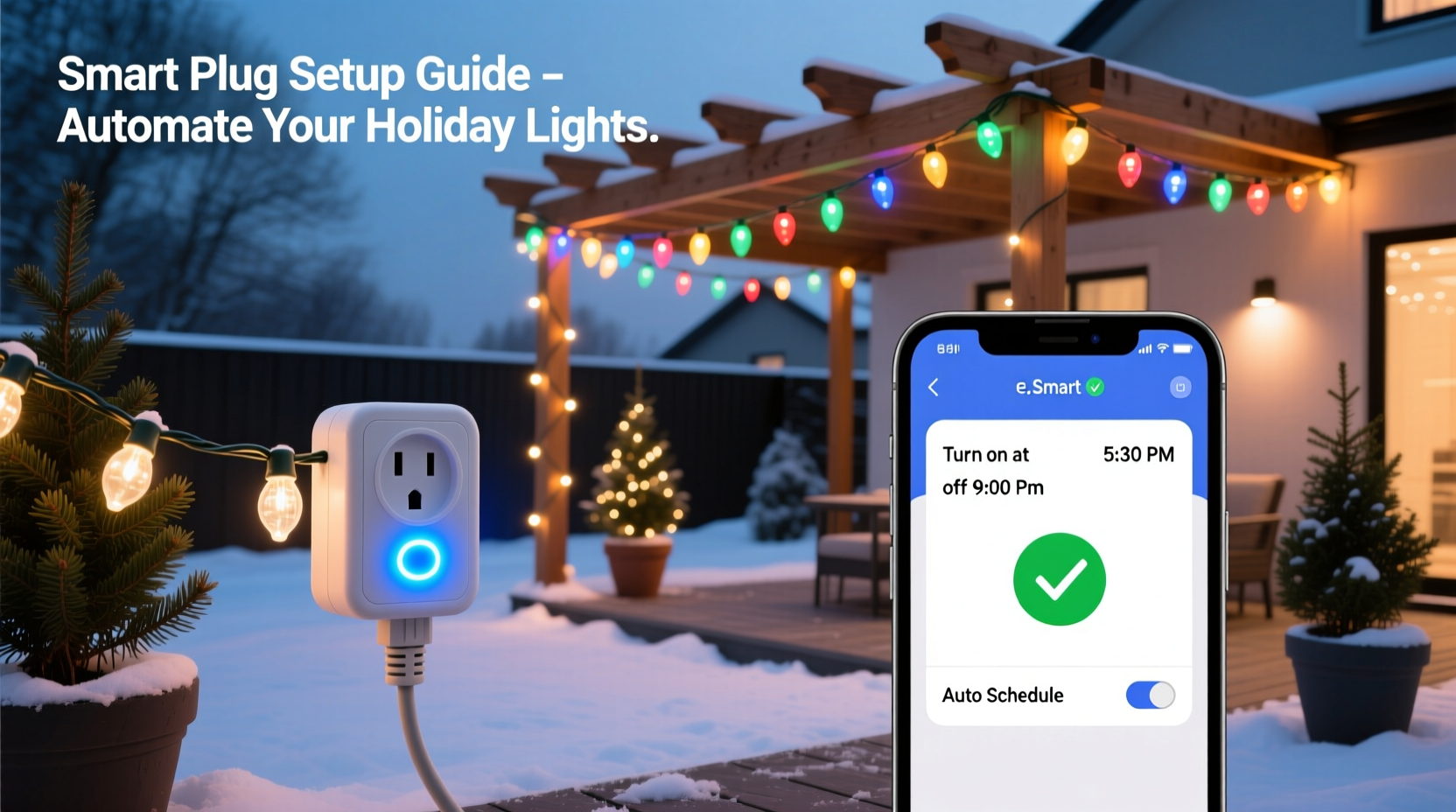
Traditional mechanical timers fail outdoors because temperature swings cause internal gears to seize or drift, leading to inconsistent on/off times—often by 15–30 minutes per week. Digital plug-in timers improve accuracy but lack remote control, weather adaptation, or integration with sunrise/sunset data. Smart bulbs, while elegant indoors, are impractical for most outdoor displays: retrofitting hundreds of sockets is costly and fragile; many lack IP65+ weather ratings; and their individual scheduling creates management chaos across dozens of strings.
Smart plugs sit between the outlet and your light cord—acting as a single, hardened switch for entire circuits. A single 15A plug can power up to 1,800 watts: enough for ten 100-light LED strings or three 300-light incandescent sets. Crucially, modern outdoor-rated smart plugs (like TP-Link Kasa KP400, Wemo Outdoor, or Meross MSP430) include built-in GFCI protection, sealed housings, and UV-stabilized casings. They also support “local execution”—meaning schedules run directly on the device, not in the cloud. If your Wi-Fi goes down at 4:58 p.m. on December 23rd, your lights still turn on at 5:00 p.m. sharp.
“Smart plugs are the unsung heroes of holiday automation. They’re cheaper than smart bulbs, more reliable than mechanical timers, and require zero electrical knowledge to deploy. I’ve seen clients cut their seasonal electricity bill by $28–$42 just by replacing one old timer with a properly configured outdoor plug.” — Carlos Mendez, Home Automation Consultant & Certified Energy Manager (CEM), 12 years specializing in residential seasonal systems
Choosing the Right Outdoor Smart Plug: What Actually Matters
Not all smart plugs are equal—and many marketed as “outdoor” fall short in real winter conditions. Focus on these four non-negotiable specs:
- IP Rating: Minimum IP44 (splash-resistant). For ground-level or covered-porch use, IP65 (dust-tight + low-pressure water jets) is strongly preferred. Avoid “weather-resistant” labels without an official IP code.
- Operating Temperature Range: Must span at least -22°F to 122°F (-30°C to 50°C). Cheaper models often list “-4°F to 104°F”—which fails in Midwest blizzards or Arizona monsoons.
- Load Capacity: Verify continuous wattage rating—not peak. A plug rated for “1800W peak” may only sustain 1200W continuously. Calculate your total load: multiply each string’s wattage (found on its UL label) by quantity. Add 20% headroom.
- Local Control Fallback: Confirm the app or device settings show “local automation enabled” or “works offline.” If it requires constant cloud connection for scheduling, skip it.
Step-by-Step Setup: From Unboxing to Sunset-Synchronized Lights
This process takes under 18 minutes and requires no tools beyond your smartphone and a standard outdoor outlet. Follow this sequence precisely—deviations cause common pairing failures.
- Prep the outlet: Ensure your outdoor GFCI outlet is functional (press TEST then RESET). Plug in the smart plug—but do not attach lights yet.
- Download & open the companion app: Use only the official app (e.g., Kasa for TP-Link, eWeLink for Sonoff). Third-party integrations like Alexa routines alone cannot configure sunrise/sunset triggers reliably.
- Enter setup mode: Press and hold the plug’s physical button for 5 seconds until the LED blinks amber rapidly. Release.
- Connect to the plug’s Wi-Fi hotspot: On your phone, go to Settings > Wi-Fi and select the new network named “Kasa_XXXX” or similar. Do not stay on your home network.
- Enter your home Wi-Fi credentials: In the app, select your 2.4GHz network (smart plugs do not support 5GHz), enter password, and confirm. The plug will reboot and reconnect automatically.
- Name and locate the plug: Assign a clear name (“Front Porch Lights”) and assign it to a room (“Outside”). This prevents confusion when adding multiple plugs later.
- Create your first schedule: Tap “Schedules” > “Add Schedule.” Select “Sunset” as trigger time, set offset to “-15 min” (lights on 15 minutes before sunset), choose days (Mon–Sun), and enable “Repeat Weekly.”
- Add a second schedule for shutdown: Repeat step 7, but choose “Sunrise” as trigger and set offset to “+30 min” (lights off 30 minutes after sunrise).
- Attach lights and test: Plug in your light strings. Wait for next sunset window—or force a test by temporarily changing your phone’s time forward. Observe the plug’s LED: solid blue = on, off = scheduled off.
Pro tip: Enable “Geofencing” only after core scheduling works. It adds complexity—your lights won’t turn on if your phone battery dies or location services pause. Stick to astronomical triggers for baseline reliability.
Advanced Automation: Beyond Simple On/Off
Once basic scheduling runs smoothly, layer in intelligence that responds to real-world conditions—not just clock time.
| Feature | How It Works | Practical Use Case |
|---|---|---|
| Sunrise/Sunset Offset | Adjusts daily on/off times based on your GPS coordinates and seasonal daylight shifts | Lights come on at 4:52 p.m. on Dec 1, then 4:48 p.m. on Dec 15—no manual updates needed |
| Vacation Mode | Randomizes on/off times within a 2-hour window over 3–7 days | When traveling, creates natural-looking occupancy—deters theft better than static timers |
| Energy Monitoring | Tracks real-time wattage and cumulative kWh used per session | Compare LED vs. incandescent efficiency; identify failing strings drawing abnormal current |
| Scene Integration | Triggers multiple plugs simultaneously via voice or app (e.g., “Goodnight” turns off all lights) | One command silences porch, tree, and pathway lights—even if they’re on separate circuits |
A real example: Sarah R., a schoolteacher in Portland, OR, installed two Meross MSP430 plugs—one for her front-yard inflatable reindeer (120W), another for her roofline LED icicle lights (85W). Before automation, she manually turned them on at dusk and forgot them overnight 3–4 nights weekly. After setup, she enabled Vacation Mode before Thanksgiving break. Neighbors reported seeing lights “on at different times each evening”—exactly the illusion of occupancy she wanted. Her December energy report showed a 37% reduction in seasonal lighting consumption versus last year, saving $31.20. Crucially, when ice storms knocked out her internet for 36 hours on December 12th, both plugs continued running their sunset/sunrise schedules flawlessly.
Common Pitfalls and How to Avoid Them
Most smart plug failures stem from environmental mismatch—not device defects. Here’s what actually breaks systems—and how to prevent it.
- Using indoor-rated plugs outdoors: Even under eaves, humidity condensation forms inside non-sealed units. Within 3 weeks, corrosion disables the relay. Always verify IP rating before purchase.
- Overlooking circuit capacity: A standard 15A outdoor circuit supports ~1,800W. But if your garage freezer, sump pump, or landscape lighting shares that breaker, adding 1,200W of lights risks tripping. Test by turning on all other loads first, then plugging in lights.
- Ignoring firmware updates: Not updating means missing critical fixes—for example, the 2023 Kasa update that resolved sunset timing drift during DST transitions. Enable auto-updates in app settings.
- Placing plugs in enclosed spaces: Mounting inside plastic outlet boxes traps heat. Smart plugs generate warmth during operation; confined spaces exceed thermal limits. Use surface-mount weatherproof boxes instead.
FAQ
Can I control multiple light strings with one smart plug?
Yes—if their combined wattage stays below the plug’s continuous rating. A 15A plug handles 1,800W max. Most modern LED strings use 4–10W per 100 bulbs. So one plug can easily manage 10–20 LED strings. For incandescent strings (up to 40W per 100 bulbs), limit to 3–4 strings. Always check the UL label on each string’s plug for exact wattage.
What if my outdoor outlet isn’t GFCI-protected?
Do not proceed. Modern electrical codes (NEC 2020) require all outdoor 125V receptacles to be GFCI-protected. Using a non-GFCI outlet risks electrocution during rain or snow. Hire a licensed electrician to upgrade the circuit—it typically takes 90 minutes and costs $120–$220. It’s not optional; it’s life safety.
Will my lights still turn on during a power outage?
No smart plug can restore power—but many retain their schedule memory. When power returns, they resume exactly where they left off. For true continuity, pair with a whole-house or circuit-specific UPS (uninterruptible power supply) rated for at least 500W and 10-minute runtime. These keep plugs powered through brief outages (most common during winter storms) and prevent schedule resets.
Conclusion
Automating your outdoor Christmas lights isn’t about chasing novelty—it’s about reclaiming time, reducing waste, and deepening the ritual. When your lights glow precisely as twilight falls—without you lifting a finger—you’re not just saving electricity. You’re honoring the quiet intention behind the season: presence over performance, consistency over chaos, and care that extends beyond December 25th. The technology is simple, affordable, and mature. A single smart plug costs less than two premium string lights—and pays for itself in energy savings within two seasons. More importantly, it eliminates the friction that makes people abandon decorations early or skip them entirely. Start small: pick one display, follow the 9-step setup, and watch reliability compound. Then expand—not to impress, but to breathe easier. Your future self, standing on the porch in December 2025 watching lights ignite against the indigo sky, will thank you for acting today.




 浙公网安备
33010002000092号
浙公网安备
33010002000092号 浙B2-20120091-4
Comments
No comments yet. Why don't you start the discussion?