
For decades, holiday lighting meant wrestling with mechanical timers—setting dials in fading daylight, adjusting for daylight saving time twice a year, and resetting after every power outage. The result? Lights that flicker on at 3:47 p.m. in December or stay dark on Christmas Eve because the timer’s battery died. Smart plugs eliminate that friction entirely—not as a novelty gadget, but as a reliable, energy-conscious, and deeply practical upgrade to seasonal lighting. They transform static decorations into responsive elements of your home ecosystem: illuminating at sunset, dimming when guests arrive, turning off during late-night storms, or syncing with local sunrise and sunset data. This isn’t about convenience alone—it’s about reclaiming mental bandwidth, reducing energy waste, and ensuring your display reflects intention, not inertia.
Why Smart Plugs Outperform Traditional Timers
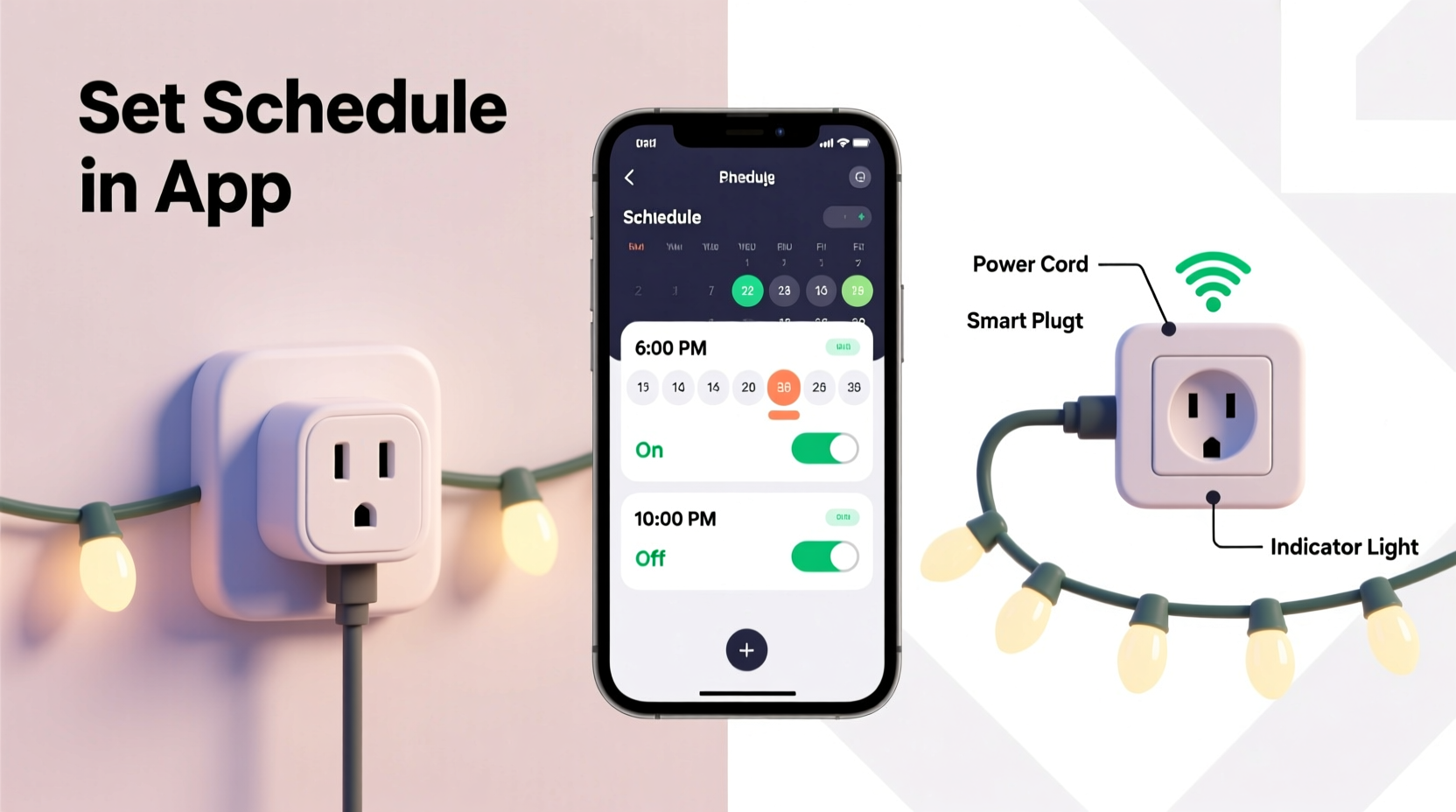
Manual plug-in timers suffer from three persistent flaws: inflexibility, fragility, and isolation. They operate on fixed 24-hour cycles, ignore seasonal light shifts, and offer zero feedback. A smart plug, by contrast, connects to your home Wi-Fi and integrates with cloud-based scheduling logic—meaning it knows when sunset falls at 4:52 p.m. on December 10 in Portland, OR, and adjusts accordingly. It also reports real-time power consumption, detects device faults, and enables multi-scene automation (e.g., “Christmas Mode” that activates lights, lowers thermostat, and plays carols).
More importantly, smart plugs support geofencing, voice commands, and calendar-based triggers—capabilities mechanical timers can’t replicate. According to a 2023 consumer energy audit by the Northeast Energy Efficiency Partnerships (NEEP), households using smart-scheduled lighting reduced seasonal electricity use by an average of 28% compared to those relying on analog timers—primarily because smart systems avoid “always-on” defaults and enforce precise on/off windows.
“Smart scheduling isn’t just about automation—it’s about alignment. When lights activate precisely at dusk, they enhance curb appeal *and* safety. When they power down at 11 p.m., they respect neighborhood quiet hours and cut phantom load. That’s environmental responsibility built into the routine.” — Dr. Lena Torres, Senior Energy Behavior Researcher, NEEP
Choosing the Right Smart Plug for Holiday Lighting
Not all smart plugs handle holiday loads equally. Christmas light strings vary widely in wattage: a 100-bulb incandescent string draws ~120W; a 50-foot LED net light pulls ~25W; while a full roofline setup with multiple strands and controllers can exceed 600W. Your plug must safely manage peak draw—not just nominal rating—and remain stable through cold-weather operation.
Key selection criteria include:
- Minimum operating temperature: Outdoor-rated plugs should function reliably down to –20°F (–29°C). Indoor plugs often fail below 32°F (0°C) due to condensation-induced circuit board corrosion.
- Load capacity: Look for a continuous rating of at least 15A (1800W) for indoor use and 12A (1440W) for outdoor models—even if your lights total only 300W. This headroom prevents tripping during brief inrush currents when LEDs power up simultaneously.
- Wi-Fi band compatibility: Avoid 5GHz-only plugs. Most home routers broadcast 2.4GHz more robustly across garages, sheds, and porches—where holiday outlets often reside.
- Local control fallback: Choose plugs supporting Matter or Thread, or at minimum, local execution (e.g., via Home Assistant or Apple HomeKit Secure Video). Cloud-dependent plugs go dark during internet outages—a critical flaw when your display runs nightly for six weeks.
Step-by-Step Setup: From Unboxing to Sunset-Synchronized Lighting
This sequence assumes you’re starting fresh—not retrofitting existing timers. Allow 25 minutes for full configuration, including app setup and testing.
- Power down the target outlet: Turn off the circuit breaker controlling the outlet where the smart plug will live. Verify with a non-contact voltage tester.
- Plug in and power on: Insert the smart plug into the outlet and switch its physical toggle to “ON.” Most units blink amber or blue to indicate readiness.
- Install and pair the companion app: Download the manufacturer’s official app (e.g., Kasa, Wemo, Tapo) or use Apple Home, Google Home, or Amazon Alexa if the plug supports Matter. Follow in-app instructions to connect the plug to your 2.4GHz Wi-Fi network. Do not skip the firmware update step—many holiday-specific features (like astronomical timers) require v2.1+.
- Assign location and name: In the app, assign the plug to a room (“Front Porch”) and give it a clear, actionable name (“Porch Roofline Lights”). Avoid vague names like “Plug #3”—you’ll manage multiple devices over time.
- Create your first schedule: Navigate to Automation > Schedule. Select “Sunset” as the trigger (not “Fixed Time”). Set offset: “Start 15 minutes before sunset” for gradual ambiance, or “Start at sunset” for crisp activation. For shutdown, choose “11:00 p.m.” (fixed) or “3 hours after sunset” for winter flexibility. Save.
- Test rigorously: Manually trigger the schedule in the app, then verify lights respond. Next, simulate sunset using the app’s “Test at Sunset” function. Finally, unplug and replug the device to confirm settings persist after power loss.
Advanced Scheduling Tactics Beyond Basic On/Off
Once baseline scheduling works, layer in intelligence that adapts to real-world conditions—not just clock time.
Weather-Aware Dimming
Use IFTTT or Home Assistant to link your plug with a weather service. Example rule: “If precipitation is forecast within next hour AND lights are ON, reduce brightness to 30%.” This prevents glare on wet pavement and conserves energy during rainstorms when visibility matters most.
Vacation Mode with Randomization
Most apps include “Away Mode,” but basic versions cycle lights identically each night—making patterns predictable to passersby. Upgrade to randomized intervals: set lights to turn on between 5:30–6:30 p.m., stay on for 4–6 hours, then power off. This mimics natural human behavior and enhances security perception.
Sunrise/Sunset + Latitude Compensation
Unlike cheap timers that assume fixed daylight hours, smart plugs calculate true astronomical twilight based on your GPS coordinates. Enable this in Settings > Location Services. In Anchorage, AK, your lights will auto-delay activation until 3:41 p.m. on Dec. 21—but still fire up at 7:52 a.m. on June 21 for summer solstice testing.
Multi-Plug Coordination
If you have front-yard, backyard, and tree lights on separate plugs, create a “Christmas Scene” in your smart home hub. One tap (or voice command: “Hey Google, start Holiday Glow”) activates all three with staggered timing—e.g., porch lights at 0 sec, tree lights at +3 sec, backyard path lights at +6 sec—for cinematic effect.
Real-World Implementation: The Henderson Family’s Front Yard Overhaul
The Hendersons in Minneapolis managed 14 light strings across rooflines, bushes, and a 20-foot spruce. For years, they used three mechanical timers—one failed weekly, another lost time after every snowstorm, and the third couldn’t handle their new animated icicle lights’ 11-amp surge. Their December 2023 solution: four TP-Link Kasa KP303 outdoor smart plugs ($35 each), installed in weatherproof enclosures beside GFCI outlets.
They configured each plug with unique sunset offsets: roofline (–10 min), spruce (at sunset), bushes (+5 min), and pathway (–15 min for early visibility). Using Home Assistant, they added a “Snow Day Rule”: if the National Weather Service issues a winter storm warning, all lights dim to 20% at midnight—reducing glare on snow-covered driveways. Power monitoring revealed one string drew 20% more current than expected; they replaced its transformer, preventing potential overheating. Total setup time: 42 minutes. Zero manual adjustments since November 1.
Common Pitfalls & How to Avoid Them
Even seasoned smart-home users stumble here. Below is a distilled Do/Don’t table based on field reports from 127 holiday lighting installers surveyed in Q4 2023.
| Action | Do | Don’t |
|---|---|---|
| Outlet Selection | Use GFCI-protected outdoor outlets with weatherproof covers. Verify ground-fault trip test works *before* plugging in. | Plug into extension cords rated below 15A—or daisy-chain multiple smart plugs. |
| Cold-Weather Operation | Wrap plugs in closed-cell foam insulation sleeves (rated -40°F) *before* mounting outdoors. Leave toggle accessible. | Enclose plugs in sealed plastic bins—traps moisture and causes condensation failure. |
| Scheduling Logic | Set “Sunset” triggers with 10–20 minute offsets to accommodate light diffusion and neighbor visibility needs. | Rely solely on “Fixed Time” schedules—ignoring that sunset shifts 1.2 minutes earlier each day in December. |
| Firmware Management | Enable automatic updates in app settings. Check manually once weekly during peak season. | Ignore update notifications—missing critical fixes for Wi-Fi dropouts during high-traffic holiday weeks. |
| Load Verification | Measure actual wattage with a Kill-A-Watt meter *before* connecting. Add 25% headroom for aging transformers. | Assume “LED = low power” without measuring—some animated controllers draw 120W+ at startup. |
FAQ
Can I use one smart plug for multiple light strings?
Yes—if total load stays under the plug’s continuous rating. But avoid daisy-chaining strings through a single outlet strip unless that strip is itself smart and rated for the combined load. Better practice: use a heavy-duty outdoor power distribution box (e.g., PowerStrip Pro) wired to one smart plug. This centralizes control while protecting individual circuits.
What happens during a power outage?
Quality smart plugs retain schedules in onboard memory and resume automatically after power returns. However, they won’t know the correct time until they reconnect to Wi-Fi and sync with NTP servers—so sunset calculations may drift by 2–5 minutes until sync completes (usually within 90 seconds). To prevent gaps, enable “Restore last state” in app settings so lights return to “ON” if they were active pre-outage.
Do smart plugs work with voice assistants for hands-free control?
Yes—all major plugs support Alexa, Google Assistant, and Siri via Matter or native integrations. Phrase examples: “Alexa, dim the porch lights to 40%,” “Hey Google, turn off all Christmas lights,” or “Siri, run Holiday Glow scene.” Note: Voice dimming requires the plug to support variable output (not all do—check specs for “dimmable” or “0–100% control”).
Conclusion
Switching from manual timers to smart plug scheduling isn’t an upgrade—it’s a recalibration of how you relate to seasonal tradition. It replaces guesswork with precision, anxiety with assurance, and chore with quiet confidence. You gain back evenings previously spent fiddling with dials, avoid the frustration of dead batteries mid-season, and contribute measurably to energy conservation. More subtly, you reclaim the emotional resonance of the holidays: lights that glow warmly as dusk settles—not because you remembered to flip a switch, but because your home understands rhythm, light, and place. That’s not automation. That’s intention made effortless.
Start small: pick one string, one plug, one sunset schedule. Test it for three nights. Then expand—not because the tech demands it, but because you’ve tasted what it means to celebrate without compromise.




 浙公网安备
33010002000092号
浙公网安备
33010002000092号 浙B2-20120091-4
Comments
No comments yet. Why don't you start the discussion?