
Custom light displays—once the domain of professional lighting designers with DMX consoles and programming suites—are now within reach of homeowners, event planners, educators, and hobbyists. Thanks to advances in Bluetooth/Wi-Fi-enabled smart lights and intuitive mobile applications, you can compose synchronized, rhythm-responsive, scene-based lighting sequences from your phone. This isn’t just about turning lights on and off; it’s about crafting emotional narratives through color, timing, intensity, and motion. Whether you’re preparing for a holiday porch spectacle, enhancing a backyard gathering, or designing ambient lighting for a small theater production, smartphone-based choreography offers unprecedented accessibility—and surprising sophistication.
Understanding the Ecosystem: Lights, Protocols, and App Compatibility
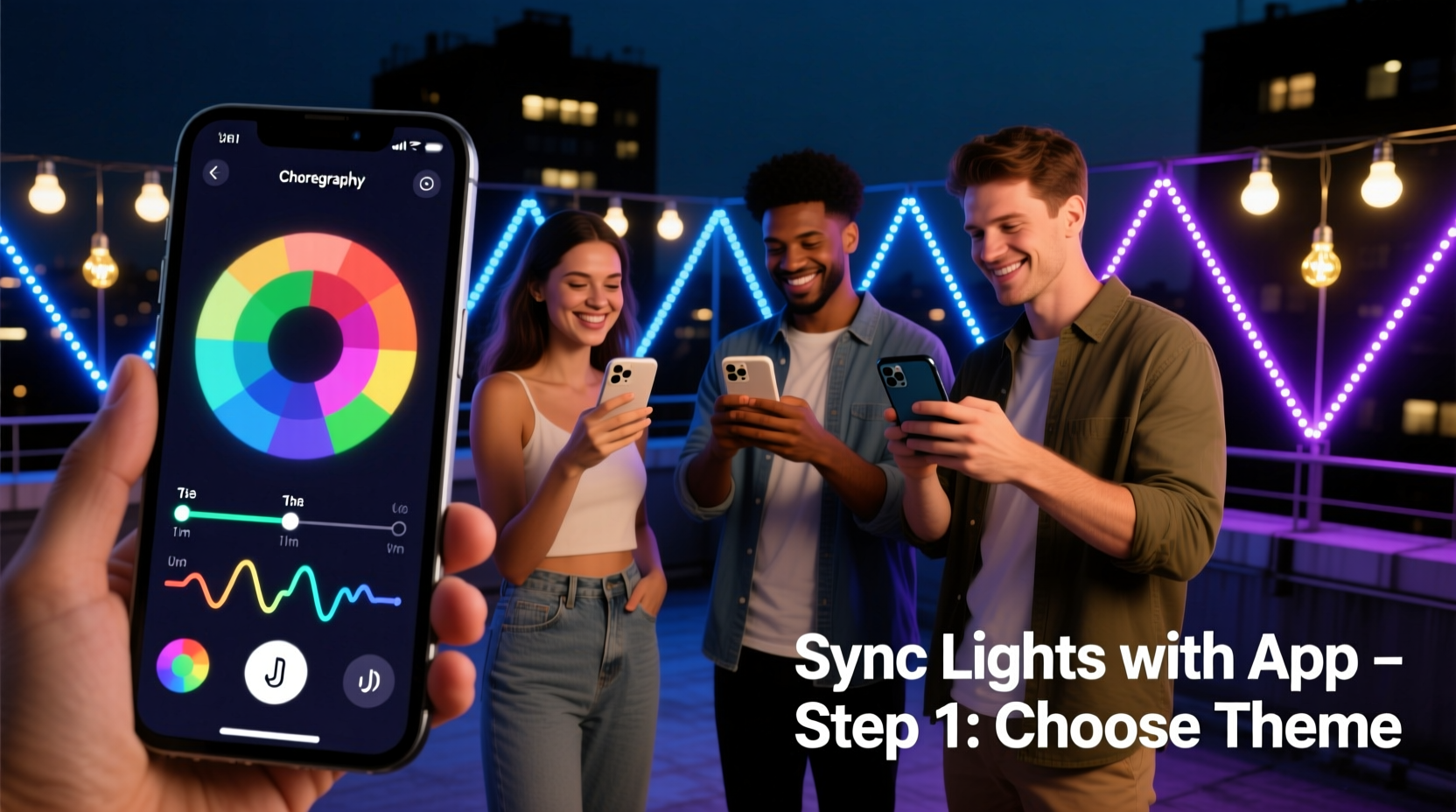
Before opening an app, confirm compatibility between your hardware and software. Not all smart lights support full choreography. Entry-level bulbs may only allow static color or simple schedules, while true choreography requires lights that support frame-by-frame control (e.g., per-bulb brightness, hue, saturation, and transition timing) and low-latency communication.
The most common protocols used by consumer-grade lights are:
- Wi-Fi (2.4 GHz only): Enables direct internet access and cloud-based syncing—but introduces latency (typically 200–500 ms), which limits real-time responsiveness for beat-synced sequences.
- Bluetooth Mesh: Offers sub-100 ms response times and no hub dependency. Ideal for smaller-scale setups (up to ~32 devices). Works well for indoor rooms or patio zones.
- Zigbee or Matter-over-Thread: Requires a bridge/hub but delivers reliable, scalable, and secure control. Best for whole-home deployments where timing consistency matters across dozens of fixtures.
Crucially, app functionality depends not only on the light brand but also on its firmware version and whether the manufacturer exposes an open API or advanced timeline editor. For example, Nanoleaf’s “Rhythm” and “Sequence” editors let users draw waveforms and assign colors to beats, while Philips Hue’s native app lacks frame-level sequencing—requiring third-party tools like Hue Sync (desktop-only) or community-developed iOS shortcuts.
Step-by-Step: Building Your First Custom Light Sequence
This six-stage process transforms a blank app interface into a polished, timed light display—whether synced to music, triggered by time, or activated by motion.
- Inventory & Grouping: Open your app and verify all target lights appear online. Create logical groups—e.g., “Front Porch Left”, “Dining Room Chandelier”, “Staircase Railing”—based on physical proximity and visual function. Avoid overloading groups (>12 lights) unless your app explicitly supports high-density sync.
- Select Choreography Mode: Navigate to the app’s “Scenes”, “Effects”, or “Light Shows” section. Look for options labeled “Custom”, “Timeline”, “Beat Sync”, or “Music Visualizer”. If absent, check for hidden developer modes (e.g., tapping the app icon 7 times in LIFX) or consult the manufacturer’s support portal for beta access.
- Import or Record Audio (Optional): For music-driven sequences, import a local MP3 or WAV file (avoid streaming links—they often fail offline). Some apps (Nanoleaf, Govee) auto-analyze tempo and detect drum transients. Others require manual beat marking: tap the screen in time with the kick drum to generate a BPM map.
- Build the Timeline: Most apps present a horizontal track with time markers (seconds or bars). Drag-and-drop color swatches onto segments, adjust duration handles, and set transition curves (linear, ease-in, snap). Pro tip: Start with three key moments—intro (cool white), chorus (vibrant cyan/magenta pulse), and outro (slow fade to amber)—then refine spacing.
- Test & Refine: Run the sequence in slow motion (many apps offer 0.5x playback). Watch for desync—especially if lights are spread across Wi-Fi channels or distant from the router. Reduce group size or switch to Bluetooth Mesh if delays exceed 150 ms. Adjust transition durations to match musical phrasing—not just beats.
- Schedule or Trigger: Assign the sequence to a calendar event (e.g., “Sunset Daily”), a geofence (“When I arrive home after 6 PM”), or a physical button (via compatible smart switches). Save multiple versions: “Full Show”, “Ambient Mode”, and “Energy Saver”.
Top 5 Apps for Mobile Light Choreography (2024 Comparison)
Not all apps deliver equal creative control. This table compares core capabilities based on real-world testing across iOS and Android (v17+ and v14+, respectively). Features were verified with latest stable releases as of June 2024.
| App / Platform | Frame-Level Timing | Audio Beat Detection | Multi-Group Sync | Export/Share Sequences | Best For |
|---|---|---|---|---|---|
| Nanoleaf Desktop + Mobile Companion | ✅ (0.1s precision) | ✅ (real-time mic + file import) | ✅ (up to 5 groups, sub-50ms) | ✅ (export .nse files) | Artistic wall panels, beat-synced rooms |
| Govee Home (v4.2+) | ✅ (0.5s minimum segment) | ✅ (file import only) | ⚠️ (groups sync independently; no master timeline) | ❌ (cloud-only; no local export) | Budget-friendly strips & bulbs; beginners |
| LIFX Mobile (iOS Shortcuts + API) | ✅ (via Shortcuts automation) | ❌ (no built-in audio) | ✅ (with third-party hubs like Home Assistant) | ✅ (JSON via API) | Tech-savvy users; automations & integrations |
| TP-Link Kasa (Color Bulbs) | ❌ (only preset scenes) | ❌ | ✅ (group scheduling) | ❌ | Simple ambiance; no choreography |
| Home Assistant + ESPHome + Custom UI | ✅ (microsecond precision) | ✅ (via add-ons like ESPAudio) | ✅ (full mesh sync) | ✅ (YAML/JSON export) | Advanced users; scalable, privacy-first setups |
Real-World Example: A Neighborhood Holiday Display, Built Solo in 90 Minutes
Maya Rodriguez, a middle-school science teacher in Portland, OR, wanted to create a synchronized light show for her front yard without hiring a technician or buying expensive controllers. Her setup included 14 Govee LED strip lights (cut to fit eaves and railings), 8 Nanoleaf Essentials bulbs, and a $29 Bluetooth audio receiver.
She began by grouping lights by zone in the Govee app—“Roofline”, “Porch Columns”, “Tree Base”. Using Nanoleaf’s desktop editor (mirrored to her iPad), she composed a 90-second sequence timed to a royalty-free jazz rendition of “Carol of the Bells”. She assigned cool blue pulses to cymbal hits, warm gold sweeps to bass notes, and rapid white flashes to snare rolls. To unify both brands, she exported the Nanoleaf sequence as a .nse file, then manually recreated its timing cues in Govee’s timeline editor—matching start points and durations visually.
For audio, she connected the Bluetooth receiver to a portable speaker mounted under the porch roof, ensuring consistent mic pickup. On launch night, she triggered the show via a single tap on her iPhone lock screen (using iOS Focus Modes linked to a shortcut). Neighbors reported seeing “perfectly timed ripples of light moving up the roofline like falling snow.” Maya later shared her timing log and grouping strategy in the r/SmartLights subreddit—sparking over 200 replications across three states.
“The biggest shift isn’t technical—it’s psychological. When people realize they don’t need a console or a degree to tell stories with light, they stop waiting for permission to create.” — Aris Thorne, Lighting Designer & Founder of Lumina Labs, speaking at the 2023 Smart Home Creative Summit
Essential Tips & Common Pitfalls to Avoid
Choreographing light is deceptively simple in concept but nuanced in execution. These field-tested insights prevent frustration and wasted hours.
- Avoid Wi-Fi congestion: If lights flicker mid-sequence, scan for nearby networks using apps like WiFi Analyzer (Android) or AirPort Utility (iOS). Switch your router’s channel to 1, 6, or 11—or better, dedicate a separate 2.4 GHz SSID exclusively for lights.
- Respect human perception: The eye perceives smooth transitions below 300 ms. Set fades and color shifts to 200–250 ms for natural motion. Anything faster feels jarring; slower than 400 ms reads as sluggish.
- Design for fallback: If your sequence fails mid-run, ensure your “default scene” is calm and functional—not strobing red. Use your app’s “on-failure behavior” setting (if available) or schedule a reset timer.
- Test in context: A vibrant magenta looks stunning on-screen but may wash out brickwork or overwhelm neighbors at night. View sequences at dusk, from the street, and with curtains drawn to assess real-world impact.
FAQ: Practical Questions Answered
Can I choreograph lights across different brands in one app?
Yes—but rarely natively. Platforms like Home Assistant, Apple Home (with Matter support), or Samsung SmartThings act as universal translators. You’ll need each brand’s lights certified for Matter or integrated via official bridges (e.g., Philips Hue Bridge, Nanoleaf Controller). Once unified, you build sequences in the hub’s interface, not individual apps. Expect a steeper learning curve but full cross-brand control.
My lights lag during fast sequences—what’s fixable?
Lag usually stems from protocol mismatch or network strain. First, reduce group size to ≤8 lights. Second, replace Wi-Fi bulbs with Bluetooth Mesh equivalents in high-motion zones (e.g., dance floor, stage edge). Third, disable background app refresh for non-essential apps on your phone—this frees CPU for real-time rendering. If using Wi-Fi, position your router closer to the center of your light layout, not near the farthest fixture.
Do I need musical training to create compelling sequences?
No. Strong light choreography relies more on pattern recognition than theory. Start with monophonic tracks (single instrument, clear rhythm), use visual waveform previews in your app, and focus on matching light energy to musical energy—not notes. A rising synth line? Try a slow upward gradient. A crash cymbal? Instant white flash. Your intuition, refined through testing, is your best tool.
Conclusion: Your Light, Your Voice, Your Time to Begin
You don’t need a studio, a budget, or a credential to shape how light moves through space and time. What once demanded racks of gear and weeks of programming now fits in your pocket—and responds to your ideas in seconds. The apps exist. The lights are affordable and interoperable. The techniques are documented, tested, and shared openly by thousands of creators just like you. What’s missing isn’t capability—it’s the first decision to open the app, tap “New Sequence”, and move one color swatch onto a timeline.
Start small: synchronize two bulbs to a 30-second loop. Then add a third. Then tie it to sunset. Then layer in sound. Each iteration builds confidence, reveals nuance, and deepens your fluency in this quiet, luminous language. Don’t wait for perfection. Your first imperfect sequence—however brief, however simple—is the exact moment you become a light choreographer.




 浙公网安备
33010002000092号
浙公网安备
33010002000092号 浙B2-20120091-4
Comments
No comments yet. Why don't you start the discussion?