
Mornings can be chaotic. Between alarms, coffee brewing, checking the weather, and getting out the door on time, even small delays add up. Yet many people still manage their mornings manually—wasting precious minutes and mental energy before the day truly begins. Voice assistants like Amazon Alexa, Google Assistant, and Apple’s Siri offer a smarter way. By integrating these tools into your daily wake-up sequence, you can streamline tasks, reduce decision fatigue, and create a consistent, stress-free start to your day.
The key isn’t just owning a smart speaker or using voice commands—it’s designing an intentional system that works seamlessly with your lifestyle. From turning on lights to delivering personalized briefings, voice assistants can act as your digital morning concierge. This guide walks through practical strategies, real-world applications, and step-by-step setups to help you automate your morning with confidence.
Designing Your Automated Morning Sequence
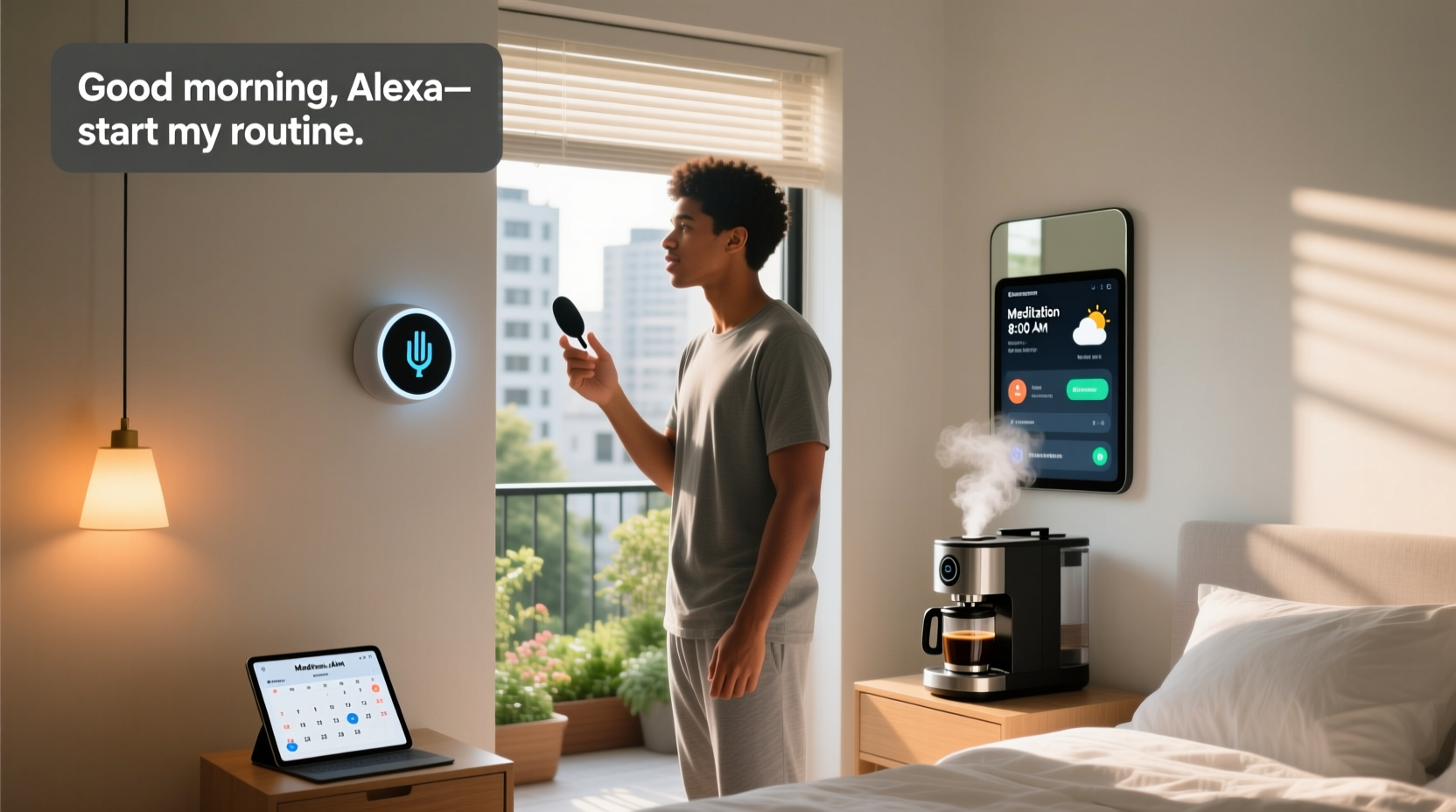
Automation works best when it follows a logical flow. A well-designed morning routine powered by a voice assistant should begin the moment you wake and continue until you're fully ready to leave the house. The goal is to minimize interaction while maximizing usefulness.
Start by mapping out your current morning: what do you do in the first 30–60 minutes after waking? Common activities include:
- Turning off the alarm
- Checking the time and date
- Reviewing the weather and forecast
- Getting news or traffic updates
- Starting coffee or kettle
- Adjusting lighting or thermostat
- Playing music or podcasts
- Logging into your calendar
Each of these steps can be automated or simplified using voice commands or scheduled routines. For example, instead of reaching for your phone to check the weather, you can ask your assistant to deliver a verbal summary. Better yet, program a single command like “Good morning” to trigger multiple actions at once.
Setting Up Voice Assistant Routines
All major voice platforms allow users to create custom routines—sequences of actions triggered by a single voice command or time-based schedule. Here's how to build one effectively.
- Choose your platform: Decide whether you're using Alexa (Amazon), Google Assistant (Google Nest, Android), or Siri (Apple HomePod, iPhone). Each has similar capabilities but slightly different setup processes.
- Open the companion app: Use the Alexa app, Google Home app, or Apple Home app to access routine settings.
- Create a new routine: Name it something like “Morning Boost” or “Wake Up Sequence.”
- Set the trigger: This could be a voice phrase (“Good morning”), a specific time (e.g., 6:30 AM), or even sunrise detection if supported.
- Add actions: Include responses like turning on lights, reading the weather, starting a playlist, or announcing calendar events.
- Test and refine: Run the routine manually first. Adjust timing, volume, or order based on real-world performance.
For instance, saying “Alexa, good morning” might prompt your Echo device to:
- Gradually brighten smart lights over 5 minutes (simulating sunrise)
- Announce today’s date, weather, and high-priority calendar events
- Start brewing coffee via a smart plug-connected machine
- Play a gentle playlist or news briefing
- Turn on the bathroom fan or heater if temperature is low
Routines eliminate the need to issue multiple commands. Once set up, they operate consistently—freeing your mind for more important decisions later in the day.
Hardware Integration for Maximum Impact
Voice assistants shine when connected to other smart devices. The broader your ecosystem, the more powerful your automation becomes. Below are common integrations and their benefits.
| Device Type | Integration Benefit | Platform Compatibility |
|---|---|---|
| Smart Lights (Philips Hue, LIFX) | Simulate sunrise, adjust brightness based on time | Alexa, Google, Siri |
| Smart Plugs (TP-Link Kasa, Wemo) | Power on coffee makers, kettles, or fans automatically | Alexa, Google, Siri |
| Thermostats (Nest, Ecobee) | Warm up the house before you rise | Google, Alexa, Siri (varies) |
| Smart Displays (Echo Show, Nest Hub) | Show calendar, weather, and video content hands-free | Alexa, Google |
| Bluetooth Speakers / Sound Systems | Deliver audio briefings or play music throughout the home | All platforms |
One often overlooked integration is with wearables. If you use a smartwatch that tracks sleep, some systems can detect when you wake up and trigger a routine accordingly—no voice command needed. For example, if your Fitbit detects you’ve risen at 6:15 AM, your Google Home can automatically turn on kitchen lights and announce the day’s agenda.
“Automating the first 15 minutes of your day can save up to 45 seconds per task. Over a year, that’s nearly five hours regained.” — Dr. Lena Torres, Behavioral Technologist at MIT Human Systems Lab
Real-World Example: Sarah’s Stress-Free Wake-Up
Sarah, a project manager in Seattle, used to spend her mornings scrambling. She’d hit snooze twice, fumble for her phone to check emails, curse at the rain outside, and rush to get the coffee going—all before 7 AM. After setting up her Google Nest Hub and integrating it with her smart home devices, her mornings transformed.
Now, at 6:30 AM, her bedroom lights slowly brighten. At 6:33, her Nest Hub says: “Good morning, Sarah. It’s Tuesday, April 16. You have a team meeting at 9:00 AM and a lunch appointment downtown at noon. The weather is rainy and 52°F—don’t forget your umbrella. Traffic on I-5 is heavy near Mercer Street. Would you like me to start your coffee?” She says “Yes,” and her Keurig powers on via a smart plug.
By the time she reaches the kitchen, the coffee is ready, the thermostat has warmed the living room, and soft jazz plays in the background. She estimates she’s saved at least 12 minutes daily and feels significantly less anxious starting her workday.
This isn’t magic—it’s thoughtful automation grounded in routine design and device integration.
Step-by-Step Setup Timeline
Building a full voice-assisted morning routine doesn’t require technical expertise. Follow this three-day plan to implement it gradually.
- Day 1: Audit & Plan
- List all morning tasks and pain points.
- Identify which ones can be automated (e.g., lights, coffee, weather).
- Note your existing smart devices or plan purchases (e.g., smart plug).
- Day 2: Configure Devices
- Ensure all smart devices are connected to Wi-Fi and recognized in your assistant’s app.
- Test individual controls (e.g., “Hey Google, turn on the kitchen light”).
- Set up any necessary accounts (e.g., link calendar, weather service).
- Day 3: Build & Test Routine
- In your assistant’s app, create a new routine titled “Good Morning.”
- Add triggers (voice or time) and actions (e.g., announce weather, play music).
- Run a manual test. Adjust delays so announcements don’t overlap with music.
- Refine based on what feels natural and helpful.
After implementation, revisit your routine weekly. Add new features—like hydration reminders or motivational quotes—or remove elements that no longer serve you.
Frequently Asked Questions
Can I use voice assistants without speaking?
Yes. Many routines can be triggered by time, motion sensors, or wearable data. For example, you can set your routine to run every weekday at 6:30 AM, regardless of voice input. Some smart displays also support gesture or tap-to-wake features.
Are my conversations with voice assistants private?
Most platforms store voice recordings by default but allow you to disable this. To enhance privacy:
- Regularly delete voice history in your account settings.
- Use mute buttons on devices when not in use.
- Opt out of human review programs (available in Alexa and Google settings).
What if I live with others? Will routines interfere?
Modern assistants support multi-user profiles. On devices like the Echo or Nest Hub, voice recognition can distinguish between household members and deliver personalized updates—your calendar, commute, and preferences—without mixing them up. Set up individual profiles in the companion app for best results.
Final Checklist: Launch Your Automated Morning
Before activating your routine permanently, verify the following:
- ✅ All smart devices are online and controllable via the assistant app
- ✅ Calendar, weather, and email accounts are linked
- ✅ Voice recognition is trained for each user (if applicable)
- ✅ Routine includes only essential, non-intrusive actions
- ✅ Audio volume is set to a comfortable morning level
- ✅ Smart plug appliances are safe to auto-start (e.g., coffee maker has water)
- ✅ Backup alarm exists in case of connectivity issues
Automation should enhance reliability, not replace basic safeguards. Always maintain a fallback—like a traditional alarm—in case your Wi-Fi drops or a device fails.
Conclusion: Start Tomorrow Like a Pro
Your morning sets the tone for the entire day. Instead of reacting to chaos, take control with a voice-powered routine that works for you. With minimal setup and thoughtful planning, you can transform rushed, stressful starts into calm, efficient beginnings. The technology is already in your home or pocket—what matters now is how you use it.
Begin small. Automate one task today—like checking the weather aloud—and build from there. In a week, you could have a fully synchronized morning orchestrated by a simple phrase. Consistency compounds. What starts as convenience becomes habit, and habit becomes transformation.




 浙公网安备
33010002000092号
浙公网安备
33010002000092号 浙B2-20120091-4
Comments
No comments yet. Why don't you start the discussion?