
As the holiday season fills homes with warmth and light, many families are discovering that their festive decorations can do more than just look beautiful—they can support healthier, calmer bedtime routines. One of the most effective ways to ease into sleep is through gradual exposure to dimming light, mimicking sunset conditions that signal the brain to produce melatonin. With smart Christmas lights and voice-controlled assistants like Amazon Alexa, Google Assistant, or Apple’s HomeKit, you can automate a soothing nightly wind-down using nothing more than your voice.
This isn’t just about convenience; it’s about creating a consistent, sensory-rich environment that helps children and adults alike transition from activity to rest. By integrating voice-triggered dimming sequences into your evening ritual, you harness technology to nurture wellness—without lifting a finger.
Why Gradual Dimming Supports Better Sleep
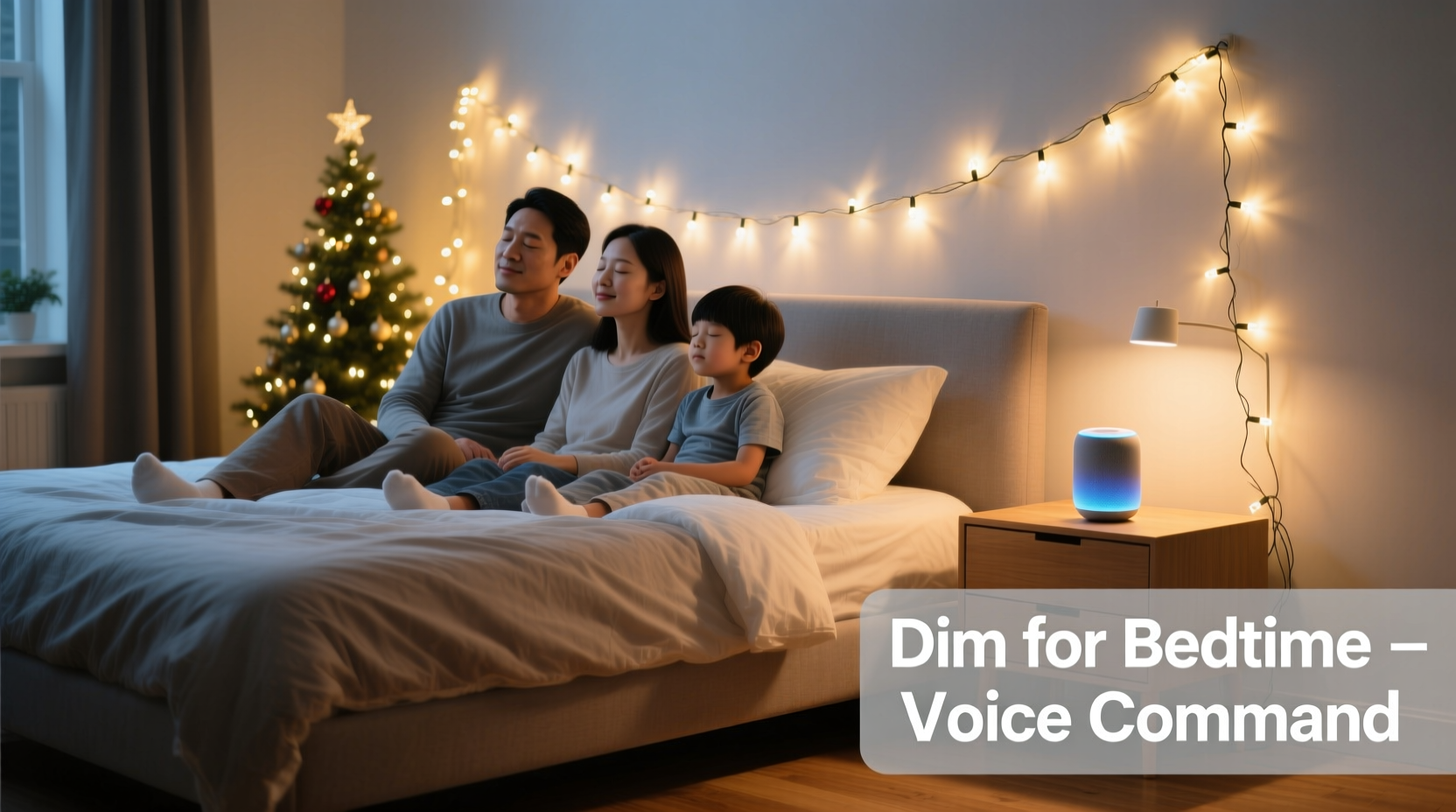
The human body operates on a circadian rhythm influenced heavily by light. Exposure to bright, blue-toned light during the day keeps us alert, while warmer, dimmer lighting in the evening encourages relaxation. Sudden darkness can be jarring, but a slow fade—from full brightness down to a soft glow over 15 to 30 minutes—mirrors natural dusk and prepares the nervous system for sleep.
Christmas lights, especially warm-white or color-tunable LED strands, are ideal for this purpose. When connected to a smart plug or built-in Wi-Fi module, they become programmable ambient tools. Voice activation adds another layer of simplicity: instead of tapping apps or setting rigid schedules, you say a phrase like “Alexa, start bedtime lights,” and the process begins automatically.
“Lighting that dims gradually in the hour before bed can significantly improve sleep onset and quality, especially in households with young children or sensitive sleepers.” — Dr. Lena Peterson, Sleep Health Researcher at the National Wellness Institute
What You’ll Need: Equipment and Compatibility
Not all Christmas lights can be voice-controlled. To make this work, you need a compatible ecosystem. Below is a checklist of essential components:
- Smart Christmas lights – These must support dimming and connect to a home automation platform (e.g., Philips Hue, LIFX, Govee, or Twinkly).
- Voice assistant device – Such as an Amazon Echo (Alexa), Google Nest (Google Assistant), or Apple HomePod (Siri).
- Wi-Fi network – A stable connection ensures reliable command execution.
- Smart home app – The companion app for your lights (e.g., Govee Home, Hue Sync) to set up scenes and automations.
- Hue Bridge or equivalent (if required) – Some systems need a hub to link lights to voice controls.
Step-by-Step Guide to Set Up Voice-Activated Dimming
Follow these steps to create a seamless, voice-triggered dimming sequence tailored to your bedtime routine.
- Install and connect your smart lights
Set up your lights according to the manufacturer’s instructions. Ensure they appear in your smart home app and respond to manual adjustments. - Create a dimming scene or routine
In your app, define a new scene called “Bedtime Wind Down” or similar. Set the initial brightness to 100% and the final state to 10–20%, with a warm white tone (2200K–2700K). Some apps allow you to schedule a gradual fade; if not, proceed to automation via your voice assistant. - Use your voice assistant’s automation tool
Open the Alexa or Google Home app and navigate to Routines. Create a new routine triggered by a voice command such as “Start bedtime lights” or “Goodnight.” - Add actions to dim progressively
Program a sequence where the lights lower in stages. For example:- After 5 minutes: Dim to 75%
- After 10 minutes: Dim to 50%
- After 15 minutes: Dim to 25%
- After 20 minutes: Turn off
- Test the routine
Say your trigger phrase aloud and observe the lights. Adjust timing and brightness levels based on comfort. Involve family members in testing—especially children—to ensure the pace feels calming, not disruptive. - Optional: Add ambient enhancements
Expand the routine to include other devices: lower smart blinds, play soft music, or activate a white noise machine. This creates a multi-sensory bedtime cue.
Comparing Platforms: Alexa, Google, and Siri
Different voice assistants offer varying levels of control and integration. The table below summarizes key features relevant to dimming Christmas lights over time.
| Feature | Alexa (Amazon) | Google Assistant | Siri (Apple HomeKit) |
|---|---|---|---|
| Native dimming control | Yes | Yes | Yes |
| Gradual dimming within routine | Limited (requires IFTTT or Smart Rules) | Partial (via routines with delays) | Yes (using Shortcuts with wait intervals) |
| Third-party integrations | Extensive (Zigbee, Matter, etc.) | Broad (works with most Android/IoT brands) | Moderate (requires HomeKit certification) |
| Custom voice triggers | Yes (“Alexa, begin wind down”) | Yes (“Hey Google, start bedtime”) | Yes (“Hey Siri, goodnight”) |
| Best for | Users invested in Amazon ecosystem | Families using Android or Chromecast | Apple users prioritizing privacy and smooth iOS sync |
Real Example: The Miller Family’s Bedtime Transformation
The Millers, a family of four in Portland, struggled with bedtime resistance from their 6-year-old daughter, Mia. Even with a consistent story-and-cuddle routine, she often stayed wired past 9 p.m. After learning about circadian lighting, they installed Govee LED strips around the living room ceiling and linked them to their Google Nest Hub.
They created a routine titled “Calm Down Lights” triggered by saying, “Hey Google, let’s get ready for bed.” Over 20 minutes, the lights shifted from bright white to warm amber, dimming in four stages. They paired it with a gentle piano playlist and a visual timer on the Nest screen.
Within a week, Mia began associating the fading lights with winding down. “It’s like the room is going to sleep too,” she said. Her bedtime improved by nearly 40 minutes, and her parents noticed fewer nighttime awakenings. The voice command became a joyful ritual—not a demand, but a shared signal that peace was coming.
Troubleshooting Common Issues
Even well-planned setups can encounter hiccups. Here are frequent problems and solutions:
- Lights don’t respond to voice commands: Ensure the smart home skill is enabled in your assistant app and that the device is listed under the correct room.
- Dimming happens too fast or all at once: Native routines often lack granular timing. Use IFTTT (If This Then That) to create delayed actions or explore advanced platforms like Home Assistant.
- Lights flicker during transitions: This may indicate firmware issues. Update your bulbs’ software via the manufacturer’s app.
- Voice assistant mishears the command: Choose unique phrases (e.g., “Begin cozy mode” instead of “Turn off lights”) to avoid accidental triggers.
“Automation works best when it feels invisible. The goal isn’t to showcase technology—it’s to remove friction from healthy habits.” — Marcus Tran, Smart Home Integration Consultant
Checklist: Setting Up Your Voice-Controlled Bedtime Lights
Follow this concise checklist to ensure a successful setup:
- ✅ Confirm your Christmas lights are smart and dimmable
- ✅ Connect lights to Wi-Fi and verify in the companion app
- ✅ Link the lighting system to your voice assistant (Alexa/Google/Siri)
- ✅ Create a named scene with warm, low-light settings
- ✅ Build a voice-triggered routine with progressive dimming steps
- ✅ Test the command at different times of day
- ✅ Refine timing and brightness based on user feedback
- ✅ Integrate with other smart devices (optional but recommended)
Frequently Asked Questions
Can I dim non-smart Christmas lights with voice commands?
Yes, if they’re plugged into a dimmable smart outlet. However, not all smart plugs support true dimming—many only offer on/off functionality. Look for models specifically labeled as \"dimmable\" (e.g., Lutron Caséta or TP-Link Kasa KP400) and ensure your lights are compatible (LEDs usually are; incandescent may require specific switches).
Do I need a hub or bridge for this to work?
It depends on the brand. Philips Hue and some high-end systems require a hub to communicate with voice assistants. Others, like Govee or Wyze, connect directly via Wi-Fi. Check your product specifications before purchasing.
Can multiple people use the same voice command?
Absolutely. Voice assistants recognize commands, not voices (unless personalized routines are enabled). Any household member can say “Alexa, goodnight” to start the dimming sequence, making it inclusive and easy to adopt.
Make Your Holidays Healthier and More Harmonious
Using voice commands to gradually dim Christmas lights is more than a tech trick—it’s a thoughtful blend of wellness science and modern convenience. As holiday lights twinkle through December, let them serve a dual purpose: celebration and calm. By programming a gentle descent into darkness, you give your household a daily gift—a moment of peace, initiated by a simple sentence.
Whether you're parenting young children, managing stress, or simply seeking a more mindful evening rhythm, this small change can yield lasting benefits. The best part? Once set up, it runs itself. No screens, no reminders—just light that listens.




 浙公网安备
33010002000092号
浙公网安备
33010002000092号 浙B2-20120091-4
Comments
No comments yet. Why don't you start the discussion?