
Purchasing a used iPhone can be a smart financial decision, offering premium features at a fraction of the retail price. However, the secondhand market carries risks—especially the possibility of buying a stolen device. A stolen iPhone may appear fully functional but could become unusable once reported or remotely locked by its rightful owner. Worse, possessing such a device might expose you to legal complications. Knowing how to verify if an iPhone is stolen is not just about protecting your investment—it’s about ensuring peace of mind and ethical consumer behavior.
Check the Activation Lock Status
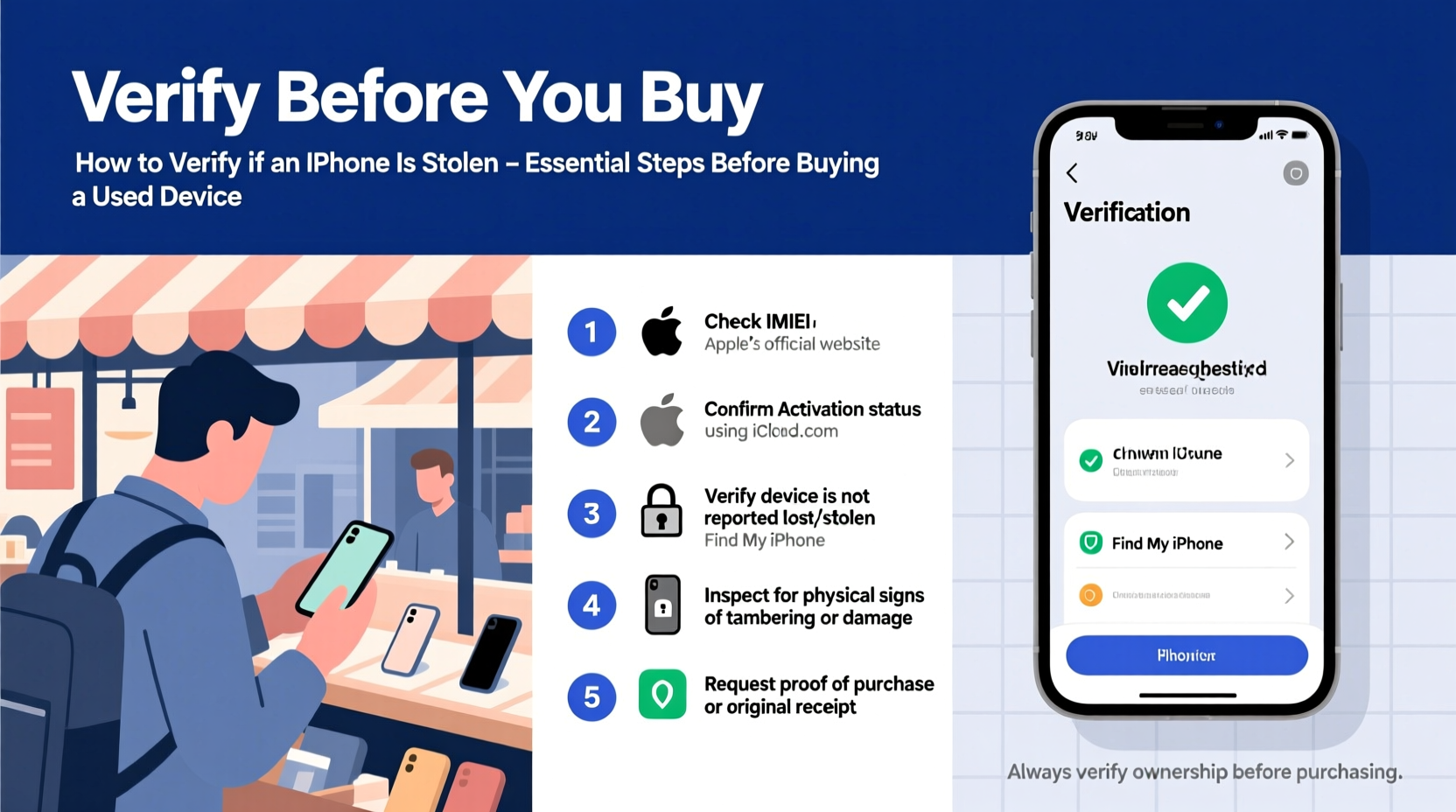
The first and most critical step in verifying a used iPhone is checking its iCloud Activation Lock status. Apple’s Find My iPhone feature ties a device to the original owner’s Apple ID, preventing activation without their credentials—even after a factory reset.
To check this:
- Ask the seller for the iPhone’s serial number or IMEI (International Mobile Equipment Identity).
- Visit activationlock.apple.com.
- Enter the device’s serial number or IMEI.
- If the site shows “This device is not eligible for removal,” it means the Activation Lock is still active and the previous owner hasn’t removed their account.
An active lock often indicates the device was never properly de-registered, which raises red flags—especially if the seller cannot demonstrate ownership or provide proof of purchase.
Verify the IMEI Number
The IMEI is a unique 15-digit identifier assigned to every iPhone. It’s crucial for tracking a phone’s history, including whether it’s been reported lost or stolen.
You can find the IMEI in several ways:
- Dial
*#06#on the iPhone’s keypad—the number will display automatically. - Go to Settings > General > About.
- Check the original packaging or receipt.
Once you have the IMEI, use it to run a check through trusted databases:
| Service | What It Checks | Cost |
|---|---|---|
| IMEI.info | Blacklist status, carrier lock, warranty | Free basic report; paid for full details |
| Swappa IMEI Checker | Stolen, lost, or carrier-blocked status | Free |
| Carrier websites (e.g., AT&T, T-Mobile) | Network blacklist status | Free |
If the IMEI appears on a carrier blacklist or theft database, the phone may be unusable on most networks and could be seized by law enforcement.
“Over 30% of blacklisted phones end up being resold unknowingly by buyers who skipped basic IMEI checks.” — Sarah Lin, Senior Analyst at Mobile Security Watch
Request Proof of Ownership
A legitimate seller should have no issue providing proof they own the device. This includes:
- Original sales receipt or invoice
- Box and accessories (original packaging often contains the IMEI)
- Apple ID account access (to sign out in person)
If the seller claims the phone was a gift, ask for a signed letter of transfer or gift receipt. Be cautious if the device lacks any documentation or if the seller refuses to meet in person.
Perform a Live Device Check
When meeting the seller, conduct a live inspection of the iPhone. Follow these steps:
- Power on the device: Ensure it turns on and reaches the home screen or setup screen.
- Check for passcode locks: If the phone is locked and the seller can’t unlock it, walk away.
- Sign out of iCloud: Ask the seller to go to Settings > [Name] > Sign Out. They must enter their Apple ID password to disable Find My iPhone.
- Inspect physical condition: Look for signs of tampering, mismatched parts, or liquid damage indicators.
- Test core functions: Camera, speakers, microphone, charging port, and cellular connectivity.
If the seller hesitates or refuses to sign out of their account, the device may be stolen or financed (and later reported when payments stop).
Mini Case Study: The Locked iPhone Scam
Jamal found a seemingly perfect iPhone 14 Pro listed online for $400 below market value. Excited by the deal, he paid upfront via wire transfer. When the phone arrived, it was completely non-functional—stuck on an activation screen requiring the previous owner’s Apple ID. He contacted the seller, but the number was disconnected. After running the IMEI, Jamal discovered the phone had been reported stolen three months earlier. Unfortunately, he couldn’t recover his money and had to report the incident to local authorities.
This common scam preys on bargain hunters who skip due diligence. Always inspect the device in person and ensure iCloud is disabled before payment.
Use Apple’s Official Resources
Apple provides tools to help buyers verify a device’s legitimacy:
- Check Coverage Page: Visit checkcoverage.apple.com and enter the serial number. This reveals warranty status, purchase date, and whether the device is still under AppleCare.
- Contact Apple Support: While they won’t disclose ownership, they can confirm if a device is reported as lost or stolen if you have a valid case number.
A clean warranty record adds credibility, though absence of coverage doesn’t necessarily mean the phone is stolen—it may simply be older than one year.
Do’s and Don’ts When Buying a Used iPhone
| Do’s | Don’ts |
|---|---|
| Verify IMEI and serial number | Buy without checking Activation Lock |
| Meet in a public place | Wire money or use irreversible payment methods |
| Test all functions on-site | Accept a phone still linked to an Apple ID |
| Get a receipt with seller’s contact info | Ignore inconsistencies in device model or packaging |
Frequently Asked Questions
Can a stolen iPhone be unlocked?
No. Once an iPhone is reported stolen and Activation Lock is active, it cannot be reactivated without the original owner’s Apple ID and password. Even restoring via iTunes or Finder will not bypass this security feature.
What if the iPhone works fine but has an active Find My setting?
If Find My iPhone is still enabled, the device is tied to someone else’s account. Using it poses legal and technical risks. The owner can remotely lock or wipe the phone at any time. Always require the seller to disable this feature before purchase.
Is it safe to buy a used iPhone from eBay or Craigslist?
It can be, but only if you follow strict verification procedures. Use platforms with buyer protection (like eBay), insist on IMEI checks, and avoid deals that seem too good to be true. Whenever possible, opt for local pickup so you can test the device before paying.
Final Checklist Before Purchase
- Obtain the iPhone’s IMEI and serial number.
- Check Activation Lock status at activationlock.apple.com.
- Run an IMEI check using Swappa or IMEI.info.
- Verify warranty status via Apple’s Check Coverage page.
- Meet the seller in person and witness iCloud sign-out.
- Test all hardware components (camera, speaker, charging).
- Get a written receipt with the seller’s name, contact, and device details.
Stay Safe and Shop Smart
Buying a used iPhone doesn’t have to be risky. With the right precautions, you can secure a reliable device at a great price. The key is diligence: verify the device’s digital footprint, demand transparency from the seller, and never rush a transaction. Technology exists to protect consumers—use it. By following these steps, you protect not only your wallet but also uphold responsible practices in the secondhand electronics market.




 浙公网安备
33010002000092号
浙公网安备
33010002000092号 浙B2-20120091-4
Comments
No comments yet. Why don't you start the discussion?