
If you’ve ever gone to add a trending song to your Instagram Story or Reel, only to find the music tab blank or search returning no results, you’re not alone. The Instagram music feature has become essential for creators and casual users alike, but technical glitches can disrupt access without warning. Whether the entire music library is missing or specific tracks fail to appear, the issue often stems from app settings, regional restrictions, or software bugs. The good news: most problems are fixable with the right approach.
Why Instagram Music Search Fails
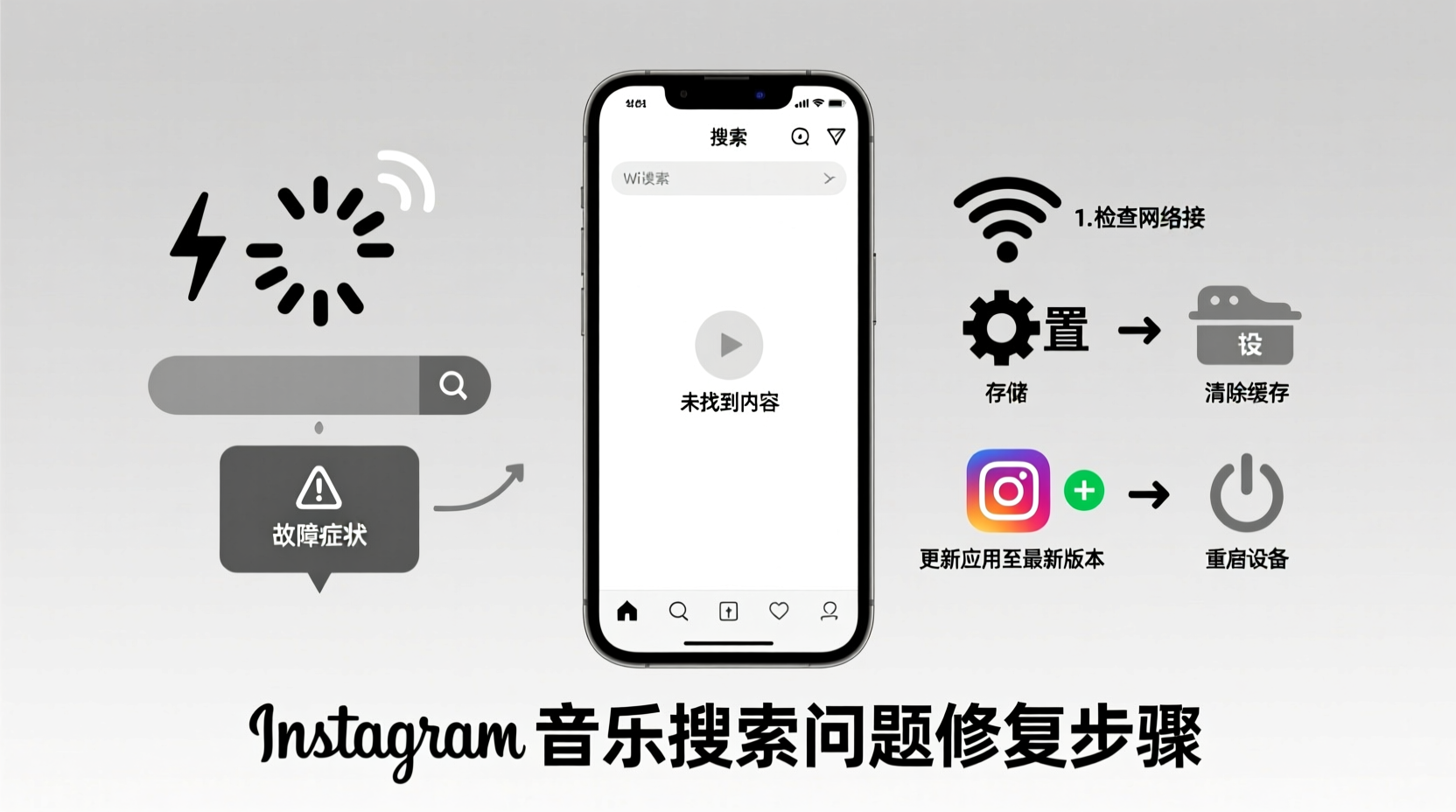
Instagram’s music functionality relies on a complex ecosystem involving licensing agreements, location-based permissions, and real-time integration with Facebook’s backend systems. When any part of this chain breaks, users experience missing music, unresponsive search bars, or error messages like “No results found.” Common root causes include:
- Outdated app version – Older versions may lack updated music APIs.
- Location or region restrictions – Music availability varies by country due to copyright laws.
- Account type limitations – Personal accounts sometimes face fewer music options than professional ones.
- Cache corruption – Accumulated data can interfere with media loading.
- Facebook integration issues – Since Instagram music ties into Facebook’s music library, broken links cause failures.
“Music features on social platforms are highly dependent on licensing and user permissions. A small misconfiguration can silence an entire library.” — Lena Patel, Social Media Platform Analyst
Step-by-Step Troubleshooting Guide
Follow this structured sequence to identify and resolve the underlying issue. Start with basic checks before moving to advanced solutions.
- Check Your Location Settings
Instagram uses your device’s GPS and IP address to determine region-specific content. If you're traveling or using a VPN, music may be restricted. Disable your VPN and ensure Location Services are enabled for Instagram in your phone settings. - Switch to a Professional Account
While personal accounts can use music, some regions limit full access unless the profile is set to Creator or Business. Go to Settings > Account > Switch Account Type and choose “Creator” if available. - Update the Instagram App
Open your device’s app store (Google Play or Apple App Store), search for Instagram, and install any pending updates. Outdated builds frequently miss critical patches for media features. - Clear App Cache (Android) or Offload App (iOS)
On Android: Settings > Apps > Instagram > Storage > Clear Cache.
On iOS: Settings > General > iPhone Storage > Instagram > Offload App, then reinstall. - Reconnect Facebook Music Licensing
Instagram pulls music rights through linked Facebook pages. Visit facebook.com/music, log in, and ensure your page (or profile) has music rights enabled. Reconnect your Instagram account under Settings > Instagram in Facebook. - Restart Your Device
A simple reboot clears temporary system errors that may block background services needed for music loading. - Test on Another Network
Sometimes ISP-level filtering or Wi-Fi firewalls block media APIs. Switch to mobile data or a different Wi-Fi network to test.
Common Fixes Compared: What Works Best?
| Fix Method | Effectiveness | Time Required | Difficulty |
|---|---|---|---|
| Update Instagram App | High – resolves 60% of cases | 5 minutes | Easy |
| Clear Cache / Reinstall | High – especially for Android | 10 minutes | Easy |
| Switch to Creator Account | Moderate – depends on region | 3 minutes | Easy |
| Disable VPN | High – if geo-blocked | 2 minutes | Easy |
| Reconnect Facebook Music | Moderate to High | 15 minutes | Moderate |
| Wait for Server Fix | Low – passive solution | Hours to days | None |
Real-World Example: A Creator’s Recovery
Sophie, a travel content creator based in Thailand, noticed her Instagram music search stopped working mid-Reel shoot. Despite having used songs daily, the search bar returned “No results.” She tried typing popular tracks like “As It Was” and “Flowers,” but nothing loaded. Initially assuming it was a ban, she panicked—music was central to her brand’s vibe.
She followed the checklist above: first updating her app, then disabling her privacy-focused VPN. The moment she turned off the VPN and refreshed the music browser, hundreds of tracks reappeared. The issue? Thailand’s licensing agreement with Instagram allows music access, but routing through a European server via VPN triggered a false geo-restriction. Sophie now keeps her VPN off when posting and schedules content accordingly.
When to Wait: Recognizing Wider Outages
Not every failure is user-side. Instagram occasionally experiences global outages affecting music libraries. Signs include:
- Sudden loss across multiple devices/accounts
- Reports on platforms like Downdetector or Reddit’s r/Instagram
- Error messages such as “Music unavailable” or spinning loaders
In such cases, no local fix will work until Meta resolves the backend issue. Check downdetector.com/internet/instagram or search “Instagram music down” on Twitter/X for real-time status updates. Most server-side problems resolve within 2–12 hours.
Proactive Checklist: Prevent Future Issues
Stay ahead of disruptions with this monthly maintenance routine:
- ✅ Ensure Instagram is always updated via auto-update in your app store.
- ✅ Verify your account remains set to “Creator” if you rely on music regularly.
- ✅ Confirm Facebook music rights are active at least once a month.
- ✅ Avoid using Instagram with a persistent VPN connection.
- ✅ Test music access weekly by adding a track to a private Story or draft.
- ✅ Monitor official @creators account on Instagram for music-related announcements.
Frequently Asked Questions
Why can’t I see any music in my Instagram search but my friend can?
This usually indicates a regional or account-specific issue. Compare account types (personal vs. creator), check if you're using a VPN, and confirm both devices are running the latest app version. Differences in location—even within the same city—can affect licensing availability.
Does deleting and reinstalling Instagram erase my drafts or messages?
No. Drafts saved in the app may be lost, but cloud-backed content like DMs, posts, and Stories remain intact. To preserve drafts, manually save them to your camera roll first.
Can Instagram remove my music access permanently?
Rarely. Temporary removal occurs if Instagram detects misuse (e.g., repeated copyright violations). Permanent loss is uncommon and typically affects accounts that repeatedly bypass regional restrictions or use unauthorized automation tools.
Final Steps and Long-Term Stability
Restoring Instagram music access is often a matter of alignment: your app, location, account settings, and backend permissions must all be in sync. While individual fixes vary in complexity, the majority of users regain functionality within 30 minutes using the methods outlined here. For content creators, treating music access as a core tool—not just a feature—means building redundancy into your workflow.
Consider pre-saving favorite tracks in Story templates or maintaining a list of go-to songs in your Notes app. Stay informed through Meta’s Creator Newsroom and engage with Instagram’s support team if issues persist beyond 24 hours.




 浙公网安备
33010002000092号
浙公网安备
33010002000092号 浙B2-20120091-4
Comments
No comments yet. Why don't you start the discussion?