
Owning both an iPhone 12 and an iPad might seem redundant at first glance. After all, they run the same operating system, share many apps, and both connect to cellular networks. But dig deeper, and you’ll find that these devices serve distinct roles in daily life—especially when used together. The real question isn’t whether there’s a point in owning both, but rather how well they complement each other in your personal and professional routines.
The synergy between Apple’s ecosystem plays a major role here. Features like Handoff, Universal Clipboard, AirDrop, and iCloud sync blur the line between devices, making transitions seamless. Yet despite this integration, the form factor, functionality, and use cases remain different enough to justify dual ownership for many users.
Understanding the Functional Overlap
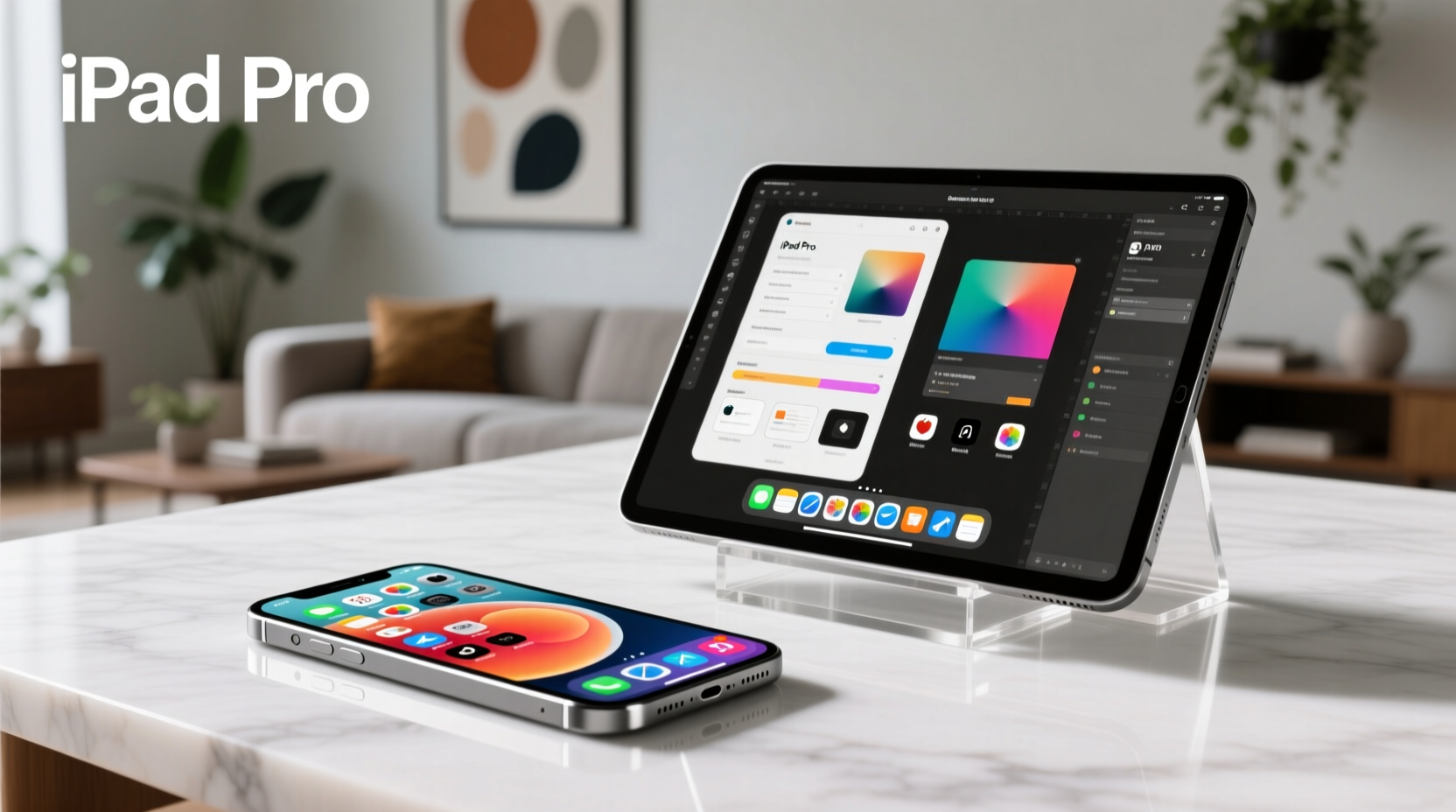
At their core, both the iPhone 12 and most modern iPads run iOS or iPadOS, meaning they support the same App Store, messaging platforms, web browsers, and media services. You can answer emails, edit documents, stream video, and take high-quality photos on either device. This functional overlap leads some to believe that one device should be enough.
However, overlap doesn’t equate to redundancy. Consider the kitchen: a chef might own both a paring knife and a chef’s knife. Both cut food, but their design suits different tasks. Similarly, the iPhone excels in portability and communication, while the iPad shines in content consumption, multitasking, and creative work.
Where the iPad Outperforms the iPhone 12
The larger screen of an iPad transforms how you interact with content. Whether you're watching a movie, reviewing spreadsheets, or sketching in Procreate, the extra real estate makes a tangible difference. The iPad also supports external keyboards, styluses like the Apple Pencil, and split-screen multitasking—features that elevate productivity beyond what the iPhone 12 can offer.
For students, professionals, or creatives, the iPad becomes a hybrid tool: part notebook, part workstation. With iPadOS, you can have two apps open side-by-side, drag and drop files between them, and even use a trackpad. These capabilities turn the iPad into a lightweight laptop alternative, something the iPhone, by design, will never be.
“The iPad isn’t just a bigger iPhone—it’s a different kind of computing experience.” — Greg Joswiak, Apple’s Senior Vice President of Worldwide Marketing
Unique Strengths of the iPhone 12
The iPhone 12 remains unmatched in mobility and connectivity. Its compact size fits in pockets, supports Face ID on the go, and maintains full cellular capability with 5G. It doubles as a high-end camera, a fitness tracker (when paired with Apple Watch), and a secure authentication device for banking and home systems.
Unlike most iPads, every iPhone has a standard SIM slot and always-on cellular data, making it ideal for navigation, emergency access, and constant communication. It’s also the primary device for FaceTime calls, health tracking via the Health app, and capturing spontaneous moments with its advanced dual-camera system.
In short, the iPhone 12 is your always-with-you hub. The iPad is your focused workspace.
Practical Benefits of Owning Both
When used together, the iPhone 12 and iPad unlock powerful workflows. Here’s how:
- Continuity: Start an email on your iPhone during a commute and finish it on your iPad at home.
- AirPlay & Screen Mirroring: Stream content from your iPhone to your iPad for a better viewing experience.
- Instant Hotspot: Use your iPhone’s cellular connection to get your iPad online without Wi-Fi.
- Universal Search: Find a photo taken on your iPhone directly from your iPad using iCloud Photos.
- Shared Accessories: Use the same AirPods, Apple Pencil (if compatible), or MagSafe wallet across both devices.
This level of integration reduces friction and enhances efficiency—something Android or cross-platform users often struggle to match.
Mini Case Study: Remote Worker Efficiency
Sophie, a freelance graphic designer, uses her iPhone 12 to capture client briefs via voice memo during walks, snap reference photos, and manage messages. At her desk, she switches to her iPad Pro with Apple Pencil to sketch concepts in Adobe Fresco. She uses Sidecar to extend her Mac display but defaults to the iPad when working offsite.
“My iPhone keeps me connected and inspired,” she says. “But my iPad is where the ideas become real. I couldn’t do my job as fluidly if I had to rely on just one.”
Cost vs. Value: Is It Worth the Investment?
Purchasing both devices means spending $700+ for an iPhone 12 and $300–$1,000+ for an iPad. That’s a significant upfront cost. But value isn’t just about price—it’s about utility.
If you’re someone who reads e-books, watches videos, annotates PDFs, or works remotely, the iPad adds measurable time savings and comfort. Meanwhile, the iPhone 12 ensures you’re never disconnected. Together, they cover more digital ground than either could alone.
Consider this comparison:
| Feature | iPhone 12 | iPad (9th Gen or later) |
|---|---|---|
| Portability | Excellent – fits in pocket | Fair – requires bag or case |
| Cellular Connectivity | Standard on all models | Optional (Wi-Fi + Cellular) |
| Screen Size | 6.1 inches | 10.2–12.9 inches |
| Multitasking | Limited (Slide Over not available) | Split View, Slide Over, App Switcher |
| Stylus Support | No | Yes (Apple Pencil) |
| Primary Use Case | Communication, photography, on-the-go tasks | Content creation, reading, media, light work |
When One Device Might Be Enough
Not everyone needs both. If your digital life revolves around social media, messaging, and occasional web browsing, the iPhone 12 likely covers all bases. Similarly, if you already own a laptop, adding an iPad may feel unnecessary unless you value touch-based workflows or digital note-taking.
But for those balancing work, creativity, and family logistics, the combination offers a tiered approach: quick actions on the phone, deeper engagement on the tablet.
Checklist: Do You Need Both?
Answer these questions to determine if dual ownership makes sense for you:
- Do you frequently watch videos or read long articles?
- Would you benefit from handwriting notes or drawing digitally?
- Do you work remotely or manage documents regularly?
- Do you find your iPhone screen too small for comfortable typing?
- Are you already invested in the Apple ecosystem (Mac, iCloud, Apple Watch)?
- Do you use your phone so much that battery life is a constant issue?
If you answered “yes” to three or more, the iPad adds meaningful value alongside your iPhone 12.
FAQ
Can I use the same apps on both devices?
Yes. Most apps are universal and sync data via iCloud. However, iPad versions often include enhanced interfaces with more tools due to the larger screen.
Will owning both drain my battery faster?
Not inherently. In fact, offloading heavy tasks like video editing or reading to the iPad can reduce strain on your iPhone’s battery and extend its lifespan.
Do I need cellular on my iPad if I have an iPhone 12?
Not necessarily. Wi-Fi iPads work perfectly when near networks. But if you travel often or lack reliable Wi-Fi, cellular adds flexibility. You can also use your iPhone as a hotspot.
Conclusion: Synergy Over Redundancy
The decision to own both an iPhone 12 and an iPad isn’t about necessity—it’s about optimization. They aren’t duplicates; they’re collaborators. One keeps you connected and mobile, the other expands your capacity to create, learn, and focus.
Apple’s ecosystem thrives on this interplay. When devices work together seamlessly, the whole becomes greater than the sum of its parts. For students, remote workers, parents managing household logistics, or anyone seeking a balanced digital life, owning both isn’t excessive—it’s strategic.




 浙公网安备
33010002000092号
浙公网安备
33010002000092号 浙B2-20120091-4
Comments
No comments yet. Why don't you start the discussion?