
Choosing between the iPhone 12 and the iPad Mini isn’t just about brand loyalty—it’s about matching device size to your daily habits, needs, and lifestyle. Both are compact Apple devices with powerful performance, but their form factors serve different purposes. The iPhone 12 fits in your pocket; the iPad Mini demands a bag. One excels in communication and mobility; the other offers immersive media and productivity in a small frame. Understanding how each device aligns with your routine can help you make a smarter decision—especially if you’re trying to avoid redundancy or maximize value.
Size and Portability: The Core Difference
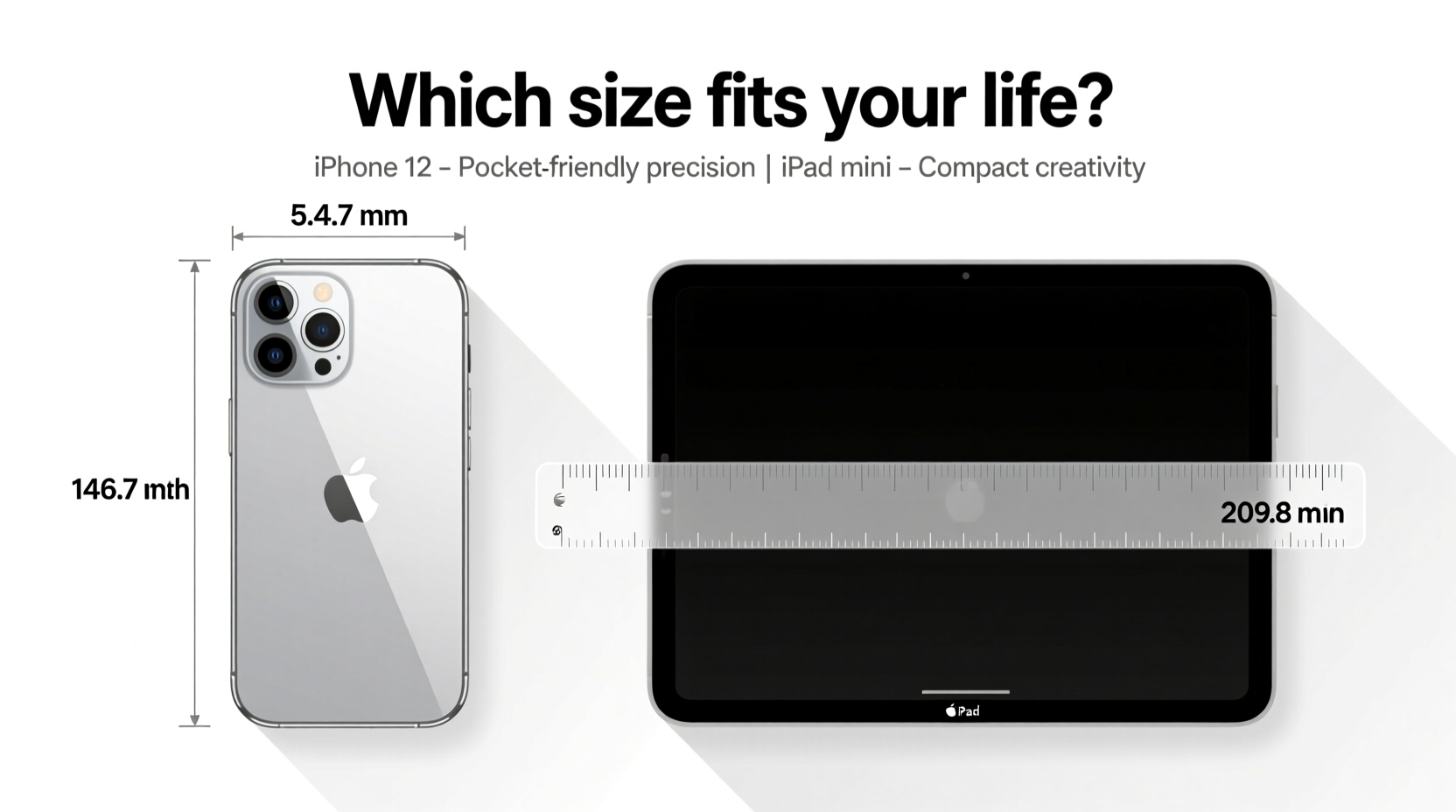
The most immediate distinction lies in physical dimensions. The iPhone 12 measures 5.78 x 2.82 x 0.29 inches and weighs 5.78 ounces. It slips easily into pockets, fits comfortably in one hand, and is ideal for on-the-go tasks like texting, taking photos, or checking maps while walking.
In contrast, the iPad Mini (6th generation) is 7.9 x 5.3 x 0.25 inches and weighs 12.1 ounces. While still considered “mini” by tablet standards, it’s significantly larger than the iPhone 12. You’ll need a jacket pocket, purse, or backpack to carry it comfortably. However, its screen real estate opens up possibilities the iPhone simply can’t match—reading e-books without zooming, multitasking with split-screen apps, or sketching with an Apple Pencil.
Screen Real Estate and User Experience
Screen size directly impacts usability. The iPhone 12 has a 6.1-inch Super Retina XDR display with a resolution of 2532 x 1170 pixels. It delivers sharp visuals and vibrant colors, making it excellent for social media, video calls, and mobile gaming. But extended reading or document editing can feel cramped.
The iPad Mini boasts an 8.3-inch Liquid Retina display with a resolution of 2266 x 1488 pixels. Though slightly lower in pixel density, the larger canvas transforms the user experience. Apps can be used in landscape mode with side-by-side panels. Safari displays full desktop sites more comfortably. And for creative work—like digital note-taking or light photo editing—the extra space is invaluable.
“People underestimate how much difference two inches make in usability. On an iPad Mini, you’re not just consuming content—you’re interacting with it.” — David Lin, UX Designer at AppFlow Studios
| Feature | iPhone 12 | iPad Mini (6th Gen) |
|---|---|---|
| Display Size | 6.1 inches | 8.3 inches |
| Weight | 5.78 oz (164 g) | 12.1 oz (364 g) |
| Pocket-Friendly? | Yes | No |
| Multitasking Support | Limited (Slide Over) | Split View, Slide Over, App Switcher |
| Apple Pencil Support | No | Yes (2nd Gen) |
Use Case Scenarios: Who Benefits From What?
Your ideal device depends on what you do most often. Consider these real-world examples:
Mini Case Study: The Commuter Student
Sophie, a university student, walks across campus between lectures. She uses her phone for messaging, checking schedules, and scanning QR codes for attendance. But during breaks, she takes notes using GoodNotes and reads PDF textbooks. With an iPhone 12, she struggles to annotate documents clearly. After switching to an iPad Mini, she pairs it with a Bluetooth keyboard and Apple Pencil. Her productivity improves dramatically—even though she now carries a small tote. For Sophie, the trade-off in portability was worth the gain in functionality.
Mini Case Study: The Frequent Traveler
Mark travels weekly for client meetings. He values minimalism. His iPhone 12 handles emails, boarding passes, navigation, and quick document reviews via cloud apps. He doesn’t want another device to charge or carry. When he briefly tried the iPad Mini, he found himself leaving it behind in hotels because it wasn’t essential for core tasks. For Mark, the iPhone 12 covers 95% of his needs without adding bulk.
Performance and Ecosystem Integration
Both devices run on Apple’s A-series chips—the iPhone 12 on the A14 Bionic, the iPad Mini on the A15 Bionic (in later models). Performance differences are negligible for everyday use. Both support Face ID (iPhone 12) or Touch ID (iPad Mini), iCloud sync, AirDrop, and Handoff.
Where integration shines is continuity. You can start an email on your iPhone and finish it on your iPad Mini. Safari tabs sync seamlessly. Notes taken on the iPad appear instantly on your phone. But if you already own an iPhone, adding an iPad Mini expands your ecosystem rather than duplicates it.
However, consider app optimization. Some iPad apps offer richer features than their iPhone counterparts. For example, Procreate on iPad Mini provides advanced brush controls and layer management, while the iPhone version is simplified. Similarly, music production apps like GarageBand unlock more tracks and instruments on iPadOS.
Decision Checklist: iPhone 12 vs iPad Mini
Still unsure? Ask yourself the following questions:
- Do I need a device that fits in my jeans pocket?
- Am I primarily using this for calls, texts, and social media?
- Do I already own a larger tablet or laptop for media and work?
- Will I use stylus input or split-screen multitasking regularly?
- Do I read long articles, comics, or e-books on the go?
- Am I willing to carry an extra device and manage another battery?
- Do I create content—notes, sketches, videos—that benefits from more space?
If you answered “yes” to the first three, the iPhone 12 is likely sufficient. If the last four resonate more, the iPad Mini could be the better investment—even as a secondary device.
Frequently Asked Questions
Can the iPad Mini replace my iPhone?
Not fully. While the iPad Mini supports cellular connectivity and FaceTime audio/video calls, it lacks native SMS/MMS support unless linked to an iPhone via Wi-Fi Calling or Continuity. You cannot receive standard text messages independently. For standalone communication, the iPhone remains essential.
Is the iPad Mini too small for serious work?
It depends on your workload. For light tasks—email, web research, document editing, note-taking—it’s highly capable. Paired with a keyboard case, it becomes a portable office. But for intensive multitasking, large spreadsheets, or professional video editing, a larger iPad or Mac is preferable. The iPad Mini strikes a balance between mobility and utility, not power-user performance.
Does the iPhone 12 have enough screen for video streaming?
Yes—for short sessions. The Super Retina XDR display delivers excellent color and contrast, ideal for platforms like Netflix or YouTube. However, prolonged viewing may cause eye strain due to smaller text and interface elements. The iPad Mini provides a more cinematic, relaxed experience for movies and TV shows, especially in landscape mode.
Final Recommendation: Match Device to Lifestyle
The iPhone 12 and iPad Mini aren’t direct competitors—they’re complementary tools serving different roles. The iPhone is a communication-first device built for immediacy and convenience. The iPad Mini is a content-first tool designed for engagement and creation.
If you're looking for **one device** and prioritize always-on accessibility, the iPhone 12 wins. If you want **expanded capability** without sacrificing too much portability, the iPad Mini fills a unique niche. Many users find the best solution is owning both: the iPhone for life logistics, the iPad Mini for focused downtime or creative bursts.
“The right size isn’t measured in inches—it’s measured in how much the device disappears into your routine.” — Lena Park, Tech Lifestyle Coach
Take Action Today
Instead of choosing based on specs alone, spend a day tracking how you use technology. Note when you reach for your phone, when you wish for a bigger screen, and when you’d benefit from a stylus or keyboard. That data will tell you more than any comparison chart.




 浙公网安备
33010002000092号
浙公网安备
33010002000092号 浙B2-20120091-4
Comments
No comments yet. Why don't you start the discussion?