
When Apple released the iPhone 12 Pro, many users were drawn to its sleeker design, flat edges, and improved camera system. But one question kept coming up: Is it actually larger than the iPhone 11? For people who value pocketability, grip comfort, or case compatibility, even a few millimeters can make a difference. The truth is more nuanced than marketing suggests. While the iPhone 12 Pro appears slightly more compact on paper, subtle changes in design and materials shift how it feels in hand.
This article breaks down the exact dimensions, weight, build differences, and real-world implications of choosing between these two models. Whether you're upgrading from an iPhone 11 or just curious about the evolution of Apple’s flagship phones, understanding these physical differences helps inform your decision beyond just camera specs or processor speed.
Detailed Dimension Comparison
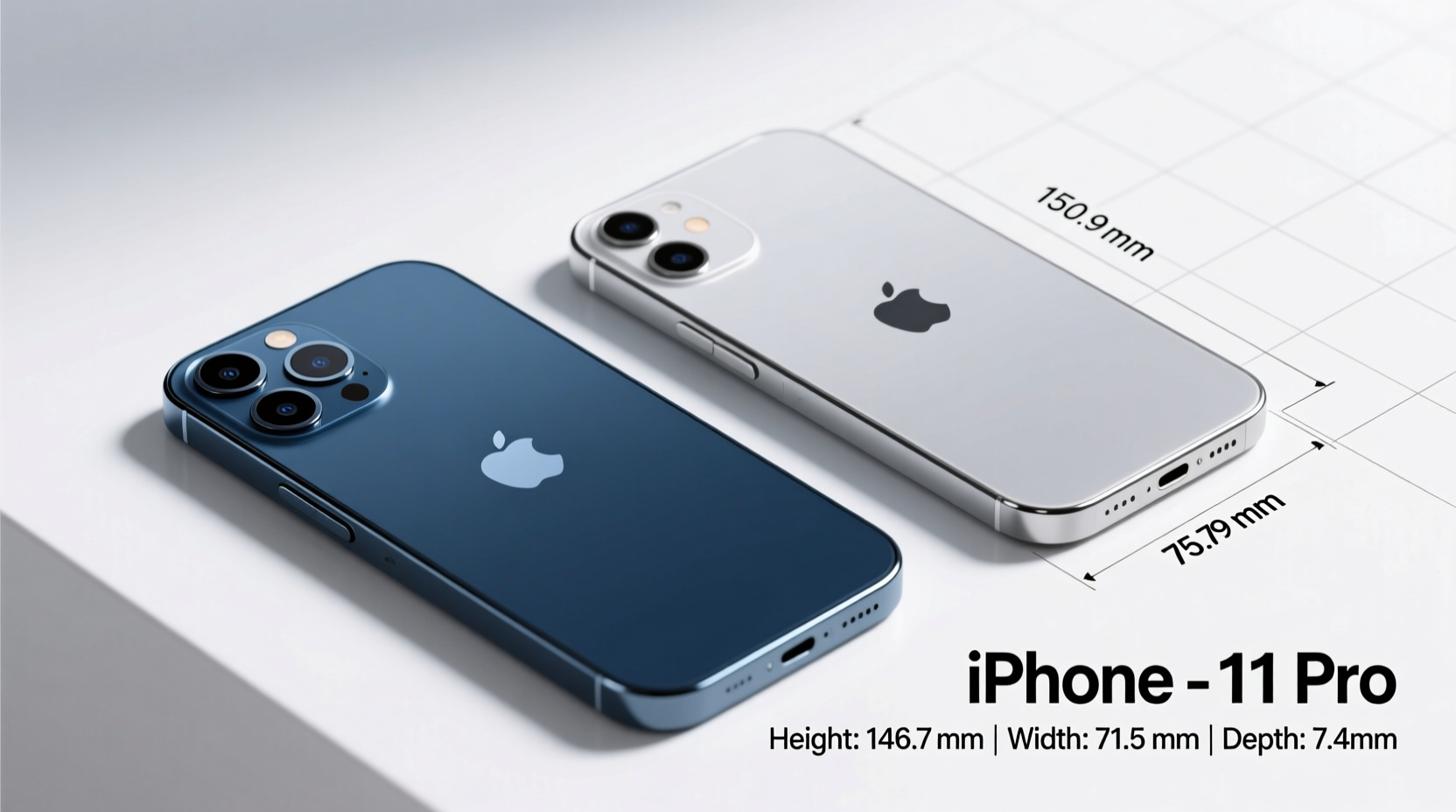
The most direct way to assess whether the iPhone 12 Pro is significantly bigger than the iPhone 11 is by comparing their official measurements. At first glance, the numbers might seem nearly identical—but small variances add up in daily use.
| Model | Height | Width | Thickness | Weight |
|---|---|---|---|---|
| iPhone 11 | 150.9 mm | 75.7 mm | 8.3 mm | 194 g (6.84 oz) |
| iPhone 12 Pro | 146.7 mm | 71.5 mm | 7.4 mm | 187 g (6.60 oz) |
From this table, several insights emerge. The iPhone 12 Pro is shorter by 4.2 mm and narrower by 4.2 mm—differences that may not sound dramatic but become noticeable when holding both devices side by side. It's also thinner and lighter despite using denser materials like surgical-grade stainless steel for the frame and Ceramic Shield front cover.
Design Evolution: Flat Edges vs. Curved Frames
Beyond raw numbers, the design language plays a major role in perceived size and comfort. The iPhone 11 features gently curved edges and a rounded aluminum frame, which molds smoothly into the palm. In contrast, the iPhone 12 Pro adopts a retro-inspired flat-edge design reminiscent of the iPhone 4 and 5 series.
This change affects ergonomics. The sharper sides of the 12 Pro give it a more premium, modern look but can feel less forgiving during extended one-handed use. Some users report slight discomfort along the pinky edge after prolonged typing sessions—a phenomenon sometimes called “pinky fatigue.” However, others appreciate the increased grip security and reduced chance of accidental drops due to the angular profile.
The narrower body allows most users to reach across the screen with their thumb more easily, especially when navigating iOS controls at the top. That said, the taller OLED display (6.1 inches same as iPhone 11, but with slimmer bezels) means content extends further up, partially offsetting the ergonomic gains.
“The shift to flat edges wasn't just aesthetic—it changed how people interact with the device physically. Even minor dimension shifts impact usability more than spec sheets suggest.” — David Lin, Mobile Device Ergonomics Researcher at UX Labs
Material Differences and Their Impact on Size Perception
Despite being smaller in every dimension, the iPhone 12 Pro manages to house advanced components like a LiDAR scanner, improved thermal systems, and a triple-camera array with sensor-shift stabilization (on the wide lens). How does it do this without increasing size?
Apple achieved miniaturization through tighter internal integration and material efficiency. The switch from aluminum (iPhone 11) to stainless steel (iPhone 12 Pro) adds density but allows for thinner structural framing. Meanwhile, the Ceramic Shield front glass is engineered to be tougher while maintaining similar thickness to previous models.
Interestingly, although the 12 Pro weighs slightly less, it feels more substantial in hand due to the higher-density metal frame. This creates a psychological effect where users often describe the 12 Pro as “denser” or “more solid,” even if it's technically lighter.
- iPhone 11 Frame: Aerospace-grade aluminum – lightweight but prone to dents
- iPhone 12 Pro Frame: Surgical-grade stainless steel – heavier per volume, more scratch-resistant
- Back Material: Both use matte-finish glass, but 12 Pro has laser-etched texture for better grip
Real-World Usage: Does the Size Difference Matter?
To understand the practical implications, consider a common scenario: commuting.
Sarah, a graphic designer in San Francisco, upgraded from her iPhone 11 to a 12 Pro after two years. She initially worried about fit in her jacket pockets and purse compartments. After a week of use, she noted: “It slips in easier now. The old phone always caught on fabric because of its wider base. The new one sits flush and doesn’t bulge out.”
However, she also found herself adjusting her grip. “I used to rest my hand naturally along the curve. Now there’s a sharp edge pressing into my palm when I hold it sideways for videos. I’ve started using a silicone case, which softens the feel.”
This reflects a broader trend among long-time iPhone users transitioning between generations. The dimensional reduction improves portability, but the flatter form factor demands adaptation. Users with smaller hands may find the 12 Pro easier to manage overall, while those prioritizing comfort during media consumption might prefer the softer contours of the iPhone 11.
Compatibility and Accessories
One often-overlooked consequence of Apple’s design shift is accessory compatibility. Despite having the same screen size, the different chassis shapes mean cases and magnetic mounts are not interchangeable.
MagSafe accessories introduced with the iPhone 12 series rely on precise alignment of magnets embedded around the charging coil. These aren’t present in the iPhone 11, making MagSafe wallets, chargers, and car mounts incompatible without third-party adapters.
Checklist: Before Upgrading from iPhone 11 to 12 Pro
- Measure your current phone’s fit in pockets, holsters, or car docks
- Test the flat-edge feel in person if possible
- Verify MagSafe accessory needs (wallets, chargers, stands)
- Factor in potential case replacement costs
- Assess whether reduced weight and size improve one-handed usability for you
Frequently Asked Questions
Is the iPhone 12 Pro harder to hold than the iPhone 11?
Some users find the flat edges less comfortable during long usage sessions, particularly when gripping the lower half. However, the narrower width improves reachability. Using a case can mitigate sharpness and enhance grip.
Can the iPhone 12 Pro fit in an iPhone 11 case?
No. Although dimensions are similar, the button placement, camera layout, and edge curvature differ enough to prevent safe or functional use of older cases.
Why is the iPhone 12 Pro lighter if it uses heavier materials?
Apple optimized internal components and reduced battery size slightly (2,815 mAh vs. 3,110 mAh), allowing weight savings despite denser metals. Improved manufacturing techniques also contributed to overall mass reduction.
Final Thoughts: Should You Upgrade Based on Size?
The iPhone 12 Pro isn’t just marginally smaller—it’s thoughtfully redesigned. The combination of reduced width, refined proportions, and premium materials results in a device that feels more modern and manageable, even if the screen remains the same size.
But size alone shouldn’t dictate your upgrade path. Consider how you use your phone daily: Do you prioritize pocket fit over hand comfort? Are you investing in MagSafe accessories? Does the stiffer frame suit your lifestyle?
If you’ve been holding onto an iPhone 11 for its ergonomics, know that the 12 Pro offers tangible improvements in portability and durability. But if you value soft curves and proven case compatibility, sticking with what works—or opting for a protective case that rounds the edges—might be the smarter move.




 浙公网安备
33010002000092号
浙公网安备
33010002000092号 浙B2-20120091-4
Comments
No comments yet. Why don't you start the discussion?