
The leap between iPhone generations often brings subtle refinements rather than radical redesigns. When comparing the iPhone 13 Pro Max and the iPhone 12 Pro Max, one of the most significant improvements lies in the display. For users who prioritize visual clarity, brightness, and responsiveness—especially those using their phones for photography, video editing, or media consumption—the screen becomes a critical factor in deciding whether an upgrade is justified.
While both devices feature Super Retina XDR OLED displays with similar physical dimensions (6.7 inches) and resolution (2778 x 1284 pixels), Apple introduced a game-changing enhancement in the 13 Pro Max: ProMotion with adaptive 120Hz refresh rate. But is that enough to warrant upgrading solely for the display? Let’s break down every aspect of the screen experience to find out.
Display Technology: The Shift to ProMotion
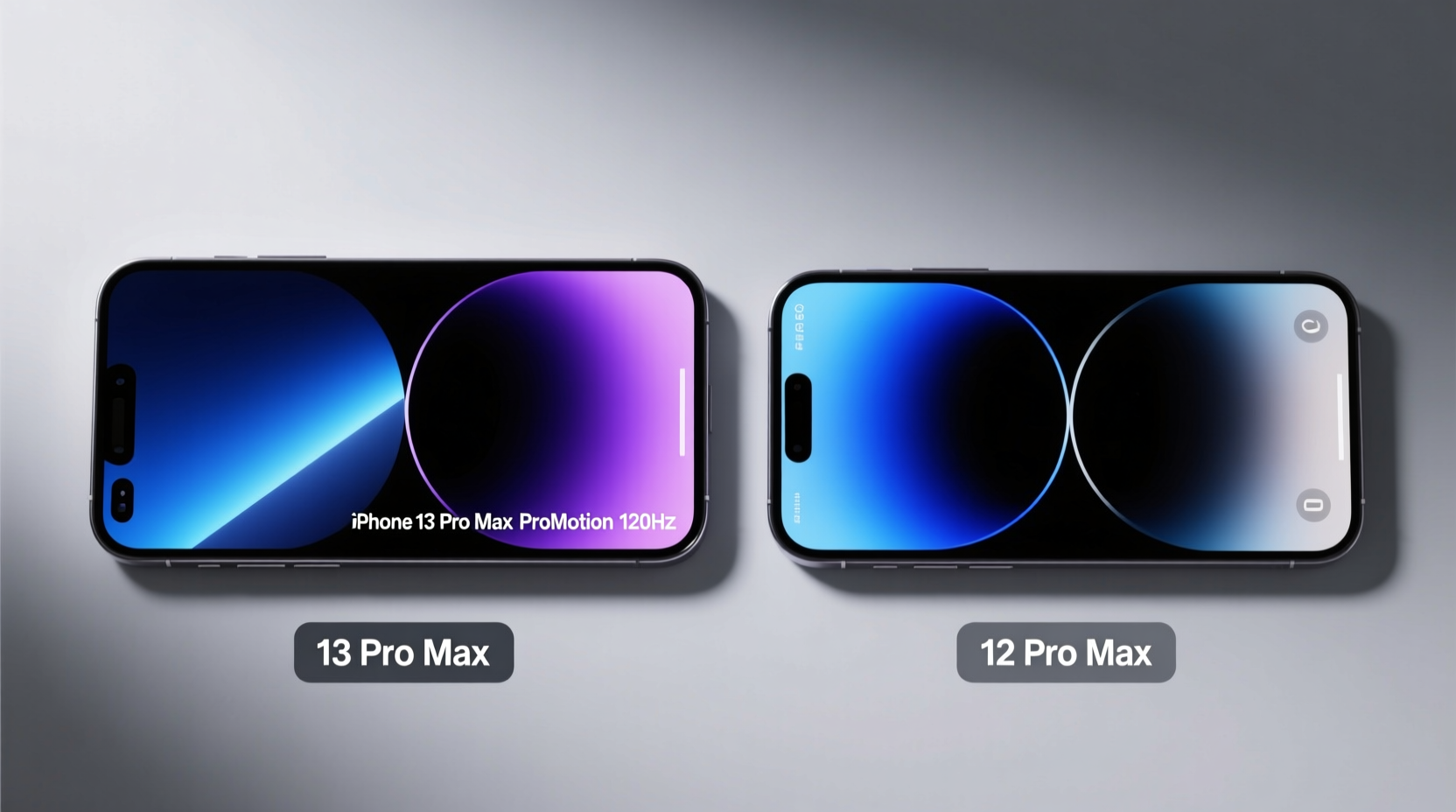
The most notable difference between the two models is the inclusion of ProMotion technology in the iPhone 13 Pro Max. This feature enables an adaptive refresh rate that dynamically adjusts from 10Hz to 120Hz based on the content being displayed. In contrast, the iPhone 12 Pro Max is limited to a standard 60Hz refresh rate.
A higher refresh rate translates into smoother scrolling, more responsive touch input, and a generally more fluid user interface. Whether you're swiping through photos, playing fast-paced games, or navigating apps, the 13 Pro Max feels noticeably more refined. The adaptive nature of ProMotion also helps preserve battery life by lowering the refresh rate during static content like reading or viewing still images.
Brightness and Outdoor Visibility
Brightness is another area where the iPhone 13 Pro Max pulls ahead. Apple increased the peak outdoor brightness from 1,100 nits on the 12 Pro Max to 1,200 nits on the 13 Pro Max. While this may seem like a modest improvement, it makes a tangible difference in direct sunlight, especially when viewing HDR content or using your phone outdoors.
In real-world use, users report that the 13 Pro Max maintains better contrast and readability under bright conditions. Additionally, the smaller notch and improved edge-to-edge design enhance immersion without altering the overall screen size. These small tweaks add up to a more modern and engaging visual experience.
“ProMotion isn’t just about specs—it changes how the device feels in daily use. Once you’ve used a 120Hz display, going back to 60Hz feels sluggish.” — David Katzmaier, CNET Senior Editor
Detailed Screen Comparison Table
| Feature | iPhone 12 Pro Max | iPhone 13 Pro Max |
|---|---|---|
| Display Size | 6.7 inches | 6.7 inches |
| Resolution | 2778 x 1284 pixels | 2778 x 1284 pixels |
| Refresh Rate | 60Hz (fixed) | 10–120Hz (adaptive ProMotion) |
| Brightness (HDR, Peak) | 1,200 nits | 1,200 nits |
| Brightness (Outdoor, Max) | 1,100 nits | 1,200 nits |
| Contrast Ratio | 2,000,000:1 | 2,000,000:1 |
| Always-On Display | No | No (introduced later in iPhone 14 Pro) |
| Notch Size | Larger | 20% smaller |
As shown, the core display specifications are nearly identical, but the introduction of ProMotion and slightly improved brightness give the 13 Pro Max a meaningful edge in usability and comfort.
Real-World Example: Video Editing on the Go
Consider the case of Maya, a freelance videographer who uses her iPhone for on-location color grading and client previews. She upgraded from the iPhone 12 Pro Max to the 13 Pro Max primarily for the camera upgrades but quickly noticed how much more enjoyable the editing process became thanks to the 120Hz display.
When scrubbing through timelines in apps like LumaFusion, the smoother frame response made precision edits easier. Scrolling through clips felt more natural, and the increased brightness allowed her to review footage accurately even in daylight. Though she didn’t expect the screen to be a major differentiator, it significantly improved her workflow efficiency and reduced eye strain during long sessions.
Should You Upgrade for the Screen Alone?
If you’re still using the iPhone 12 Pro Max, the display upgrade to the 13 Pro Max is subtle on paper but impactful in practice. The 120Hz ProMotion display introduces a level of smoothness that fundamentally changes how you interact with the phone. However, if you're not sensitive to motion fluidity or don't engage in media-heavy tasks, the difference may not feel transformative.
For power users—gamers, creatives, frequent readers, or multitaskers—the upgrade is absolutely worthwhile. The combination of smoother animations, faster touch response, and better outdoor visibility adds up to a more polished and enjoyable experience. Casual users, however, might find the benefits less compelling, especially considering the cost of upgrading.
Checklist: Is the iPhone 13 Pro Max Screen Worth It for You?
- ✅ Do you frequently scroll through social media, news, or long documents?
- ✅ Are you a mobile gamer or use gesture-heavy apps?
- ✅ Do you watch HDR videos or edit photos/videos on your phone?
- ✅ Do you spend time outdoors and rely on your phone in bright light?
- ✅ Have you noticed lag or choppiness on your current 60Hz display?
If you answered “yes” to two or more of these, the 13 Pro Max’s display will likely provide a noticeable improvement in daily use.
Frequently Asked Questions
Does the 120Hz refresh rate drain the battery quickly?
Apple’s adaptive ProMotion technology minimizes battery impact by reducing the refresh rate to as low as 10Hz when displaying static content. In real-world usage, the effect on battery life is minimal, especially given the larger battery in the 13 Pro Max. Most users report similar or better battery performance despite the higher refresh rate.
Can I turn off the 120Hz refresh rate?
There is no direct toggle to disable ProMotion, but iOS automatically manages the refresh rate based on usage. If you want to conserve battery, enabling Low Power Mode may limit dynamic refresh rate adjustments, though Apple doesn’t specify exact behavior.
Is the screen more scratch-resistant on the 13 Pro Max?
Both models use Ceramic Shield front glass, which Apple claims offers the same industry-leading drop performance. There is no official indication that the 13 Pro Max has improved scratch resistance, though some lab tests suggest minor gains due to updated coatings.
Final Verdict: A Refined Step Forward
The iPhone 13 Pro Max does not revolutionize the display—but it refines it masterfully. The addition of ProMotion, slight brightness boost, and smaller notch collectively elevate the viewing and interaction experience. For those deeply engaged with their screens, the upgrade is unquestionably worth it. The smoother motion, enhanced clarity, and improved responsiveness create a more immersive and satisfying digital environment.
However, if your primary concerns are longevity, basic functionality, or budget, the iPhone 12 Pro Max still boasts an excellent display. It remains one of the best smartphone screens ever made, just without the fluidity of 120Hz.
Ultimately, the decision hinges on how much you value motion quality and visual polish. If you’re someone who notices—and appreciates—fluid animation, precise touch tracking, and vibrant outdoor visibility, then yes, upgrading for the display alone is justified.




 浙公网安备
33010002000092号
浙公网安备
33010002000092号 浙B2-20120091-4
Comments
No comments yet. Why don't you start the discussion?