
The moment a new iPhone launches, many users face a familiar dilemma: what to do with their old accessories. If you’re holding onto a favorite iPhone 14 case and just upgraded to an iPhone 15, you might be wondering—can I save a few bucks and keep using it? The short answer: probably not without consequences. While Apple often maintains similar designs across generations, subtle changes can make all the difference when it comes to fit, function, and protection.
This article breaks down the physical differences between the iPhone 14 and iPhone 15, explains why case compatibility isn’t guaranteed, and helps you decide whether trying an old case is a clever hack or a costly mistake.
Physical Differences Between iPhone 14 and iPhone 15
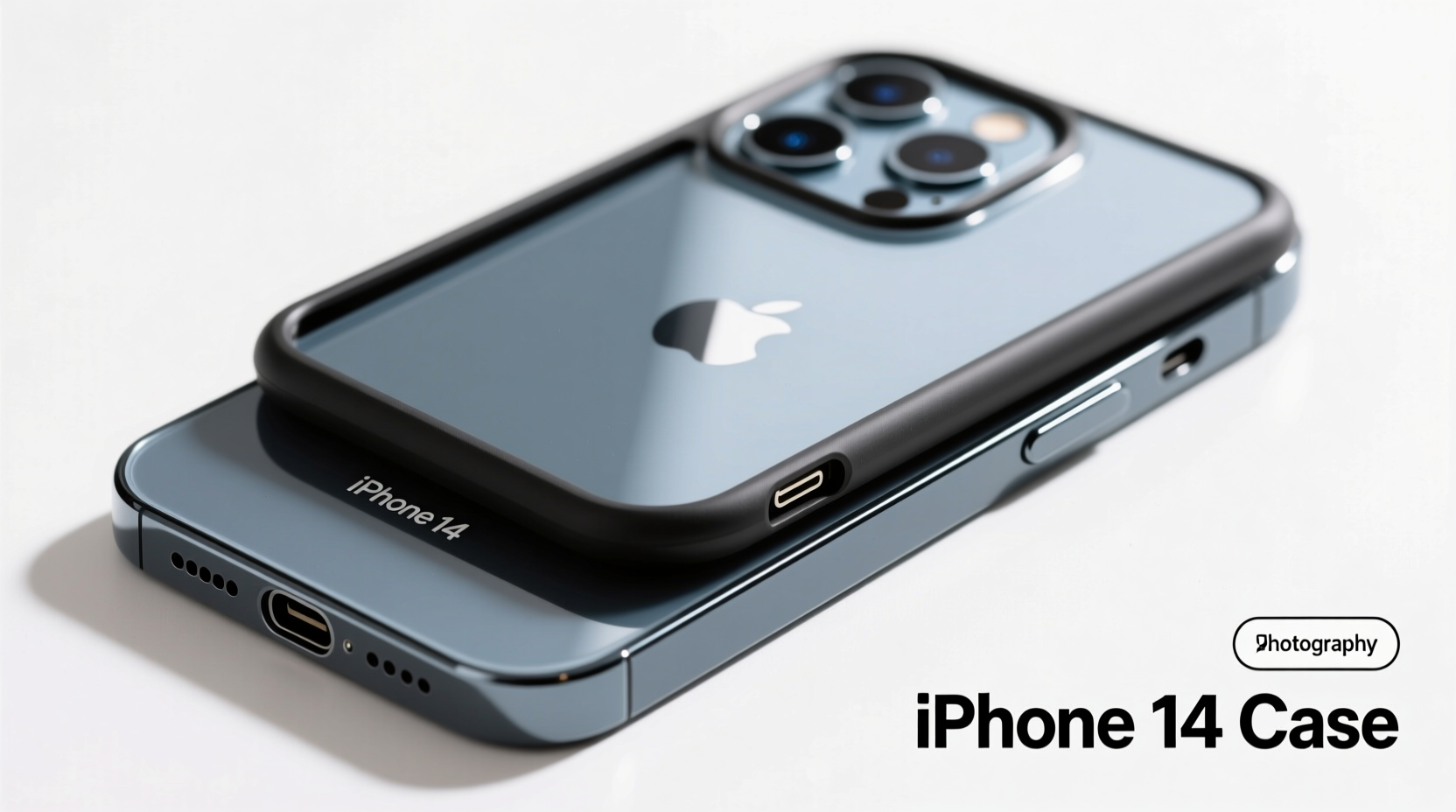
At first glance, the iPhone 14 and iPhone 15 look nearly identical. Both feature a 6.1-inch display, flat aluminum edges, and a dual-camera setup on the rear. However, Apple made several small but meaningful changes with the iPhone 15 that affect accessory compatibility.
- Camera Bump Design: The iPhone 15 features a slightly redesigned camera module. While the lenses are still arranged in a diagonal pattern, the surrounding bump has been reshaped for better integration with newer cases and MagSafe accessories.
- USB-C Port: This is the most significant change. The iPhone 15 replaced the Lightning port with USB-C, making the bottom speaker grille and port cutout wider and differently shaped. An iPhone 14 case will have a narrower opening, potentially blocking access to the charging port.
- Dimensions: Though nearly identical, the iPhone 15 is fractionally thinner (7.80mm vs. 7.85mm) and slightly lighter. More importantly, the internal layout adjustments mean button placement and speaker/microphone alignment may not line up perfectly.
- Material Edges: The iPhone 15 uses a more refined finish on its aerospace-grade aluminum frame, which can affect how snugly a case grips the device.
These changes may seem minor individually, but collectively they compromise the precision fit that high-quality cases are designed to deliver.
What Happens When You Force an iPhone 14 Case Onto an iPhone 15?
Some users report being able to \"stretch\" their iPhone 14 case over the iPhone 15, especially with flexible TPU (thermoplastic polyurethane) models. But forcing a case that wasn’t designed for your phone carries real risks:
- Poor Button Alignment: Volume and power buttons may feel stiff or unresponsive due to misaligned cutouts.
- Charging Issues: The Lightning port cutout won’t accommodate the wider USB-C connector, making charging inconvenient or impossible without removing the case.
- Reduced Protection: Gaps around the edges, especially at the bottom, leave the screen vulnerable to drops. A loose fit also reduces shock absorption.
- Camera Obstruction: Misaligned camera cutouts can partially cover lenses, leading to blurry photos or lens flare.
- Long-Term Wear: Stretching a case beyond its design limits causes material fatigue, leading to cracks, yellowing, or loss of grip over time.
“Case fit is about more than just size—it’s about precise engineering. Even a 2% variance can compromise protection and usability.” — David Lin, Mobile Accessory Engineer at TechShield Labs
Compatibility Comparison: iPhone 14 vs. iPhone 15 Cases
| Feature | iPhone 14 Case Fit | iPhone 15 Case Fit | Verdict |
|---|---|---|---|
| Overall Dimensions | Designed for 149.6 x 71.5 mm | 150.5 x 71.6 mm | ❌ Slight mismatch affects edge seal |
| Port Cutout | Narrow (Lightning) | Wider (USB-C) | ❌ Incompatible without modification |
| Button Placement | Aligned for 14’s switch layout | Slightly adjusted on 15 | ⚠️ May feel stiff or misaligned |
| Camera Cutout | Matches 14’s bump | Different shape on 15 | ⚠️ Risk of lens obstruction |
| Magnetic Alignment (MagSafe) | Centered for 14 | Optimized for 15’s ring | ⚠️ May reduce charging efficiency |
As shown, while some aspects are close enough for temporary use, critical functional elements like the charging port and camera create unavoidable issues.
Real-World Example: Sarah’s Case Experiment
Sarah, a freelance photographer in Portland, upgraded to the iPhone 15 Pro Max but kept her rugged OtterBox Defender case from her iPhone 14 Pro. She tried installing it, managing to snap it on after some effort. Initially, she was pleased—until she tried charging.
The Lightning-sized port opening blocked half the USB-C plug. She had to remove the case every time she charged, which defeated the purpose of having durable protection. After two weeks, the side buttons began sticking, and a drop onto tile cracked the screen because the case had loosened at the corners. She ended up buying a new case and admitted, “I saved $50 upfront but lost $120 in screen repair. Not worth it.”
When Might an iPhone 14 Case Work Temporarily?
In rare cases, limited compatibility exists:
- Fully Open-Ended Cases: Some minimalist silicone sleeves or front bezel-only cases without bottom cutouts might fit, though they offer minimal protection.
- Loose-Fit Fabric Pouches: Non-structured pouches designed for screen protection during storage may accommodate both models.
- Pre-USB-C Models: Note that this issue only applies to iPhone 15 and later. iPhone 14 cases work fine on iPhone 13 and earlier models with Lightning ports.
Even in these scenarios, long-term use is discouraged. Precision fit matters for both safety and daily usability.
Smart Alternatives to Wasting Money on Incompatible Cases
Rather than risking damage with a poorly fitting case, consider these smarter options:
- Check Manufacturer Trade-In Programs: Brands like Spigen, Ringke, and Mous offer trade-in discounts when you recycle an old case toward a new purchase.
- Buy Refurbished or Certified Accessories: Apple’s refurbished store and authorized resellers often sell genuine cases at 20–30% off.
- Wait for Sales: Major holidays (Black Friday, Prime Day) typically bring deep discounts on popular case brands.
- Use Your Old Case as a Backup: Keep the iPhone 14 case in your car or bag as emergency protection if your primary case fails.
- Sell It Secondhand: Platforms like eBay or Facebook Marketplace let you recoup part of your investment to put toward a compatible model.
Checklist: Before Using an iPhone 14 Case on iPhone 15
- ✅ Measure the port opening—does it clearly fit a USB-C cable?
- ✅ Test button responsiveness—can you easily adjust volume?
- ✅ Check camera alignment—do the lenses sit fully within the cutout?
- ✅ Assess edge coverage—are all four corners securely enclosed?
- ✅ Evaluate charging convenience—do you need to remove the case to plug in?
If you answered “no” to any of these, the case isn’t a reliable fit.
Frequently Asked Questions
Can I modify an iPhone 14 case to fit an iPhone 15?
Technically, yes—you could file down the port cutout or stretch the case—but this voids warranties, weakens structural integrity, and may expose internal components. Not recommended.
Will Apple make older cases obsolete on purpose?
Apple doesn’t design changes solely to break backward compatibility, but innovation (like switching to USB-C) naturally phases out older accessories. They prioritize functionality and global standards over legacy support.
Are there any iPhone 15 models that fit iPhone 14 cases?
No. All iPhone 15 models—from the base 15 to the 15 Pro Max—feature USB-C and revised dimensions. Even the iPhone 15 Plus differs enough from the 14 Plus to prevent reliable case compatibility.
Final Verdict: Are You Wasting Your Money?
Yes—if you're counting on consistent protection, ease of use, and long-term durability. While an iPhone 14 case might physically slide onto an iPhone 15 in some cases, it won’t perform as intended. You lose critical functionality, risk damaging your phone, and shorten the lifespan of the case itself.
Think of it like wearing a shoe one size too small: it might work for a quick errand, but you wouldn’t run a marathon in it. Your iPhone deserves a case engineered for its exact specifications.




 浙公网安备
33010002000092号
浙公网安备
33010002000092号 浙B2-20120091-4
Comments
No comments yet. Why don't you start the discussion?