
When Apple introduced the iPhone 15 series, one of the most talked-about changes was the inclusion of the Dynamic Island on all models—including the iPhone 15 Plus. For years, this feature had been exclusive to Pro models, but now it's available in the more accessible tier. This shift raises an important question for consumers upgrading from the iPhone 14 Plus: Is the Dynamic Island enough of a reason to make the jump?
The iPhone 14 Plus and iPhone 15 Plus occupy similar price brackets and share core functionalities—large displays, long battery life, and solid cameras. But subtle yet significant upgrades in the 15 Plus, particularly the Dynamic Island, signal Apple’s intent to future-proof its mid-tier lineup. To understand whether this change is truly transformative, we need to look beyond marketing and examine how these phones perform in daily use.
Design Evolution: From Notch to Dynamic Island
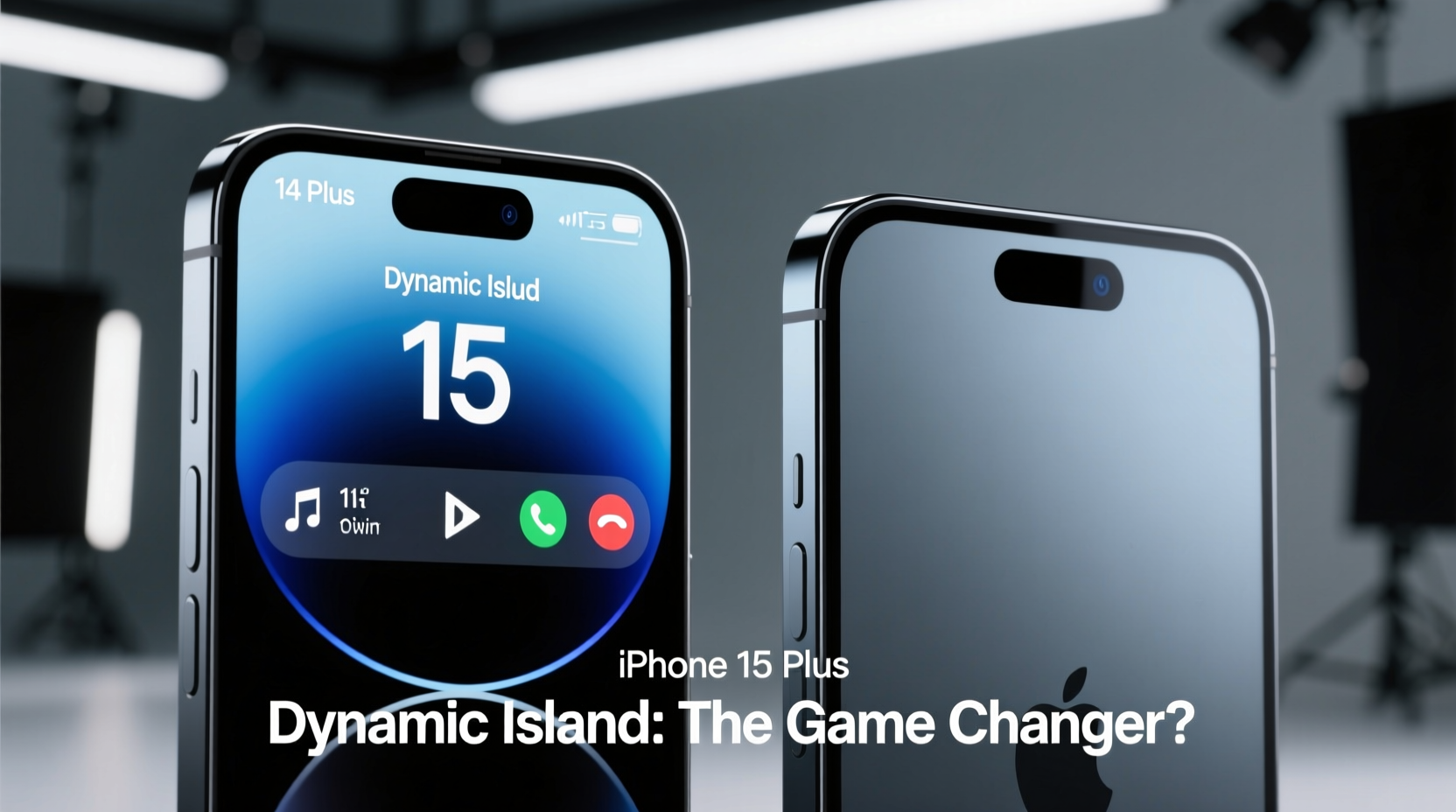
The most visually striking difference between the iPhone 14 Plus and 15 Plus is the front-facing cutout. The 14 Plus retains the traditional notch—a design element Apple has used since the iPhone X. While functional, the notch occupies valuable screen real estate and interrupts the viewing experience during full-screen content like videos or games.
In contrast, the iPhone 15 Plus replaces the notch with the Dynamic Island, a pill-shaped cutout that dynamically expands and contracts based on activity. Originally introduced on the iPhone 14 Pro models, this interface isn’t just cosmetic—it’s interactive. It displays live activities such as music playback, timers, navigation, and even third-party app updates without requiring users to leave their current screen.
This transition marks a broader shift in Apple’s design philosophy. The Dynamic Island is not merely a replacement for the notch; it’s a reimagined space for contextual information. Over time, developers are building apps that leverage this area, making it increasingly useful beyond basic system functions.
Performance and Hardware Comparison
Beneath the surface, both devices differ significantly in chipset and connectivity. The iPhone 14 Plus runs on the A15 Bionic chip—specifically the version used in the iPhone 13 Pro—with a 5-core GPU. While still powerful and capable of handling modern apps and multitasking efficiently, it lags behind the newer silicon in the 15 Plus.
The iPhone 15 Plus features the A16 Bionic chip, the same processor found in the iPhone 14 Pro series. Built on a more advanced 4nm process, the A16 delivers better power efficiency and improved graphics performance. In real-world terms, this means smoother gaming, faster photo processing, and enhanced machine learning capabilities for photography and AR applications.
Another key upgrade is the switch to USB-C. The iPhone 15 Plus adopts the European Union-mandated port standard, replacing Lightning after over a decade. This change brings faster data transfer speeds (USB 2.0 initially, though future models may improve) and universal compatibility with non-Apple accessories. For users with a growing ecosystem of USB-C devices—from laptops to headphones—this integration simplifies charging and reduces cable clutter.
“The move to USB-C isn’t just regulatory compliance—it’s about creating a seamless cross-device experience.” — Mark Liu, Mobile Technology Analyst at Gartner
Camera Improvements: More Than Just Megapixels
Both phones feature dual-camera systems with 12MP main and ultrawide sensors. However, the iPhone 15 Plus introduces a brighter f/1.9 aperture on the primary lens, capturing 23% more light than the 14 Plus’s f/2.4 sensor. This improvement enhances low-light performance, resulting in cleaner night shots with better detail retention.
Additionally, the 15 Plus gains Photonic Engine support across all lenses, improving color accuracy and texture in mid-to-low light conditions. Smart HDR 5 has also been upgraded to HDR 6, which Apple claims provides more natural skin tones and improved highlight recovery in backlit scenes.
One often-overlooked enhancement is the addition of autofocus to the front-facing camera. On the iPhone 14 Plus, the selfie cam lacks autofocus, leading to soft or blurry close-ups when shooting at arm’s length. The 15 Plus corrects this with focus tracking, delivering sharper selfies and better video call quality—especially beneficial for creators and remote workers.
| Feature | iPhone 14 Plus | iPhone 15 Plus |
|---|---|---|
| Chipset | A15 Bionic (5-core GPU) | A16 Bionic |
| Front Camera Aperture | f/2.4, no autofocus | f/1.9, autofocus |
| Main Camera Aperture | f/2.4 | f/1.9 |
| Charging Port | Lightning | USB-C |
| Display Cutout | Notch | Dynamic Island |
| RAM | 6GB | 6GB |
| Starting Storage | 128GB | 128GB |
Real-World Impact: Is the Dynamic Island a Game Changer?
To assess whether the Dynamic Island is transformative, consider how it integrates into everyday routines. Take a common scenario: you’re navigating to a meeting using Apple Maps while listening to a podcast via Spotify. On the iPhone 14 Plus, switching between apps requires exiting one to check the other. Notifications appear briefly at the top, then vanish.
On the iPhone 15 Plus, both the turn-by-turn directions and podcast controls live simultaneously in the Dynamic Island. You can glance at upcoming turns, tap to expand the map preview, or pause playback—all without leaving your current app. This level of multitasking awareness reduces cognitive load and keeps you focused.
Another example involves fitness tracking. Start a workout in the Fitness app, and the timer appears in the Dynamic Island. Receive a message? The alert briefly overlays the timer without disrupting it. When the workout ends, the summary fades in smoothly. These micro-interactions accumulate over time, enhancing usability in ways that aren’t immediately obvious but become hard to live without.
That said, the Dynamic Island isn’t flawless. Some users report confusion about how to interact with it, especially those new to iOS. There’s also limited customization—Apple controls which apps can use the space, and third-party adoption is still growing. However, early signs suggest increasing developer interest, particularly in music, messaging, and productivity apps.
Mini Case Study: Daily Commuter Workflow
Sarah, a project manager in Chicago, upgraded from the iPhone 14 Plus to the 15 Plus primarily for battery life and camera quality. She didn’t expect the Dynamic Island to affect her routine—but within a week, she noticed subtle improvements.
During her 45-minute train commute, she often checks emails, listens to audiobooks, and monitors calendar alerts. Previously, she’d miss reminders because they disappeared too quickly. Now, upcoming meetings linger in the Dynamic Island until acknowledged. When she starts a timer for focused work blocks, it remains visible even when browsing documents.
“It’s not flashy,” she says, “but I feel more in control. I don’t have to keep checking apps to see what’s running. It’s like having a co-pilot for my phone usage.”
Should You Upgrade? A Practical Checklist
Deciding whether to move from the iPhone 14 Plus to the 15 Plus depends on individual needs and priorities. Use the following checklist to evaluate your situation:
- Are you frustrated by the notch interrupting fullscreen content? → Dynamic Island improves immersion.
- Do you frequently multitask with audio, timers, or navigation? → Live Activity integration saves time.
- Is USB-C compatibility important for your tech setup? → Future-proofs accessory investment.
- Do you take many photos in low light? → Brighter lens and improved HDR yield better results.
- Do you value longer software support? → Newer chips typically receive OS updates for 1–2 extra years.
- Are you satisfied with current performance? → If yes, the upgrade may be less urgent.
Frequently Asked Questions
Does the Dynamic Island work with all apps?
No, only apps that support Live Activities can utilize the Dynamic Island. Apple’s native apps (Phone, Music, Maps, Timer, etc.) are fully compatible. Third-party support is growing, with major apps like Spotify, Uber, and Deliveroo adding functionality. Developers must update their apps to integrate with the feature.
Is the A16 chip significantly faster than the A15?
In benchmarks, the A16 shows roughly 15–20% better CPU performance and up to 30% better GPU efficiency under sustained loads. For most users, the difference manifests as smoother animations, quicker photo edits, and better thermal management during extended use. Gamers and creative professionals will notice the gap more than casual users.
Can I use my old Lightning accessories with the iPhone 15 Plus?
Yes, but you’ll need a USB-C to Lightning adapter. Apple sells one officially, and many third-party options exist. Note that charging speed remains limited to 20W unless using MagSafe or Qi2 wireless charging. Data transfer works normally with adapters, though direct USB-C connections are faster and more reliable.
Conclusion: The Future Is Interactive
The iPhone 15 Plus isn’t a radical departure from the 14 Plus, but it represents a meaningful step forward in user experience. The Dynamic Island, while seemingly small, embodies a shift toward more intelligent, context-aware interfaces. It turns passive notifications into interactive hubs, reducing friction in daily tasks.
For users who value seamless integration, future-ready hardware, and incremental refinements, the upgrade makes sense. The combination of USB-C, the A16 chip, improved cameras, and the Dynamic Island creates a more cohesive and efficient device. While the 14 Plus remains a capable smartphone, the 15 Plus feels like the beginning of a new era—one where the screen’s center matters less than the space between apps.
If you're due for an upgrade and spend several hours a day on your phone, the Dynamic Island might not seem revolutionary at first. But give it time. Like any well-designed interface, its true value reveals itself in the moments you don’t have to think—when information flows naturally, and actions happen intuitively. That’s not just a gimmick. That’s a game changer.




 浙公网安备
33010002000092号
浙公网安备
33010002000092号 浙B2-20120091-4
Comments
No comments yet. Why don't you start the discussion?