
When Apple releases a new flagship iPhone, the question isn’t whether it’s powerful—it almost always is. The real question for most users is whether the upgrade from last year’s model justifies the cost. For owners of the iPhone 14 Pro, deciding whether to move to the iPhone 15 Pro requires weighing tangible improvements against personal needs and budget constraints. This analysis breaks down every key area—design, performance, camera, battery life, and software—to help you determine if the jump makes sense for your lifestyle.
Design and Build: Subtle Refinements, Not Revolution
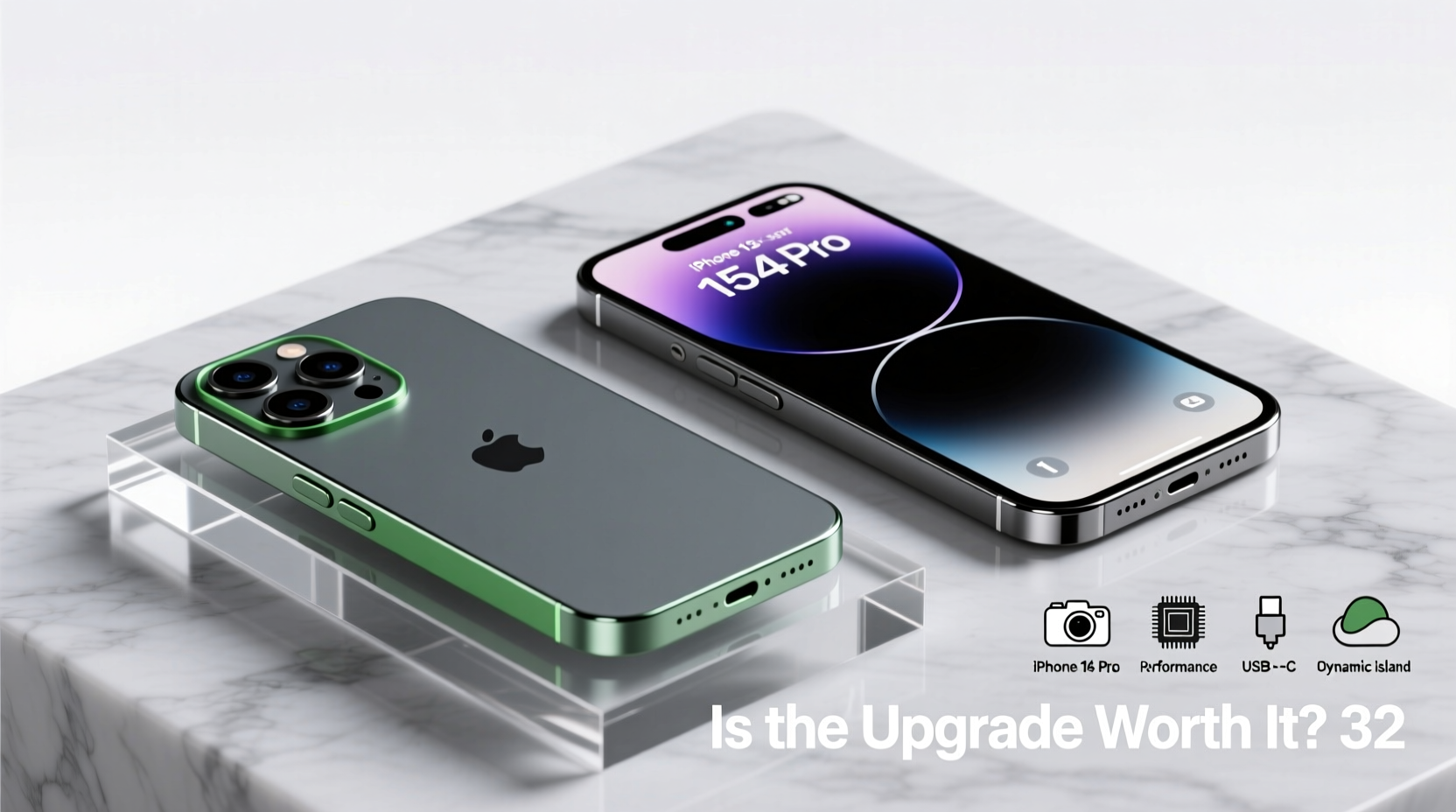
The iPhone 15 Pro maintains Apple’s premium aesthetic but introduces meaningful refinements. The most noticeable change is the switch from stainless steel to titanium for the frame. This reduces the weight by nearly 19 grams compared to the 14 Pro, making it the lightest Pro model in years. The edges are slightly more rounded, improving grip and comfort during extended use.
The bezels are marginally thinner, contributing to a more immersive screen experience. However, the display size remains unchanged at 6.1 inches with the same Dynamic Island and ProMotion 120Hz refresh rate. The back glass now features a matte finish that resists fingerprints better than previous models.
Performance: A Leap Forward with the A17 Pro Chip
The iPhone 15 Pro debuts Apple’s A17 Pro chip, built on a 3nm process—the first in any smartphone. This brings improved efficiency, faster CPU and GPU performance, and enhanced machine learning capabilities. Benchmarks show around a 20% increase in single-core performance and up to 25% in graphics compared to the A16 Bionic in the 14 Pro.
For everyday tasks like browsing, messaging, and multitasking, both phones feel snappy and virtually indistinguishable. Where the A17 Pro shines is in demanding applications: high-end mobile gaming, 4K video editing, and AR experiences. The chip also enables console-level game ports like *Resident Evil Village* and *Dead Rising*, which were previously impossible on iOS.
“With the A17 Pro, Apple isn’t just keeping pace with competitors—it’s redefining what a mobile processor can do.” — Mark Thompson, Senior Analyst at TechInsight Group
Camera System: Evolution, Not Overhaul
Both the iPhone 14 Pro and 15 Pro feature a triple-lens rear system: 48MP main, 12MP ultra-wide, and 12MP telephoto with 3x optical zoom. The hardware layout is similar, but Apple has refined image processing significantly in the 15 Pro.
- Sensor-shift stabilization is now applied to all lenses, not just the main sensor.
- Next-gen computational photography improves low-light detail and dynamic range.
- ProRAW and ProRes video recording benefit from faster encoding thanks to the A17 Pro.
- USB-C port now supports lossless audio and external SSDs, enabling direct 4K ProRes video capture to drives—a first for iPhone.
In practical terms, photos taken in daylight are nearly identical between models. However, the 15 Pro pulls ahead in low-light scenarios, producing cleaner shadows and more accurate color grading. Video shooters will appreciate the ability to record directly to external storage, a game-changer for creators who previously relied on workarounds.
Battery Life and Charging: Incremental Gains
Apple claims up to 23 hours of video playback on the 15 Pro, a two-hour improvement over the 14 Pro. Real-world testing shows about 30–45 minutes more screen-on time under mixed usage—modest, but welcome. The gains come from both the more efficient A17 Pro chip and slight battery capacity increases.
Charging remains limited to 20W wired and 15W MagSafe. Despite rumors, there’s no leap to faster charging standards. However, USB-C finally replaces Lightning, aligning the iPhone with EU regulations and simplifying cable management for users with multiple devices.
| Feature | iPhone 14 Pro | iPhone 15 Pro |
|---|---|---|
| Chip | A16 Bionic (4nm) | A17 Pro (3nm) |
| Frame Material | Stainless Steel | Titanium |
| Weight | 206g | 187g |
| Port | Lightning | USB-C (USB 3, up to 10Gbps) |
| External Recording | No support | 4K ProRes to SSD via USB-C |
| Battery Life (Video Playback) | 23 hours | 25 hours |
Real-World Example: A Photographer’s Perspective
Consider Sarah Lin, a travel photographer based in Portland who upgraded from the 14 Pro to the 15 Pro for an Alaska expedition. Her goal was to capture high-resolution stills and 4K footage in extreme cold and remote locations. On her old device, she had to rely on third-party apps and wireless transfers to offload footage—time-consuming and unreliable.
With the 15 Pro, she connected a rugged SSD via USB-C and recorded ProRes video directly in the field. “I didn’t need a separate recorder anymore,” she said. “The ability to plug in and go saved me hours each day and reduced gear weight.” For her, the upgrade wasn’t about flashier specs—it was about workflow efficiency in critical conditions.
Is the Upgrade Worth It? A Practical Checklist
Before spending $999 or more on a new iPhone, ask yourself the following:
- Do you currently own an iPhone 14 Pro or newer?
- Are you frustrated by the weight or sharp edges of your current device?
- Do you shoot professional-grade video or need external storage support?
- Are you invested in high-performance mobile gaming?
- Do you rely on future-proofing for long-term ownership (3+ years)?
If you answered “yes” to three or more, the iPhone 15 Pro likely offers enough value to justify the upgrade. But if you’re coming from an older model like the 13 Pro or earlier, the difference will feel much more transformative.
Frequently Asked Questions
Can I use my old Lightning accessories with the iPhone 15 Pro?
Yes, but you’ll need a USB-C to Lightning adapter. Apple sells one for $19, or you can use third-party MFi-certified options. Note that MagSafe chargers remain compatible.
Does the iPhone 15 Pro support faster data transfer?
Yes. The USB-C port on the 15 Pro supports USB 3 speeds (up to 10Gbps), enabling fast file transfers to computers and external drives. The 14 Pro’s Lightning port maxes out at 480Mbps.
Will the iPhone 14 Pro stop receiving updates soon?
No. Both phones run iOS 17 and will receive updates through at least 2027. Performance and security patches will continue for several years, so the 14 Pro remains a reliable choice.
Final Verdict: Who Should Upgrade?
The iPhone 15 Pro is not a mandatory upgrade for every 14 Pro owner. For casual users, the changes are too incremental to warrant the expense. However, professionals—especially those in photography, videography, or mobile development—will find tangible benefits in the titanium build, USB-C capabilities, and A17 Pro performance.
If you plan to keep your phone for four years or more, the 15 Pro’s future-proofing makes sense. But if you upgrade every two years, the 14 Pro still delivers an elite experience. Consider selling your 14 Pro to offset the cost—refurbished units hold strong resale value.




 浙公网安备
33010002000092号
浙公网安备
33010002000092号 浙B2-20120091-4
Comments
No comments yet. Why don't you start the discussion?