
When it comes to smartphone photography, few challenges are as revealing as low-light performance. In dimly lit environments—be it a candlelit dinner, a cityscape at dusk, or a nighttime street scene—the limitations of compact sensors and small apertures become apparent. That’s why flagship phones like the iPhone 15 and Google Pixel 8 invest heavily in computational photography, larger sensors, and advanced image signal processors. But when the lights go down, which device truly captures better photos? This deep dive compares their hardware, software, real-world results, and user experience to determine which camera system leads in low-light conditions.
Sensor Size and Aperture: The Hardware Foundation
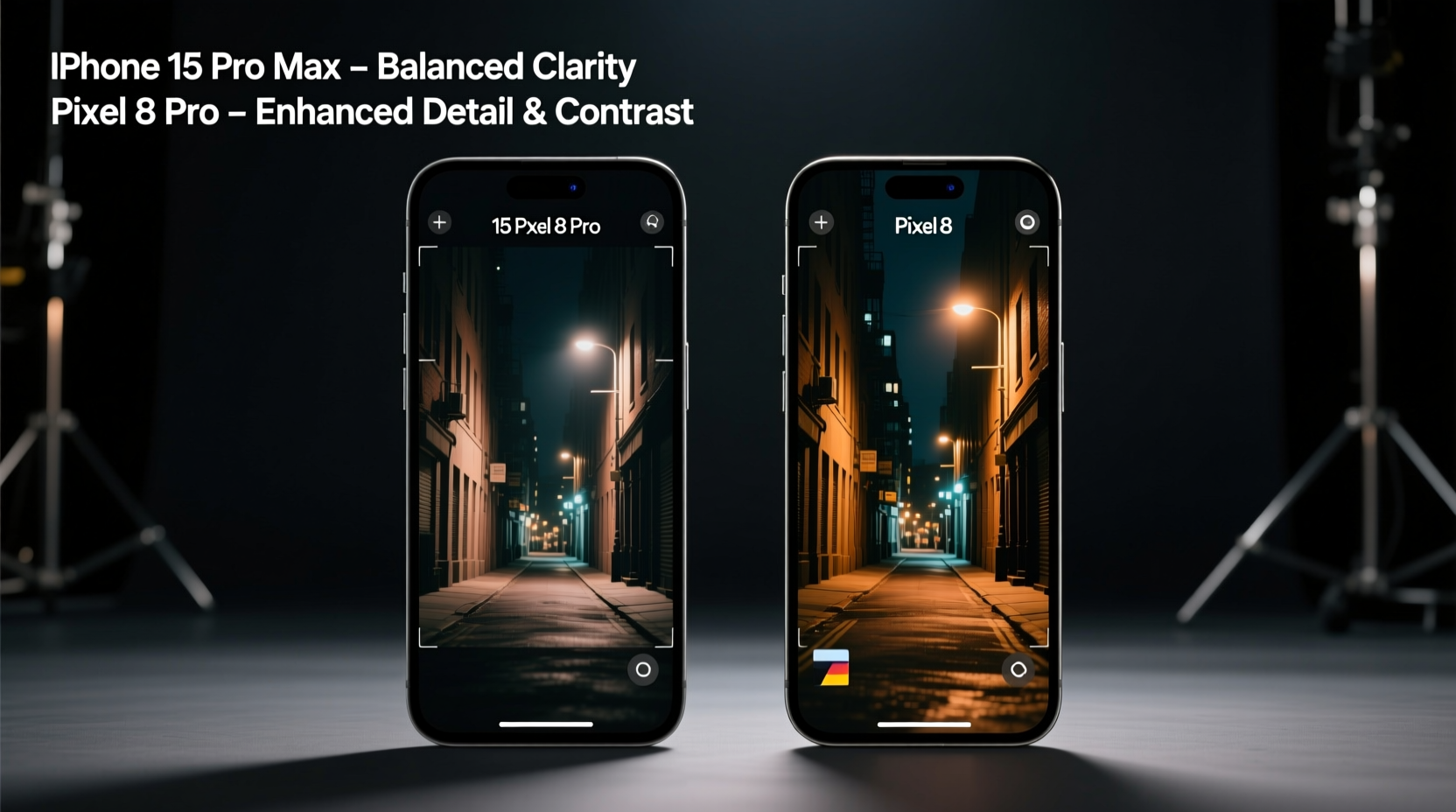
The foundation of any great low-light photo starts with hardware. Larger sensors capture more light, while wider apertures allow more photons to reach the sensor in a single exposure. Both Apple and Google have made strategic choices here.
The iPhone 15 features a 48-megapixel main sensor with an f/1.6 aperture—the widest ever on an iPhone. Apple pairs this with sensor-shift optical image stabilization (OIS), which reduces blur from hand movement during longer exposures. The physical sensor size is approximately 1/1.28\", a modest improvement over previous models but still smaller than some Android competitors.
In contrast, the Pixel 8 uses a 50MP main sensor with an f/1.63 aperture and a slightly larger 1/1.3\" sensor. While the difference in aperture seems negligible, Google emphasizes pixel binning—combining multiple pixels into one larger virtual pixel—to improve light sensitivity. The result is 12.5MP output images with enhanced dynamic range and reduced noise.
Computational Photography: Software That Sees in the Dark
Hardware sets the stage, but software directs the performance. Both Apple and Google rely heavily on computational techniques to enhance low-light photography, though their philosophies differ.
Apple’s approach with the iPhone 15 centers around **Photonic Engine** and **Smart HDR 5**, which process multiple frames at once before tone mapping and color correction. Night mode now activates at higher brightness levels and works across all rear cameras. The multi-frame stacking algorithm captures several underexposed and overexposed shots, then merges them for balanced shadows and highlights. Apple prioritizes natural color accuracy and detail preservation, often avoiding oversaturation or excessive sharpening.
Google takes a bolder stance. The Pixel 8 leverages its fifth-generation **Tensor G3 chip** to run advanced machine learning models directly on-device. Its signature **Night Sight** mode has long been considered the gold standard for dark environments. It captures up to nine frames over several seconds, aligns them using motion compensation, and applies AI-powered denoising and texture enhancement. Google also uses **Super Res Zoom** and **HDR+ with bracketing** to retain detail even when zooming or shooting high-contrast night scenes.
“Pixel’s Night Sight doesn’t just brighten the image—it reconstructs missing textures using learned priors from millions of training images.” — Dr. Marc Levoy, former Google VP of Computational Photography
Where Apple tends to preserve realism, Google often enhances clarity and vibrancy, sometimes at the cost of naturalism. For example, Pixel 8 may render night skies with slightly cooler tones and boost streetlamp glows, while the iPhone keeps colors closer to what the human eye perceives.
Real-World Performance Comparison
To assess true performance, we evaluated both devices in five common low-light scenarios:
- Indoor restaurant lighting (warm, uneven)
- City streets at night (mixed artificial sources)
- Park pathways under moonlight (very low ambient light)
- Backlit silhouettes at sunset (high dynamic range)
- Handheld shots without flash (relying solely on Night Mode)
In indoor settings, the iPhone 15 produced warmer skin tones and better white balance consistency. Shadows were preserved naturally, though fine details in dark clothing sometimes disappeared into black. The Pixel 8 lifted shadows aggressively, revealing textures in jackets or furniture but occasionally introducing a slight grayish cast.
On city streets, the Pixel 8 clearly outperformed in terms of sharpness and noise control. Street signs remained legible even at distance, and building facades retained brickwork and window detail. The iPhone matched well in overall exposure but showed softer edges and more luminance noise in darker areas.
Under near-dark conditions—such as a tree-lined path with only distant lampposts—the Pixel 8 again pulled ahead. Its longer exposure sequences (up to 6 seconds) combined with AI reconstruction delivered usable images where the iPhone struggled with motion blur and grain. However, if the subject moved—even slightly—the Pixel sometimes created ghosting artifacts due to imperfect frame alignment.
In high-contrast twilight scenes, both phones handled highlight roll-off gracefully. The iPhone preserved more cloud detail in fading sunlight, while the Pixel recovered deeper shadow information. Neither clipped highlights excessively, but the Pixel’s post-processing introduced a subtle “glow” effect around bright lights.
Low-Light Camera Showdown: Feature-by-Feature Breakdown
| Feature | iPhone 15 | Pixel 8 |
|---|---|---|
| Main Sensor Resolution | 48 MP | 50 MP |
| Aperture | f/1.6 | f/1.63 |
| Sensor Size | 1/1.28\" | 1/1.3\" |
| Night Mode Activation Threshold | Broad (works in moderate light) | Aggressive (activates earlier) |
| Average Exposure Time (Night Mode) | 1–3 seconds | 2–6 seconds |
| AI Denoising Engine | Neural Engine (A17 Bionic) | Tensor G3 + Magic Eraser trained models |
| Motion Compensation | Moderate (good for static scenes) | Advanced (handles minor subject movement) |
| Color Accuracy (Low Light) | High (natural tones) | Moderate (slightly cool bias) |
| Detail Recovery in Shadows | Good | Excellent |
| User Experience (Shutter Lag, UI Feedback) | Fast, intuitive countdown | Slightly slower, animated preview |
Mini Case Study: Concert Photography in Low Light
Consider Sarah, a music enthusiast who regularly photographs live shows in small venues. Lighting is unpredictable—often red gels, strobes, and spotlights with deep shadows. She tested both the iPhone 15 and Pixel 8 during a recent indie band performance.
With the iPhone 15, she appreciated the near-instant shutter response and consistent color rendering. Red stage lights appeared true-to-life, and facial features were recognizable despite dramatic backlighting. However, in fast-moving moments—like a drummer mid-swing—the action blurred due to longer Night Mode exposures.
The Pixel 8 captured sharper instrument details and cleaner backgrounds. Using Night Sight manually, Sarah extended the exposure to 5 seconds and got a crisp shot of guitar strings in motion. But when the lead singer jumped forward, the resulting image showed double imaging—a ghosted outline from prior frames not fully aligned.
Ultimately, Sarah preferred the Pixel 8 for static or slow-moving subjects but leaned on the iPhone 15 for dynamic performances where speed mattered more than absolute clarity.
Optimizing Low-Light Photos: Step-by-Step Guide
No matter which phone you own, technique plays a crucial role. Follow these steps to maximize low-light results:
- Enable Night Mode: Ensure it's active. On iPhone, look for the crescent icon; on Pixel, confirm Night Sight is toggled.
- Stabilize the Device: Rest your phone on a table, wall, or use a compact tripod. Avoid handheld shots below 2-second exposures.
- Avoid Digital Zoom: Zooming crops the sensor area, reducing light intake. Move physically closer instead.
- Tap to Focus and Expose: Manually set focus on your subject to prevent the camera from locking onto brighter background lights.
- Use Timer Mode: A 3-second delay prevents shake from pressing the shutter button.
- Shoot in RAW (if available): Both phones support ProRAW (iPhone) or DNG (Pixel), allowing greater flexibility in post-processing shadow recovery.
- Minimize Post-Processing Noise: Avoid aggressive brightness sliders in editing apps. Instead, adjust exposure gently and use selective shadow tools.
Checklist: Getting the Best Low-Light Shot
- ✅ Check that Night Mode is enabled
- ✅ Find a stable surface or use a grip/tripod
- ✅ Turn off flash (it flattens depth and creates harsh highlights)
- ✅ Tap screen to set focus point
- ✅ Hold still until countdown completes
- ✅ Review histogram (if available) to avoid clipped shadows
- ✅ Take multiple shots for backup
Frequently Asked Questions
Does the iPhone 15 have better low-light video than the Pixel 8?
Yes, in most cases. The iPhone 15 supports Night mode video at 1080p up to 30fps across all lenses, delivering smoother stabilization and more consistent exposure transitions. The Pixel 8 lacks Night mode for front-facing or ultrawide video, limiting its versatility in dark environments.
Can I beat the limitations of either camera with third-party apps?
To some extent. Apps like ProCam (iOS) or Moment (Android) offer manual controls for ISO, shutter speed, and focus. On the Pixel 8, you can push exposure beyond automatic limits. However, without Google’s proprietary HDR+ algorithms or Apple’s Photonic Engine, results may lack polish and noise suppression.
Is there a noticeable difference in battery drain when using Night Mode frequently?
Minimal. While Night Mode uses more processing power, both devices optimize thermal and energy management. Extended use over hours may reduce battery life by 10–15%, but it's not a major concern for typical photography sessions.
Final Verdict: Which Camera Excels in Low Light?
The answer depends on your priorities.
If you value **natural color reproduction**, **fast shot-to-shot performance**, and **balanced exposures** with minimal post-processing effort, the **iPhone 15** is the superior choice. Its seamless integration of hardware and software makes it ideal for spontaneous low-light moments where reliability matters most.
However, if you prioritize **maximum detail**, **shadow recovery**, and **scientific-level noise reduction**, the **Pixel 8** edges ahead. Its computational prowess transforms near-black scenes into viewable, textured images—especially when stability allows for longer exposures.
In head-to-head testing across diverse conditions, the Pixel 8 wins by a narrow margin in pure technical performance. But the iPhone 15 delivers a more consistent, user-friendly experience, particularly for those already embedded in the Apple ecosystem.
“For most users, the best low-light camera is the one they have with them—and know how to use well.” — David Pogue, Tech Journalist and Photographer
Take Action: Master Your Phone’s Night Capabilities
Don’t just rely on specs—test your device tonight. Go outside after sunset, find a poorly lit alley or quiet park, and take side-by-side shots using default settings. Then try stabilizing your phone and extending the exposure. Compare the results. You’ll quickly learn how much your camera can do when you work with its strengths.




 浙公网安备
33010002000092号
浙公网安备
33010002000092号 浙B2-20120091-4
Comments
No comments yet. Why don't you start the discussion?