
The iPhone 4 and iPhone 4S are two of Apple’s most iconic devices, separated by just one generation and released within a year of each other. Their nearly identical designs often lead users to assume that parts—especially screens—are interchangeable. But when it comes to replacing a cracked or malfunctioning display, is swapping an iPhone 4 screen into a 4S (or vice versa) really feasible? The short answer: not reliably. While they look almost the same, subtle but critical differences make cross-compatibility risky and often unsuccessful.
Physical Design and Display Specifications
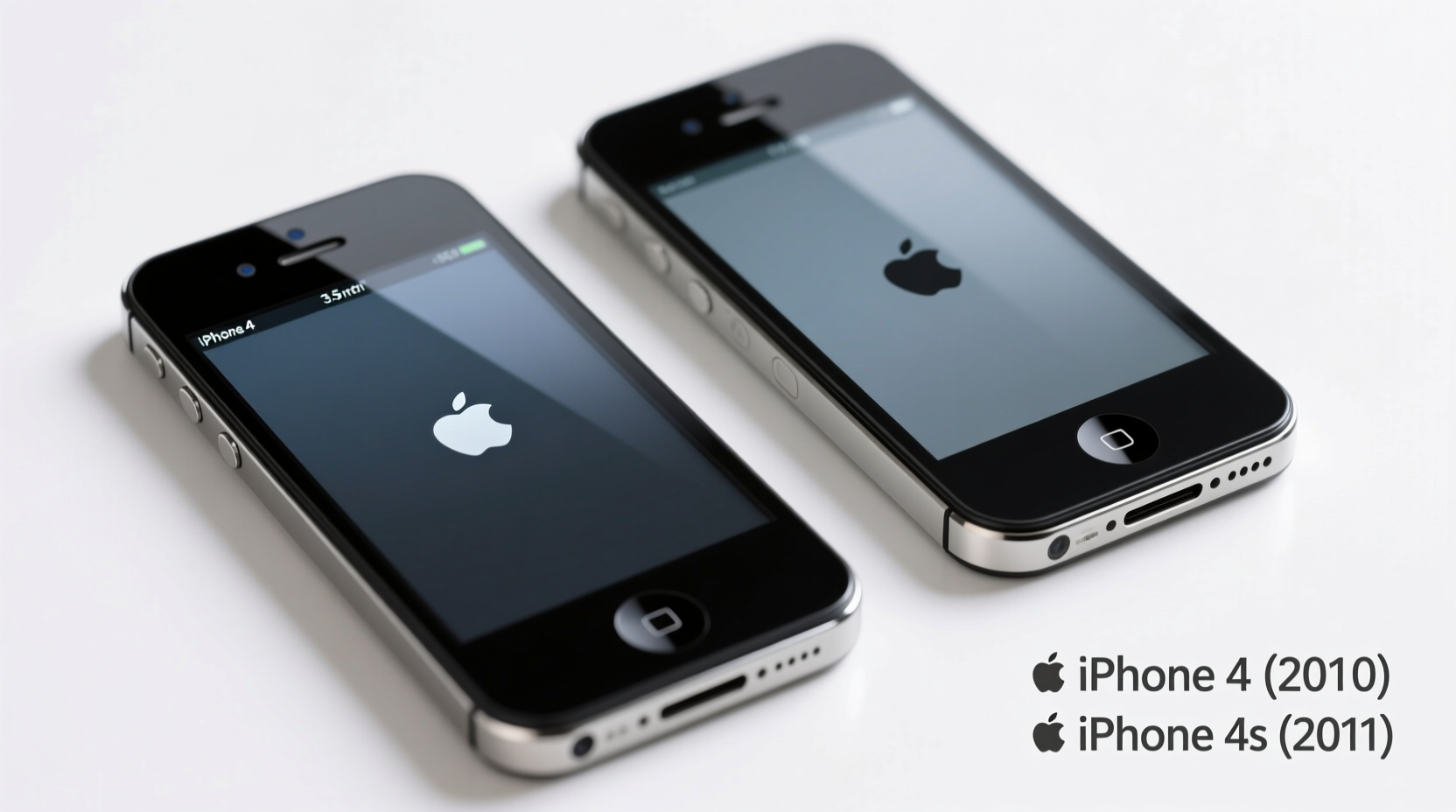
At first glance, the iPhone 4 and iPhone 4S appear indistinguishable. Both feature a 3.5-inch diagonal Retina display with a resolution of 960x640 pixels and a pixel density of 326 ppi. The glass front, stainless steel band, and overall dimensions are nearly identical—so much so that third-party cases and screen protectors are universally compatible between the two models.
However, internal structural changes, particularly in how the digitizer and LCD are assembled and connected, create complications for screen swaps. Although the outer frame may fit, the internal connectors and mounting points differ slightly due to revised internal layouts in the 4S.
“Even when components seem identical, Apple often makes micro-adjustments that affect part compatibility. Never assume interchangeability based on looks alone.” — David Lin, Mobile Repair Technician with 12+ years of experience
Differences in Screen Assembly and Connectors
The most significant distinction lies in the screen assembly itself. While both phones use a digitizer-glass-LCD stack, the way these layers are bonded and how the flex cables route differs subtly:
- iPhone 4: Uses a single long flex cable for the digitizer that runs along the left side of the display assembly.
- iPhone 4S: Features a revised flex cable design with a different routing path and connector shape near the home button.
These changes mean that even if you physically force a 4S screen into a 4 chassis (or vice versa), the connection may be unstable or fail entirely. Misalignment can cause touch unresponsiveness, flickering, or complete display failure.
Compatibility Comparison Table
| Feature | iPhone 4 | iPhone 4S | Compatible? |
|---|---|---|---|
| Display Size | 3.5 inches | 3.5 inches | ✅ Yes (visually) |
| Resolution | 960x640 | 960x640 | ✅ Yes |
| Digitizer Flex Cable | Longer, routed differently | Shorter, angled connector | ❌ No |
| Front Camera & Sensor Placement | Slightly lower | Higher, integrated with proximity sensor | ⚠️ Partial misalignment |
| Home Button Ribbon | Integrated into screen cable | Different pin layout | ❌ May disable functionality |
| Overall Frame Fit | Same external dimensions | Nearly identical | ✅ Fits, but internals may conflict |
As shown, while the displays share core specs, the internal engineering diverges enough to prevent reliable cross-use.
Real-World Example: A DIY Repair Gone Wrong
Mark, a hobbyist phone repairer from Portland, attempted to replace his iPhone 4S screen using a spare iPhone 4 display he had lying around. Confident in their similarity, he carefully transferred the components. After reassembly, the screen lit up—but touch response was erratic, especially near the bottom. The home button didn’t work at all.
Upon closer inspection, he realized the digitizer cable wasn’t making full contact due to a slight angle mismatch. Even after reseating it multiple times, the connection remained unstable. He eventually ordered a proper 4S-specific screen, which resolved all issues immediately.
This case illustrates a common pitfall: assuming physical resemblance equals functional compatibility. In mobile repair, millimeter-level differences matter.
Step-by-Step Guide: How to Safely Replace Your iPhone 4S Screen
If you're repairing either device, follow this process to avoid mistakes:
- Confirm your model: Check Settings > General > About > Model. Match it exactly to the replacement part.
- Purchase the correct screen: For iPhone 4, search “iPhone 4 LCD assembly.” For 4S, use “iPhone 4S screen replacement.”
- Gather tools: Pentalobe screwdriver, plastic opening tools, spudger, and tweezers.
- Power off the device completely.
- Remove the two screws at the bottom and gently pry open the case using a suction cup.
- Disconnect the battery first to avoid short circuits.
- Unplug the display cables from the logic board—one at a time, noting their positions.
- Transfer components carefully: If reusing parts like the front camera or earpiece speaker, move them from the old screen to the new one.
- Reconnect everything securely and test before final reassembly.
- Reattach screws and test all functions: Touch, brightness, home button, and sensors.
Frequently Asked Questions
Can I put an iPhone 4 screen on an iPhone 4S?
No, not reliably. While the screen might fit physically, the digitizer cable and connector are designed differently. You’ll likely experience touch issues, home button failure, or no display at all.
Are there any third-party screens that work for both models?
Some generic aftermarket kits claim dual compatibility, but these often sacrifice quality and reliability. Most reputable repair shops recommend using model-specific assemblies to ensure full functionality.
What happens if I install the wrong screen?
You risk permanent damage to the logic board connectors, intermittent touch response, or failure of the front-facing camera and proximity sensor. In some cases, the phone may not boot properly or could overheat due to electrical mismatches.
Checklist: Before You Buy a Replacement Screen
- ✅ Confirm your iPhone model number
- ✅ Verify seller specifies \"for iPhone 4\" or \"for iPhone 4S\"
- ✅ Check reviews for reports of touch issues or poor fit
- ✅ Ensure the kit includes necessary adhesives and tools
- ✅ Look for OEM-grade or high-quality aftermarket brands
- ✅ Avoid listings labeled \"fits both 4 and 4S\" unless from a trusted source
Conclusion: Stick to the Right Part for Reliable Results
The temptation to reuse or substitute screens between the iPhone 4 and 4S is understandable—after all, they look nearly identical. But modern electronics rely on precision engineering, where even minor variations in cable routing or connector alignment can lead to major functional failures. Using the correct screen assembly ensures not only visual clarity but also responsive touch, accurate sensors, and long-term reliability.
If you're repairing an older iPhone, take the extra step to source the right part. It saves time, prevents frustration, and protects your device from unnecessary damage. Whether you're a DIY enthusiast or managing repairs for others, respecting model-specific requirements is the hallmark of skilled, responsible maintenance.




 浙公网安备
33010002000092号
浙公网安备
33010002000092号 浙B2-20120091-4
Comments
No comments yet. Why don't you start the discussion?