
The transition from the iPhone 4s to the iPhone 5s marked a pivotal moment in Apple’s smartphone evolution. While both devices are now considered legacy models, many users still rely on them—especially in regions where newer iPhones remain out of reach due to cost. For someone still using an iPhone 4s, the question isn’t just about nostalgia; it’s practical. Is upgrading to the 5s worth it—particularly if the main reason is the slightly larger screen?
The answer depends on more than display dimensions. It involves understanding how screen size interacts with overall user experience, including app compatibility, typing comfort, battery efficiency, and long-term usability. Let’s break down what changed between these two models and whether that extra half-inch of screen real estate delivers meaningful value.
Design and Physical Differences: More Than Just Screen Size
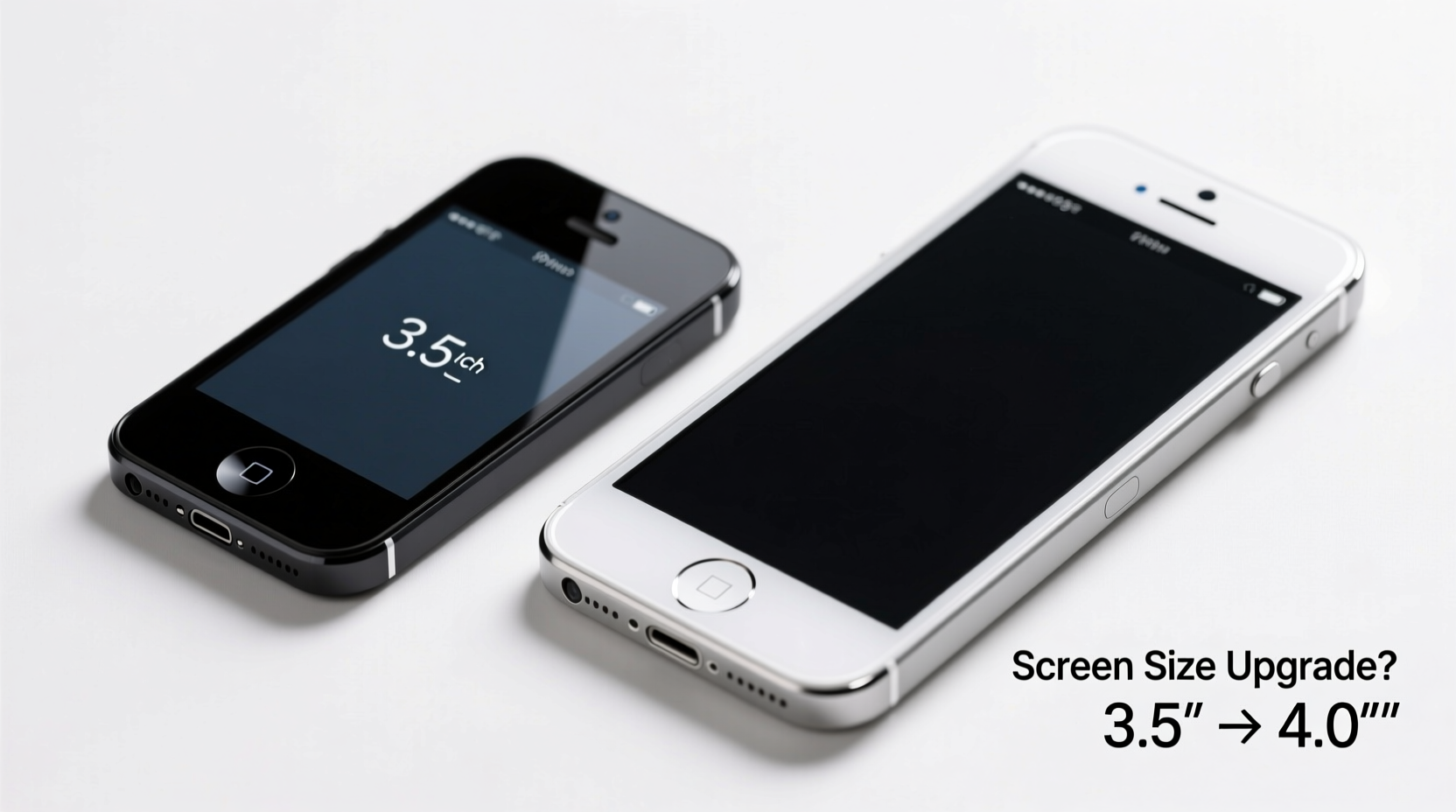
The most noticeable difference between the iPhone 4s and 5s is their physical form. The 4s features a 3.5-inch display with a resolution of 960x640 pixels at 326 ppi, while the 5s offers a 4-inch Retina display at 1136x640 pixels—same pixel density but taller. That additional height allows for an extra row of icons and significantly improves readability and media consumption.
But screen size wasn’t the only change. The iPhone 5s is taller and thinner, measuring 123.8 x 58.6 x 7.6 mm compared to the 4s’s 115.2 x 58.6 x 9.3 mm. Despite being longer, the 5s feels lighter and more balanced thanks to its aluminum frame and reduced thickness. The glass back of the 4s gave way to a sleeker metal unibody, improving durability and modernizing aesthetics.
Display Quality and Real-World Usability
A larger screen doesn’t always mean a better experience—but in this case, it does. The 4-inch display on the 5s may not seem like a massive leap, but the added vertical space transforms daily interactions. Web pages load more content without constant scrolling. Messages, emails, and e-books are easier to read. Typing becomes less error-prone because keys are spaced slightly farther apart, even though the width remains nearly identical.
Apple designed iOS 7 (introduced with the 5s) to take advantage of the taller screen, introducing flatter design elements and improved spacing. This synergy means apps optimized for the 5s feel cramped when scaled down to the 4s. Even third-party developers began prioritizing the 4-inch format, leading to diminishing support for 3.5-inch displays over time.
“Screen size impacts cognitive load. Extra screen real estate reduces the need for zooming and scrolling, which directly affects user satisfaction.” — Dr. Alan Kim, Human-Computer Interaction Researcher, Stanford University
Performance and Long-Term Viability
Upgrading for screen size alone might seem superficial, but the iPhone 5s brought substantial internal improvements that amplify the benefits of its larger display.
- Processor: The 5s introduced the A7 chip—the first 64-bit processor in a smartphone—making it dramatically faster than the 4s’s A5.
- RAM: Though Apple never officially confirmed RAM sizes, teardowns suggest the 5s has double the memory (1GB vs ~512MB), enabling smoother multitasking.
- Fingerprint Sensor: Touch ID debuted on the 5s, offering secure and convenient unlocking—a major quality-of-life improvement.
- Camera: The 8MP rear camera on the 5s includes dual-LED flash and better low-light performance.
These upgrades aren’t just about speed—they extend the device’s functional lifespan. The 5s could run iOS 12, supporting app updates years longer than the 4s, which topped out at iOS 9. App developers dropped support for 32-bit architectures by 2018, rendering many modern apps unusable on the 4s.
Comparison Table: iPhone 4s vs iPhone 5s Key Specs
| Feature | iPhone 4s | iPhone 5s |
|---|---|---|
| Release Year | 2011 | 2013 |
| Display Size | 3.5 inches | 4.0 inches |
| Resolution | 960x640 | 1136x640 |
| Processor | A5 (32-bit) | A7 (64-bit) |
| RAM (Estimated) | 512MB | 1GB |
| Max iOS Version | iOS 9.3.6 | iOS 12.5.7 |
| Touch ID | No | Yes |
| Battery Life (Talk Time) | 8 hours | 10 hours |
Real-World Example: Maria’s Upgrade Dilemma
Maria had been using her iPhone 4s since 2012. By 2016, she noticed her phone struggled to load web pages, crashed during video calls, and couldn’t install newer versions of WhatsApp or Instagram. She hesitated to upgrade, thinking “it still makes calls.” But after borrowing a friend’s used iPhone 5s, she realized how much harder she was working to use her old device.
The larger screen made reading news articles comfortable. Apps launched instantly. She could finally use two-factor authentication via authenticator apps, something her 4s no longer supported. Within a week, she bought a refurbished 5s for $70. “It felt like I got a new brain,” she said. “Not because the screen was bigger, but because everything worked again.”
Step-by-Step Guide: Evaluating Your Own Upgrade Need
If you’re still on a 4s, follow this timeline to assess whether moving to a 5s—or beyond—is necessary:
- Test Current Performance: Open your most-used apps. Do they crash or freeze? If yes, hardware limitations are likely the cause.
- Check App Compatibility: Try downloading the latest version of banking, messaging, or social media apps. If they won’t install, your OS is outdated.
- Assess Screen Fatigue: Use your phone for 30 minutes reading text. If you’re constantly zooming or scrolling short distances, a larger screen will reduce strain.
- Evaluate Security: No Touch ID means no biometric protection. If you store sensitive data, this is a serious vulnerability.
- Consider Resale or Trade-In Value: A working 4s may fetch $20–$40 toward a 5s or newer model.
When Screen Size Alone Isn’t Enough
While the 4-inch screen is objectively better than 3.5 inches, it’s important to recognize that the iPhone 5s is also a decade-old device. Even with its advantages, it lacks modern features like LTE-Advanced, robust GPS, and efficient power management. If your goal is future-proofing, consider going further—perhaps to an iPhone SE (2020) or iPhone 6s, which offer similar form factors with far better longevity.
However, if budget is tight and you’re choosing strictly between 4s and 5s, the upgrade is absolutely justified—not just for screen size, but for the cumulative effect of better performance, security, and software support.
Frequently Asked Questions
Can the iPhone 5s still be used in 2024?
Yes, but with limitations. It can connect to Wi-Fi, make calls, and run basic apps. However, most modern apps require iOS 13 or later, which the 5s cannot support. Browsing may be slow, and security updates ended in 2023.
Does the screen size difference affect gaming?
Significantly. Games designed for 4-inch screens utilize the full display on the 5s, offering better visibility and touch control. On the 4s, many games appear letterboxed or require excessive panning.
Is the battery life better on the iPhone 5s?
Yes. Despite a smaller physical battery (1440 mAh vs 1432 mAh), the 5s’s more efficient A7 chip and optimized iOS deliver up to 25% longer usage under typical conditions.
Final Verdict: Yes, the Upgrade Is Worth It
Choosing to upgrade from the iPhone 4s to the 5s for screen size alone might sound narrow-minded, but that extra half-inch unlocks a cascade of usability improvements. It enables better app design, reduces interaction friction, and supports modern software standards. Combined with the 5s’s superior processor, Touch ID, and extended iOS support, the decision transcends aesthetics—it’s about reclaiming functionality.
You’re not just buying a slightly bigger screen. You’re investing in a device that responds faster, lasts longer between charges, and stays compatible with essential tools. For anyone clinging to a 4s out of habit or hesitation, the 5s represents the minimum viable upgrade to re-enter the modern mobile experience.




 浙公网安备
33010002000092号
浙公网安备
33010002000092号 浙B2-20120091-4
Comments
No comments yet. Why don't you start the discussion?