
The iPhone 5 and iPhone 5s are two of Apple’s most iconic handsets from the early 2010s. Released just a year apart—2012 and 2013 respectively—they look nearly identical at first glance. This visual similarity has led to a common question among users: Can I use my iPhone 5 case on an iPhone 5s? The answer isn’t a simple yes or no. While many cases may fit, subtle but important design changes between the models mean compatibility isn’t guaranteed. Understanding these nuances helps avoid frustration, poor fit, or even damage to your device.
Physical Design: Nearly Identical, But Not Quite
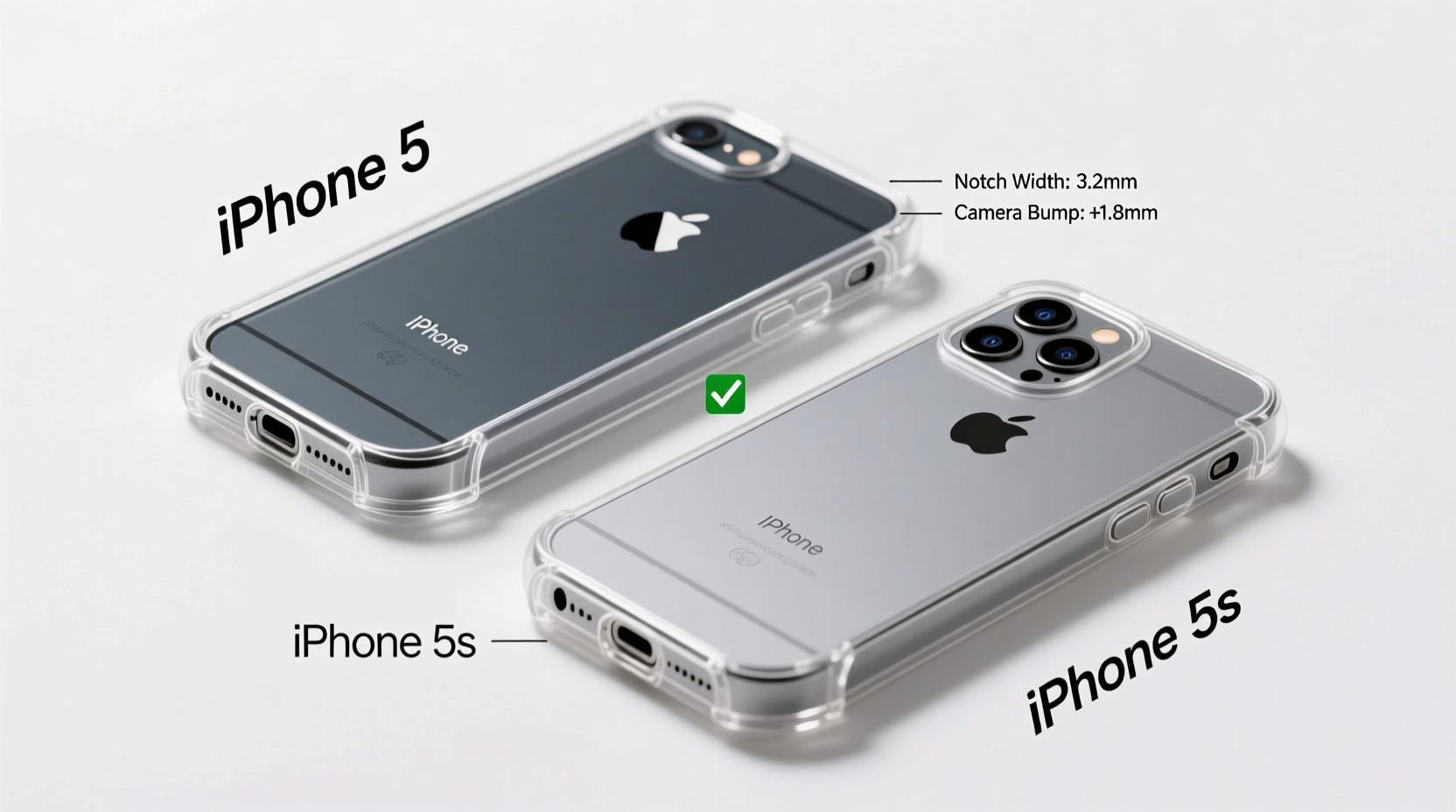
Apple maintained the same overall dimensions for both the iPhone 5 and iPhone 5s. Both devices measure 123.8 mm in height, 58.6 mm in width, and 7.6 mm in thickness. They also share the same aluminum unibody construction and glass front. At a glance, they’re mirror images. However, small internal and external tweaks affect accessory compatibility—especially cases.
The most notable change is the addition of the Touch ID fingerprint sensor on the iPhone 5s’s home button. While this doesn’t alter the phone’s outer shell, it does impact how well certain cases function. Some iPhone 5 cases have a recessed or covered home button area that might obstruct access to the Touch ID sensor or reduce its responsiveness.
Camera and Flash Placement: A Critical Difference
One often-overlooked difference lies in the camera module. Although both phones feature an 8-megapixel rear camera, the iPhone 5s includes a dual-LED flash (introduced as True Tone Flash), whereas the iPhone 5 uses a single LED. This results in a slightly different arrangement of components on the back panel.
The iPhone 5s’s dual-LED flash is positioned asymmetrically around the lens—white on one side, amber on the other. In contrast, the iPhone 5 has a single circular flash directly beside the lens. Cases designed specifically for the iPhone 5 may have a cutout that only accommodates a single flash, potentially covering part of the 5s’s dual flash setup. This not only looks awkward but can also reduce flash performance by blocking light output.
“Even millimeter-level differences in component placement can compromise functionality. Case compatibility isn't just about size—it's about precision.” — David Lin, Mobile Accessory Engineer
Comparison Table: iPhone 5 vs iPhone 5s Case Compatibility Factors
| Feature | iPhone 5 | iPhone 5s | Impact on Case Fit |
|---|---|---|---|
| Dimensions | 123.8 x 58.6 x 7.6 mm | 123.8 x 58.6 x 7.6 mm | No difference – exact match |
| Home Button | Standard button | Touch ID sensor | Cases with tight covers may hinder fingerprint scanning |
| Rear Camera Flash | Single LED | Dual-LED (True Tone) | May be partially blocked by iPhone 5 case cutouts |
| Volume Buttons & Silent Switch | Same layout | Same layout | Fully compatible |
| Speaker Grille | Same position | Same position | No issue |
| Lightning Port | Same port | Same port | Fully aligned |
Real-World Example: When Compatibility Fails
Consider Sarah, who upgraded from an iPhone 5 to a 5s and decided to reuse her favorite silicone case. The phone slid in easily, and all buttons seemed accessible. However, she soon noticed that her flashlight wasn’t as bright. After some troubleshooting, she realized the case was partially covering the amber LED in the dual-flash system. Additionally, her Touch ID failed to register fingerprints consistently—the rubbery home button cover dampened sensor sensitivity.
She assumed the case was “compatible” because the phone fit. But functionality suffered due to overlooked design details. Only after switching to a case labeled specifically for the iPhone 5s did both features work flawlessly.
What to Look for When Choosing a Case
If you're using an iPhone 5s and considering an iPhone 5 case—or vice versa—here’s a checklist to ensure optimal fit and function:
- Check the product description: Look for explicit mentions of iPhone 5s support. If it says “fits iPhone 5,” proceed with caution unless it also lists the 5s.
- Inspect the camera cutout: Ensure the opening is large enough to fully expose both LEDs of the True Tone flash.
- Test the home button access: Avoid cases with thick or enclosed button covers. Opt for ones with a precise cutout or flexible flap.
- Material flexibility: Soft TPU or silicone cases are more forgiving than rigid polycarbonate ones, which may not accommodate slight variations.
- Brand reputation: Stick to reputable brands like OtterBox, Spigen, or Speck, which typically engineer cases with model-specific precision.
Step-by-Step Guide: Testing Case Compatibility
- Insert your phone into the case gently—don’t force it.
- Check alignment of all ports and buttons. There should be no misalignment with the volume keys, mute switch, or Lightning port.
- Press the home button repeatedly. If it feels muffled or requires extra pressure, the case may interfere with Touch ID.
- Turn on the flashlight and observe the light pattern. If it appears uneven or dimmed, the flash is likely obstructed.
- Take a photo in low light to verify flash performance.
- Listen to speaker volume during a call or media playback to ensure no muffling.
- Remove the case if any function is compromised—continued use could lead to overheating or wear on the buttons.
Frequently Asked Questions
Can I use an iPhone 5 case on an iPhone 5s?
In many cases, yes—but with caveats. While the dimensions are identical, the iPhone 5s’s Touch ID sensor and dual-LED flash may not function properly if the case doesn’t account for them. Always verify compatibility before relying on it long-term.
Are there any cases that work for both iPhone 5 and 5s?
Yes. Many third-party manufacturers produce hybrid-compatible cases explicitly labeled for both models. These are engineered with larger flash cutouts and open-button designs to accommodate both versions safely.
Will using an iPhone 5 case damage my iPhone 5s?
It’s unlikely to cause physical damage, but prolonged use of a poorly fitting case can lead to issues such as scratched surfaces from friction, reduced flash efficiency, or degraded Touch ID performance due to dirt buildup under a sealed button cover.
Final Thoughts and Recommendation
While the iPhone 5 and iPhone 5s share nearly identical exteriors, they are not fully interchangeable when it comes to accessories. The evolution of biometric security and improved camera technology introduced subtle but meaningful changes. Using an iPhone 5 case on a 5s might seem convenient, but doing so risks undermining features you paid for.
For optimal protection and functionality, invest in a case designed specifically for your model. If budget is a concern, look for third-party options clearly labeled as compatible with both devices. Never assume fit equals full functionality. A few extra minutes of research can save you from months of frustration.




 浙公网安备
33010002000092号
浙公网安备
33010002000092号 浙B2-20120091-4
Comments
No comments yet. Why don't you start the discussion?