
When Apple released the iPhone 5s in September 2013, just one year after the iPhone 5, many users were left wondering: was this upgrade truly meaningful? On the surface, both phones looked nearly identical—same size, same design language, same display resolution. But beneath that familiar exterior lay significant internal changes that quietly reshaped the future of iOS devices. For users clinging to their iPhone 5, the decision to upgrade wasn’t always clear-cut. This article breaks down the key differences between the two models and evaluates whether moving from the iPhone 5 to the 5s delivered enough value to justify the cost.
Design and Build: Almost Identical, But Not Quite
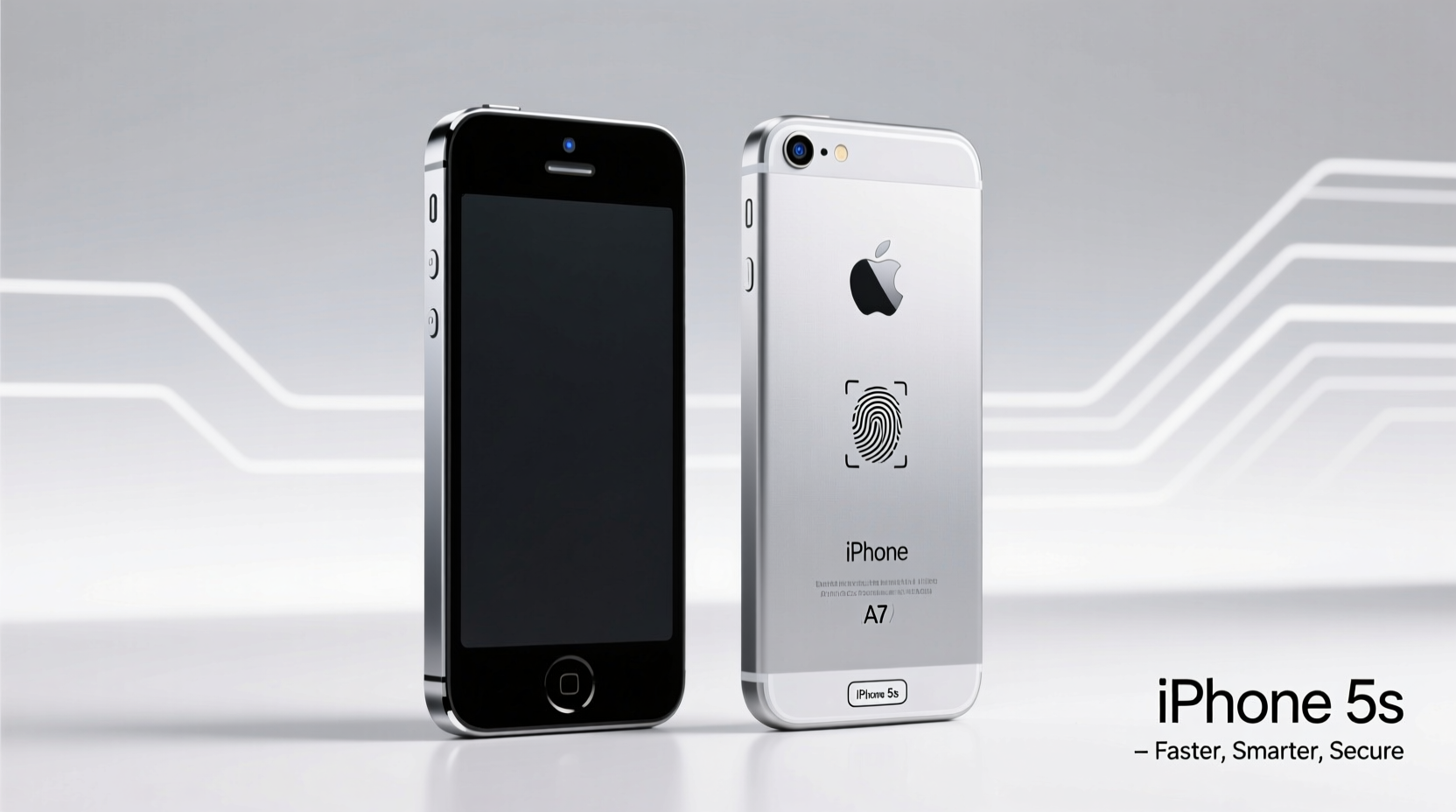
At first glance, the iPhone 5 and 5s appear indistinguishable. Both feature a 4-inch Retina display, an aluminum unibody frame, and a compact form factor that made them easy to handle. The dimensions are nearly identical—slightly under 124mm tall and about 59mm wide—with both weighing around 112 grams. Even the color options overlapped significantly: silver, black (officially “space gray”), and a new gold finish introduced with the 5s.
The subtle but notable difference lies in build quality and material refinement. The iPhone 5s used a stronger aluminum alloy and improved manufacturing techniques that reduced microscopic imperfections on the casing. While not immediately visible, these enhancements contributed to better long-term durability and resistance to scratches.
Performance Leap: The A7 Chip Changes Everything
The most transformative upgrade in the iPhone 5s was the introduction of the Apple A7 chip—the first 64-bit processor in any smartphone. Compared to the iPhone 5’s A6 chip, the A7 offered roughly 40% faster CPU performance and twice the GPU power. This wasn’t just a marginal improvement; it fundamentally changed how apps ran, especially graphics-intensive ones like games and video editors.
Benchmarks from the era show the iPhone 5s scoring nearly double the results of the iPhone 5 in tools like Geekbench. More importantly, real-world usage reflected this gap. Multitasking felt smoother, app launches were quicker, and animations in iOS 7 (which launched alongside the 5s) were far more fluid on the newer device.
Apple also included the M7 motion coprocessor in the 5s—an auxiliary chip dedicated to collecting data from the accelerometer, gyroscope, and compass. This allowed fitness apps to run background tracking with minimal impact on battery life, something the iPhone 5 couldn't do efficiently.
“With the A7, Apple didn’t just improve speed—it laid the foundation for future iOS capabilities, including augmented reality and advanced machine learning.” — David Liu, Mobile Hardware Analyst at TechPulse Weekly
Camera Improvements: Subtle But Meaningful
Both phones sported 8-megapixel rear cameras, but the iPhone 5s brought several behind-the-scenes upgrades that improved photo quality significantly. The sensor was larger and featured larger pixels (1.5µm vs. 1.4µm), allowing it to capture more light. Combined with a dual-LED flash (introducing \"True Tone\" lighting), low-light photos became noticeably less grainy and more color-accurate.
The 5s also added burst mode, auto-HDR for both photos and video, and slo-mo video recording at 120fps—a novelty at the time and a feature absent on the iPhone 5. Front-facing camera improvements enabled better face detection and more natural exposure in selfies.
| Feature | iPhone 5 | iPhone 5s |
|---|---|---|
| Processor | A6 (32-bit) | A7 (64-bit) + M7 coprocessor |
| Rear Camera | 8MP, single LED flash | 8MP, True Tone flash, larger sensor |
| Video Recording | 1080p @ 30fps | 1080p @ 60fps, 720p @ 120fps slo-mo |
| Fingerprint Sensor | No | Touch ID |
| RAM | 1GB | 1GB (but optimized for 64-bit architecture) |
| Battery Life (Apple claims) | Up to 8 hrs LTE | Up to 10 hrs LTE |
Touch ID: Security Meets Convenience
Perhaps the most iconic addition to the iPhone 5s was Touch ID, Apple’s fingerprint recognition system embedded in the home button. At launch, it could store up to two fingerprints and was initially used only to unlock the phone and authenticate App Store purchases. Over time, developers integrated it into banking apps, password managers, and secure enterprise tools.
While early versions were slower than today’s Face ID systems and occasionally required multiple attempts, Touch ID represented a major leap in mobile security. It eliminated the need to type passwords repeatedly and set a precedent for biometric authentication across the industry.
For users concerned about privacy or tired of entering passcodes, this alone made the 5s feel like a modern device compared to the 5. Even now, decades later, Touch ID is remembered as one of Apple’s most impactful innovations.
Real-World Example: Sarah’s Upgrade Dilemma
Sarah had been using her iPhone 5 since its release in 2012. By late 2013, she noticed apps were taking longer to load, her phone would freeze during multitasking, and iOS 7 updates caused noticeable lag. She hesitated to upgrade—after all, her phone still worked. But when she tested an iPhone 5s at an Apple Store, the difference stunned her.
She opened five apps in succession without delay, used the camera’s slo-mo mode to record her dog playing, and unlocked the phone effortlessly with her finger. Within minutes, she decided to make the switch. Six months later, she reported not only greater satisfaction but also increased productivity—she used her phone more confidently for mobile banking and work-related tasks thanks to Touch ID.
Sarah’s experience mirrors that of many mid-cycle upgraders: the benefits weren’t flashy, but they were deeply practical and cumulative.
Was the Upgrade Worth It? A Balanced Verdict
Whether upgrading from the iPhone 5 to the 5s was “worth it” depends heavily on individual needs and timing.
- For power users and early adopters: Absolutely yes. The A7 chip ensured longer software support, and Touch ID provided tangible daily convenience.
- For casual users on a tight budget: Maybe not immediately. If your iPhone 5 was performing adequately and you weren’t affected by slowdowns, waiting another year might have made more financial sense.
- From a longevity perspective: The iPhone 5s supported iOS updates until iOS 12 (released in 2018), while the iPhone 5 stopped at iOS 10. That extra two years of compatibility with modern apps gave the 5s a clear edge.
Frequently Asked Questions
Could the iPhone 5 run the same apps as the 5s?
Initially, yes. But as developers optimized apps for 64-bit architecture starting in 2015, many newer versions dropped support for 32-bit devices like the iPhone 5. By 2017, the app ecosystem on the iPhone 5 had effectively frozen.
Did the iPhone 5s last longer on battery?
Apple claimed up to 10 hours of LTE usage for the 5s versus 8 for the 5. In real-world tests, users saw about 1.5 to 2 hours of additional moderate use, thanks to both a slightly larger battery and more efficient hardware management via the M7 coprocessor.
Is there any reason to choose the iPhone 5 over the 5s today?
Only if you’re collecting vintage devices or need a basic phone for calls and texts without modern distractions. Otherwise, the 5s remains the superior choice in every functional category.
Final Thoughts: An Upgrade That Mattered
The iPhone 5s wasn’t a radical redesign, but it was a pivotal evolution. It introduced technologies—64-bit computing, motion coprocessing, and biometric security—that became standard in every smartphone that followed. For users stuck on the iPhone 5, upgrading meant gaining not just better performance, but access to a more secure, future-ready device.
If you upgraded within the first year, you paid a premium for innovation. If you waited for price drops or bought secondhand, the value proposition improved dramatically. Either way, history has shown that the iPhone 5s was more than just a minor refresh—it was a bridge to the modern iOS era.




 浙公网安备
33010002000092号
浙公网安备
33010002000092号 浙B2-20120091-4
Comments
No comments yet. Why don't you start the discussion?